
When SkyTrak announced the ST MAX, I was expecting something big.
A thousand-dollar price jump usually means substantial upgrades. New tracking technology. Expanded data sets. Something that makes you see very clearly why the new version is so much more expensive.
Instead, with the new ST MAX, we get speed training, dual USB-C ports, a faster processor, and a new color scheme.
Don’t get me wrong. Those are nice additions.
But are they worth an extra grand?
That’s the question we’re here to answer.
I’ve spent considerable time with the ST MAX trying to figure out who this launch monitor is actually for. Because, frankly, SkyTrak’s made their own new flagship hard to recommend for everyone.
Look, the ST MAX is excellent. But so is the SkyTrak+, and you can still grab one for $1,995 while supplies last.
Let’s break down what’s new, what matters, and whether you should spend the extra money.
First Impressions of the SkyTrak ST Max
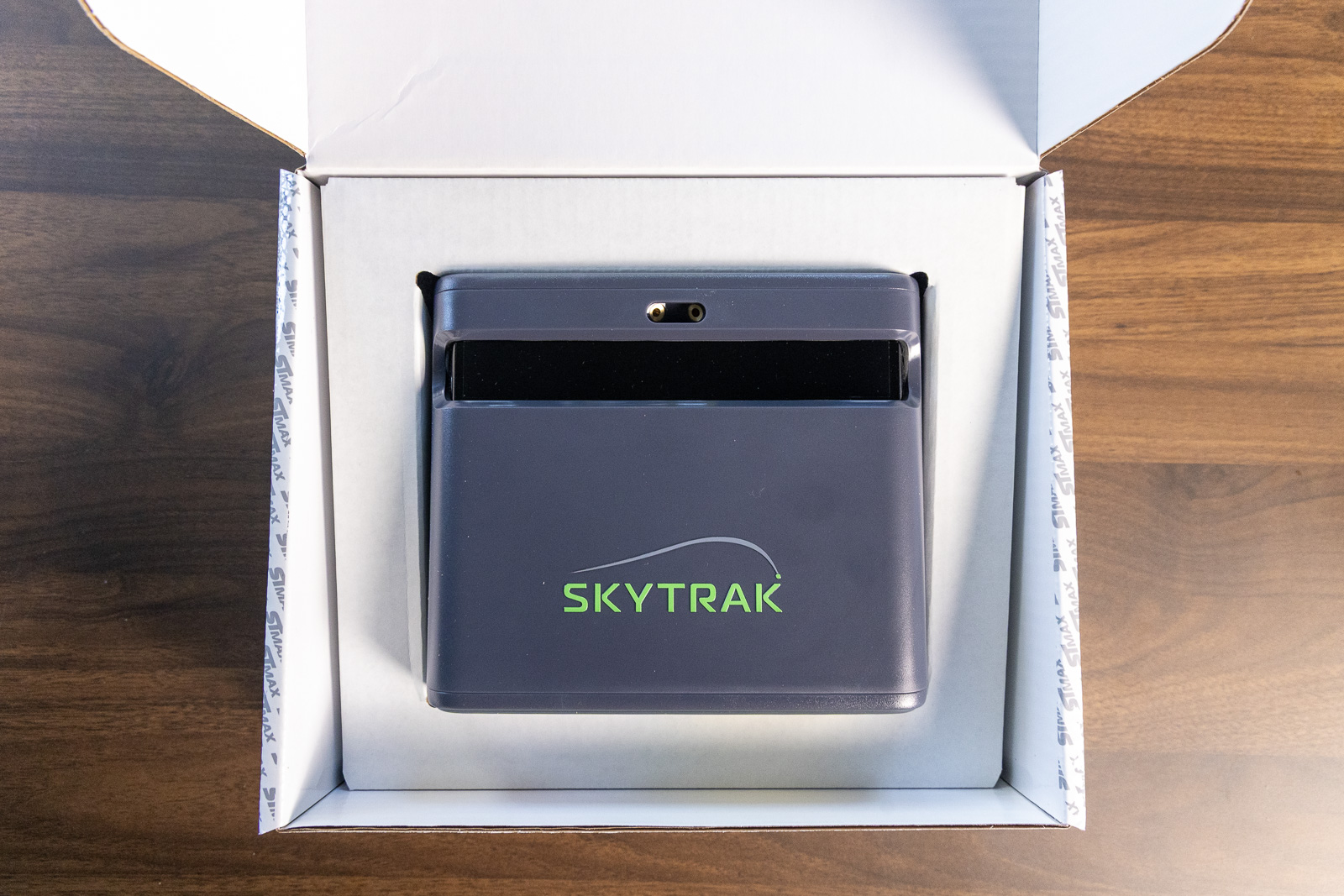
The ST MAX arrives in packaging that’s nearly identical to the SkyTrak+, including the same box design and basic accessories.
Actually, it’s not nearly identical. It is identical. Other than a color update.
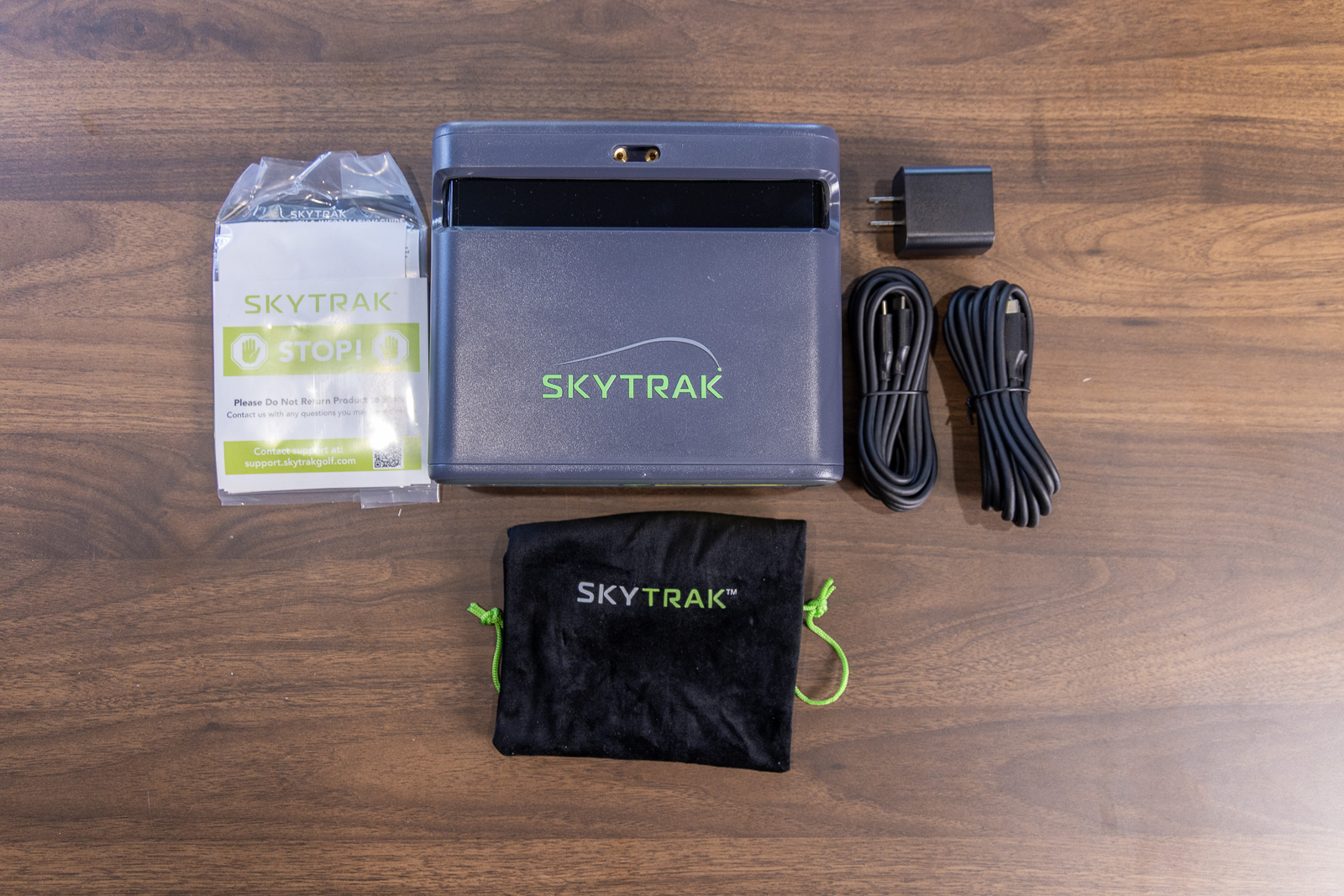
Inside you get:
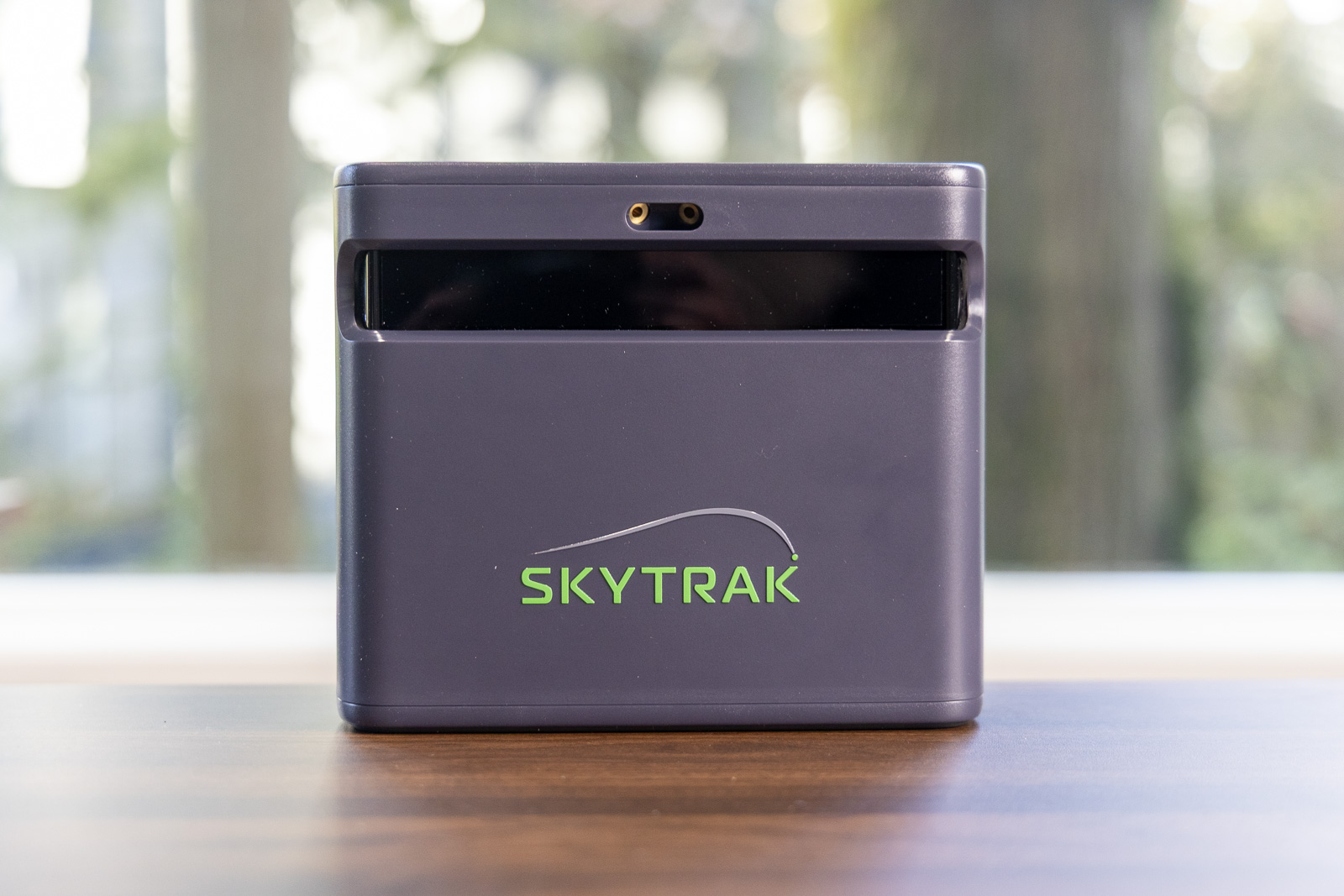
- The ST MAX unit (now in charcoal instead of white)
- Two USB-C cords and a brick
- Quick start guide
- An accessories pouch
If you placed the new ST MAX and the original SkyTrak+ side-by-side and couldn’t see the color, you honestly wouldn’t be able to tell them apart. The dimensions are identical. It’s the same piece of hardware.
The charcoal finish does look sharp. I’ll give them that. But it’s purely cosmetic.
What’s more interesting is on the back of the device, where you’ll find new dual USB-C ports. One for charging and one for data transfer.
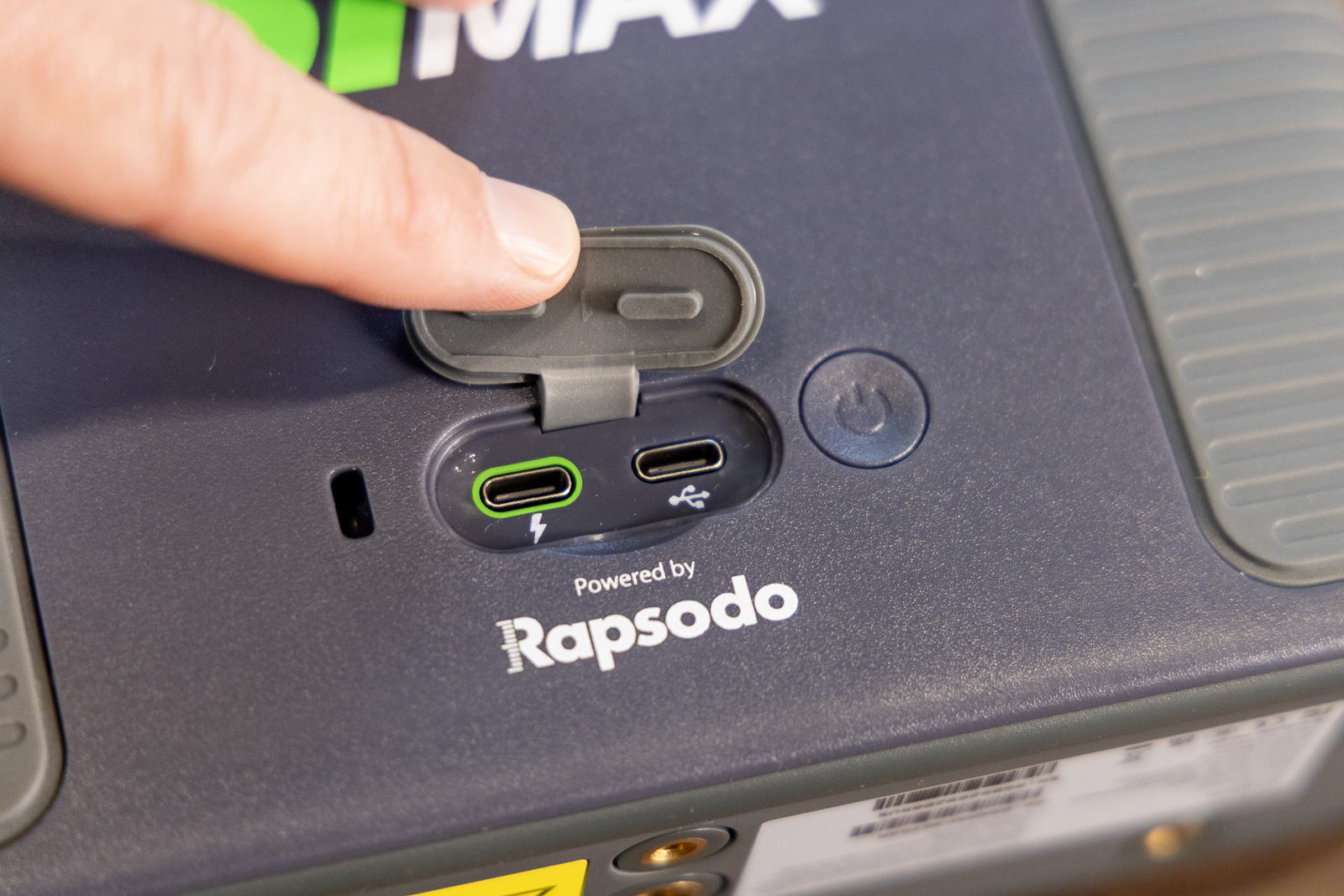
It’s a small detail, but if you’re running a permanent indoor setup, it means you can keep the unit charged while staying connected without any cable swapping. And I gotta say, for the right user, that is a nice upgrade.
But aside from that additional port and the new color, out of the box, the ST MAX looks just like a SkyTrak+.
Not that that’s a bad thing. I mean, I’ve loved the SkyTrak+ for a long time.
It’s just that when we’re talking about a thousand-dollar price increase for what’s supposed to be something new? Having an identical product in identical packaging kind of raises questions right off the bat.

The ST MAX is the evolution of the hugely popular SkyTrak+, now with speed training, dual USB-C ports, a faster processor, and a new color. Everything else is just as it was with the SkyTrak+.
What’s Changed with the ST MAX?
Here’s the most important thing I can tell you upfront: The ST MAX and SkyTrak+ share the exact same tracking technology.
It’s the same dual Doppler radar combined with a photometric camera system that reads the same ball data and club data with the same simulation compatibility.
Interesting, right? For $1,000 more?
The new ST MAX does feature a slightly faster processor, which isn’t nothing. It’s just that the difference in the actual speed increase isn’t appreciable enough to justify the price increase on its own. Not that SkyTrak is saying the processor alone justifies the extra grand.
What they are pushing as the big new feature, and I’d agree, is speed training. The ST MAX, and only the ST MAX (SkyTrak+ users don’t get access) has a speed training program built into the software.
I’ll go into detail on this new feature below, but I’ll start here by saying it’s really good. But also, maybe not a must-have.
I mentioned earlier the dual USB-C ports, which are also new and exclusive to the SkyTrak ST MAX. You can charge and connect simultaneously, which is nice.
And I talked before about the new color scheme, which basically flips the dominant color from white to a charcoal gray, still with the same green accenting. I like it.
But now here’s what didn’t change: Everything else.
The data package is identical. All the same ball and club metrics you get with the SkyTrak+.
Same with the software ecosystem. SkyTrak did just announce some updates to their Course Play membership tiers. They’re now making the TrackMan course package available for purchase separately in the same way they’ve had their Foresight course package set up. But that’s the same situation whether you’re using the SkyTrak+ or ST MAX.
With either launch monitor, you still get access via subscription to SkyTrak’s native Course Play platform, compatibility with E6 and GSPro, all the practice tools, and all the same cross-platform flexibility.
Which, by the way, is amazing. SkyTrak’s software is absolutely phenomenal, and they keep improving it. I’m definitely not complaining about the package, including the most recent updates. All I’m saying is that it’s the same one you have access to with the SkyTrak+.
The Big Thing SkyTrak Still Isn’t Giving Us
Let’s talk about what’s missing from both the ST MAX and the SkyTrak+.
Angle of attack.
I just find this to be odd that they still haven’t figured out how to measure angle of attack even when other launch monitors, well below this price range include that metric. Both the Rapsodo MLM2PRO and the Square have directly measured angle of attack, and they only cost $700 each.
With the price going up $1,000 with the ST MAX, that data point omission becomes a lot more glaring.
Now to be fair, you definitely are getting a quality data set overall with either
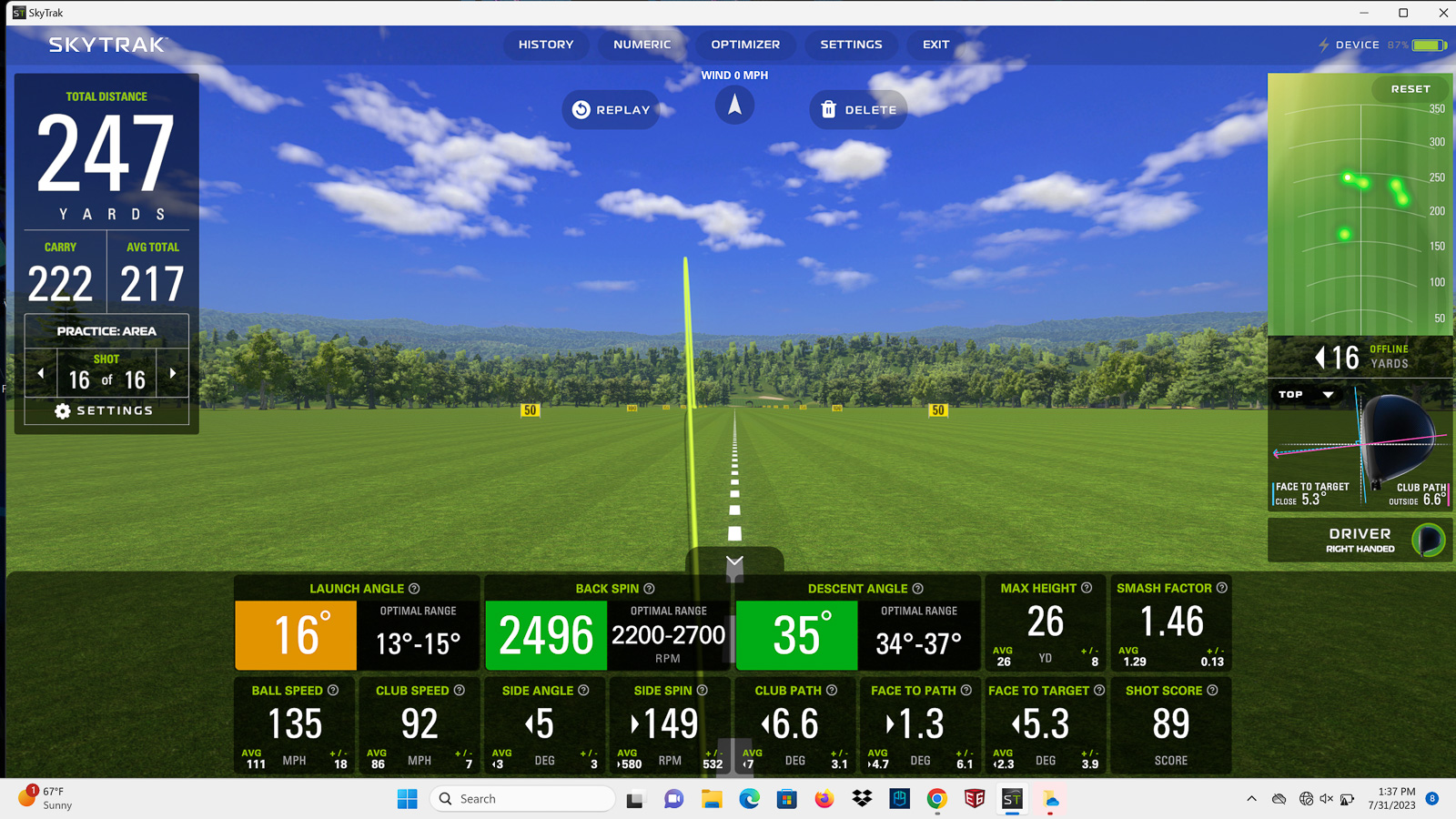
. And considering how good the accuracy is, there’s not much to complain about beyond that one missing metric.
I’ve actually compared the original SkyTrak+ to a Trackman, and the results were really impressive. Accuracy with the ST MAX remains a strong selling point.
My original review:
But still, angle of attack is a pretty big metric to be missing at this price. It’s one of those cornerstone numbers that even semi-serious players are going to be interested in knowing.
Would I rate it as a dealbreaker? Definitely not for everybody. It doesn’t detract from the overall great product that this is. But, like I said, this missing data does disqualify this device for a lot of competitive players and teaching pros, I think.
We’ll see what happens going forward, but I’ve been thinking ever since the SkyTrak+ came out that they would add this soon enough, but here we are still waiting and now having to spend $1,000 more.
And if they were ever going to do it? Adding it to this new product seems like it’d be the perfect time. Since it’s not here now, I’m doubting we’ll ever see it in one of these models.
Setup, Connection, and SkyTrak’s Major Mac Advantage
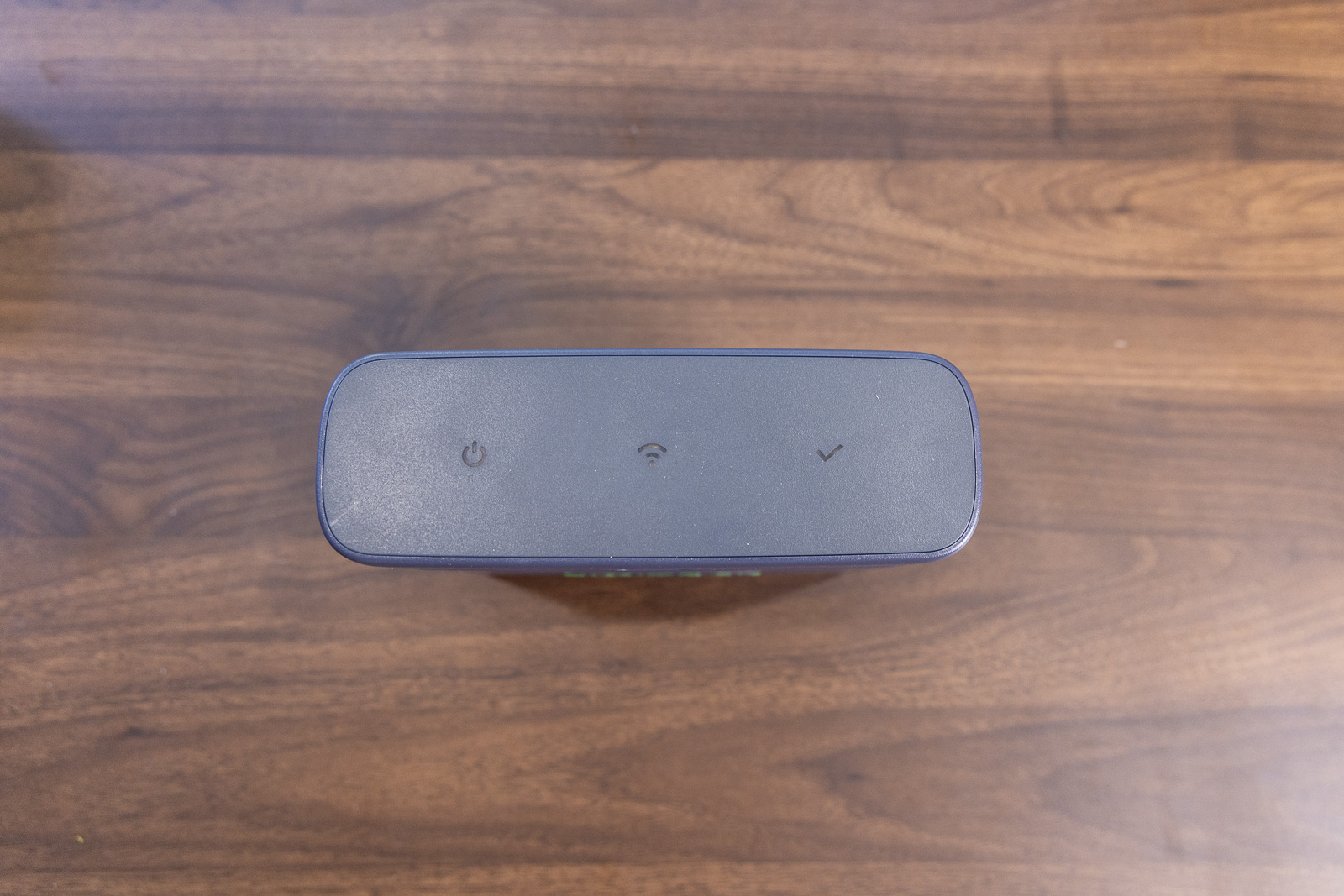
SkyTrak’s made this pretty foolproof. You’ve got three connection options:
- USB Mode: This is the direct-connect mode that’s the most stable and keeps your internet live.
- Direct Mode: This uses the device’s built-in WiFi and works when you don’t have network access.
- Network Mode: This is what SkyTrak recommends. You can connect through your router and still get all of your online features, third-party software access, and live syncing.
Speaking of connectivity, and this is huge for me, SkyTrak is the only major launch monitor brand with first-party native Mac support for simulation. And in my testing the SkyTrak software runs pretty well on a decently spec-ed Macbook Pro.
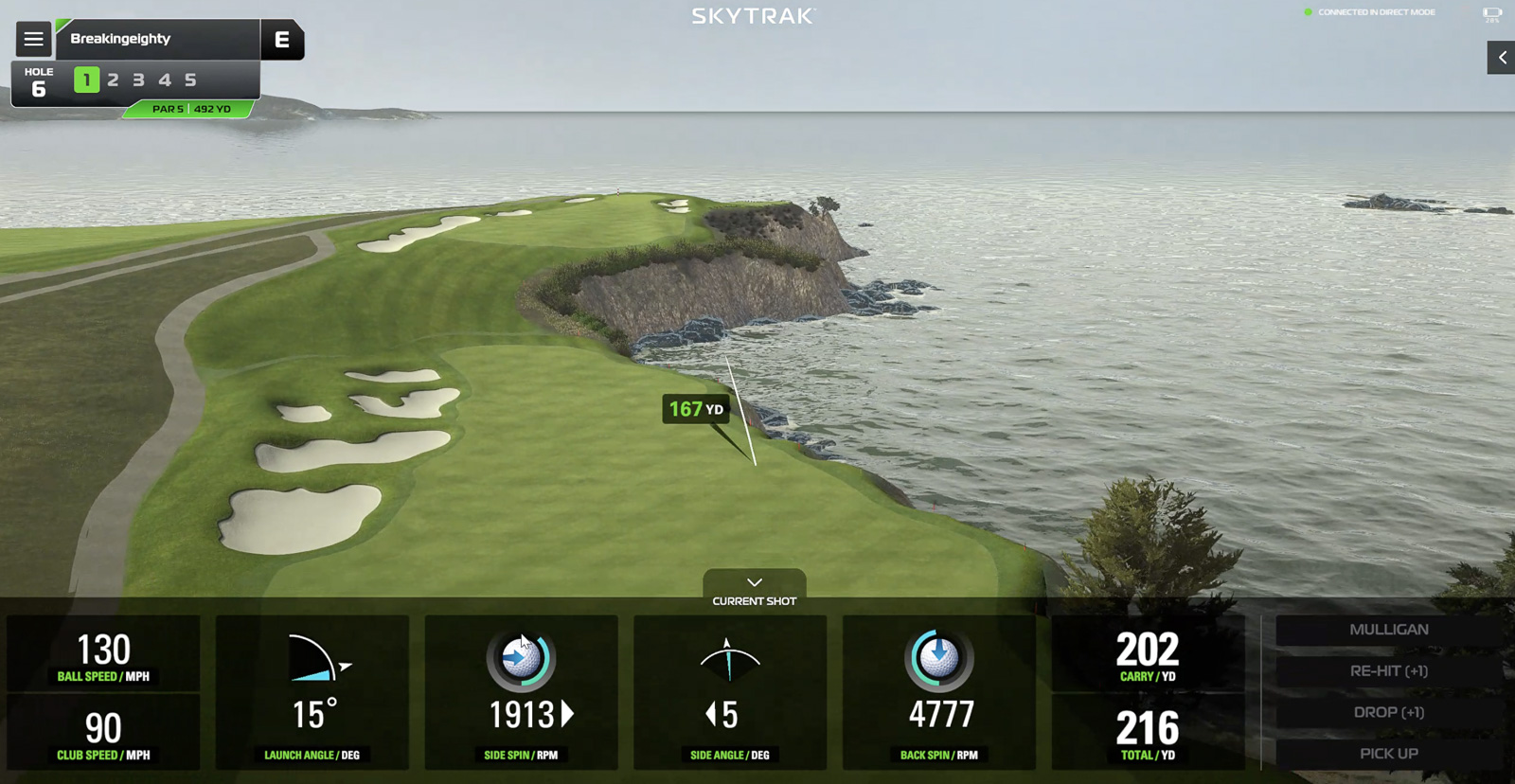
If you’re a Mac user, you know how rare this is. So it’s a huge selling point for both the SkyTrak+ and ST MAX.
ST MAX Software and Simulation
As I mentioned earlier, one thing SkyTrak has done really well over the past couple of years is invest in their software. It’s really good.
The practice tools alone are worth highlighting. You’ve got skills assessments, bag mapping, wedge matrix, and randomized practice tools.
And there’s a lot of variety. There are more options for practicing specific different kinds of shots (fades, draws, punch, etc.) than with any other software I’ve tried.
Their newest software version also includes little video explanations that help you understand what all of the data means and how you can use it to understand what you’re doing with your golf swing. This feature alone makes it one of the most user-friendly launch monitors for the less technically inclined golfer.
Then there’s Course Play, SkyTrak’s native simulation platform.
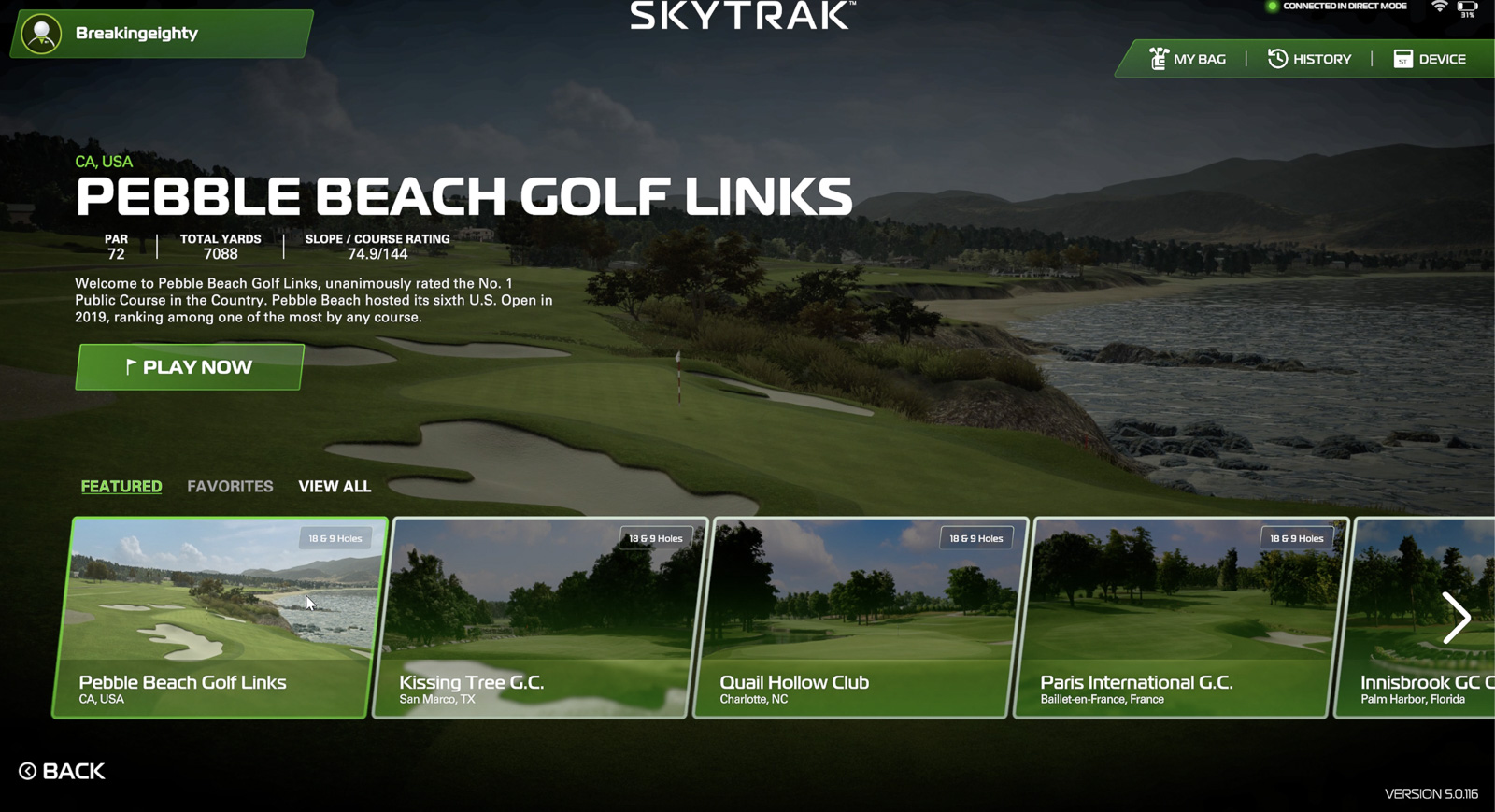
This was one of the biggest updates SkyTrak made in 2024, adding built-in simulator access directly into their software. Before this, you had to rely on third-party options.
And the integration is excellent. The courses look great, the experience is smooth, and it all works seamlessly.
One of the coolest things about the Course Play software is that they include course renderings from both Foresight Sports and Trackman. They’re the only ones doing this, bringing two of the giants in the space into their native software ecosystem.
You’ve got the choice to choose either Foresight or TrackMan courses, or you can buy them all.
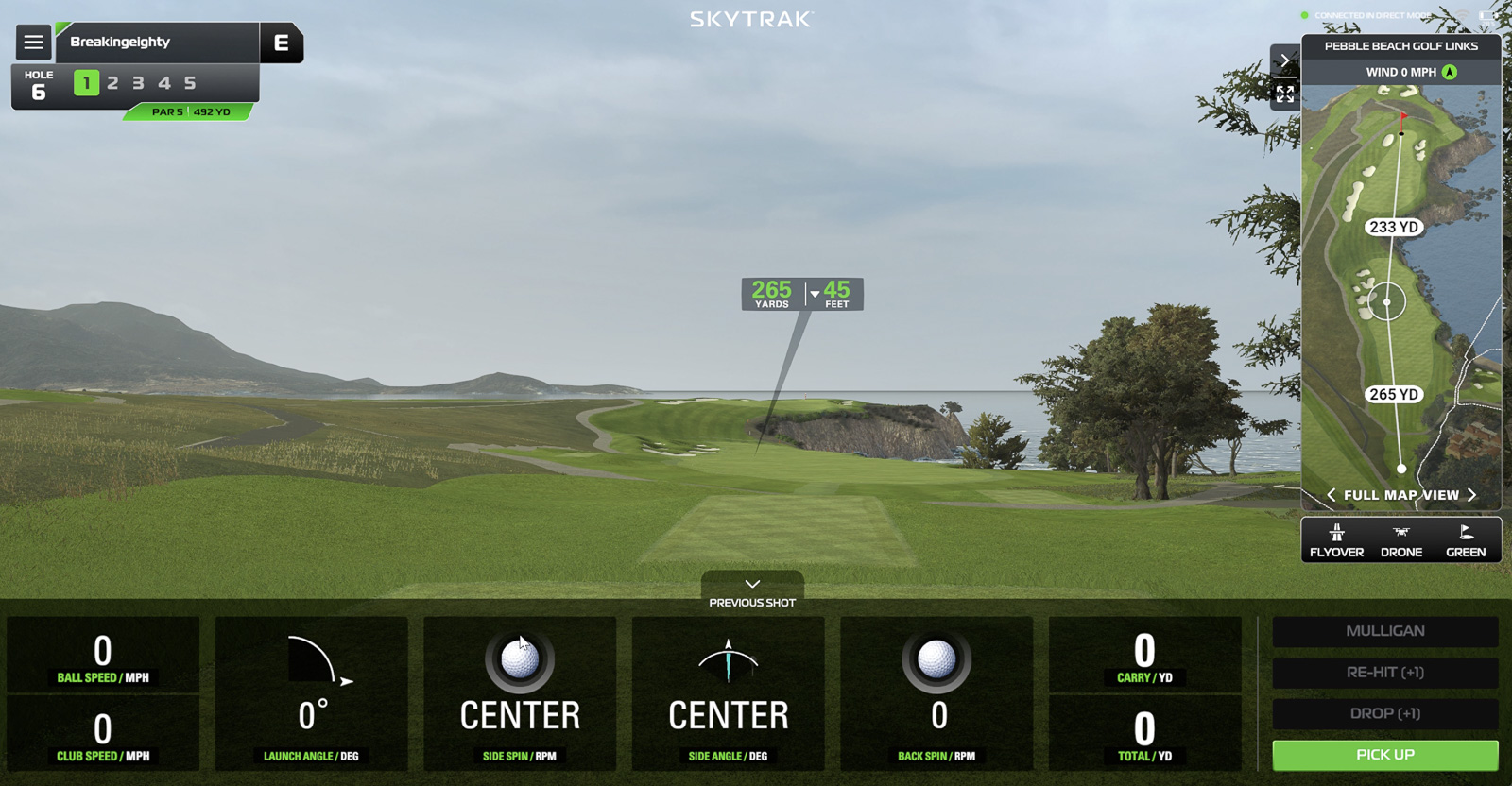
They offer three membership tiers:
- Core Foresight ($299/year): Foresight Sports course library (38+ courses, including Pebble Beach, with one new course a month)
- Core Trackman ($349.99/year): TrackMan course library (39+ courses, including Pebble Beach, Royal Portrush, Bethpage Black, with one new course a month)
- Elite ($599/year): Both Foresight and TrackMan libraries combined with two new courses a month.
And all of this runs on PC, Mac, iOS, and Android. It doesn’t require a gaming PC.
The catch here is that the subscriptions are a bit on the high side. If you’re going all-in on the SkyTrak experience, you’re looking at $300 to $600 a year on top of your hardware investment. It adds up. Worth considering as part of your budget.
But here’s the thing, all of this software is identical between the ST MAX and the SkyTrak+. You’re not getting better courses or more features (other than the speed training) with the ST MAX. It’s the same ecosystem.
A Closer Look at the New ST MAX Speed Training Feature
Again, the one big advantage, as I see it, that the ST MAX has over the SkyTrak+ is this new speed training feature.
I think it’s well-designed and works great.
You launch the Speed Training mode from the main menu, and you can choose to train with or without a ball. Then you set a speed goal, either in clubhead speed or distance, and when you swing, the interface shows a classic speedometer dial. You take your swing, and the dial moves based on your speed.
If you achieve your goal, the system suggests the next interval to chase.
The app also includes drills and video demonstrations to help you build your speed. And you can track your progress and see your session history.
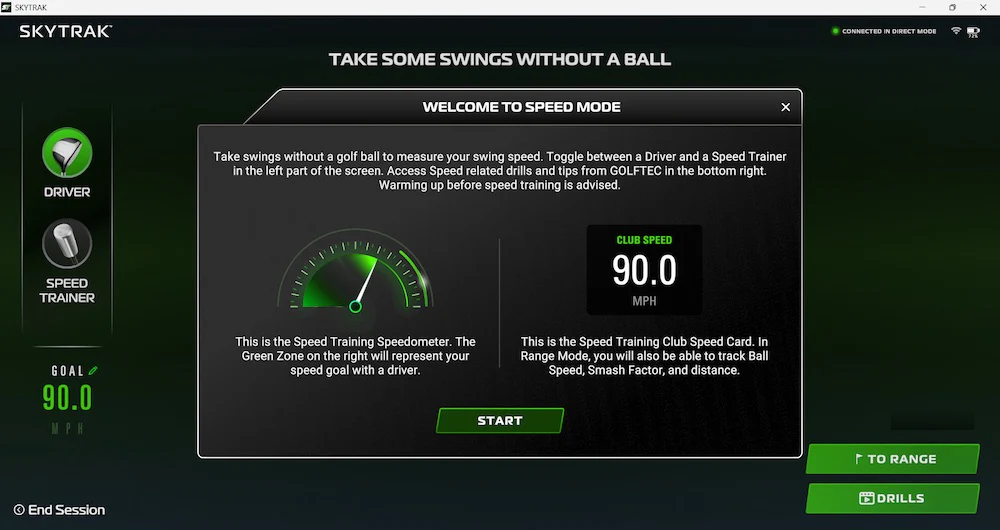
I mean, it’s all very well thought out and put together.
I think that if you’re really into chasing speed, this tool can definitely help.
But I’m just not sure it’s worth an extra $1,000. I think that’s going to depend on your commitment level. If you use it enough, you’ll get your money’s worth. But I think a lot of people are going to rate this as a nice-to-have, rather than a must-have.
Who Should Buy the ST MAX?
Here’s how I see this. I think the ST MAX is a great launch monitor and is going to continue to carve out a big space in the market in the same way that the SkyTrak+ has for the past couple of years.
Do I think it’s worth the $2,995 price? For the right user, yeah, I do.
The problem isn’t that the ST MAX is overpriced so much as it’s that, for the time being, there’s a better choice for a lot of people.
And that better choice is the remaining SkyTrak+ stock. All of a sudden, if you can get one of those for $1,995? I think you’ve got a great deal.
However, if speed training is your primary goal or one of the big things you want out of a launch monitor experience, then don’t overthink it. Get the ST MAX. I think it’s worth paying for the features that you really value. You’re going to be happier in the long run.
If you’re interested in the SkyTrak+, you probably don’t have the luxury of waiting too long. As I understand it, there is limited stock, and they are no longer making them. So I’d try to make my decision relatively quickly.
You don’t have to operate with that same urgency if you’re leaning toward the ST MAX. It’s going to be around for a while, and my guess is that this price is pretty stable at this point. If anything, there’s always a chance we’ll see some future discounts.
Final SkyTrak ST MAX Thoughts
I think that for as long as there remains SkyTrak+ stock, the ST MAX has a bit of a problem. I’m just not sure that for $1,000 it’s going to be the best play for most people.
For now, the price difference and the fact that you can access almost all of the same features with either device makes it pretty easy to recommend the SkyTrak+.
As I said, once the SkyTrak+ is sold out, we’ll have a new assessment to make. I definitely hope that at this new $2,995 ST MAX price that we’re eventually going to see angle of attack. I think that’s going to remain a negative differentiator until they get that added (if it gets added at all).
But don’t sleep on the Mac advantage. That’s a huge plus for a lot of people, and for now, the SkyTrak+ and ST MAX are the best options for Mac users who want to play simulator golf. So, for a lot of people, that point alone swings the pendulum back in SkyTrak’s favor.
Let’s see where things go from here. For now, it’s pretty simple. Grab the SkyTrak+ unless you really want speed training. And if so, buy the ST MAX with confidence. It’s a phenomenal product, even if it is very similar to its predecessor.
The ST MAX is the evolution of the hugely popular SkyTrak+, now with speed training, dual USB-C ports, a faster processor, and a new color. Everything else is just as it was with the SkyTrak+.
This page contains affiliate links. This means that if you click a link and buy one of the products on this page, we may receive a commission (at no extra cost to you!) This doesn’t affect our opinions or our reviews. Everything we do is to benefit you as the reader, so all of our reviews are as honest and unbiased as possible.
Recent Updates:
December 15th, 2025: Added video version of this review.
The new ST MAX costs $1,000 more than the SkyTrak+. But does it actually give you $1,000 worth of extra value?
The ST MAX is an excellent launch monitor with the same proven performance as the SkyTrak+, plus speed training and some quality-of-life upgrades. But at $1,000 more than the SkyTrak+, it's a tough sell for a lot of golfers for as long as the SkyTrak+ remains available.
The Good
- Same trusted accuracy as SkyTrak+
- Excellent Mac support
- Speed training is well-executed
The Bad
- $1,000 more than SkyTrak+ for upgrades not everyone needs
- Still no angle of attack
-
Presentation
-
Performance
-
Price
-
Personal Affinity

2 Comments
The biggest question I would have about the ST Max is, does it still freeze and hang like ST+ in network mode? And the missed shots, has the performance there improved? What about putter missed shots? I love my ST+, but it does hiccup a lot and misses way too many shots. If this is solved in the ST Max, I might pull the trigger. Otherwise, I’ll be looking for somethings more stable.
Honestly, I haven’t experienced the hanging in network mode, and it’s been pretty rare for me that it’s had miss shots. Granted, I haven’t used it as much as someone like you. That said, if you currently have a ST+ I’m not sure I see enough reason to upgrade. I also don’t think there have been hardware changes that would effect network or shot tracking, so I wouldn’t expect the performance to be dramatically different in those regards. Where you do notice it is the new processer, as it is noticeably snappier, and more responsive after shots.