

The Square Omni came in with more hype than almost anything I’ve ever reviewed.
And, honestly, that scared me. In my experience, hyped products stand a very good chance of letting you down.
Well, this one, mostly, didn’t. It just might be one of those rare examples of a hyped product that actually delivers on the expectations.
The Omni is a $1,600, four-camera optical launch monitor with no subscription. And after testing it indoors against a Trackman and outdoors on the range, the headline is the accuracy. It’s shockingly good.
The build is also a big step up from the original Square. The no-subscription model is refreshing. And as a way into GSPro, it’s one of the best values in golf right now.
The software is where it falls short, and that’s the one thing keeping me from calling the Omni a perfect fit for everyone.
But for most people? Yeah, there’s a lot to like here.
Let’s take a closer look.
The Square Omni Backstory
The original Square Home Edition sells for $699, and I’m not sure I’ve reviewed a product with a more loyal following.
When I reviewed it, I gave what I thought was a pretty fair read on the pros and cons, and overall, I came away more impressed than I expected on accuracy and usability for the money. I was also clearly disappointed with the app, the build quality, and the fact that it was indoor only.
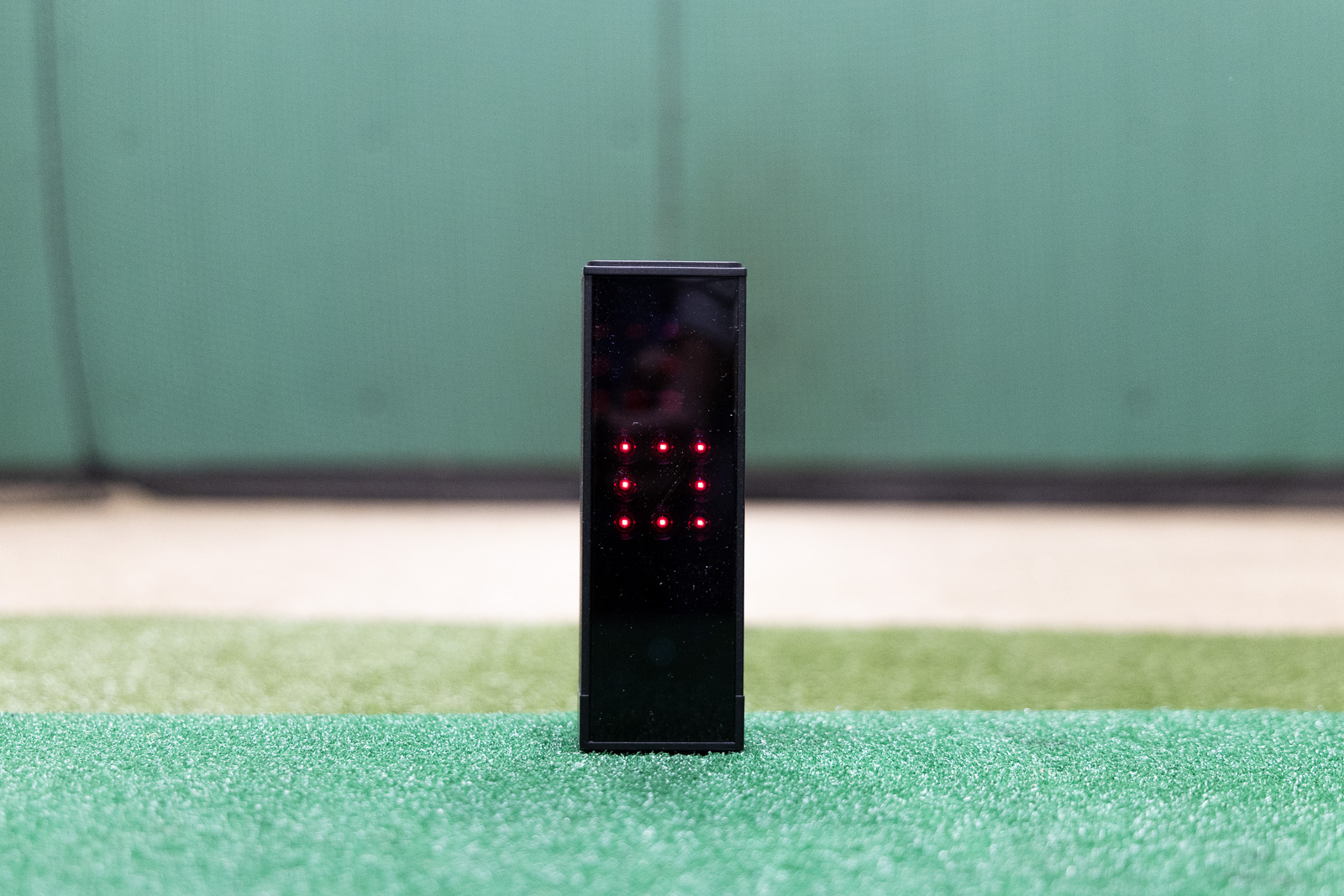
I said a lot of positive things about that first Square. And I still got a flood of negative comments. You guys are passionate about this brand. And I get why. You’re getting a lot for the money. It’s a very good device.
But the build quality isn’t great. And neither is the software. And it is indoor-only. Plus the customer service from the brand is almost non-existent. I stand by those findings even though I definitely do like the product.
So with all of that background and interaction with the original Square community, I was excited to get the Omni. I wanted to see what the updated version included and if any of those few things I didn’t like about the original were improved.
First Impressions of the Square Omni Launch Monitor
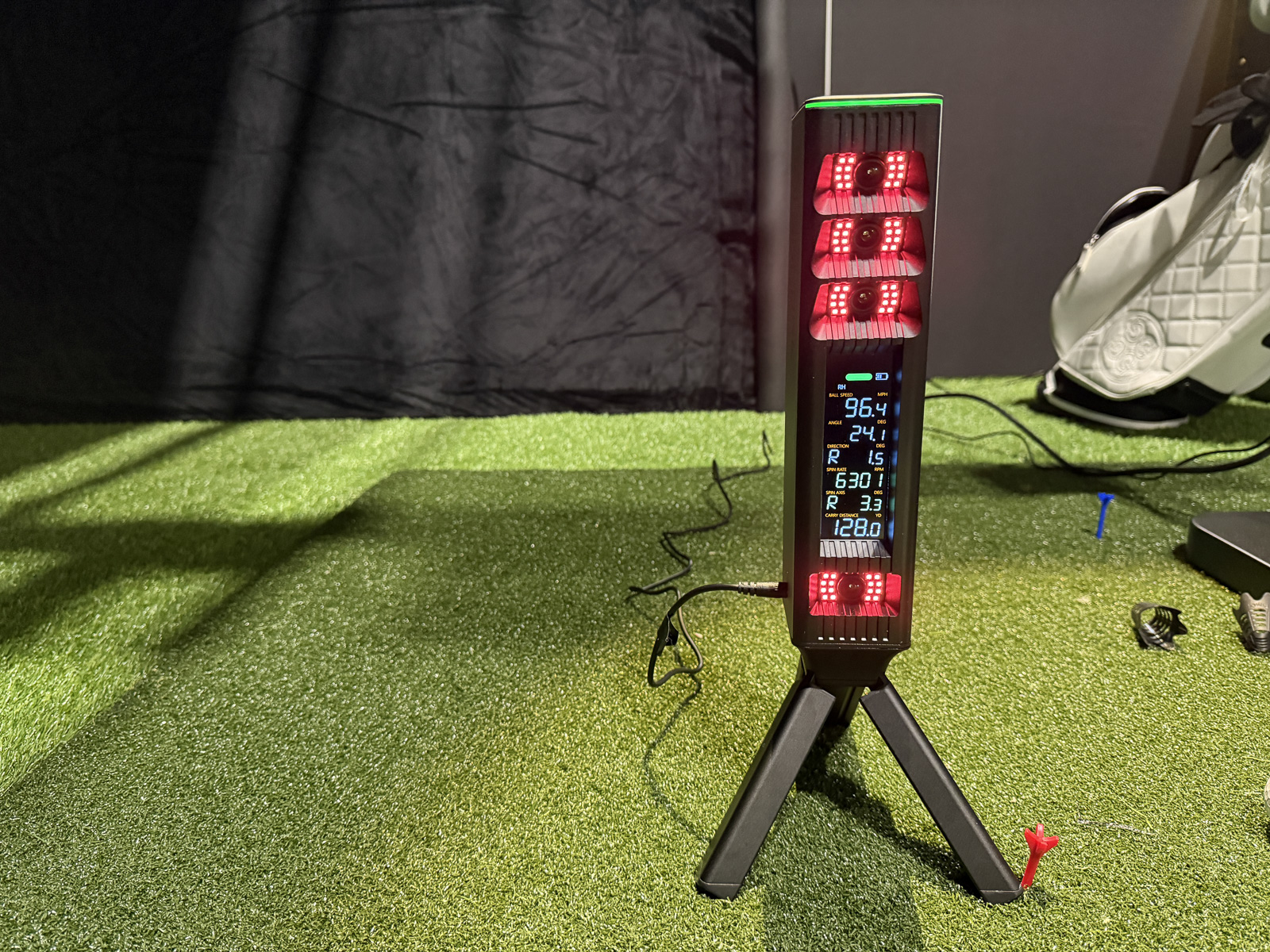
So, you open the box. And the packaging is… fine. Nothing overly polished or impressive. But not terrible either.
Right up until you notice the box the power adapter came in. Only it’s labeled “Power Adoptor,” with a big, bold misspelling front and center. I mean, that’s the kind of lack of attention to detail that just kind of sets a poor first impression. I went from excited to skeptical pretty quickly.
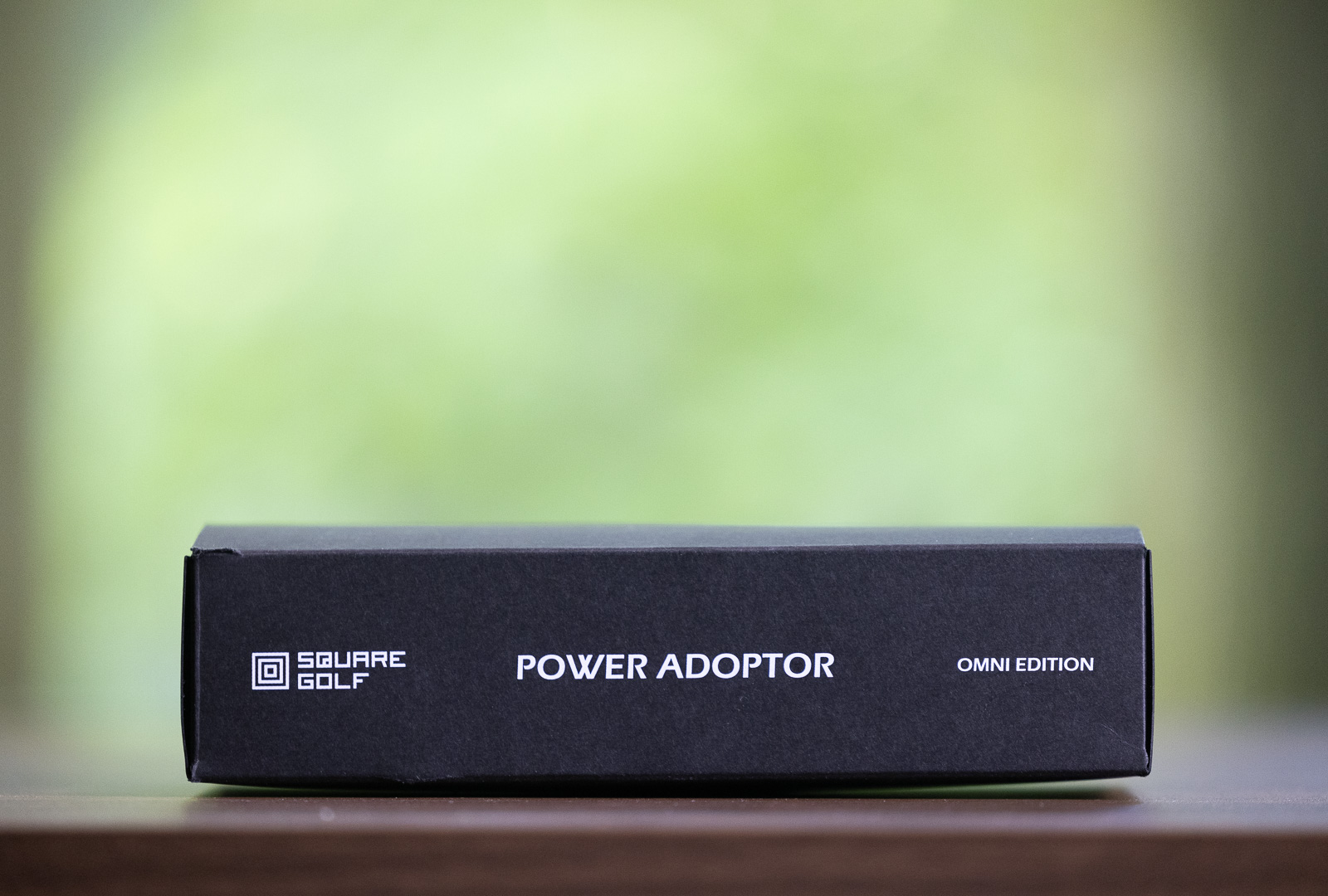
I’ve been told that this only happened for the earliest units and that it’s now fixed – but the one I received still had this issue.
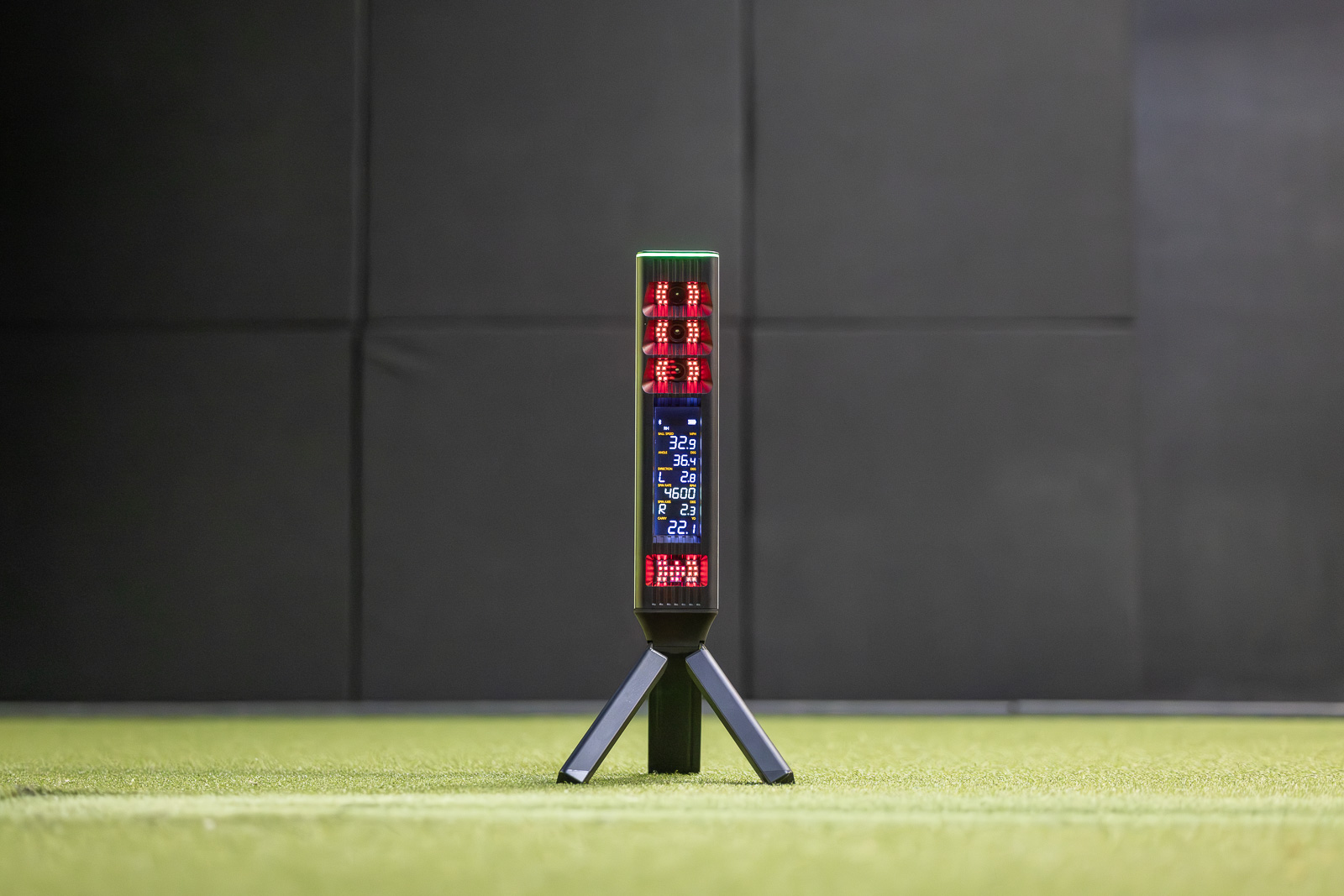
Then I pulled out the device itself, and the build quality is significantly better than the original Home Edition. The whole thing is built in aluminum and feels far more high-end than the old model. It comes with a plastic tripod you slide onto the device. And just like that, you’ve got an optical launch monitor you can set down in front of you.
One letdown is that there’s no carrying case. At $1,600, even though it’s a good value, it would be nice to have a way to haul this thing around, especially now that it works indoors and outdoors instead of just indoors.
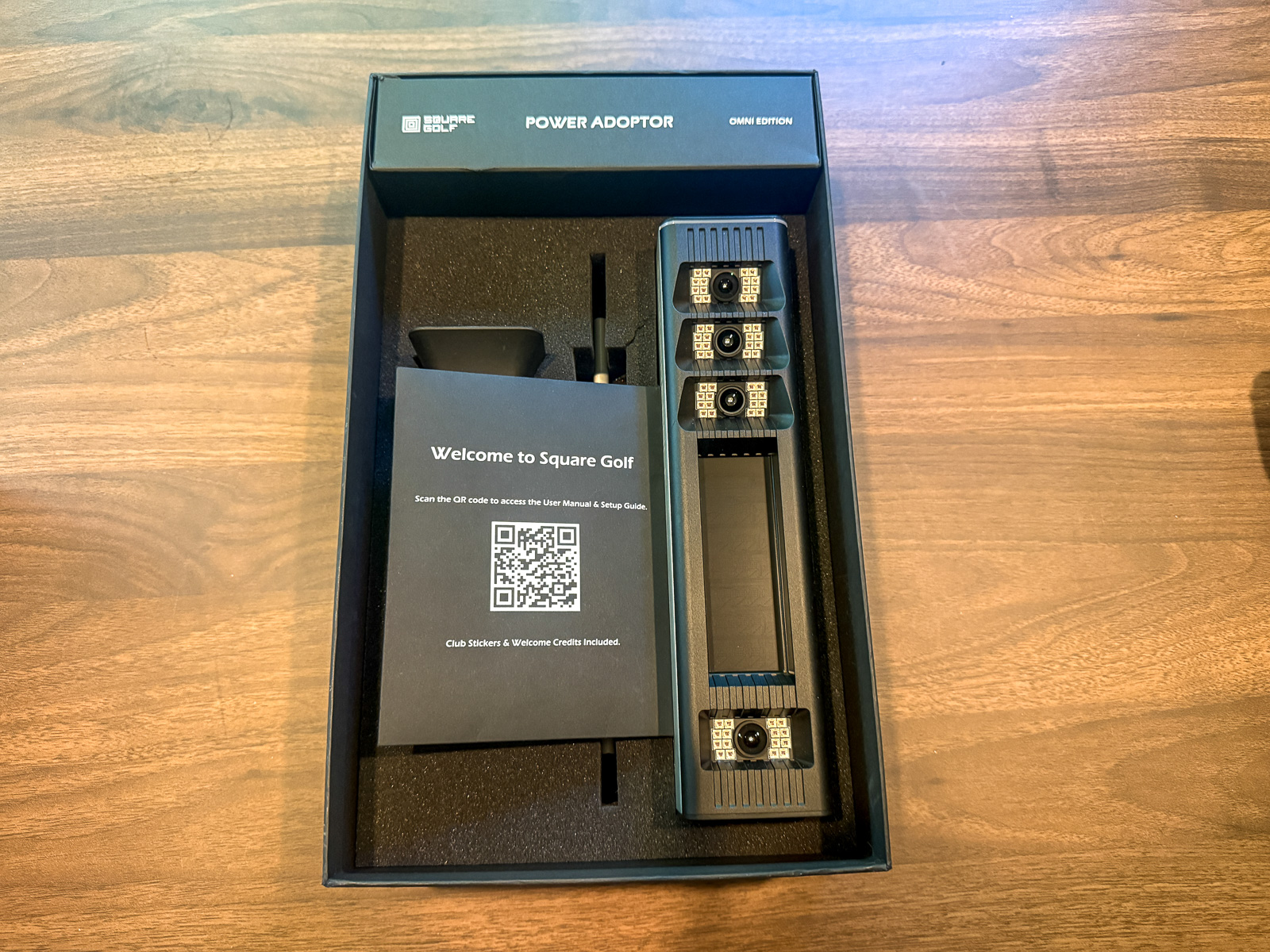
So on convenience or ease-of-transport, it does lag behind some of the field, whether that’s smaller radar units like the Rapsodo MLM2PRO and FlightScope Mevo Gen2, or optical units like the Bushnell Launch Pro with its built-in handle, or the Uneekor Eye Mini and Garmin R50 that each ship with a substantial case.
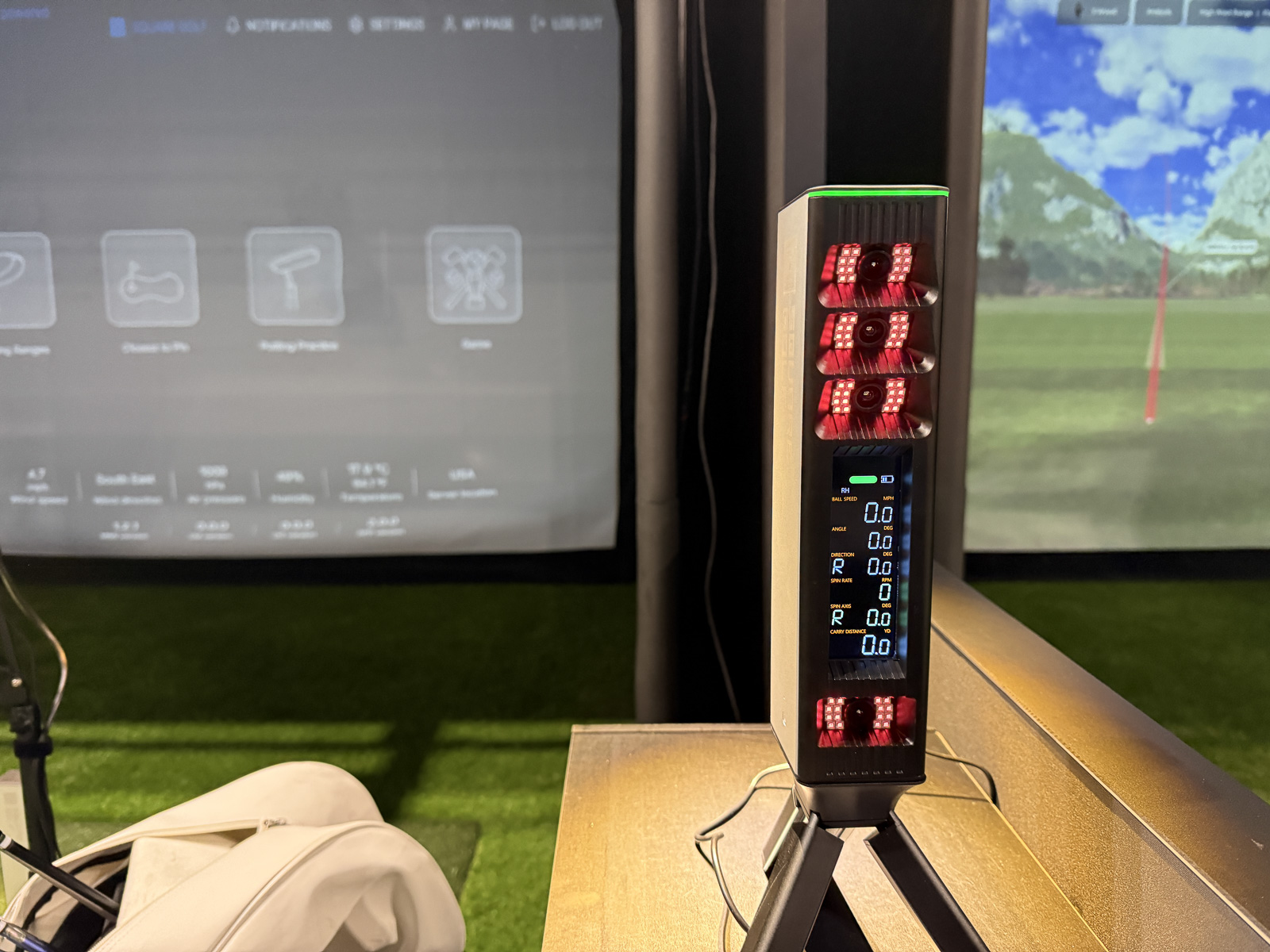
Is this going to be the device that changes the golf launch monitor world forever? It very well might.
The Square Omni Design: It’s…Unique.
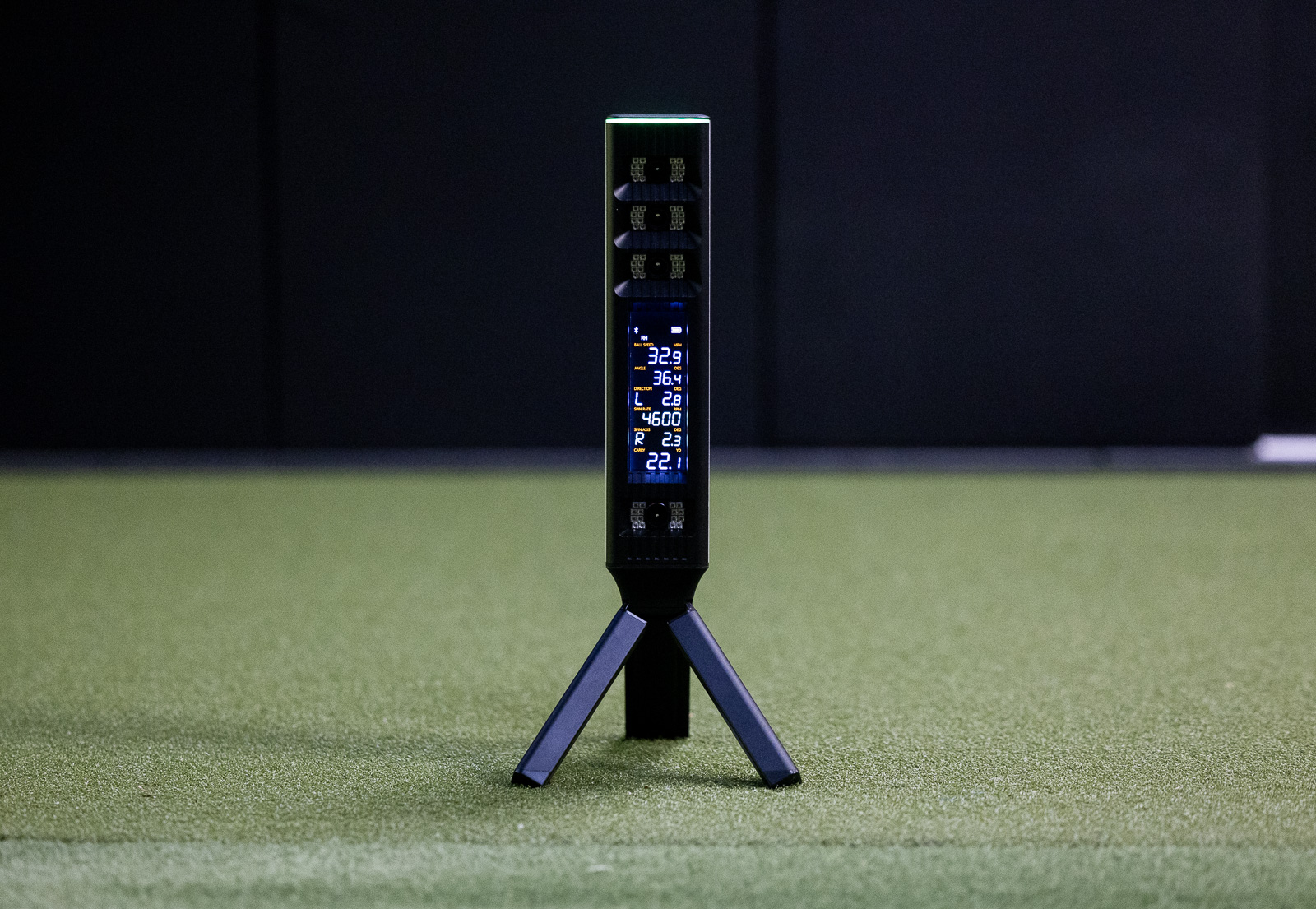
The design of this launch monitor goes both ways for me.
What I love is the way the cameras and screen are recessed into the body. One of the things you fear most with an optical launch monitor is shanking a ball, breaking a camera, and ruining the pricey piece of tech you just bought.
With the Omni, you could fire a golf ball straight at it, and there’s no way it can contact the cameras or screen. That’s a thoughtful bit of design.
What I don’t love is the screen itself. Looking at it, it reads like a big blob of numbers. It’s tough to scan, there’s no customization, and it’s too small. When you just want numbers at a glance, it makes it harder than any other launch monitor.
In fact, for me, this is my least favorite screen of any launch monitor I’ve tested. It’s just not that functional.
None of that is a dealbreaker, necessarily, as long as it does what it promises and gives you accurate feedback.
And that’s where things start to get good.
Is the Square Omni Accurate?
I want to get to the accuracy question a bit earlier than I typically do in a review, because it’s significant.
This thing is shockingly accurate.
I mean it.
And I really didn’t expect that to be the main story here. But after testing it in multiple environments, I came away extremely impressed.
I ran three indoor Omni sessions against a Trackman, and on the majority of shots, the numbers were extremely close most of the time.
On wedges up through long irons, ball speed was almost identical 90% of the time. Spin rates surprised me most and were also nearly identical, usually within about 100 RPM and 300 RPM at most on well-struck shots.
As you’d expect, mishits can produce more variable numbers. But even on a lot of those mishits, it landed close to the Trackman.
Of all the launch monitors I’ve tested, this is one of the most consistently accurate indoors against a Trackman. I did not expect it to be that good.
For a quick, well-struck iron example, I had a carry of 181.1 on the Omni against the Trackman’s 180.6, ball speed of 119.3 against 119.5, and spin of 3,465 against 3,597. Inside, up against a Trackman, that’s very impressive and clearly a step beyond the original Square.
Driver is where things started to dip slightly. Overall, it still performed well, but I noticed more discrepancy in carry distances and spin rates with driver indoors. Nothing big enough to be a dealbreaker, just more variance than with the other clubs.
Outdoors, the Omni also looked very accurate. I didn’t have a second outdoor reference unit for comparison, but using flags, a rangefinder, and a general sense of my own distances, outdoor performance was really good.
There’s a caveat tied to usability that I’ll come back to. But on ball metrics, indoors and outdoors, this thing performed beyond my expectations.
Club Path, Impact Location, and a lot of Stickers
The Omni also gives you club data. However, you need not one but two stickers on your clubs. There’s a silver dot on the face, as you’d use with plenty of camera launch monitors. Plus a second sticker down at the base of the club near the hosel.
It’s not a huge deal, but if you want this data across every club, you’re suddenly applying a lot of stickers. Gets a little cumbersome.
I love the data. I’d just have loved a way to get it with one sticker.
The hosel sticker is what unlocks club path, face to target, angle of attack, and dynamic loft. Add the face sticker and you get impact detection. This is one of the very few devices I’ve tested with impact location, let alone one under $2,000. It shows you right in the app exactly where you struck the ball.
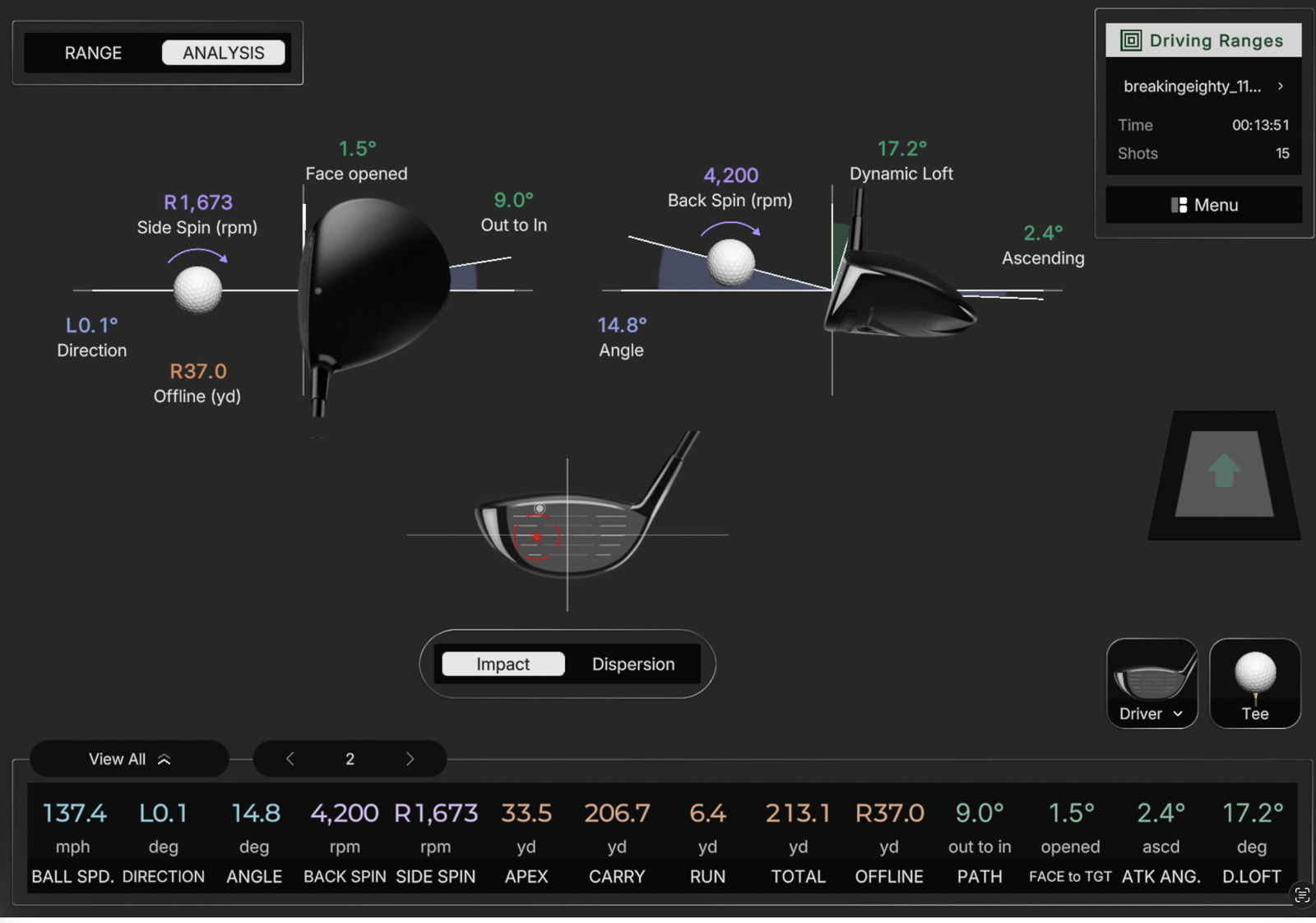
Impact detection was the one mode where I got a few no-reads, but only two or three shots out of 10, and overall I was surprised how reliable it was.
If accuracy is your concern with the Square Omni, you don’t need to be concerned. It’s very accurate.
But that doesn’t make it perfect. And it doesn’t make it the right fit for everybody. So let’s get into everything else.
Setup and the App
The Omni runs through both a mobile app and a PC app.
I ran it on my gaming PC, and it looks good. But actually it was just as good of an experience using my iPad Air. The PC helps a little when you’re playing full courses, smoothing things out graphically. But even off the iPad it wasn’t all that noticeable.
If you don’t want to invest in a gaming PC, the mobile option gets you most of the way there, especially on an iPad with decent specs.
Setup itself with the Omni couldn’t be easier. Download the app, log in, turn on the Omni, find it over Bluetooth, hit connect, and within seconds you’re paired. It worked great whether I was on my phone at the range, at home, or in a simulator setup.
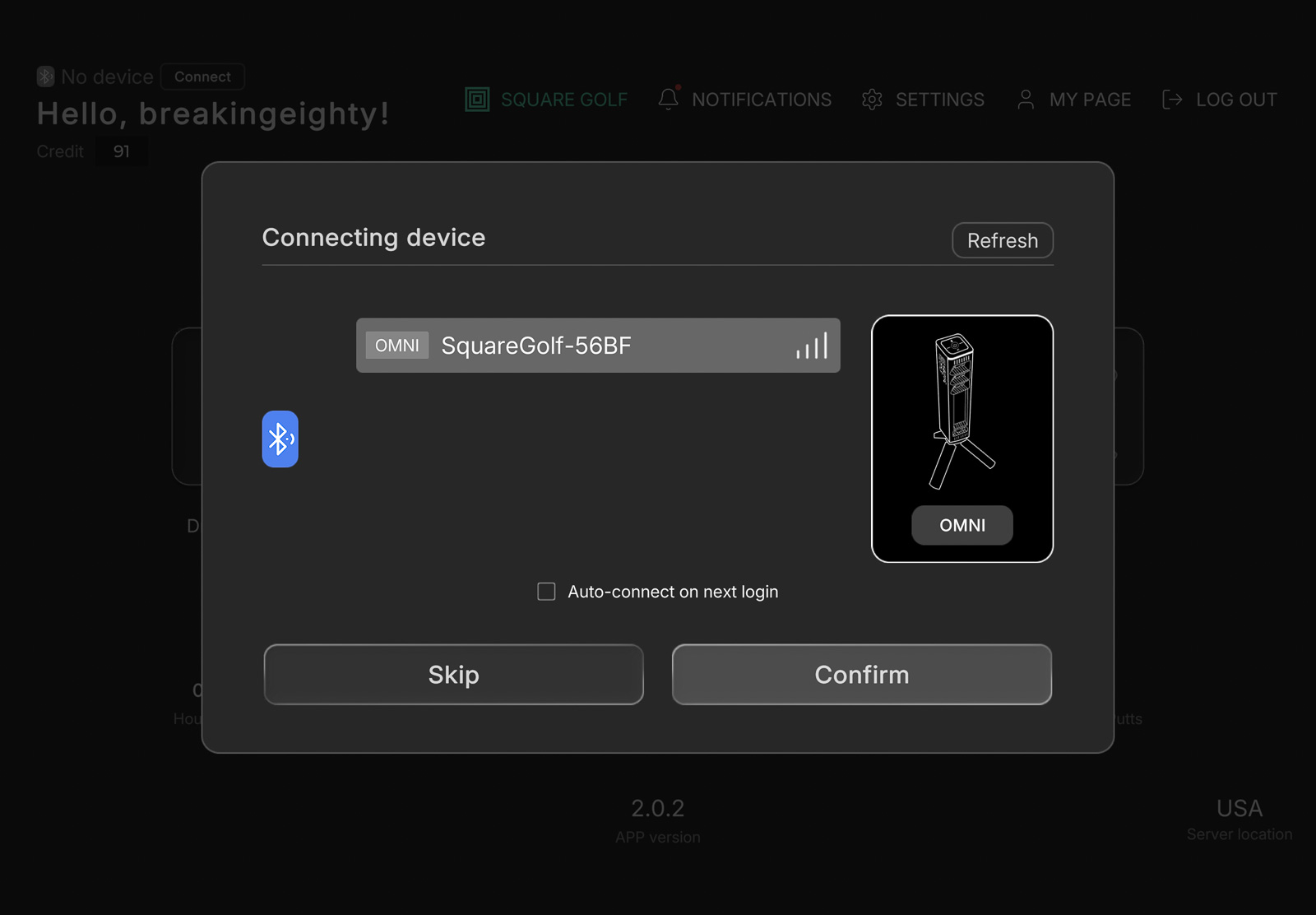
It dropped its connection once and made me restart the app, but after hours of use that happened a single time. Not bad.
The Square Omni Outdoors in Bright Sun
My first outdoor test was on a sunny day. And I gotta say, the experience with the Omni was less than ideal. Again, the issues go back to the screen.
Next to each camera, there are red lights that blink while it looks for the ball, then hold solid red when it’s ready. Then there’s a bar across the top that turns green at the same time.
In bright sun, that green bar was tough to see, which is the cue I was relying on. With the app sound on, it also says “ready” out loud, but on the range, I had the sound off.
The solid red lights are the backup indication when the device is ready, but the way they are positioned on the Omni, I couldn’t see them without bending down. So on every shot, I’m crouching down to check, then standing back up to get ready to hit. That got old fast.
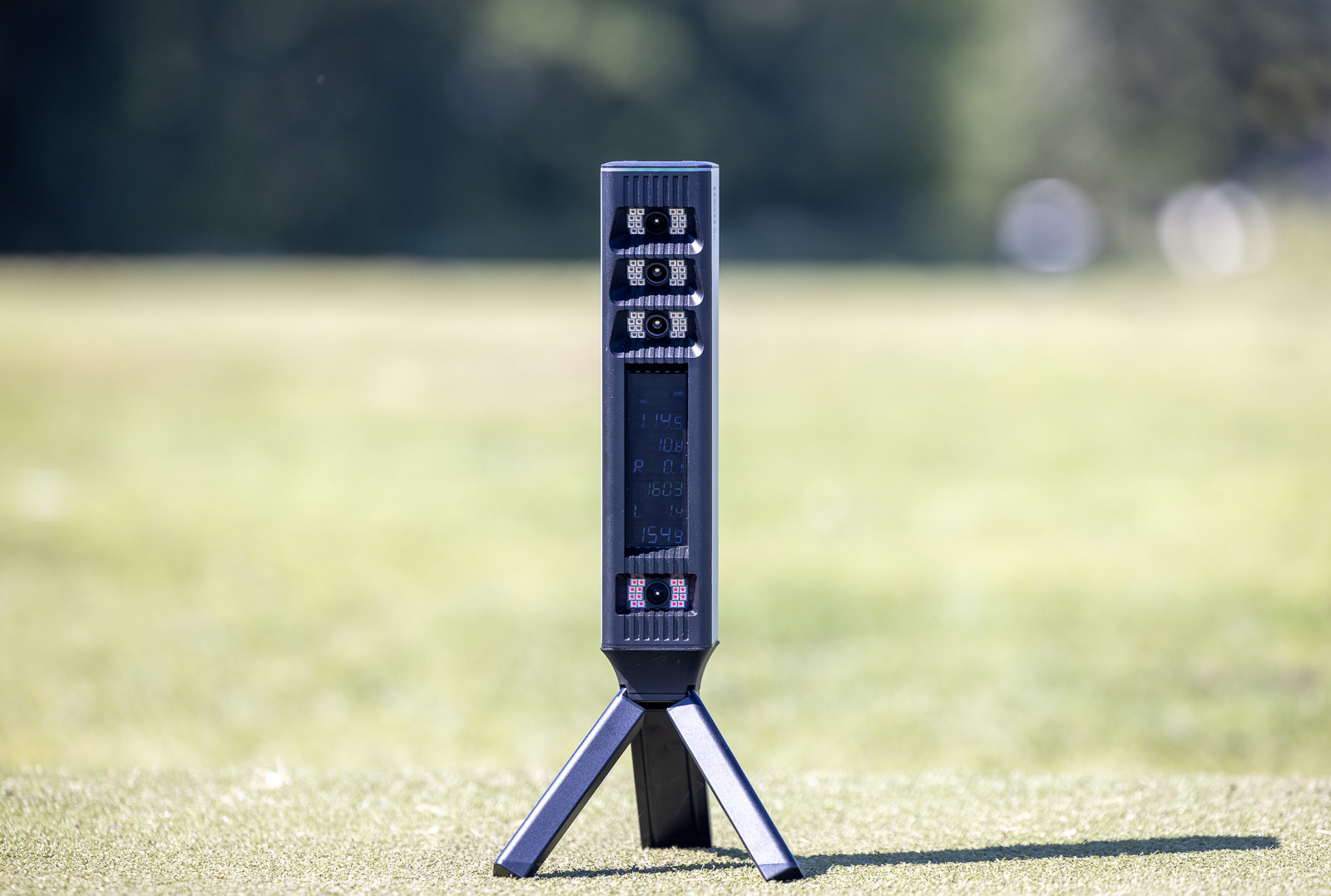
Most of that goes away on a cloudy day, under cover, or in a better environment. But if you specifically want to use a launch monitor outdoors in bright sun, the experience here isn’t close to something like the Uneekor Eye Mini or the Bushnell Launch Pro. The accuracy is right there with those units, but the usability and legibility are not.
Now, the Omni is also a lot less money than those devices. So that may be a tradeoff you’re perfectly happy to make.
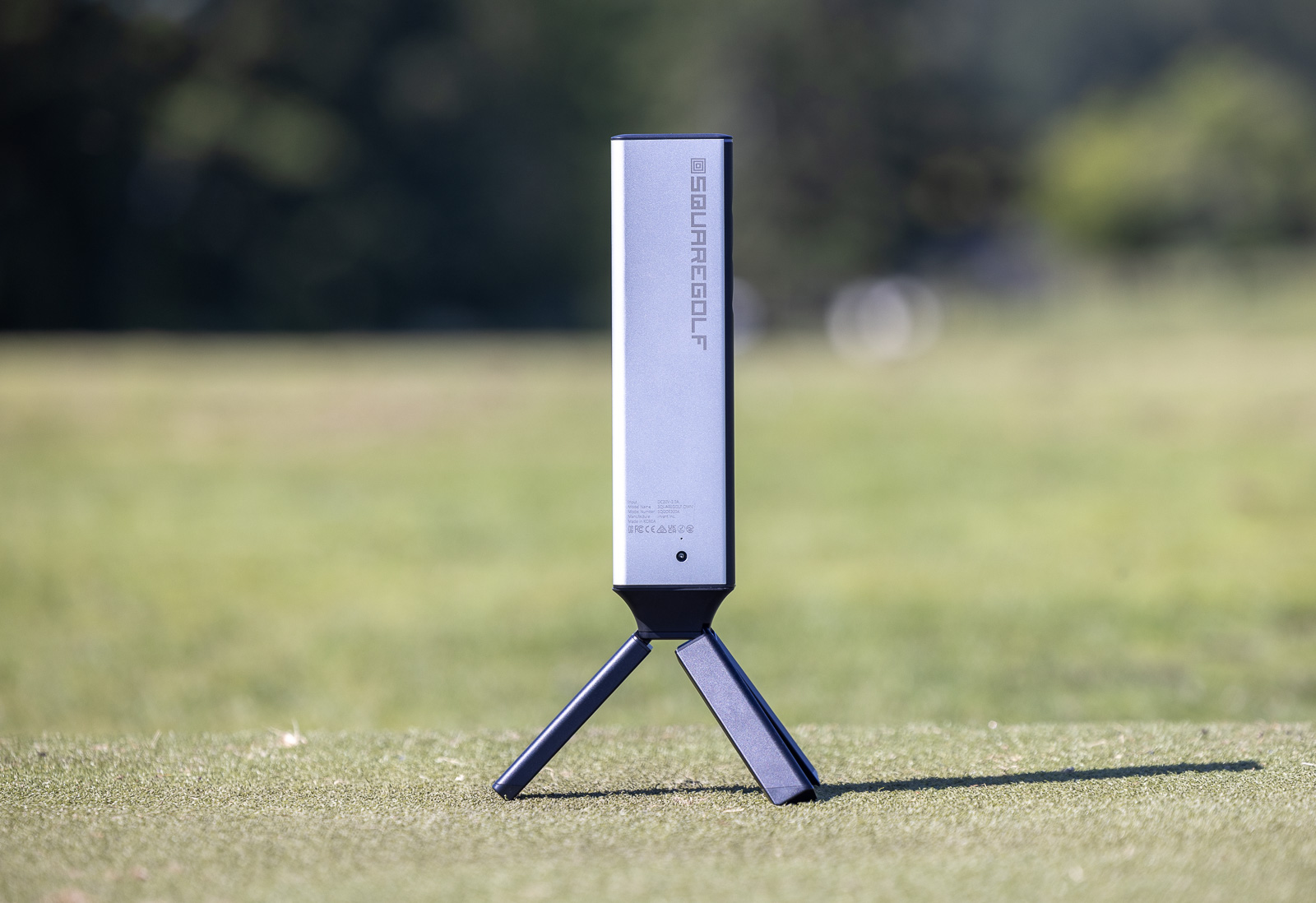
As far as battery life when you’re outdoors and away from a plug-in, I found it to be a non-issue. The Omni uses a barrel battery charger rated for roughly 5 to 7 hours of use, and battery life has been excellent over multiple sessions.
Software is the Biggest Limitation
This is where the biggest issue with the Omni lives for me.
The Square app gets the job done, but it’s very bare bones. Not many bells and whistles, very little customization, and it just doesn’t feel polished. You put it next to Foresight, Uneekor, or FlightScope and theirs feel robust and professional by comparison.
Getting set up is easy enough, and the range mode most people will use for practice is fine. The included ranges are OK. The graphics aren’t great, but you get a shot tracer and shot direction, with your metrics along the bottom.
I don’t love how those metrics are displayed, and I kept wishing I could choose which numbers to show and where. Even after using it plenty, I still found myself hunting for where a certain stat was listed.
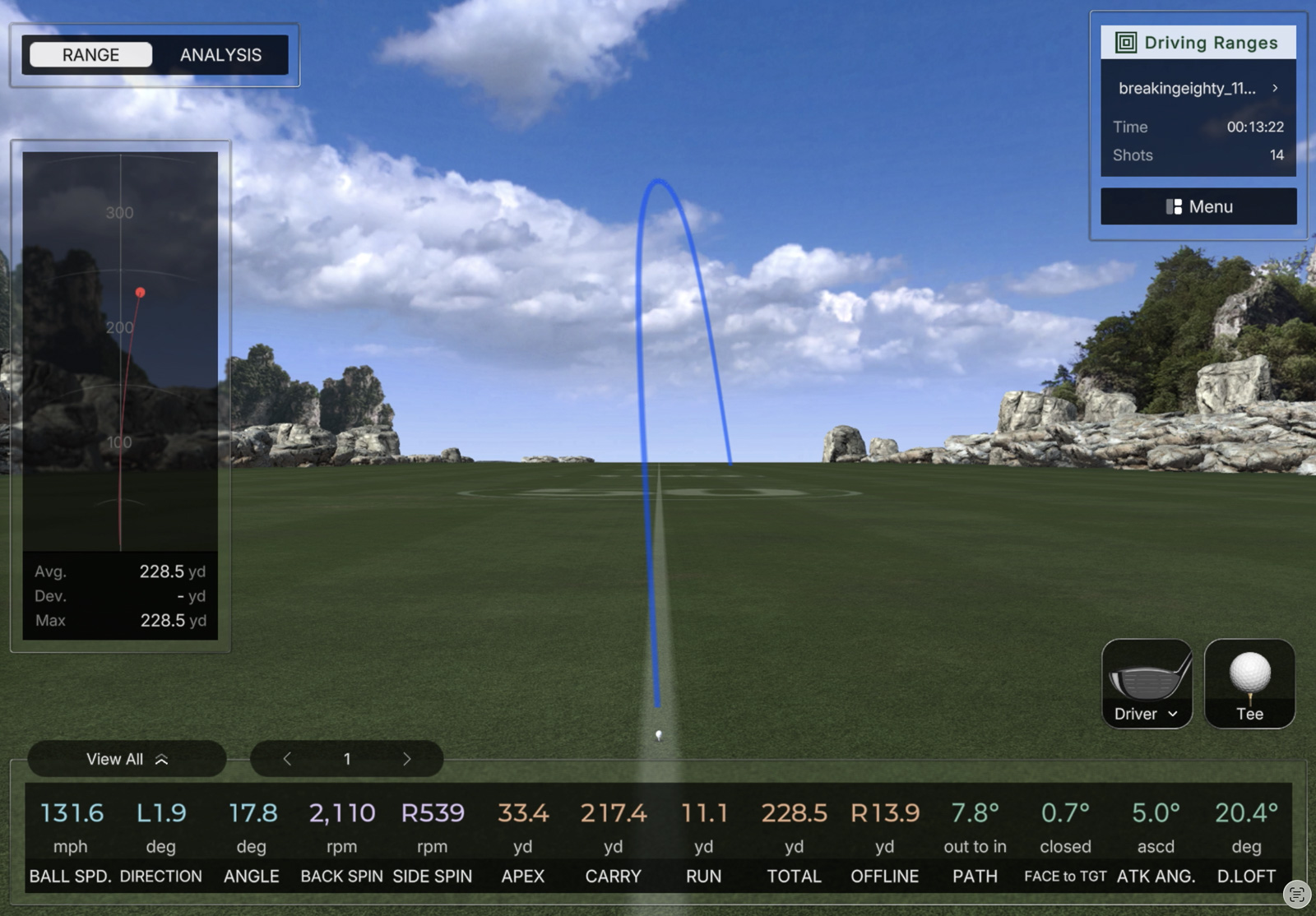
Impact detection is buried too. You’ve got to select analysis, then impact. Once you find it, it works well, but the limited views and lack of customization make it hard to study alongside the rest of a shot’s data.
If you’re used to software from brands that make it really easy to customize your experience, you’ll likely find the Square app disappointing.
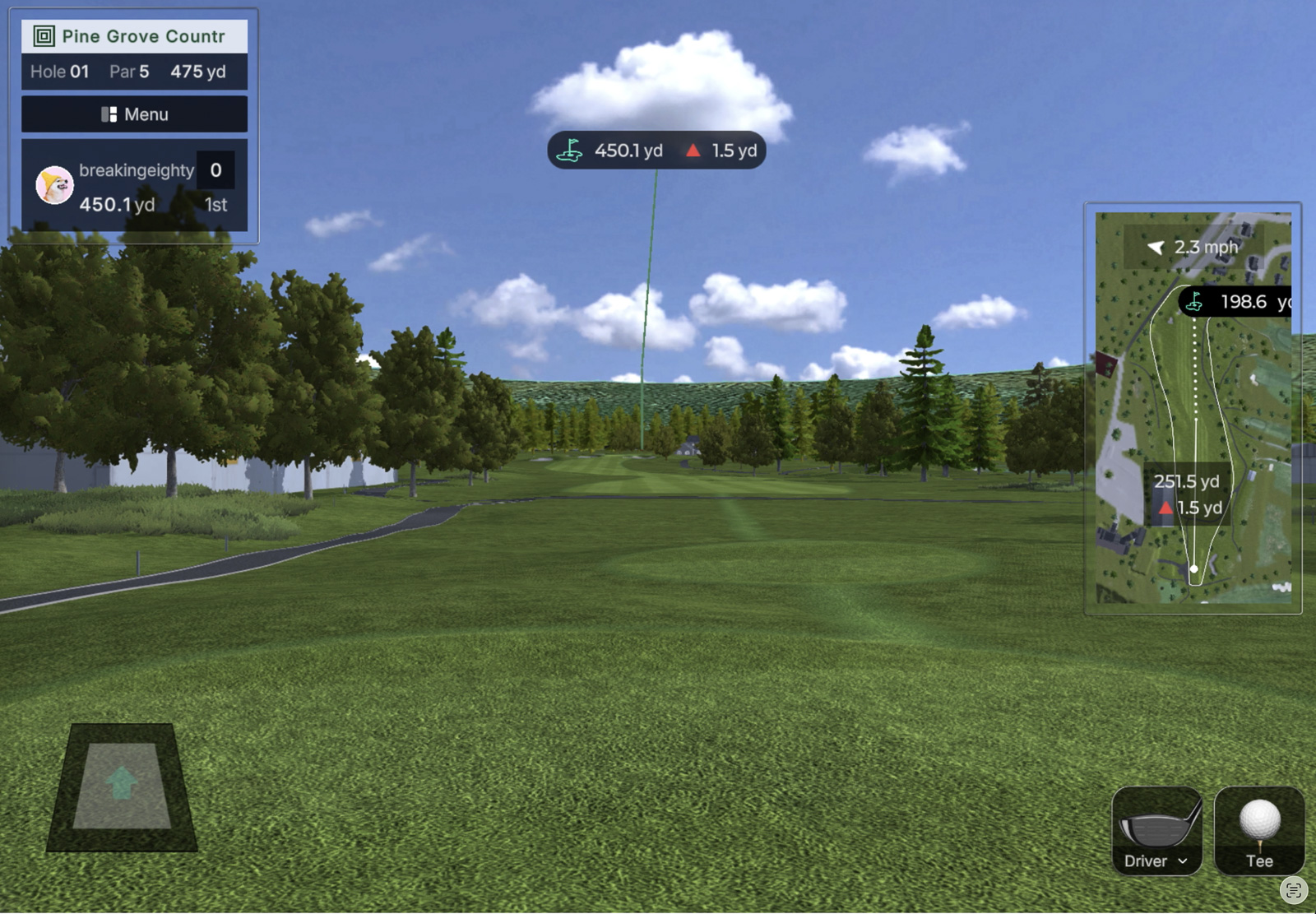
One nice thing is that the Omni includes its own sim courses to play. The downside is that none of them are familiar courses.
For me, the fun of sim golf is playing bucket list courses like Pinehurst, Bethpage, or Pebble Beach from your garage or living room. I’m not sure if these Square courses are real tracks somewhere in Asia or made up, but either way they don’t do much for me.
That said, the actual playing experience in the native Square sim software works pretty well. It recognizes shots. It’s fast and responsive. And the putting surprised me by reading my putts accurately. I don’t usually treat a launch monitor as a putting tool, but in simulated rounds and in the dedicated putting mode, it did well. Short chips were good too, which is an area a lot of launch monitors struggle with.
Credits Instead of a Subscription Are a Big Win
Same as with the first Square launch monitor, there are no subscriptions with the Omni. That’s huge in a world where nearly every tech brand charges one. It’s a big part of why I’m still such a big fan of what FlightScope does with the Mevo Gen2, which is a professional-level launch monitor with no subscription to access your data.
Square’s wrinkle is credits. To play Square’s native simulated courses, you need them. And you get 1,000 credits with the purchase of the Omni. Every hole of simulated golf uses one per player, so 18 holes costs 18 credits.
I love this model. You only pay for what you use, and the range and practice tools cost nothing. And for most people it’ll take a long time to burn through the initial 1,000 credits that come with purchase.
It’s about $20 to buy another 1,000 credits. So we’re talking 20 bucks to play 1,000 holes. That’s gonna last you a year or more.
So, definitely, Square charging you for only what you’re using with no subscription is a big value win.
No Extra Charge for GSPro Integration
If you want the easiest, best, and cheapest way to get really accurate data into GSPro, the Square Omni is probably my recommendation.
You can run GSPro with cheaper launch monitors, but they’re not going to match the accuracy the Omni gives you.
Plus, there’s no extra charge with the Omni. You don’t have to pay Square a subscription just to be able to hook up to GSPro. You can do that for free. Then you just owe the $250-per-year fee to GSPro.
To use the Bushnell Launch Pro with third-party software like GSPro, you’ve got to pay an extra $500 a year for the gold package plus the $250 to GSPro. So, $750 a year. Again, with the Omni, that’s only $250.
And between the Launch Pro and Omni, you’re getting very similar accuracy in my testing. Except for the Omni retails for $900 less, at a third of the annual cost to run GSPro.
So, no question, if you’re a GSPro person, this is one of the best ways to do it.
Longevity and Support are Question Marks
There’s one more concern worth raising, because we’ve seen it with the Home Edition Square and with similar products. And it comes down to longevity and customer support.
Square Golf is notoriously hard to reach. I’ve personally never talked to anyone there, and I’m not even sure they have a real website.
We’re seeing more of these companies where a factory overseas decides to go direct to consumer and keep more of the margin, and Square has done that well.
The catch is that if you have a warranty issue or something breaks, there’s often nobody to talk to, and I’ve heard that complaint over and over from original Square owners.
Because of that, if you’re going to buy this, I’d do it through PlayBetter. Returns are easier and you get free two-day shipping. At least you have someone that will pick up the phone if you do end up having a problem with a Square product. Only issue now is that I believe PlayBetter is having a hard time keeping the Omni in stock.
The other long-term question is software. Are they going to improve it? Will they keep it current with new hardware, like updating the app quickly when a new iPhone drops?
This was my biggest worry with the Voice Caddie SC4, a solid budget unit around $500 where I said the holdup was software. Instead of improving it, they rolled out a near-identical new unit, the SC4 Pro, and locked the updated software to the new hardware, which is a gut punch for anyone who bought in early.
Do I think Square will do that? Not necessarily. But it’s a legitimate concern next to a Foresight or FlightScope with proven support. Still, that probably wouldn’t keep me from buying an Omni.
Should You Buy the Square Golf Omni?
There’s a lot to like here.
The Omni is a significant improvement over the original Square. It’s as accurate as just about any launch monitor I’ve tested. And even though I don’t love the software, there are workarounds with GSPro.
This is one of those rare cases where a heavily hyped, highly anticipated product mostly lives up to the expectations I had for it.
All of that said, should you buy it? Likely, yes.
The value is undeniable, and if you’re looking for a decice specifically to use GSPro for, I think it’s the best bang for the buck on the market.
For me personally? I’d likely go with the Bushnell Launch Pro. Yes, it’s $650 more (after Bushnell discount), and yes it has a subscription. But ‘m not someone who only plays GSPro, and software is a huge deal to me. That’s what you interact with every session. The new Foresight app is polished and looks great. And using the Launch Pro outdoors without an app is just a better experience over the Omni. I’d pay a bit more to get that.
Is that the right answer for most people? Probably not.
Most golfers are going to get exactly what they need out of the Omni with no subscription. The positives here far outweigh the negatives. I’m really impressed with what Square has built.
Is this going to be the device that changes the golf launch monitor world forever? It very well might.
Recent Updates:
July 2nd, 2026: Major update. Full written review of the production Square Omni. Updated date to reflect review publish date.
June 25th, 2026: Added full video review of production Square Omni. Updated written review coming soon.
February 15th, 2026: The original article stated that the Omni would provide club data and impact detection with no additional stickers required. This was incorrect, and the article was updated to reflect this.
This page contains affiliate links. This means that if you click a link and buy one of the products on this page, we may receive a commission (at no extra cost to you!) This doesn’t affect our opinions or our reviews. Everything we do is to benefit you as the reader, so all of our reviews are as honest and unbiased as possible.
Is the Square Omni launch monitor going to take over the golf sim world in 2026? Well...maybe.
I'm really excited to see what Square built here, and the accuracy is what caught me off guard the most. I hope the app and software evolve, and I wish the screen experience were better. The value here is undeniable, but the service and longevity could be questionable.
The Good
- Accuracy that rivals launch monitors costing two and three times as much
- No subscription, plus a credit system that only charges you for the simulated rounds you actually play
- One of the cheapest paths into GSPro at a third of the annual cost of a Bushnell Launch Pro/GSPro setup
The Bad
- The software is bare bones with almost no customization
- Built-in screen is the least functional I've used on any launch monitor
- Outdoors in bright sun, the readiness lights and screen glare and positioninig make it awkward to use
-
Presentation
-
Performance
-
Price
-
Personal Affinity

2 Comments
Square has already stated the Omni will need a reflective sticker on the shaft and at the top center of the club face in order to get all of the club data. So two stickers on each club. But no special or marked golf balls will be needed.
Thank you for this! I was mis-informed. Updating now.