

When I reviewed the Approach S70, I called it the best GPS golf watch ever made.
Three years later, Garmin has topped it. And in a big way.
I’ll come right out and say it. The Garmin Approach S72 is the best golf watch I’ve ever reviewed.
After three rounds with it, I don’t think anything else on the market is in the same conversation.
I honestly didn’t see it coming. I woke up on a Tuesday morning to a press release announcing the S72, and I had no idea it was on the way.
Garmin has been on a tear lately. In a few short months, we’ve seen the Fenix 9 and Fenix 9 Pro, the Cirqa Smart Band, the S72, and the new MARQ Gen 3 luxury line.
The Fenix 9 Pro is wonderful. It’s my favorite smartwatch Garmin has ever made, and I wore it almost every day until this showed up. But for golf, it felt like an iterative update over the Fenix 8.
The S72 is something else. The list of upgrades over the S70 is long enough that it caught me off guard.
In this review, I’ll cover what’s new, how it performs on the course, on the range, and on the green, what I’d change, and whether it’s worth $799.99.
That’s a lot of money for a golf watch. But keep reading for why I think it’s justified for a lot of golfers.
How Much Changed From the S70
If you already own an Approach S70, here’s the short version.
Almost everything changed. The two big exceptions are the screen and the battery.
A typical Garmin generational update gives you one headline feature. This time, the changes land in three places at once: what the watch is built from, what it can do when you’re not playing, and what it can tell you about your swing and your putting.
None of that comes free. The S72 costs $100 more than the S70 at retail (and likely $200-250 over current S70 market pricing). Along with that, a few of the best new features sit behind Garmin’s golf membership. I’ll get to both.
The screen is technically the same 1.4-inch AMOLED panel as the 47mm. To my eye, though, it looks noticeably better on the S72. My guess is the sapphire glass has something to do with it.
One quick note on sizing. The S72 comes in 47mm and 43mm. Everything in this review refers to the 47mm, which is what I tested. The 43mm costs the same but drops to 10 days of smartwatch battery and 15 hours of golf.
First Impressions of the Garmin Approach S72
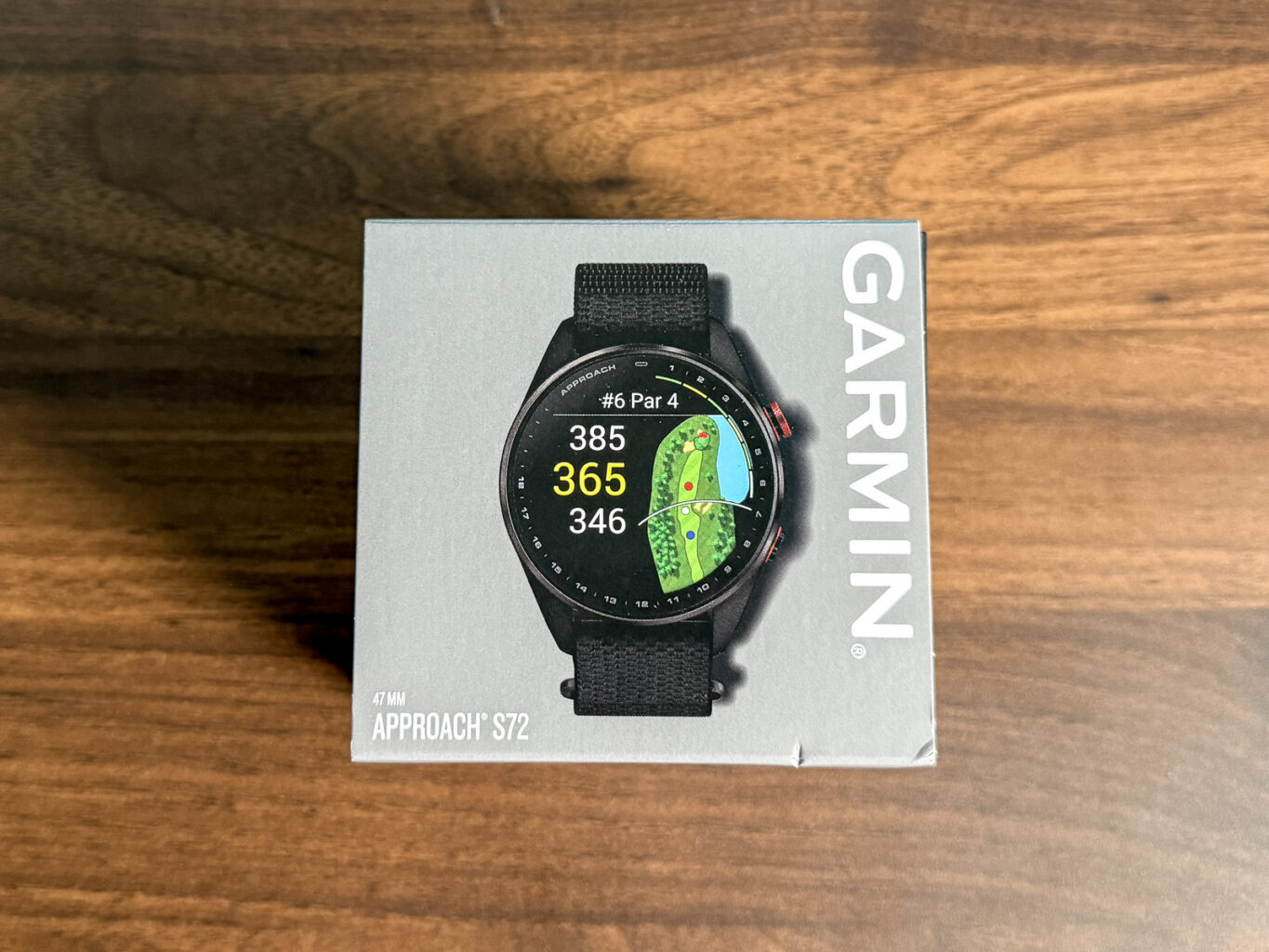
If you’ve opened a Garmin box before, there are no surprises here. Little gray box, no frills. Inside, you get the watch, a charger, and an instruction book.
I’ve come to appreciate that Garmin hasn’t changed its charger in years. If you own almost any recent Garmin watch, the same cable works here, which at least for me cuts down a bit on time hunting for cables.
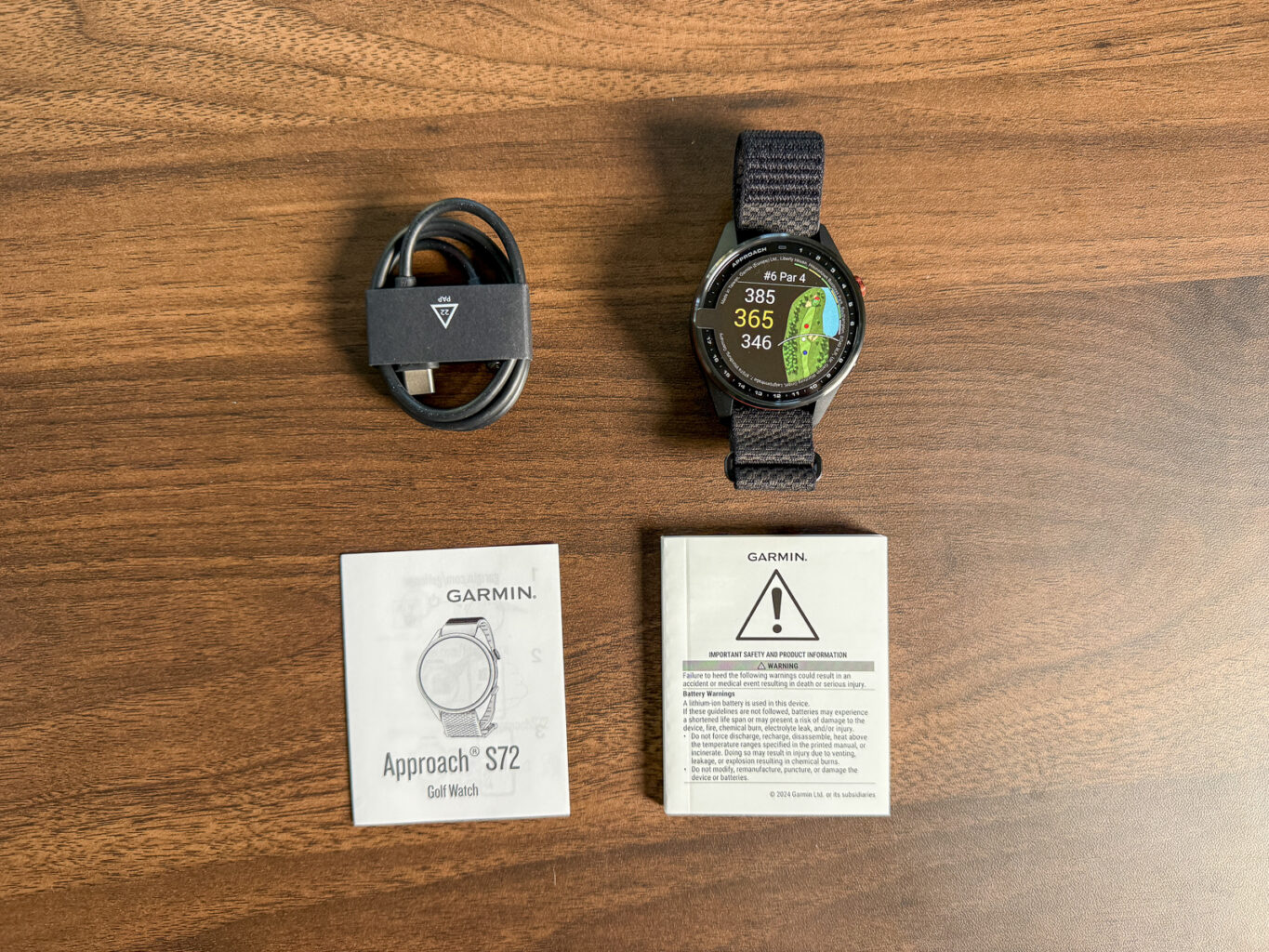
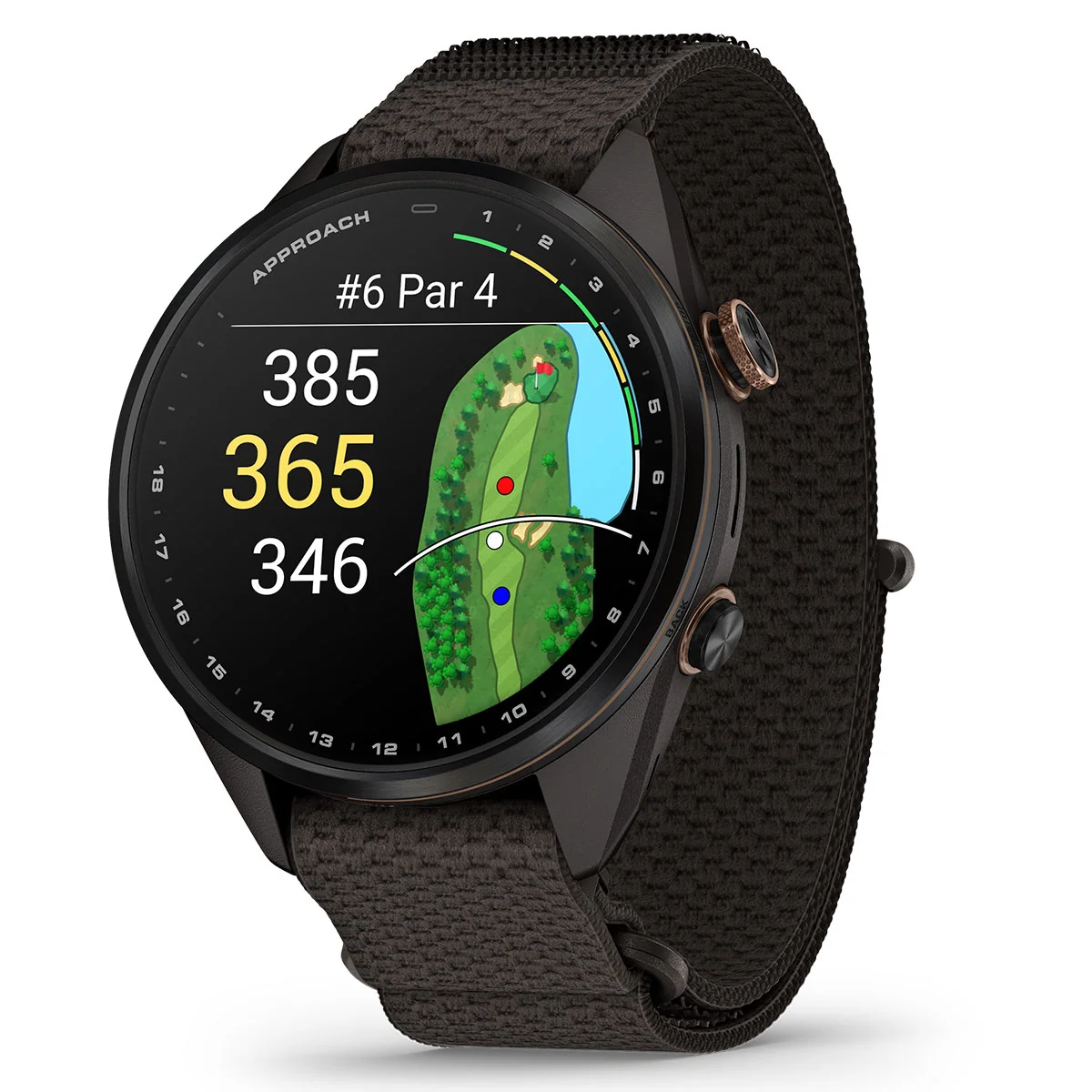
The first thing you’ll notice is the band. The S72 swaps the S70’s integrated rubber band for Garmin’s ComfortFit fabric band, the same one that came on the Venu X1.
I love it. It’s far more comfortable than the old rubber band, and it’s easy to get the fit exactly where you want it.
That band is a big reason the S72 is lighter than the S70, too. The 47mm drops from 56 grams to 48. The case is roughly the same size, but it feels much less bulky on the wrist. If you’re coming from a Fenix, the difference is even bigger.
It is a bit more substantial than the S44 or S50, Garmin’s mid-level golf watches. But if you want something smaller, that’s what the 43mm option is for.
As far as setup with the S72, it is as easy as it always is with Garmin. Open the app, turn on the watch, hit pair, and within seconds it’s connected.
You’ll use two apps. Garmin Golf handles everything golf-related, like rounds, practice, and stats. Garmin Connect is where your health, sleep, and fitness data lives. Either way, pairing is seamless.
The Approach S72 is the new flagship golf watch from Garmin, and the best overall dedicated golf watch we've ever reviewed. It has meaningful upgrades across the board over the S70, and it's in your budget, it gets our highest recommendation.
Two Buttons Instead of Three
The other change you’ll spot right away is the button layout. The S70 had three buttons. The S72 has two.
I wasn’t sure I’d like that. I prefer physical buttons, and the five-button layout on the Fenix is still my favorite way to navigate a Garmin.
But after using the S72 a bunch, I haven’t missed the third button the way I expected to. The touchscreen is very responsive, and two buttons actually make the watch simpler to use.
More Hardware Upgrades Than I Expected
Before getting to the golf features, I want to talk about hardware. This is one of the biggest surprises with the S72. Garmin didn’t just refresh the software. They rebuilt a lot of the watch.
- Sapphire glass and a titanium bezel. The S70 used Gorilla Glass and a ceramic bezel. The S72 moves to sapphire crystal, which is what you’ll find on most high-end mechanical watches, and a titanium bezel. Both are real durability upgrades.
- A newer heart rate sensor. The S70 used Garmin’s Gen 4 sensor. The S72 gets the Gen 5, the same sensor in the more expensive Fenix 9. It also brings the ECG app and skin temperature tracking.
- A built-in speaker and microphone. You can now take phone calls on your watch and use voice commands. The S70 couldn’t do either.
- More storage. Storage jumps from 16GB to 64GB.
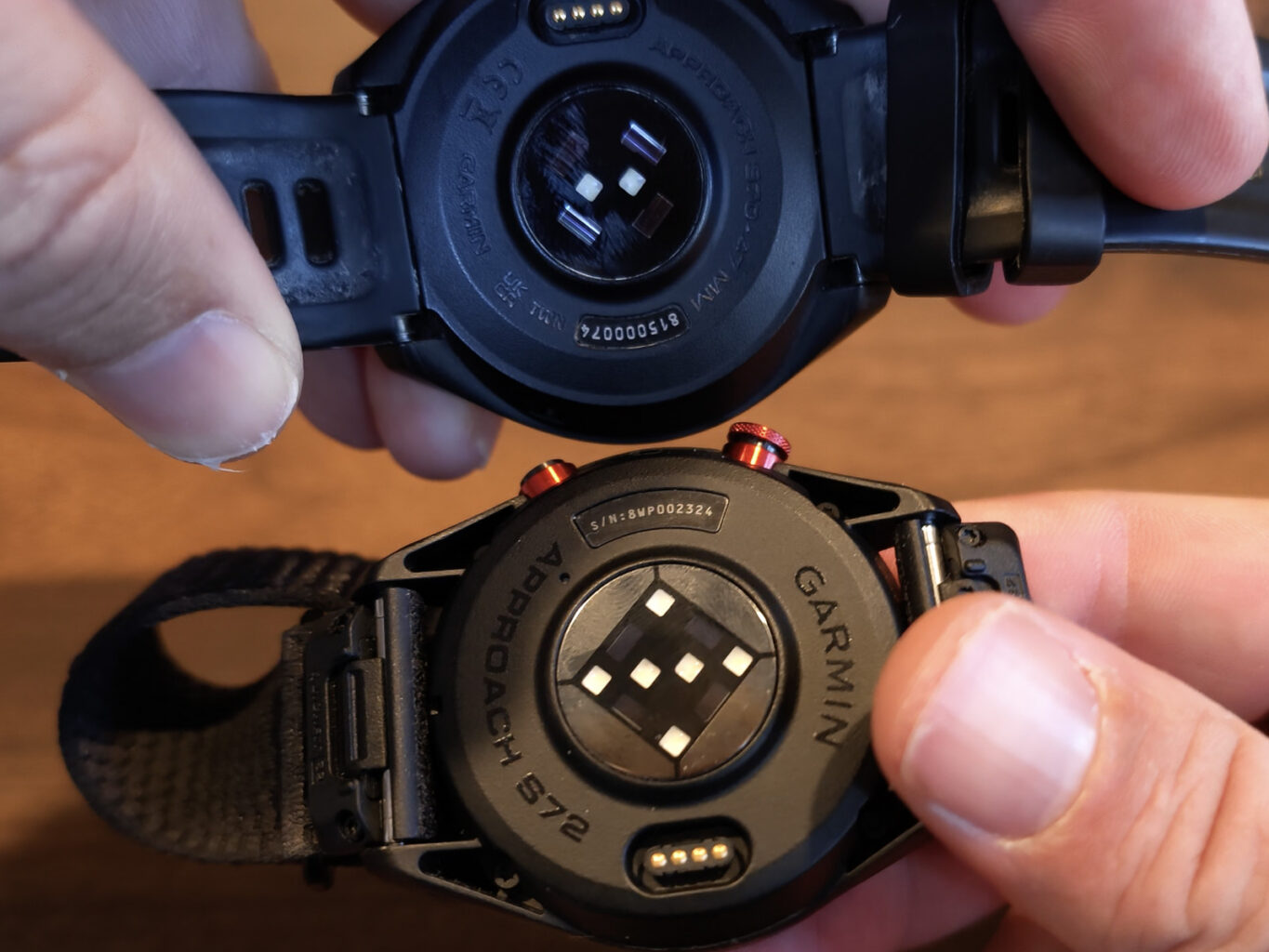
And then there’s my favorite one.
The Flashlight Is the Upgrade I Think You’ll Love
The S72 has a built-in LED flashlight. Hold the button, and it’s on.
Garmin first put a flashlight on the Fenix 8, and I use it constantly. In the middle of the night, need to get up, turn on the flashlight, and suddenly you can see.
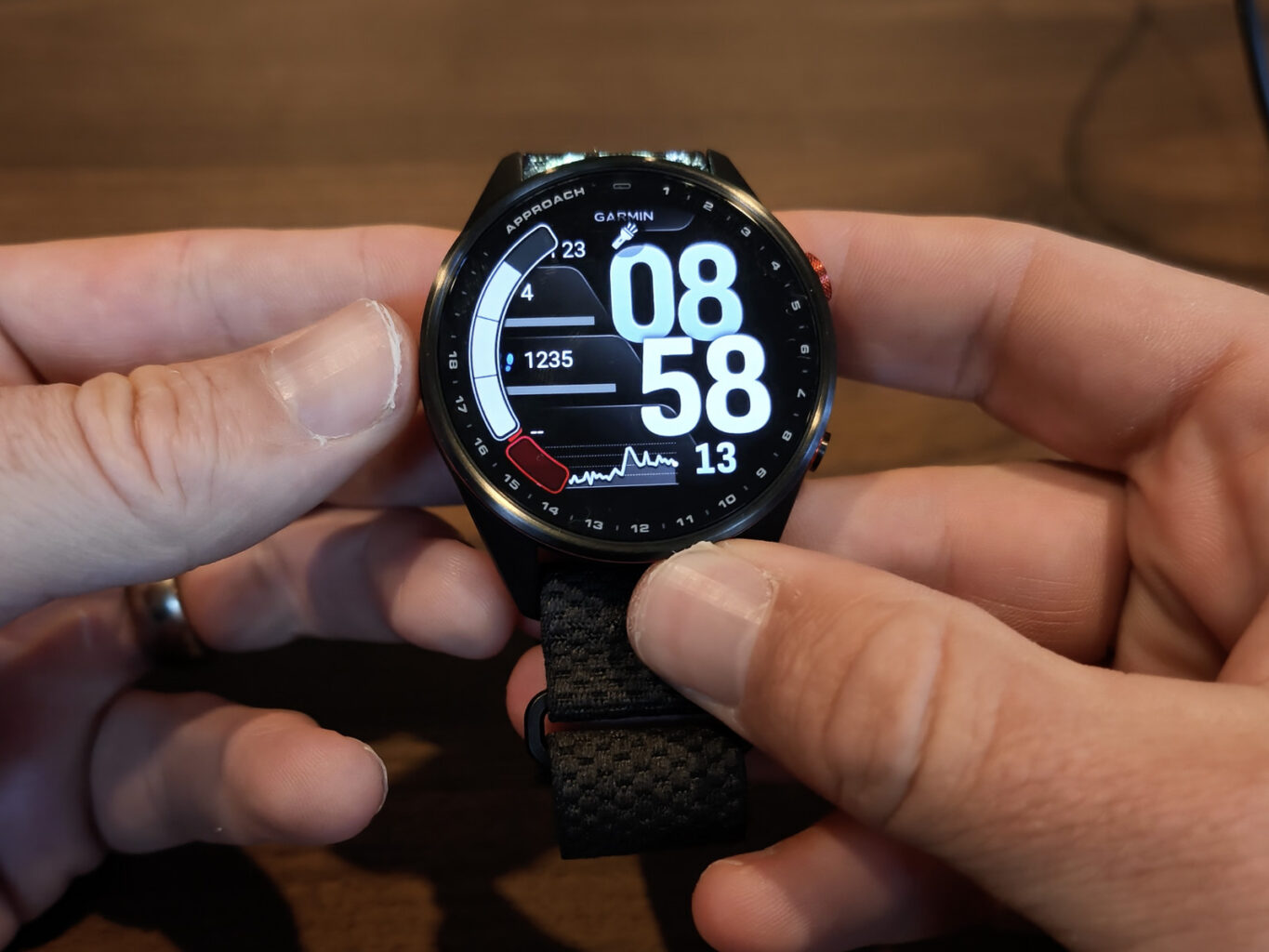
It also has a red light mode and adjustable brightness.
I’m only half joking when I say it’s almost worth upgrading for the flashlight alone. If you’ve used a Garmin that has one, you know what I mean.
Put it all together, with sapphire, titanium, the Gen 5 sensor, a speaker and mic, and a flashlight, and that’s more hardware than I expected in an Approach watch.
Those alone would make the S72 a solid upgrade over the S70.
But Garmin didn’t stop there.
On the Course With the Garmin Approach S72
If you’ve used any Garmin GPS golf watch, the S72 will feel right at home.
You get the full hole overview, distances to the front, center, and back of the green, and PlaysLike distances with a tap. Those account for wind, elevation, and slope.
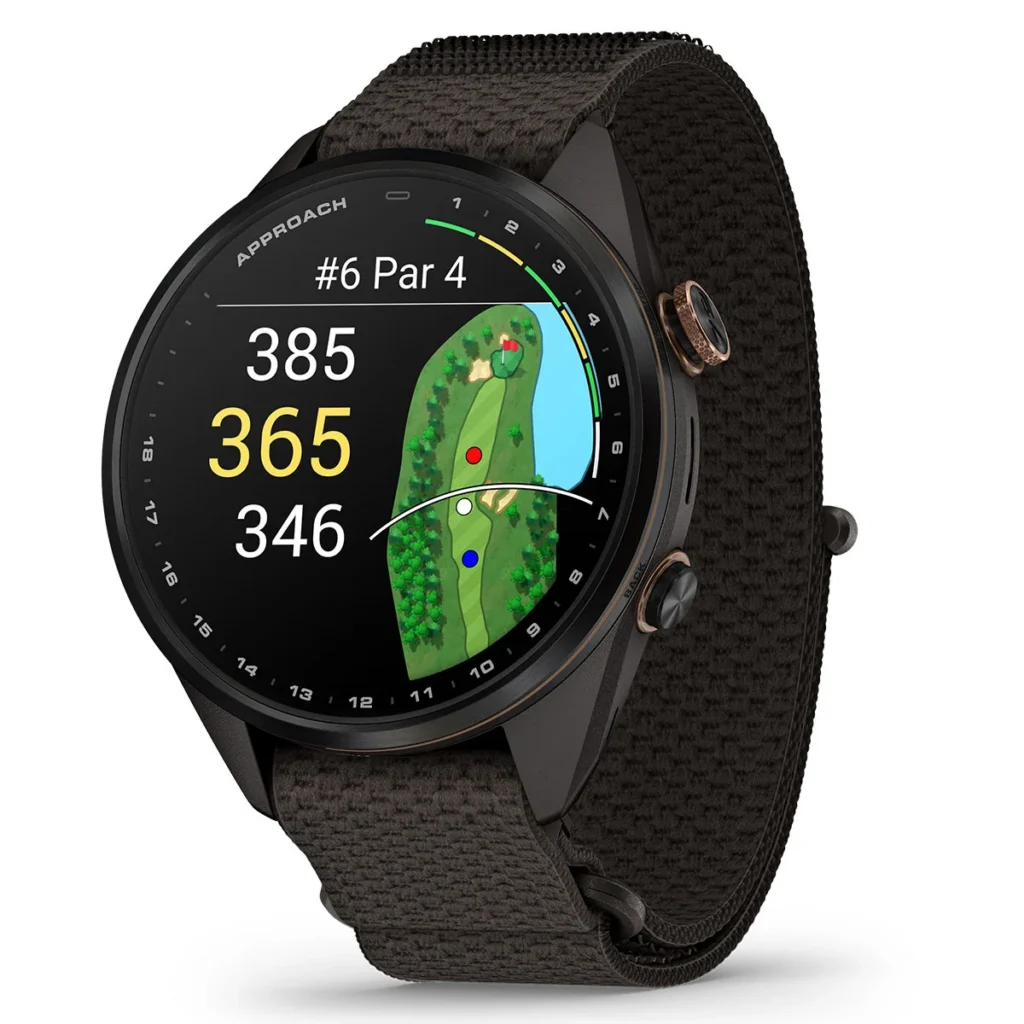
Garmin is the best in the business when it comes to GPS data, and that hasn’t changed. It works really well, and it’s very accurate.
What’s new is how much more you can see during a round.
On the S70, you could scroll from the main screen to see how PlaysLike distances were calculated. If you were connected to the Garmin Golf app, you’d also get wind.
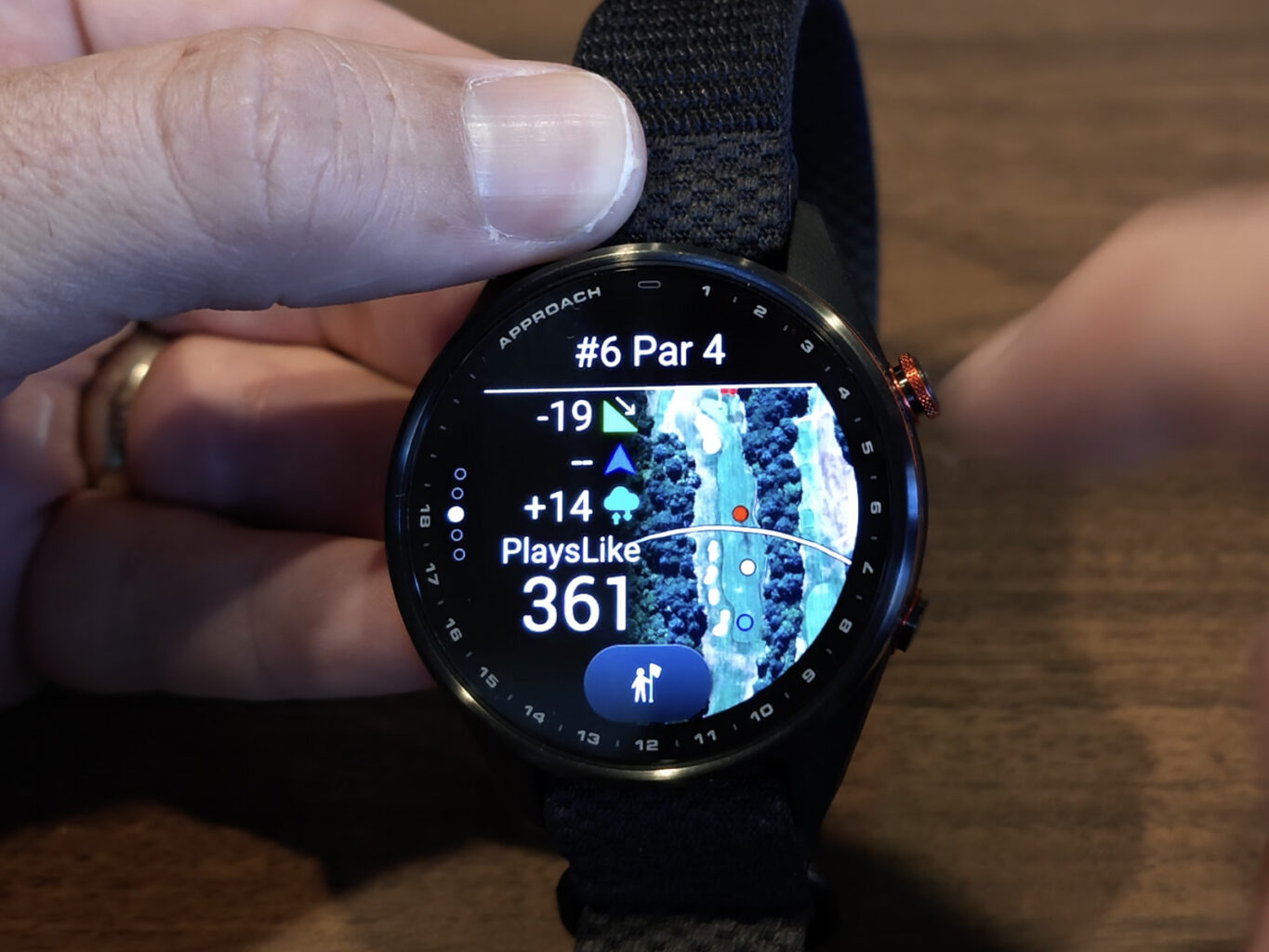
On the S72, you can keep scrolling.
The next page shows your heart rate. If you want to see how your body reacts to a pressure shot, it’s right there. After the round, Garmin also lays heart rate data over your scorecard so you can spot where nerves or fatigue showed up.
Scroll once more, and you’ll see your favorite swing metric, which I’ll explain in the range section below.
None of this requires relearning the interface. It’s just more information as you swipe.
Aerial Maps Are More Useful Than I Expected
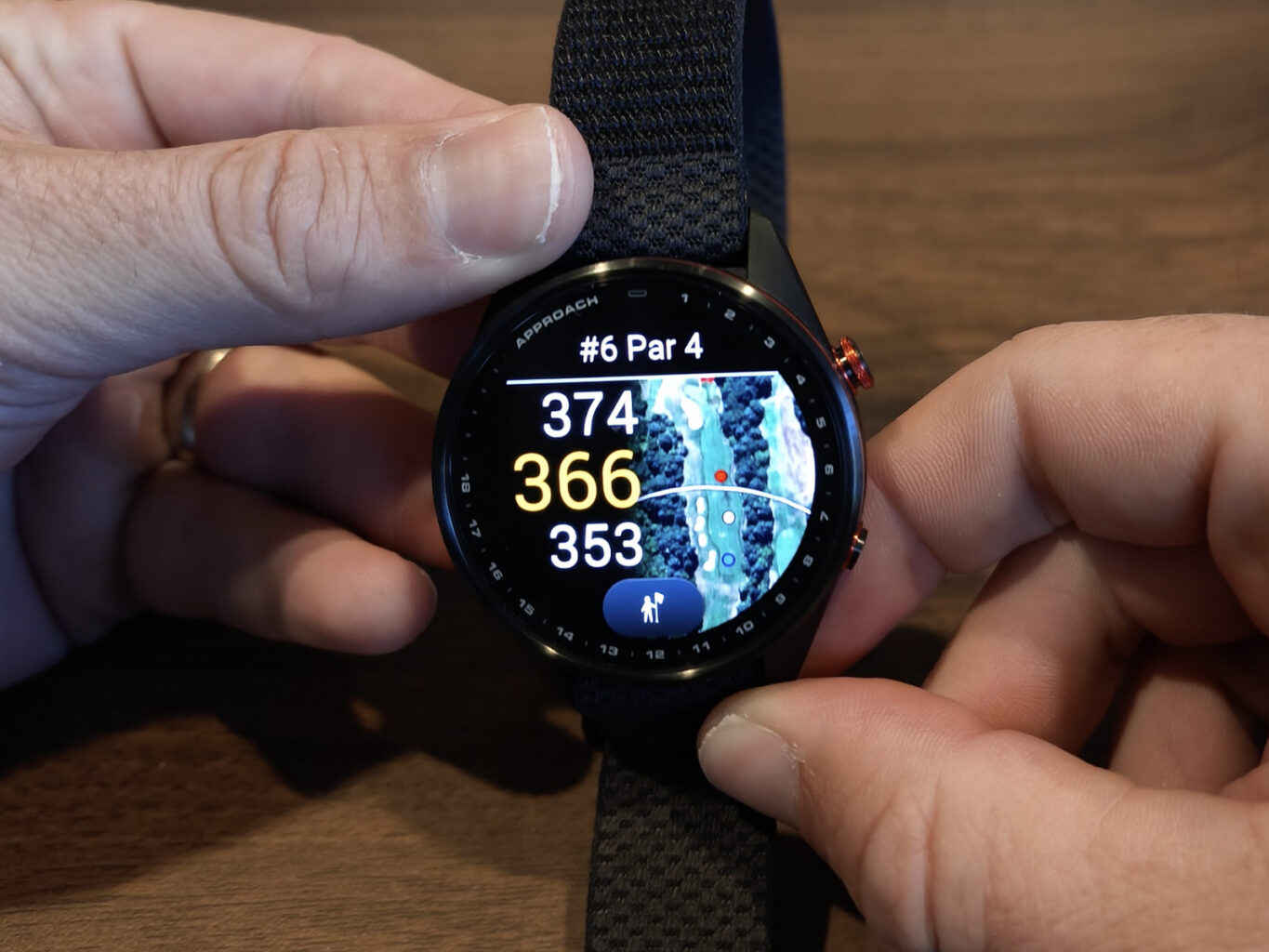
The biggest visual change is aerial hole imagery. Instead of Garmin’s usual animated hole maps, you can view an actual satellite image of the hole.
A few caveats.
It isn’t available on every course. You’ll want to download it to your watch before the round. And it requires a Garmin Golf membership, which I’ll cover in the putting section.
It’s still a 1.4-inch screen, so this isn’t like looking at a map on your phone. But on tricky approaches, where I really wanted to know what was going on, seeing a real overhead image was more helpful than the animated version.
It’s not a game changer for everyone, and you can toggle back and forth between the two views. But it looks great on this screen, and I’ve found myself using it.
Scramble Mode and Tee Box Finder
Two more additions round things out.
Scramble mode lets you keep GPS yardages during a scramble while keeping that round out of your stats.
That’s pretty cool. If you’re playing with someone who drives it like a hundred yards farther than you do, you don’t want those drives skewing your averages.
The tee box finder tool is also really cool and particularly helpful on unfamiliar courses. You open it, and the watch tells you how far away the next tee is and points you toward it. It works a lot like Garmin’s PinPointer feature, which points you toward the green when you can’t see the flag.
Everything You Loved About the S70 Is Still Here
All of those features I just mentioned are new. But all of what made the S70 great is also carried over to the S72.
The Virtual Caddie still learns your game and recommends clubs for the exact situation. If it knows you struggle out of bunkers, it may recommend a shorter club to take the bunker out of play. I mean, it’s very sophisticated.
Club tracking is built in, too. After every shot, the watch asks what club you hit. It remembers the club and where you were on the hole, so after the round you can see how far every shot went with no sensors required.
And if you want it to be an even more automatic experience, you can add Garmin’s CT10 sensors to the ends of your grips and everything tracks on its own.
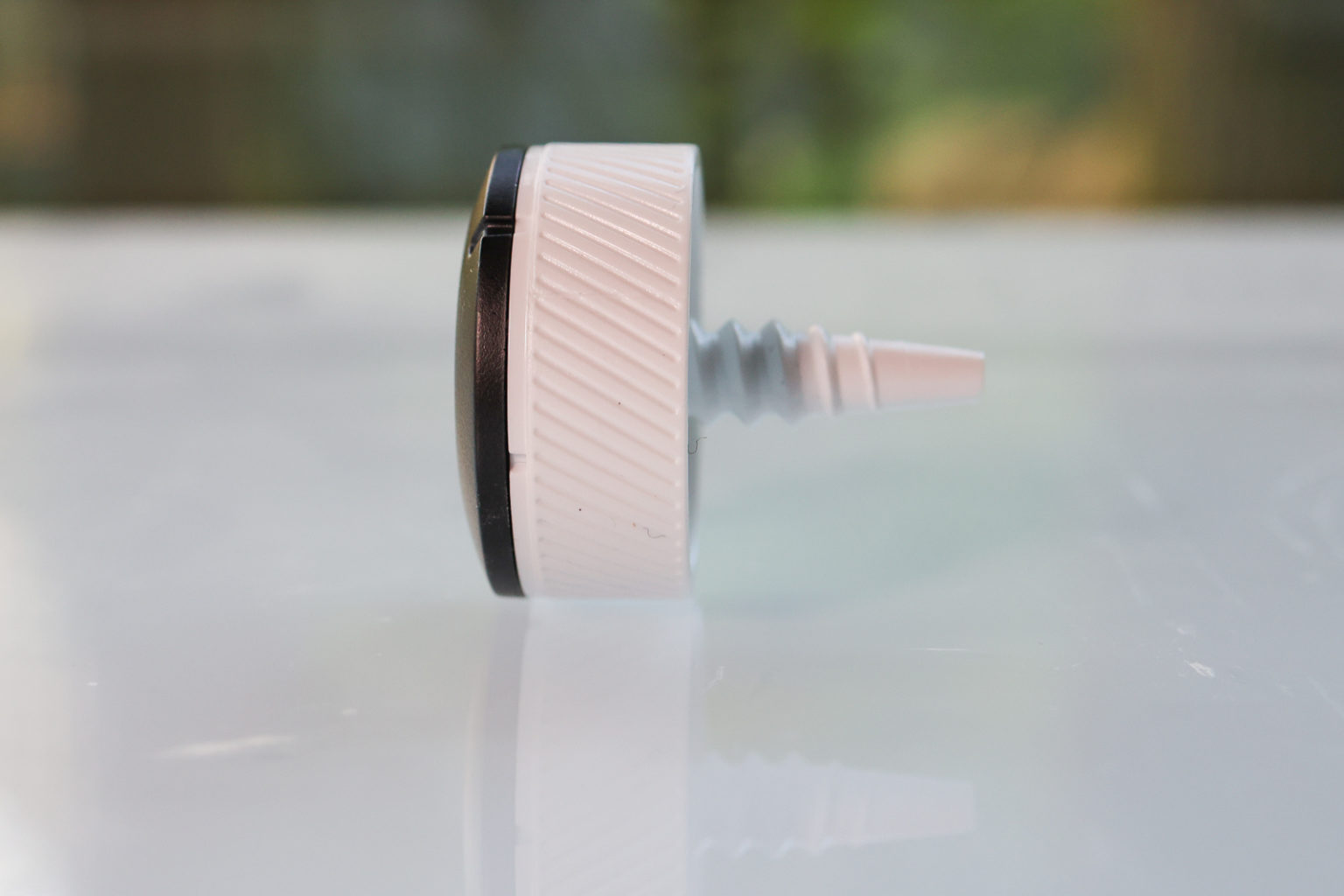
The less expensive CT1 sensors are also an option, but you have to tap each one to the watch before every shot. Personally, I know I won’t remember to do that, so if you want to go all-in, get the CT10s.
Driving Range Mode Turns the S72 Into a Practice Tool
The S72 has a dedicated driving range mode that measures your swing right from your wrist.
It’s not quite a dedicated training aid like HackMotion or DeWiz, but it’s closer than I expected a watch to get.
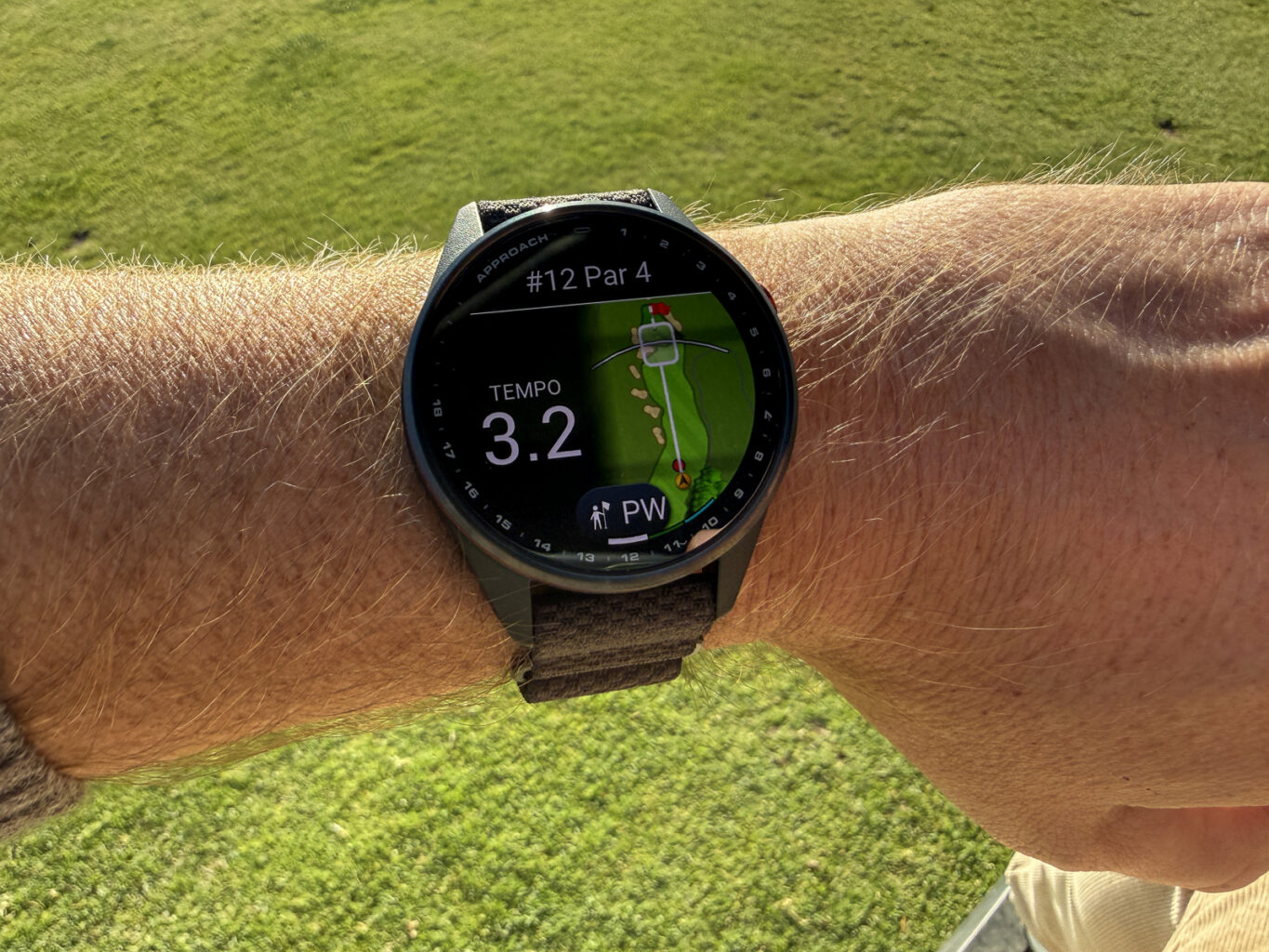
Here’s what it tracks:
- Hand speed. A chart shows where your hands accelerate, your max speed, and where in the swing it happens.
- Backswing length. A clockface visual shows how far back you take your hands. Useful if you’re working toward a fuller swing.
- Wrist rotation. Values at the top of the swing and at impact. Wrist angle is the whole focus of HackMotion, so seeing it on a watch is a big deal.
- Swing plane. It measures your hands rather than the club, but it’s still a metric a lot of golfers want.
- Tempo. The S70 had this, as do plenty of cheaper golf watches.
You don’t need a range to use it either. You can take air swings in your office or hit balls into a net at home and still get the data.
Grarmin also logs range sessions in Garmin Connect, so practice counts toward your daily fitness numbers.
One part I really like is the favorite metric setting. You can pick one of these metrics, and you can scroll to it during a round and check it after every shot.
If you’re working on tempo, for example, you can watch it all round long right inside the golf app.
My One Issue With Some of This New Information
So I like that you get these new metrics in the S72. Don’t get me wrong. It’s just that, while Garmin gives you that information, they don’t necessarily tell you much about what to do with it.
Training aids like HackMotion coach you toward a target. The S72 basically just says “here’s what happened.”
So I’d say if this intrigues you, plan on doing a little homework on what these metrics mean and what ideal numbers look like for you. Otherwise, it’s just data.
Still, getting all of this built into a golf watch is exciting. It takes the S72 from something you only use on the course to something you can practice with also.
Major Putting Upgrades. But… Subscriptions
Putting is the other big upgrade, and it’s really the biggest area where the Garmin Golf membership comes into play.
The Garmin Golf membership is $99.99 a year (or $9.99 a month), and one subscription covers every Garmin device you own.
I like three things about it:
- The price feels reasonable for what you get.
- Garmin doesn’t hold back features that ruin the experience without it. Your watch works great either way.
- If you have a watch and an R10 launch monitor, you pay once, not twice.
On the S72, the membership unlocks green contours, green reading, aerial imagery, and putting analytics. That’s more than it unlocked on the S70, so factor it in if those features are why you’re buying.
Green Heat Maps
With a membership, about 13,000 courses have green contour data. That means that you can see right on your watch exactly how the green slopes.
I’m on record as calling this a little gimmicky. I’m not standing on the green reading putts off my wrist.
But I’ve used it more than I expected for approach shots. Say you’re 120 yards out on a course you don’t know. You should probably simply aim for the center of the green no matter what, but knowing there’s a big swale, or that the whole green tilts one way, helps you pick where to land it.
Heat maps aren’t new to Garmin. But the S72 takes it a step further.
Green Reading Mode
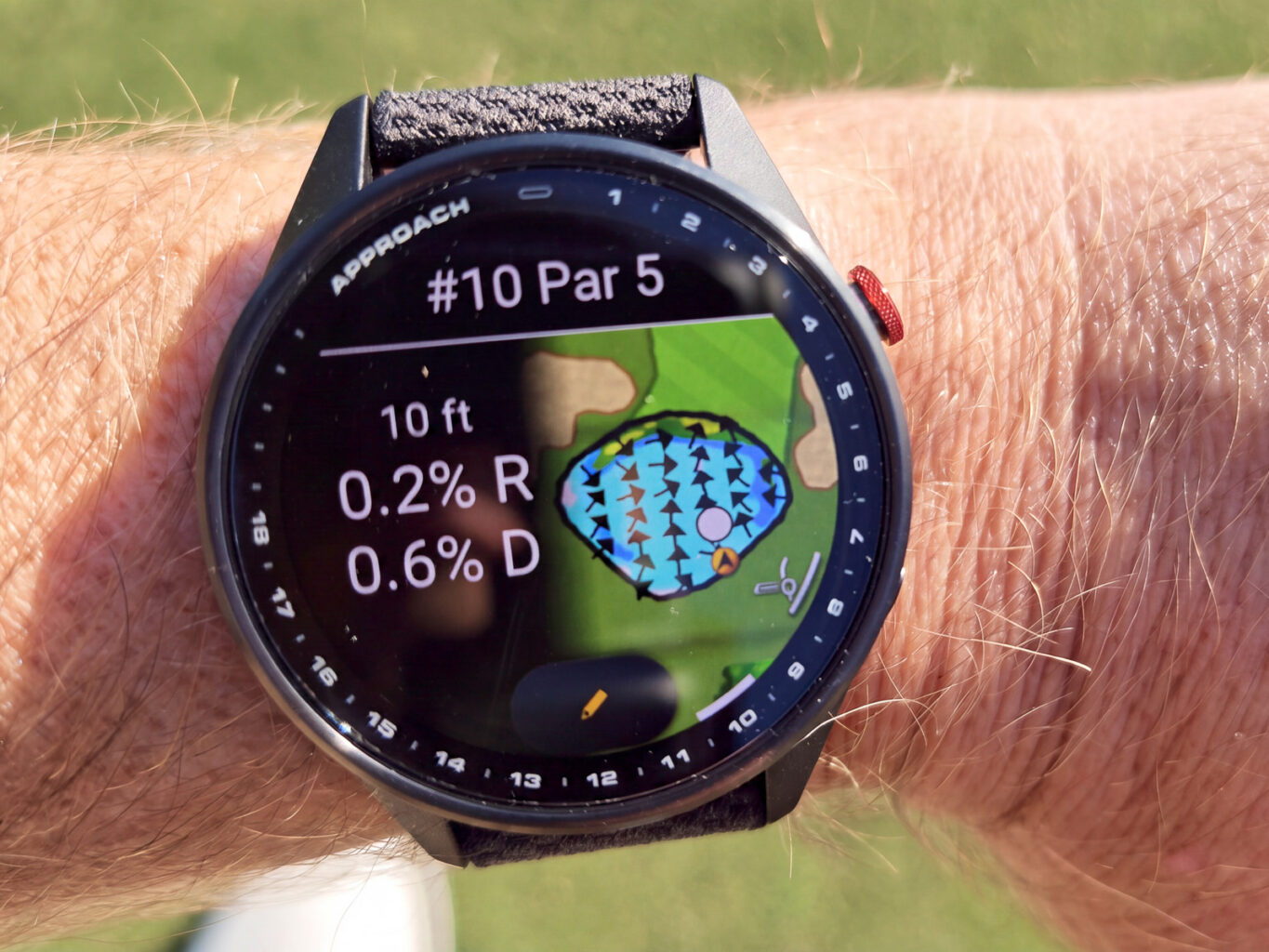
The S72 adds an actual green reading mode.
When you reach the green, walk to the flag and tap the pin set button. The watch uses GPS to mark the hole location. Walk back to your ball, and it tells you how long the putt is, whether it’s uphill or downhill, which way it breaks, and the slope.
I have to say, this is wild. I haven’t used a device that makes reading greens this simple.
But in reality, it leaves a little to be desired.
Walking straight to the flag when you get to the green can interfere with your playing partners, depending on where their balls are.
Then you’re back at your ball comparing the watch’s read to your own read, checking it again, and the whole thing slows you down.
I can see it getting faster with familiarity. So far, though, it got in my way more than it helped.
There’s also a precision problem. GPS isn’t perfect. Depending on signal strength and how accurately the hole was mapped, the pin doesn’t always land exactly where it is.
In most of my testing, the GPS and the reads were accurate. But a handful of times, the read didn’t look right at all to me.
And if you can’t trust it completely, I’m not sure how much you’re really going to use it.
The Rangefinder Disappointment
I hope Garmin gets this one fixed.
If you use a Garmin Z10 or Z30 rangefinder, shooting the flag sets the pin on your watch. You see exactly where it is on the green, heat map and all, as you hit your approach.
But it doesn’t activate green reading mode. I still had to walk up and set the pin manually on the watch.
That’s confusing, because setting the pin automatically is half the reason to own a Garmin rangefinder. I’d expect a future update to make it work the way the Arccos rangefinder does.
Putting Analytics
Garmin also adds putting analytics in the app after your round with the S72.
If you’re diligent about setting the pin, and you’re using CT1 or CT10 sensors or entering clubs on the watch, you’ll get a recap of your putts. That includes speed bias, directional bias, and make rate, among other metrics.
If you’re serious about improving your putting, getting that from real rounds is useful.
It’s not a perfect science yet. But it’s a nice addition, and I think it’ll keep getting better with updates and as I get more comfortable using it.
That said, I will say using Arccos Golf is by far the more seamless and elegant solution for this data.
The S72 Is the First Approach Watch I’d Wear Full Time
For golfers who wanted one watch for the course and everything else, I used to point them to a Fenix 8 or Fenix 9. In some ways, I still would. Those are more robust multisport fitness watches.
But the S72 is the first Approach watch I’d recommend as a true full-time smartwatch and fitness watch. It works just as well off the course as on it.
The better heart rate sensor, the flashlight, and the speaker and mic all help. You also get more multisport options than previous Approach watches had.
And you get most of Garmin’s health features, including Sleep Tracking, Body Battery, Stress Levels, Jet Lag Adviser, Training Readiness, and more.
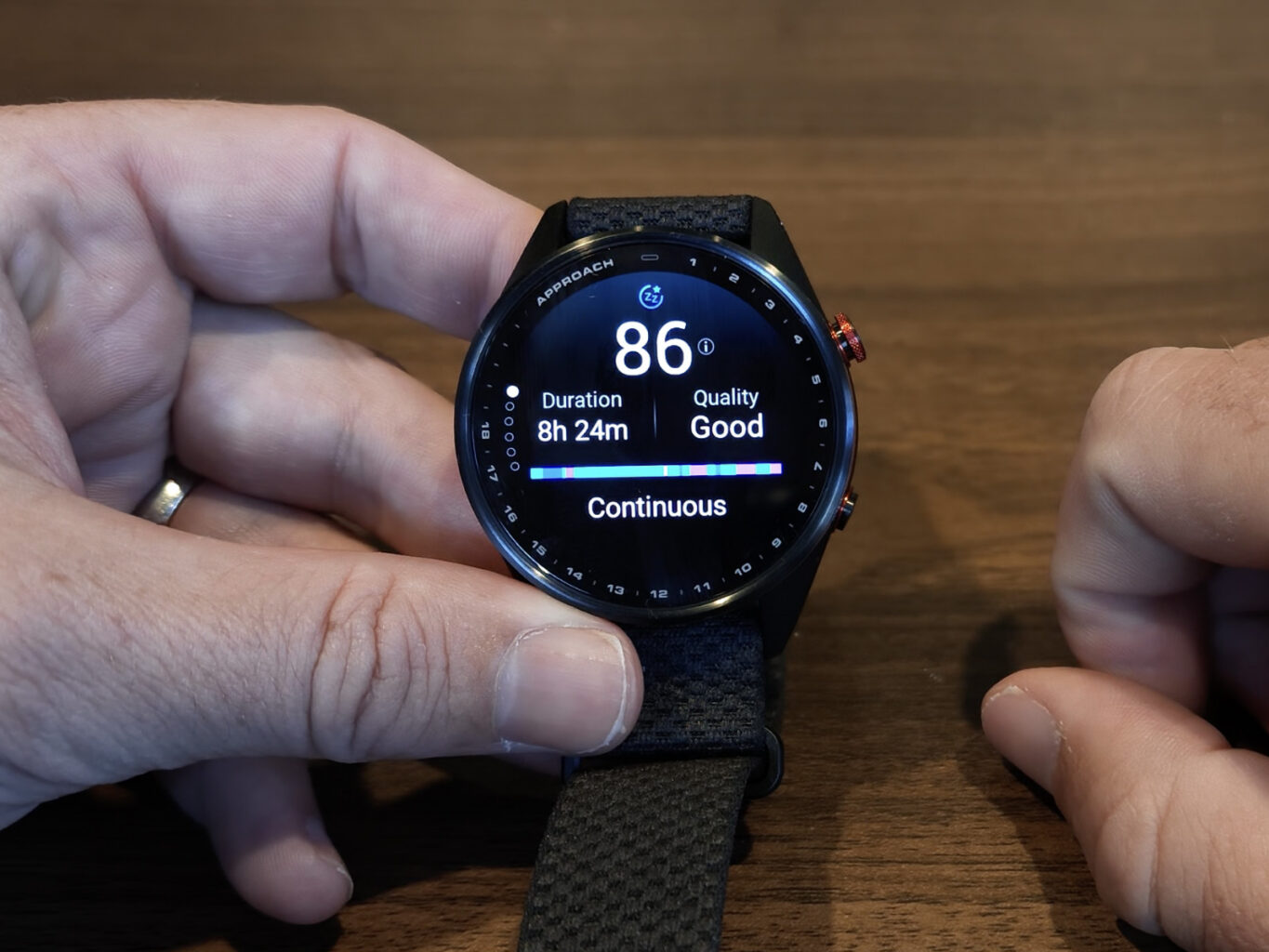
Battery life is excellent as well. The 47mm is rated for up to 16 days as a smartwatch and up to 20 hours of golf, the same as the S70. Turning on the always-on display, the flashlight, or voice features will cut into that.
What I’d Change About the Garmin Approach S72
As good as the S72 is, I do have a few critiques.
First, you still can’t see launch monitor data on a Garmin watch.
If you have an R10 or R50 and head to the range, especially with an R10, which has no built-in screen, why can’t that data show up on your wrist?
It feels like a no-brainer, and it would be a huge reason to stay in Garmin’s ecosystem. Using launch monitors that pair with an Apple Watch like the FlightScope Mevo Gen 2 or Full Swing Kit really enhances the usability of those devices.
It’s even more surprising because Garmin integrates its other accessories so well. The Z10 and Z30 rangefinders and the CT10 sensors all work wonderfully with the watch.
Then there’s the S72-rangefinder issue I discussed earlier. If you own a Garmin rangefinder, you shouldn’t have to walk up and set the pin by hand to use green reading.
The built-in watch faces on the S72 are fine. But I’ve gotten used to the faces on the Fenix series, and I like many of those better.
When I scrolled through the options on the S72, nothing jumped out. None of them quite hit the look or functionality I wanted.
Garmin’s Connect IQ store has plenty of downloadable watch faces, and I’ll probably find a better one there. I was still a little bummed there weren’t more good options built in.
My last complaint is mostly a me problem.
I’ve been wearing the Fenix 9 Pro, and next to it, the S72 feels slightly less substantial and less high-end. That’s not to say it’s poorly built.
The Fenix 9 is built for going off-grid for days at a time, so of course it’s beefier. Most people won’t notice. But coming from the Fenix 9 Pro, I did.
If that matters to you, Garmin just announced the MARQ Golfer (Gen 3). It looks amazing and should have all the S72’s features and likely a few more. It’s also $2,800, so that’s a different review entirely.
Is the Approach S72 Worth $799.99?
By any measure, $799.99 is a lot for a golf watch.
And yet, I still think the price for the S72 is reasonable for what you get.
The S70 retails for $699.99, and over the last few years it hasn’t been discounted much. For $100 more, the S72 gives you far more watch. Between the hardware and the new golf features, it’s a significant improvement.
One question I’m really curious about is regarding the Fenix 9.
One thing I love about Garmin is that it doesn’t usually gatekeep golf features. The Fenix 8 and Fenix 9 have nearly every golf feature the S70 has, plus the extra ruggedness and fitness tools.
I love that a Garmin watch can work like a 10-in-one device with sleep, activity, golf, skiing, and fishing, all on one wrist.
Right now, though, the Fenix watches don’t have the S72’s new golf features. No driving range mode, aerial maps, or green reading.
When I asked Garmin directly whether these features are coming to other watches, they gave me a no comment. Not a yes, but not a no.
My guess is that sometime in the not-too-distant future, at least the Fenix 9 gets some of them. But nothing is certain until Garmin actually releases it.
So if you want the most golf features you can get in a watch you’ll also wear every day, I’d say to buy the S72.
If you want deeper multisport tracking and a more rugged, premium build, and golf is one of many activities, look at the Fenix 9 or Fenix 9 Pro, knowing you’re giving up the new golf features for now.
And if you just want yardages and a scorecard, save your money. There are great options for a fraction of the price.
And if you’re curious, here’s my full Fenix 9 Pro review for golf. Just keep in mind this was done before the S72 was announced:
Final Thoughts on the Garmin Approach S72
The jump from the S62 to the S70 was all about the screen. The new AMOLED display made everything look better, but the golf features stayed pretty similar.
The S72 is a different kind of upgrade.
You get better hardware across the board, plus the biggest leap in golf features I’ve seen from Garmin in at least the last three to five years.
Swing metrics on the range. Green reading on the course. Aerial maps. Putting analytics. And for the first time, an Approach watch I’d happily wear every day.
It isn’t perfect. Green reading needs some work, the rangefinder handoff could be better, and I’d like to get launch monitor data in the watch.
But should you buy it? If you want a high-end golf watch with as many golf features as possible, plus great everyday features, the answer is absolutely yes.
The Approach S72 is the new flagship golf watch from Garmin, and the best overall dedicated golf watch we've ever reviewed. It has meaningful upgrades across the board over the S70, and it's in your budget, it gets our highest recommendation.
The Approach S72 is the new flagship golf watch from Garmin, and the best overall dedicated golf watch we've ever reviewed. It has meaningful upgrades across the board over the S70, and it's in your budget, it gets our highest recommendation.
Recent Updates:
November 3rd, 2026: Updated to add our full written review of the Garmin S72 along with the previously published video review.
The Best Dedicated Golf Watch Garmin Has Made
The S72 is the biggest generational jump I've seen in a golf watch. New hardware, wrist-based swing metrics, green reading, and aerial maps make it the most complete golf-first watch on the market.
The Good
- Driving range mode adds real swing metrics without sensors
- Flashlight, speaker, and mic make it a true everyday watch
- Sapphire, titanium, and a lighter fabric band
- Aerial maps and green reading add useful on-course detail
The Bad
- Green reading isn't perfect
- Garmin rangefinders don't trigger green reading
- Still no launch monitor support
- Several new features require the membership
-
Presentation
-
Performance
-
Features and Quality
-
Price
-
Personal Affinity
