

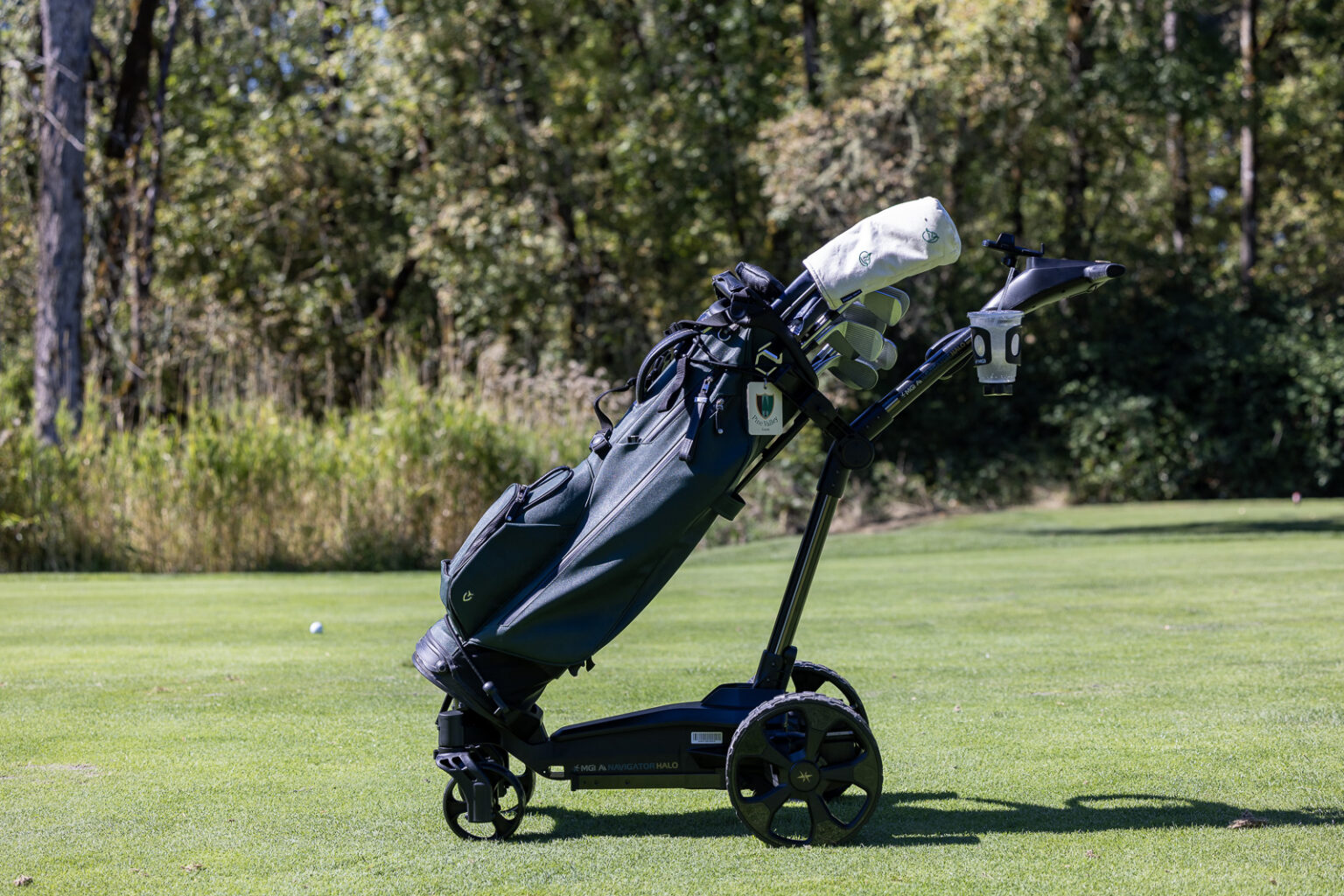
I continue to be pretty amazed at how many electric caddies I see on the course these days.
At my home club, I’d say lately it feels like one out of every four golfers has one. So many people are using them that I was recently told the bag room actually ran out of space for charging batteries.
Why are they so popular all of a sudden?
Well, for starters, when they work well, they’re incredibly convenient. Walking hands-free down the fairway while your electric caddie cruises along in front of you is legitimately enjoyable.
And considering we all know about the benefits of walking, if this is a way to get more people walking the golf course, I’m all for it.
MGI has made a name for itself as one of the premier electric-caddie brands out there, and the new MGI Ai Navigator Halo is its flagship cart.
It starts at $2,599, and if you add the optional $399 Halo Eye accessory, you’re basically looking at a $3,000 electric caddie.
That’s a lot.
I’ve now played three full rounds with the Halo, and I have some thoughts. Is it worth the premium price? How easy is it to use? Does Geo Protect actually make a difference? Should you spend another $400 on Halo Eye?
And perhaps most importantly, what does the Halo give you that you don’t get from something like the Gozo Auto-Follow or Navee Birdie 3X, both of which cost well over $1,000 less?
Let’s find out.
MGI Ai Navigator Halo First Impressions
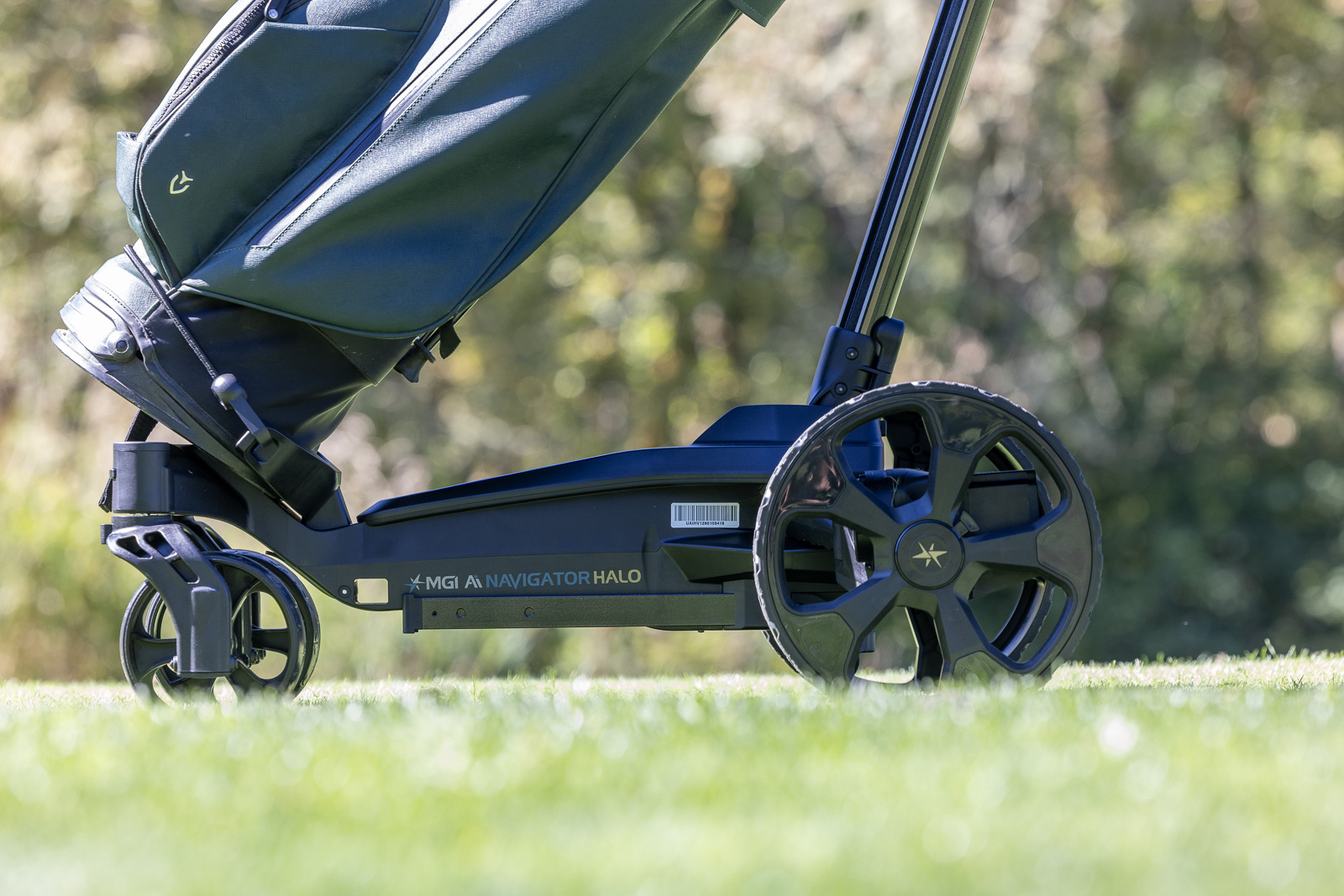
The first thing you notice about the Halo is that the packaging is excellent. Everything feels thoughtfully designed and high-end, which is exactly what you’d expect considering the price.
Anytime I test a product like this, I start by trying to set it up without looking at the instructions. It’s one of my favorite unofficial usability tests. If I can figure out how the thing works without watching three YouTube videos and digging through a manual, that’s generally a good sign.
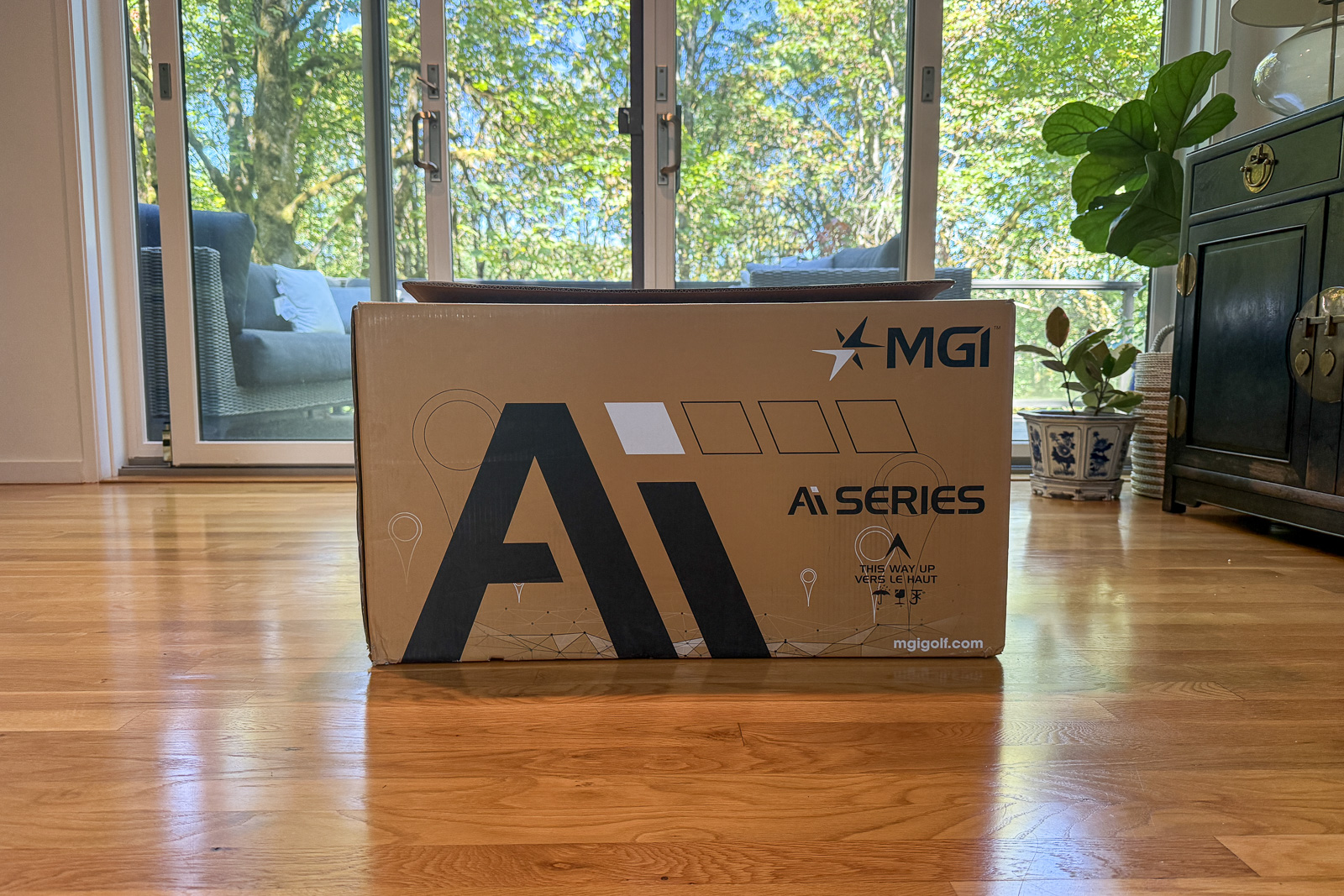
Unlike my experience with the Stewart Golf Q-Follow, which I still occasionally struggle to remember how to fully unlock and set up, the Halo is pretty intuitive.
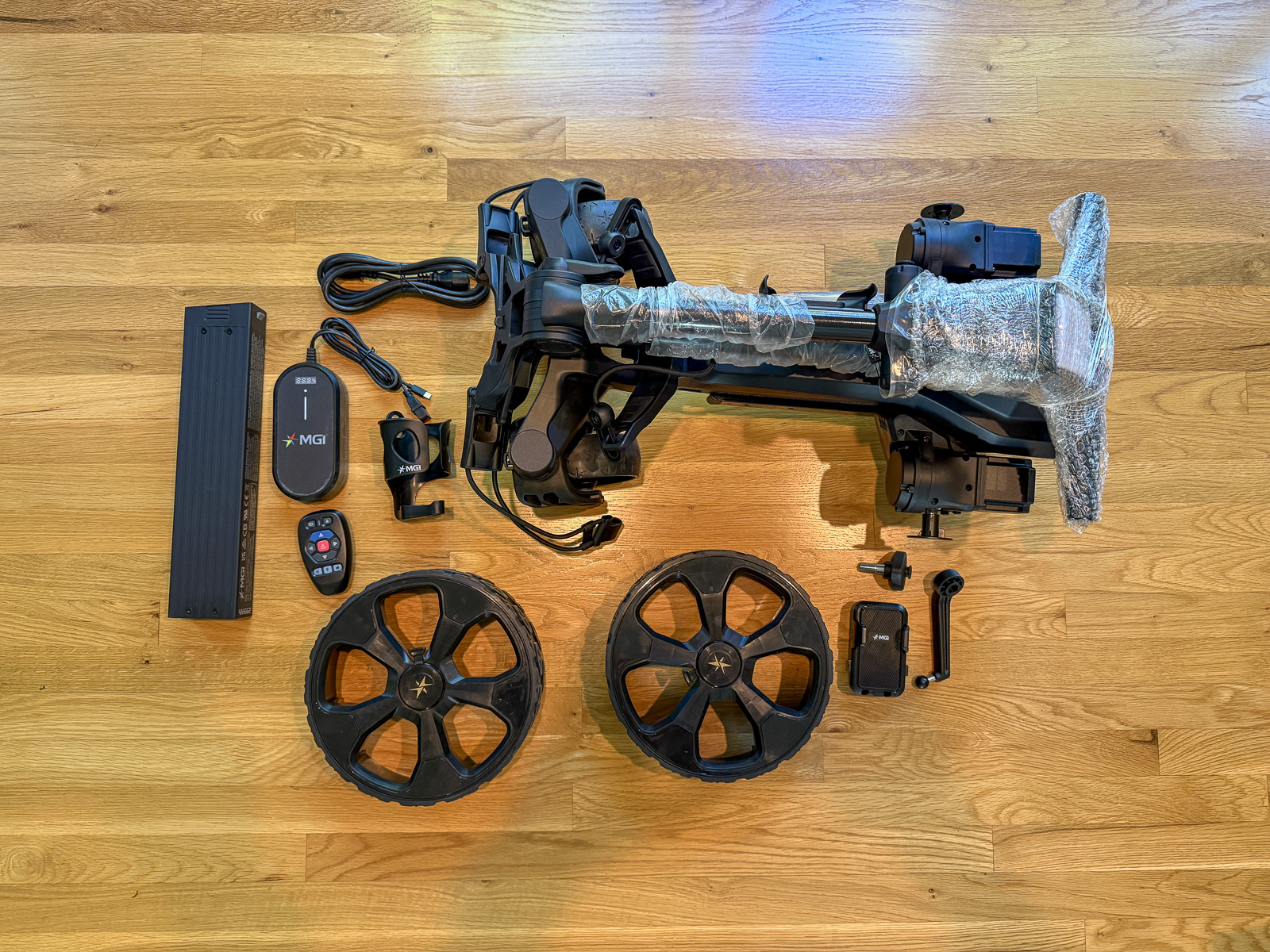
Out of the box, it’s relatively clear where everything goes. Installing the wheels is a breeze, as is installing and removing the battery.
There are two main locks you need to release to unfold the cart. The upper handle lock is obvious. The second one, underneath the handle, is quite a bit less conspicuous.
I found it after maybe 15 seconds of looking, but honestly that feels a little bit like I got lucky.
Once you release it, though, the whole cart expands in a really satisfying, well-engineered way.
And despite this being a fairly substantial device when it’s open, MGI did a fantastic job with the fold. The Halo weighs 33.29 pounds with the battery installed, but folds down to just 27 by 15 by 14 inches. That’s actually about 20 percent more compact than the MGI Zip Navigator AT.
I have a sport sedan, and it fits in my trunk very easily. As with most electric caddies, though, if you’re also carrying a full golf bag, you’ll probably want to put down a rear seat.
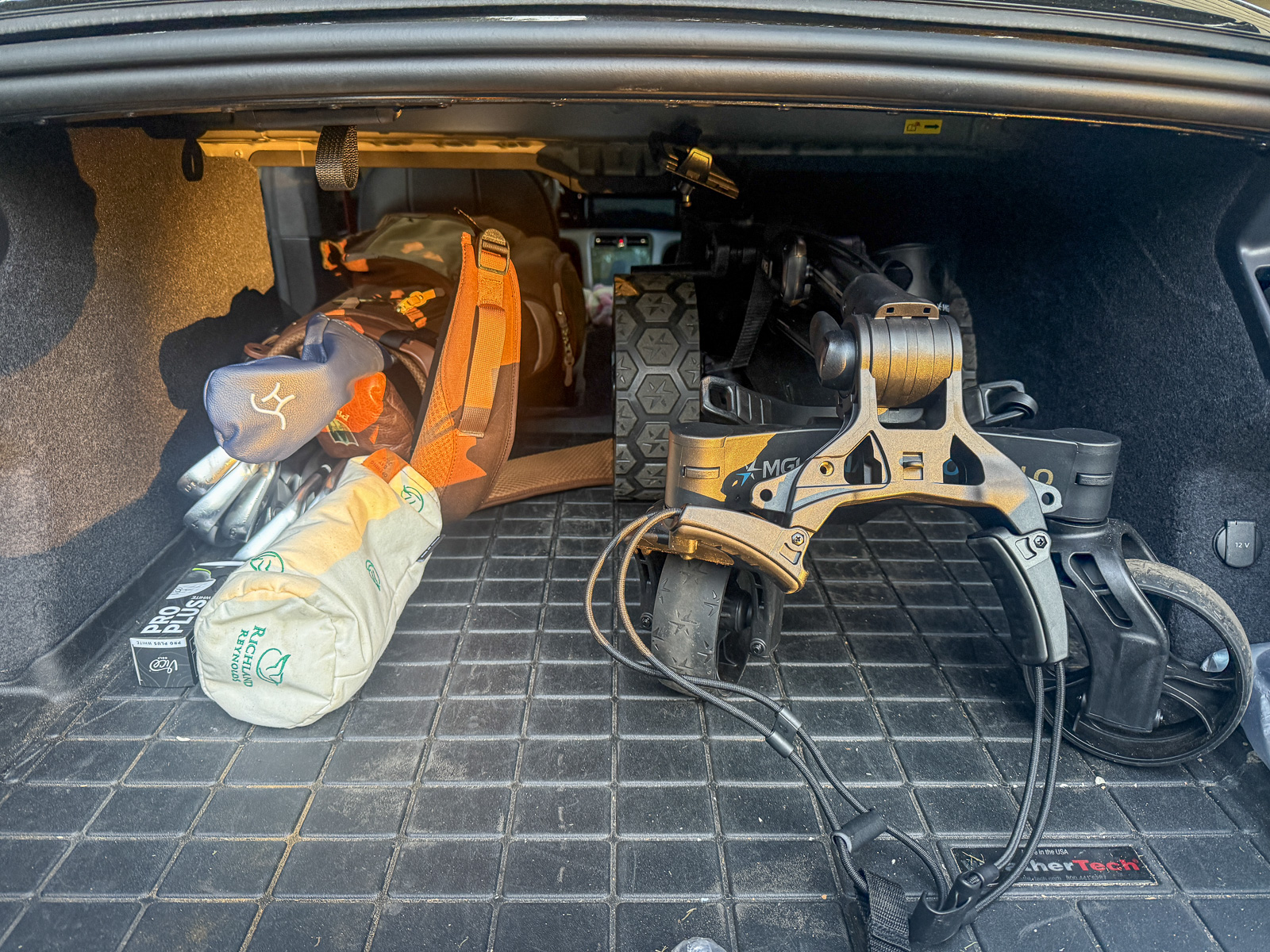
Overall, build quality and construction feel excellent. It looks and feels like a premium piece of equipment, which is good, because it certainly has a premium price.

If you want it all, including geo-fencing, on-board GPS hole maps, and a follow-me feature that follows your actual body instead of a remote control, this is the best electric cart on the market in 2026.
Driving the MGI Halo Is Excellent
The thing that stood out most to me almost immediately is just how good the driving experience is with the Ai Navigator Halo.
Using the remote to turn the Halo feels extremely seamless. The steering is smooth, progressive, and easy to control.
This is one of the biggest differences I noticed compared to the Stewart Q-Follow. I like the Stewart a lot, but turning that cart via remote can feel surprisingly jerky until you really get used to it.
The MGI Halo is much smoother.
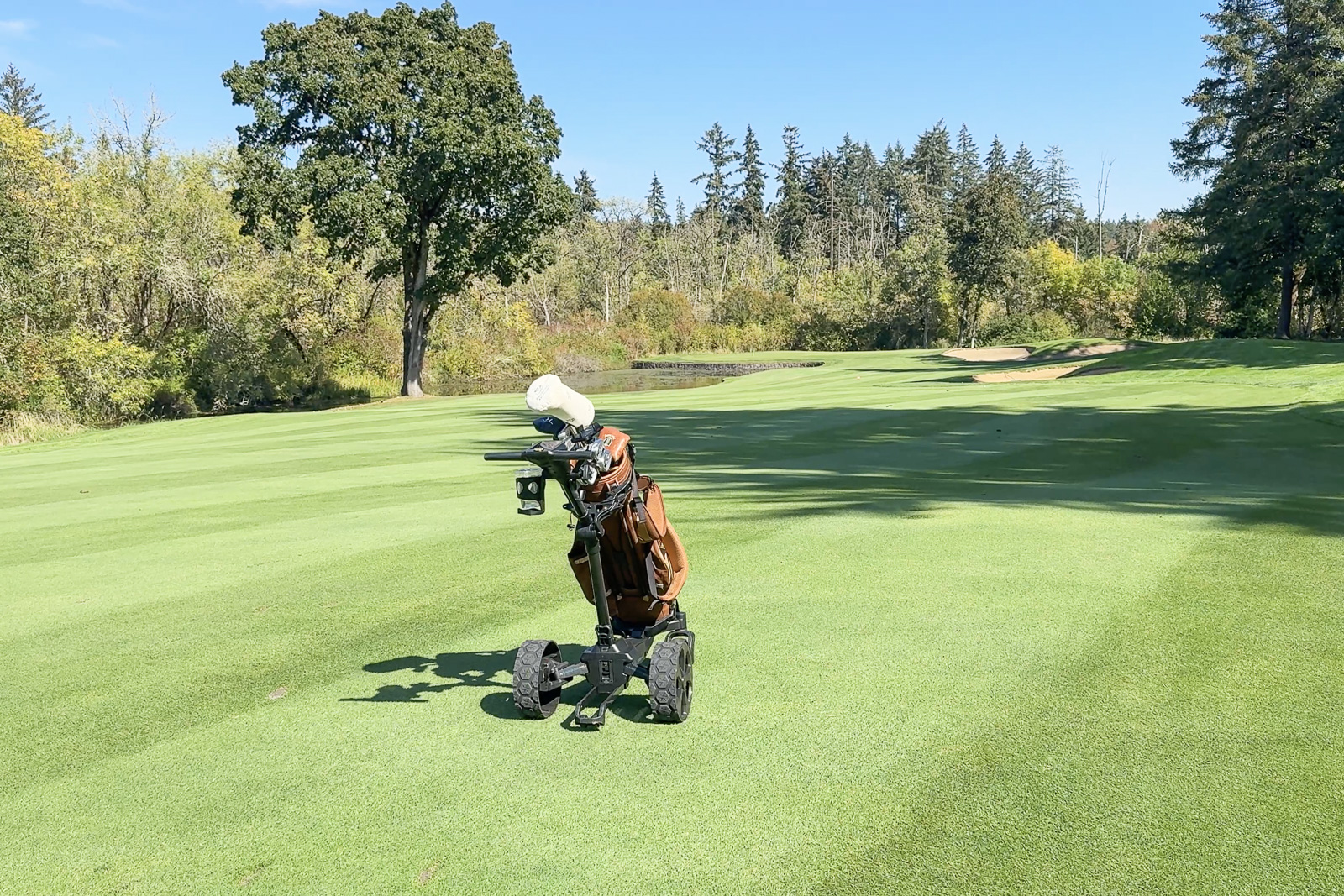
Little steering corrections are easy, and larger turns feel natural as well. Once you’ve gotten comfortable using it, sending the Halo 30 or 40 yards up the fairway and making adjustments along the way feels very intuitive.
That said, there is one part of controlling the Halo that took me longer to understand.
Manual Control Isn’t Quite as Intuitive
There are plenty of situations where you don’t want to use a remote control. Walking around the clubhouse, navigating a tight cart path, moving around a tee box, or sometimes just grabbing the handle and using the Halo more like a traditional push cart.
I had a surprisingly difficult time figuring out how to do this at first.
When I started the cart using the remote, I didn’t have much ability to simply grab the handle and manually steer it where I wanted. Instead, if you want that style of control, you need to initiate movement using the button and dial on the handle itself.
Once I understood this, it made much more sense.
Push the dial to start or stop the cart. Rotate it to adjust the speed. And when you’re controlling the cart this way, you can steer it naturally with the handle.
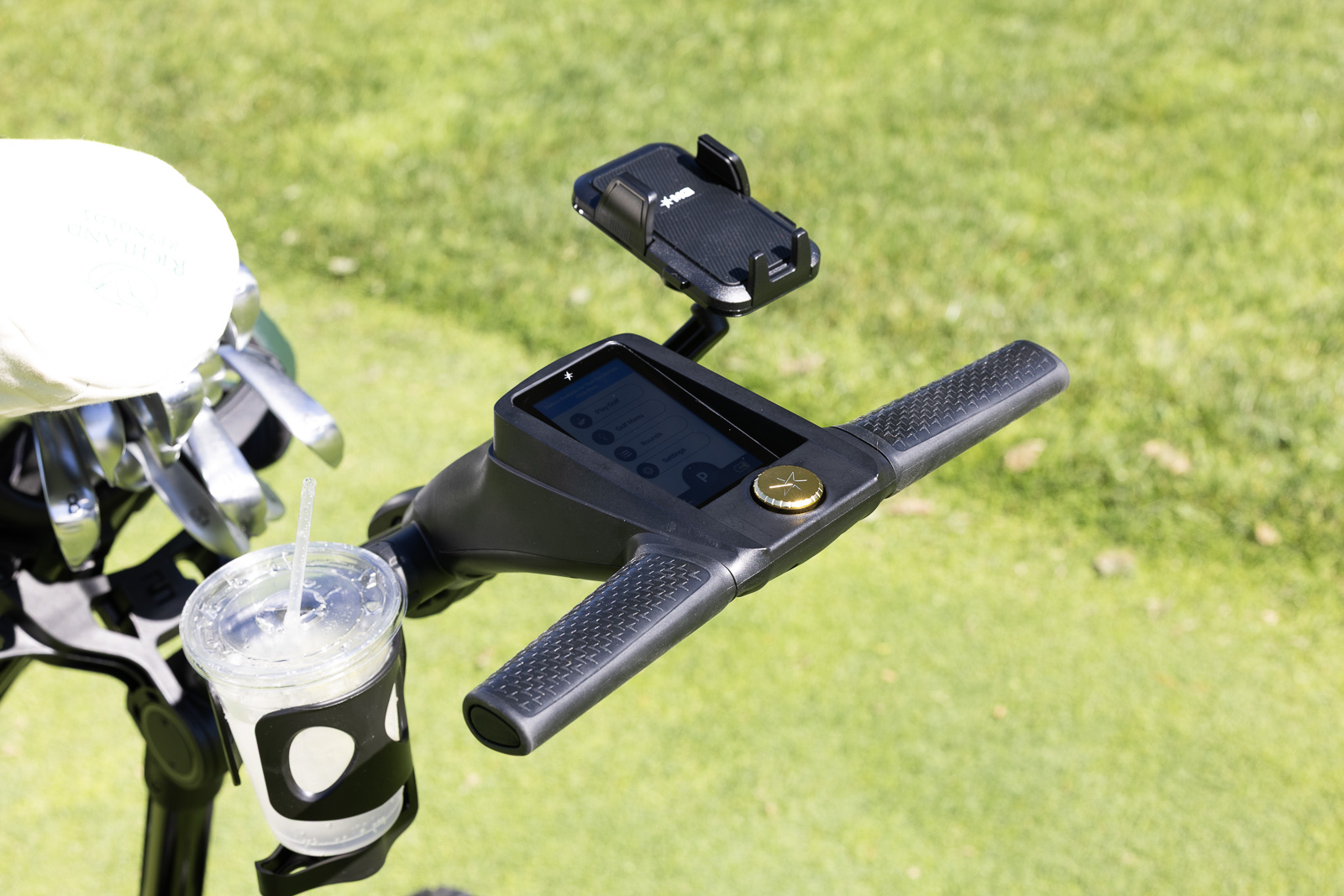
The control itself is actually really well done. It’s responsive, extremely easy to adjust, and once I figured everything out, I really enjoyed using it.
I just wish you retained that same freedom to grab and manually steer the cart after initiating movement with the remote.
Technically, you can disengage the wheels and put them into a free-wheel position if you absolutely need to push the Halo without power. But that’s more of an emergency solution than something you’d want to do every time you walk past the clubhouse.
This is one area where cheaper carts actually have an advantage.
The Navee Birdie 3X, for instance, has one of the best manual-control systems we’ve tested. Its trigger-style handle makes switching into hands-on operation almost completely effortless. The Gozo can also be unlocked and pushed around much more like a traditional push cart.
With the Halo, it takes a little more thought.
After three rounds, I barely notice it anymore. But if you’ve never used an electric caddie before, expect to spend at least a round or two figuring out the muscle memory of when to use the remote, when to use the handle, and how everything behaves.
One Initial Issue, With an Easy Fix
In my first two rounds with the AI Navigator Halo, I had one recurring issue.
For as good as the steering is, the unit kept wanting to turn right.
I’ll send it straight down the middle of the fairway and, maybe half the time, if I’m not paying attention, I’ll eventually notice it slowly heading toward the right side.
And this isn’t just a slight drift. Given enough distance, it’ll eventually work its way from the middle of the fairway all the way over toward the rough.
MGI specifically touts its Gyroscope Straight Tracker technology as one of the Halo’s major features, so this obviously isn’t how the cart is supposed to behave.
Fortunately, after doing a little research, I found this is a very easy fix.
There’s a calibration feature in MGI electric caddies called “Motor Trimming”.
You simply follow the instructions in the manual to enter this calibration mode, and a couple of minutes later? Voila! Problem solved.
It ended up being an easy fix, as I knew it had to be, since everything else with the cart was so dialed and well thought out.
Don’t Forget to Extend the Fifth Wheel
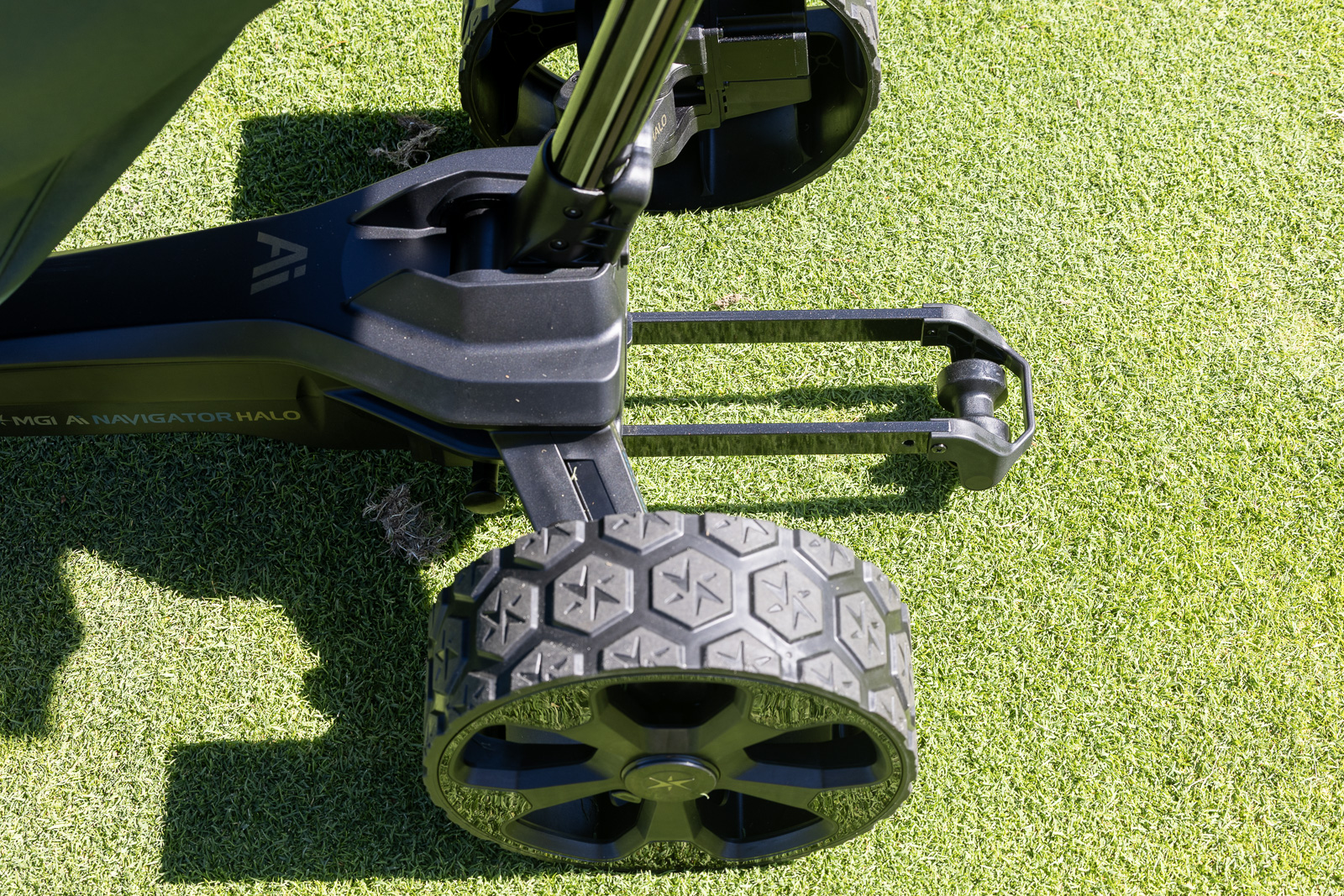
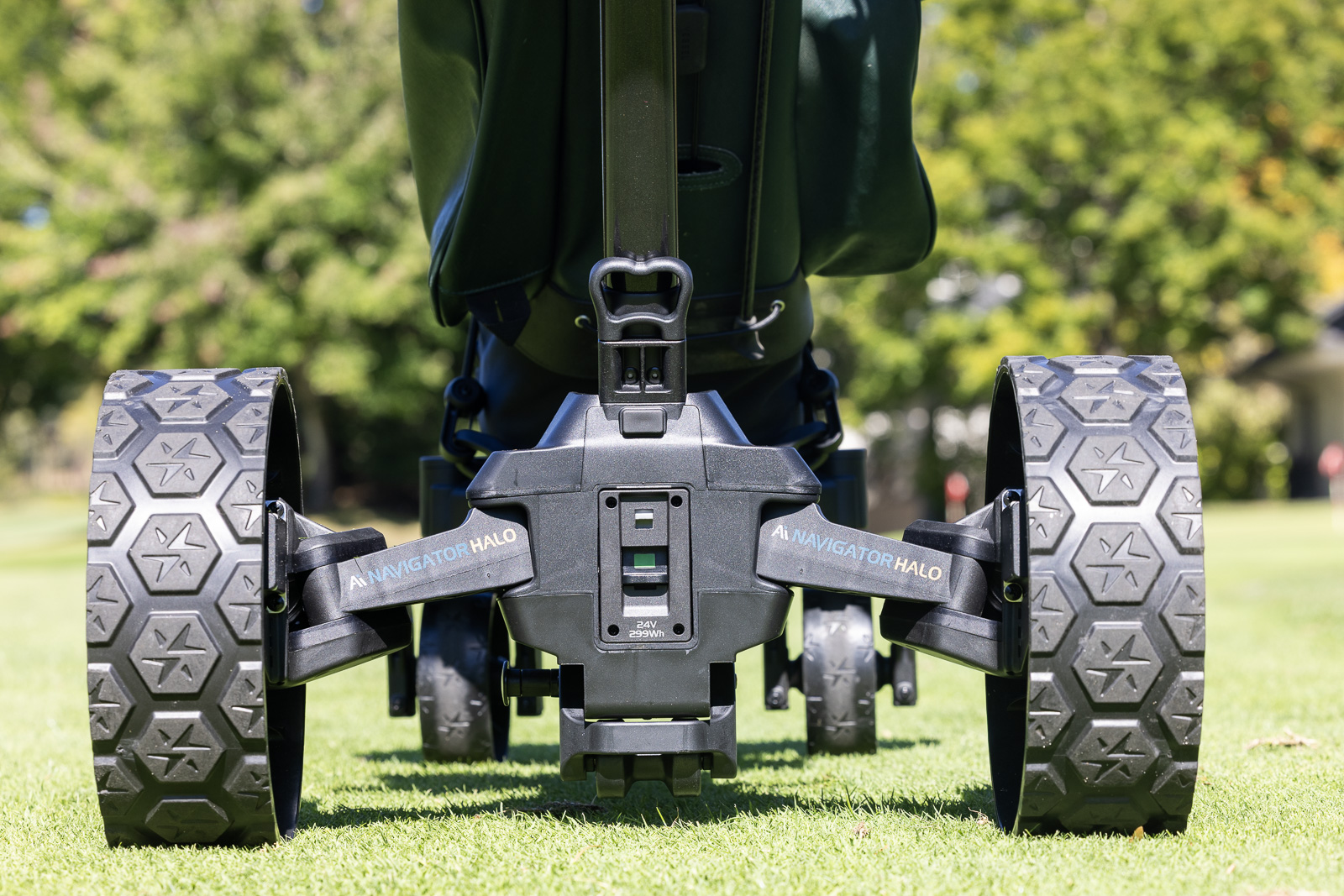
There’s a fifth stabilization wheel on the back of the Halo.
During my first round, I didn’t realize it extended, and I remember thinking, “Hmmm. This isn’t quite as stable as I expected.”
Turns out that was user error.
Extend the fifth wheel, and it’s a completely different story.
The Halo has been fantastic over basically every type of terrain I’ve put it through. Hills, rough, side slopes, uneven areas around greens — it feels planted and secure.
Considering the expense involved, stability is obviously pretty important. Nobody wants to watch $2,600 worth of electronics cartwheel down a hill.
With the stabilizer properly deployed, I’ve had no concerns.
The 4-Inch GPS Screen
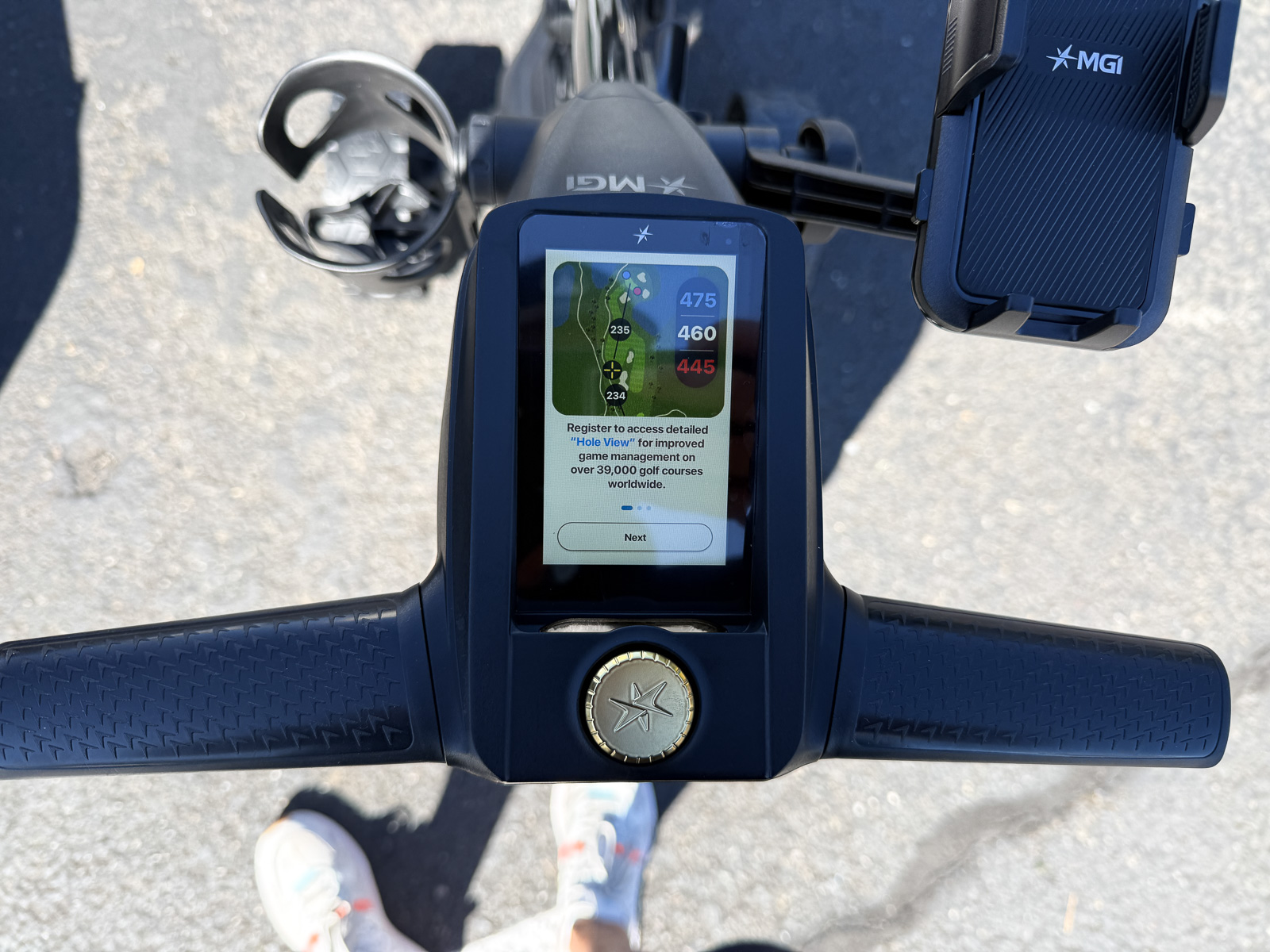
One of the biggest reasons to choose the Ai Navigator Halo over a less-expensive electric caddie is the technology built into the handle.
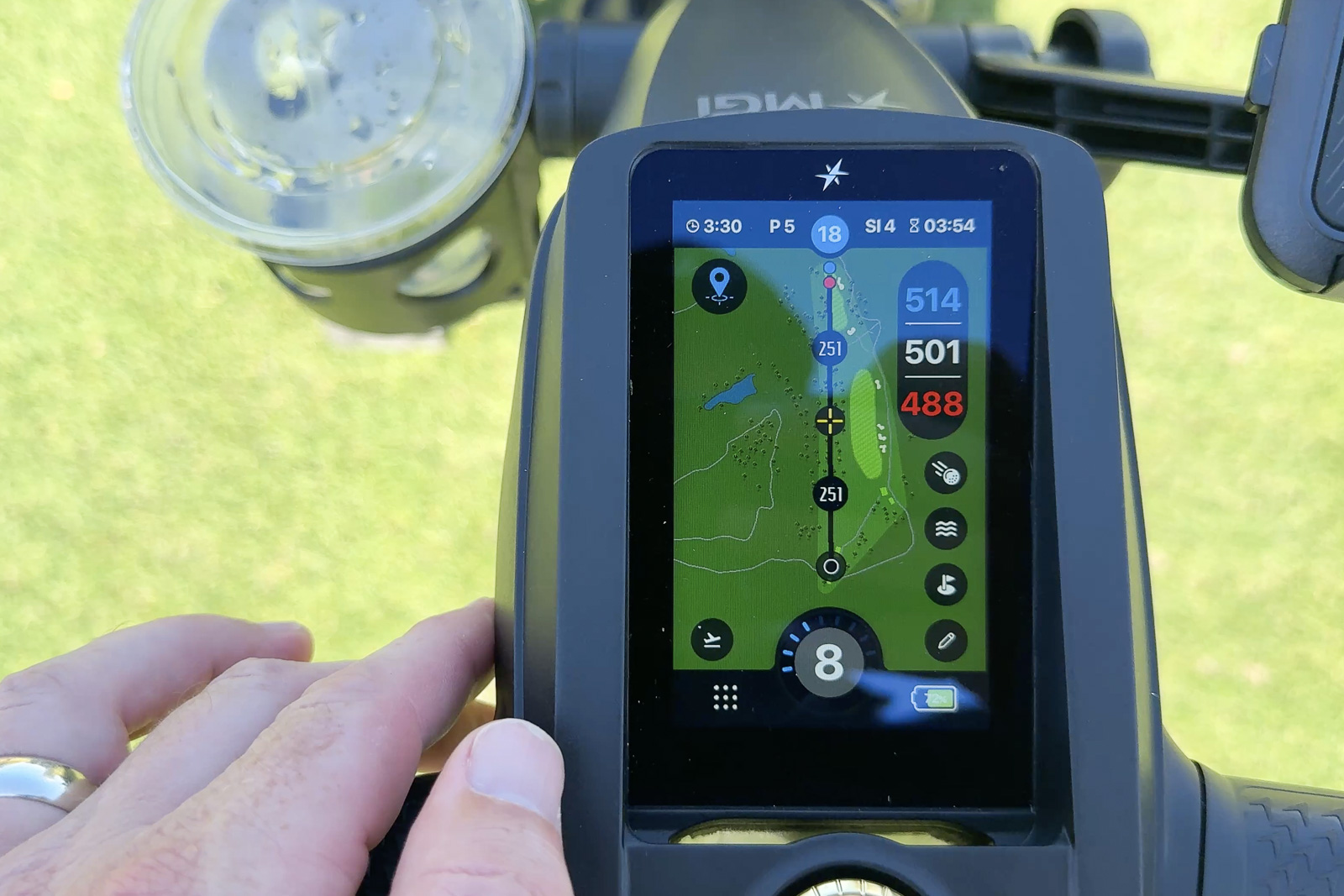
Front and center is a 4-inch full-color touchscreen with GPS mapping for roughly 40,000 golf courses.
And it’s better than I expected.
The screen is surprisingly responsive. Creating an MGI account and getting everything set up was simple. Menus are easy to navigate, settings are easy to find, and GPS distances to greens and hazards work well.
You can also keep score directly on the unit.
Graphically, though, it’s not going to blow you away. Everything looks perfectly fine, but don’t expect Garmin-level course maps or smartphone-quality visuals.
Personally, I also have some reservations about buying an electric caddie with this much technology permanently integrated into it.
What happens if the screen dies five or six years from now? How long will the software continue to receive updates?
If I’m wearing a Garmin golf watch and carrying a rangefinder anyway, do I actually need GPS built into my push cart?
Those answers are going to vary tremendously from golfer to golfer.
If you don’t already own a GPS device, there is definitely an argument that combining a high-end electric caddie and GPS into one product makes the price easier to swallow. Especially here, where it’s biggest selling points are built around it’s high tech features.
For me personally, the GPS alone probably isn’t enough to justify the premium.
But that’s only the beginning of what the Halo’s course mapping can do.
Geo Protect Is Both Very Cool and Kind of Annoying
Every electric-caddie owner’s nightmare is the same.
You send your cart down the fairway, something goes wrong, and suddenly your $2,000+ robot is driving directly into a lake.
And this isn’t just some hypothetical fear. I’ve literally seen it happen.
Twice.
MGI has attempted to solve this with something called Geo Protect.
On supported courses, the Halo knows where mapped bunkers, water hazards, greens, and other restricted areas are located. As you approach one of those areas, the remote begins vibrating.
Initially, you get a slow pulse. As you get closer, the pulses become faster. Eventually, the cart starts slowing itself down, and if you keep going, it stops.
Naturally, I tested it.
I intentionally drove the Halo toward a few hazards just to see what would happen. Every time, it smoothly slowed itself down and stopped before reaching them.

That’s extremely cool.
And if Geo Protect saves your cart from going swimming even once, it’ll feel like the greatest feature ever invented.
But in everyday use, I’ve found it to be a little more mixed.
The biggest problem is that the mapping can be overly conservative.
At the course where I’ve done most of my testing, I can be traveling down the center of a fairway with a bunker 20 yards off to one side and suddenly the remote starts vibrating.
I’m nowhere close to driving into it, but Halo sees danger.
There have also been times when I’m using the handle control and walking along at a good pace, only for the cart to unexpectedly begin slowing itself down because it thinks I’m getting too close to something. More than once I’ve nearly walked right into the back of it.
You can temporarily override Geo Protect from the remote, so it’s not like you’re completely at the mercy of the system.
And I suspect how useful, or annoying, this feature is will depend heavily on how accurately your particular course has been mapped.
But after three rounds, I think I’ve found Geo Protect a little more annoying than useful.
I’m generally paying attention to where I’m sending a cart in the first place. I’ve used enough of these that I’m not blindly firing it toward ponds and hoping for the best.
For someone newer to electric caddies, or someone who’s particularly concerned about an expensive runaway cart, I could see it being fantastic peace of mind.
For me, I’d probably rather have it than not. But I don’t think it’s a feature I’d pay a big premium for on its own.
The Remote
The remote itself has worked very well.
Connection has been reliable, steering inputs are responsive, and most of the basic controls are obvious.
There are, however, enough additional buttons and functions that I eventually had to Google a couple of them to figure out exactly what they did.
That’s not a huge criticism. There is simply a lot going on with this cart.
For basic driving, though, the remote is excellent, and that’s arguably the most important part.
The holder for the remote just beyond the cart handle is well positioned, and works well.
Golf Bag Fit
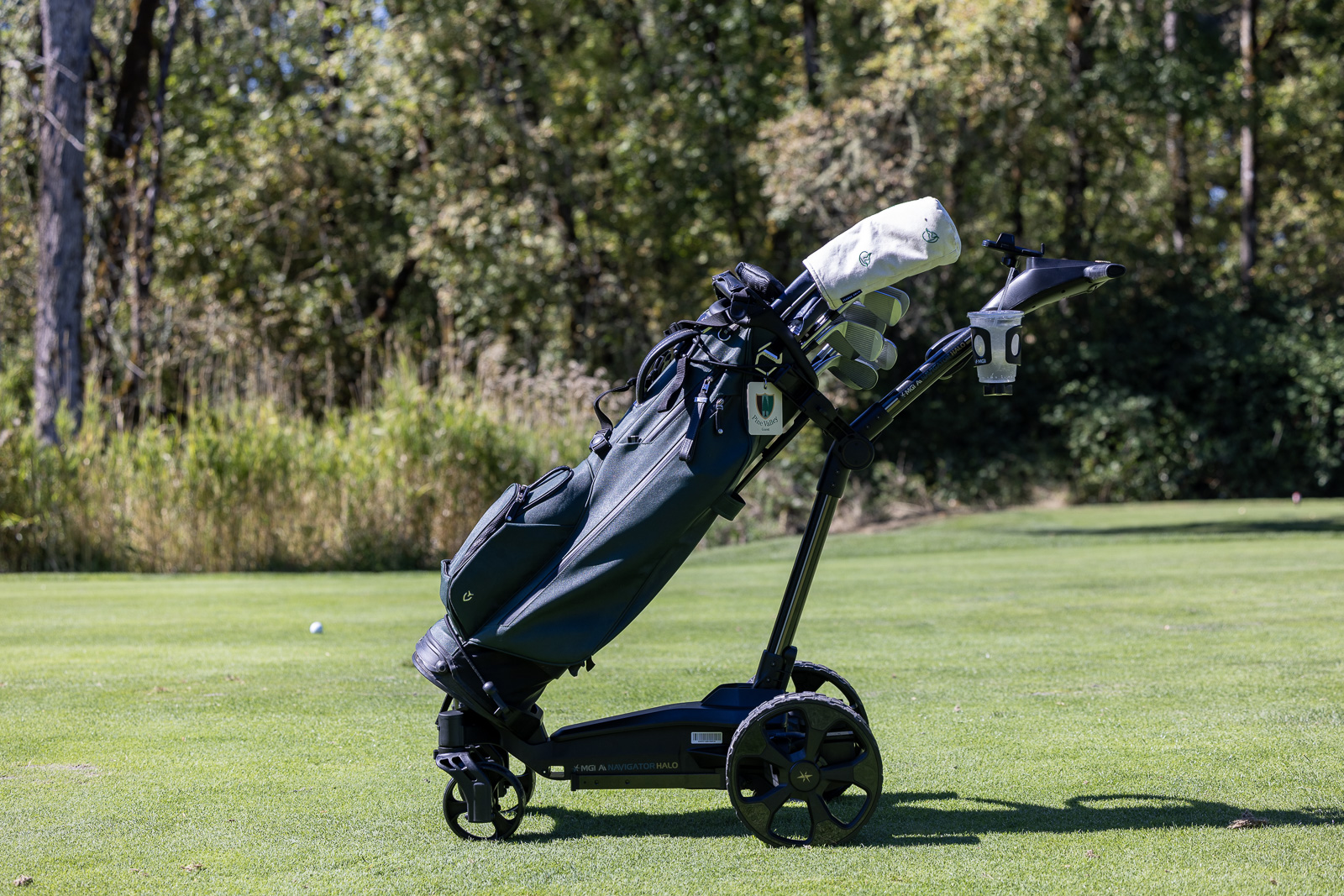
I’ve tested the Halo with both my normal carry bag and a larger hybrid-style golf bag.
Both worked well.
As you’d expect, the larger bag gives you a little more weight and stability, but I haven’t had any major issues using a smaller carry bag either.
The adjustable elastic straps at the top and bottom are easy to use and make it simple to get the bag cinched down securely.
My only slight concern is the plastic clip used on the lower strap.
Every time I use it, I feel like I’m about to snap it.
I probably won’t, but it doesn’t feel quite as overbuilt as I’d expect on a product at this price point. A metal clip would have been preferred over the thick plastic they used.
Battery Life Has Been Excellent
MGI rates the Halo battery for 36 holes.
Based on my testing so far, that seems very realistic.
I’ve generally used about 30 percent of the battery during a normal 18-hole round.
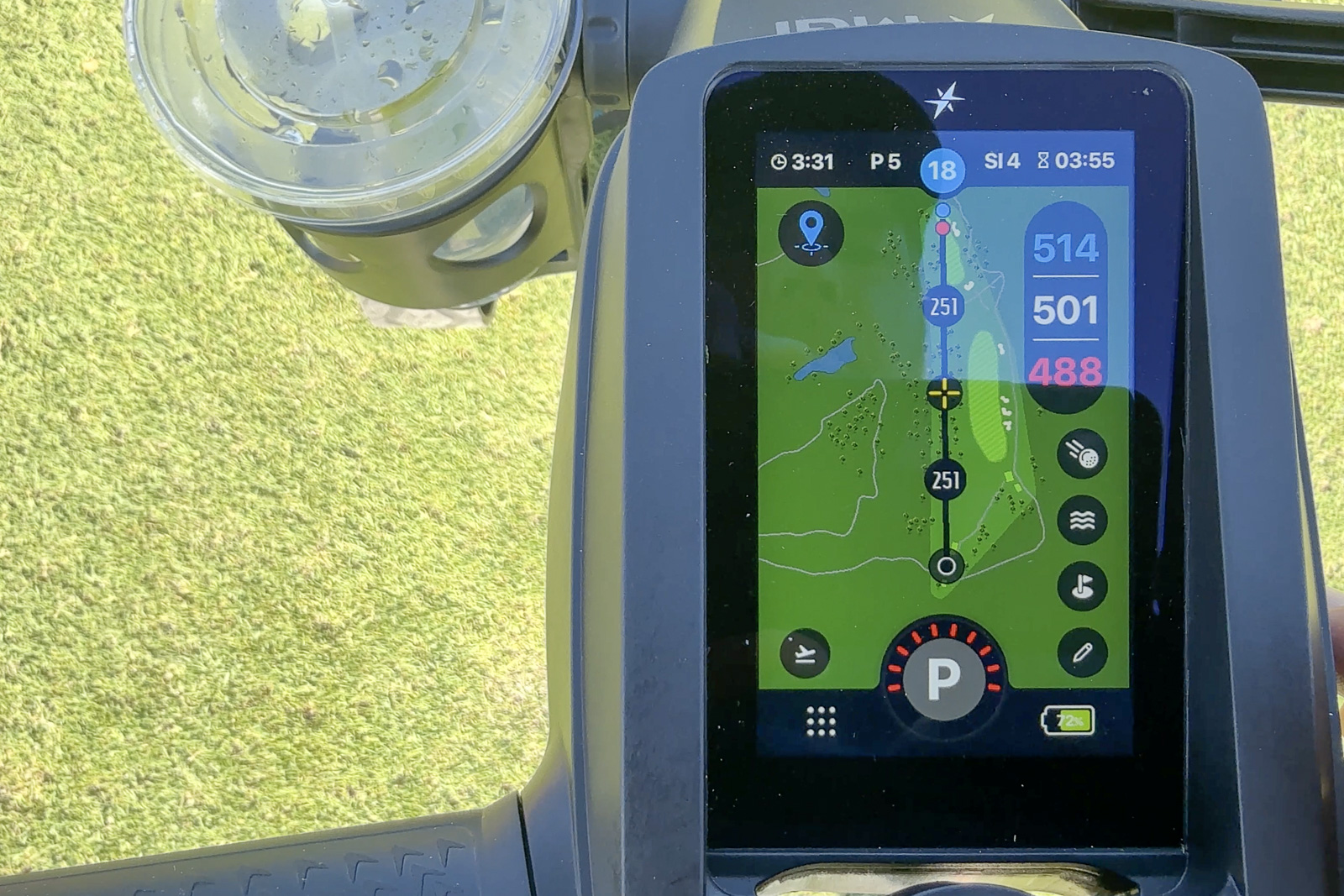
The included charger is also excellent and clearly displays charging status.
I charge it after every round anyway, so range isn’t something I’m remotely concerned about. Could you stretch it beyond 36 holes? Probably.
Would I want to find out during hole 34? Absolutely not.
The good news is that battery anxiety simply hasn’t been part of the experience.
Transporting the Halo
Folding and unfolding the Halo is easy once you’ve done it a couple of times, and the new folding mechanism gets surprisingly compact considering how substantial the cart feels when fully opened.
But there’s no getting around one thing: it’s heavy.
At a little over 33 pounds with the battery, this is basically like picking up a 30-plus-pound weight every time you put it into your trunk.
For me, that’s not a big problem.
But if you’re older, have back issues, or simply can’t comfortably lift 30 pounds from an awkward position, it’s something you need to seriously consider.
This isn’t unique to MGI. The Gozo is around 36 pounds and the Navee 3X is around 38.
Electric caddies are heavy. That’s the tradeoff.
If you want it all, including geo-fencing, on-board GPS hole maps, and a follow-me feature that follows your actual body instead of a remote control, this is the best electric cart on the market in 2026.
What Is Halo Eye?
This is where things get really interesting.
The standard Ai Navigator Halo is $2,599.
For another $399, (or $2,995 if you buy the bundle) you can add something called the Halo Eye.
Halo Eye is a small 2D LiDAR sensor that attaches to the cart and gives the Halo an additional set of autonomous features.
Adding it unlocks Follow Me, Return Home, Point to Point, and Obstacle Avoidance.
Follow Me allows the Halo to automatically follow behind you as you walk. Return Home allows you to call the cart back toward your remote. Point to Point lets you tap a location on the Halo’s map and have the cart drive itself there, while obstacle avoidance gives the cart the ability to recognize and stop for objects in its path.
I didn’t have Halo Eye for this review, so I can’t personally tell you how well those features work. But will update if/when I get my hands on one ot review.
But conceptually, Halo Eye is also what makes the entire Halo platform make significantly more sense to me.
The holy grail of electric caddies is a cart that basically disappears. You walk, it follows, it knows where it shouldn’t go, and you spend as little time thinking about the cart as possible.
From everything I’ve seen, the Halo with Halo Eye gets closer to that idea than just about anything else currently available.
The downside?
You’re now talking about a $3,000 golf cart.
And ironically, Follow Me itself is no longer a feature you necessarily need to spend anywhere close to that much to get.
MGI Halo vs Gozo vs Navee vs Stewart
This is where I think deciding whether the Halo makes sense gets complicated.
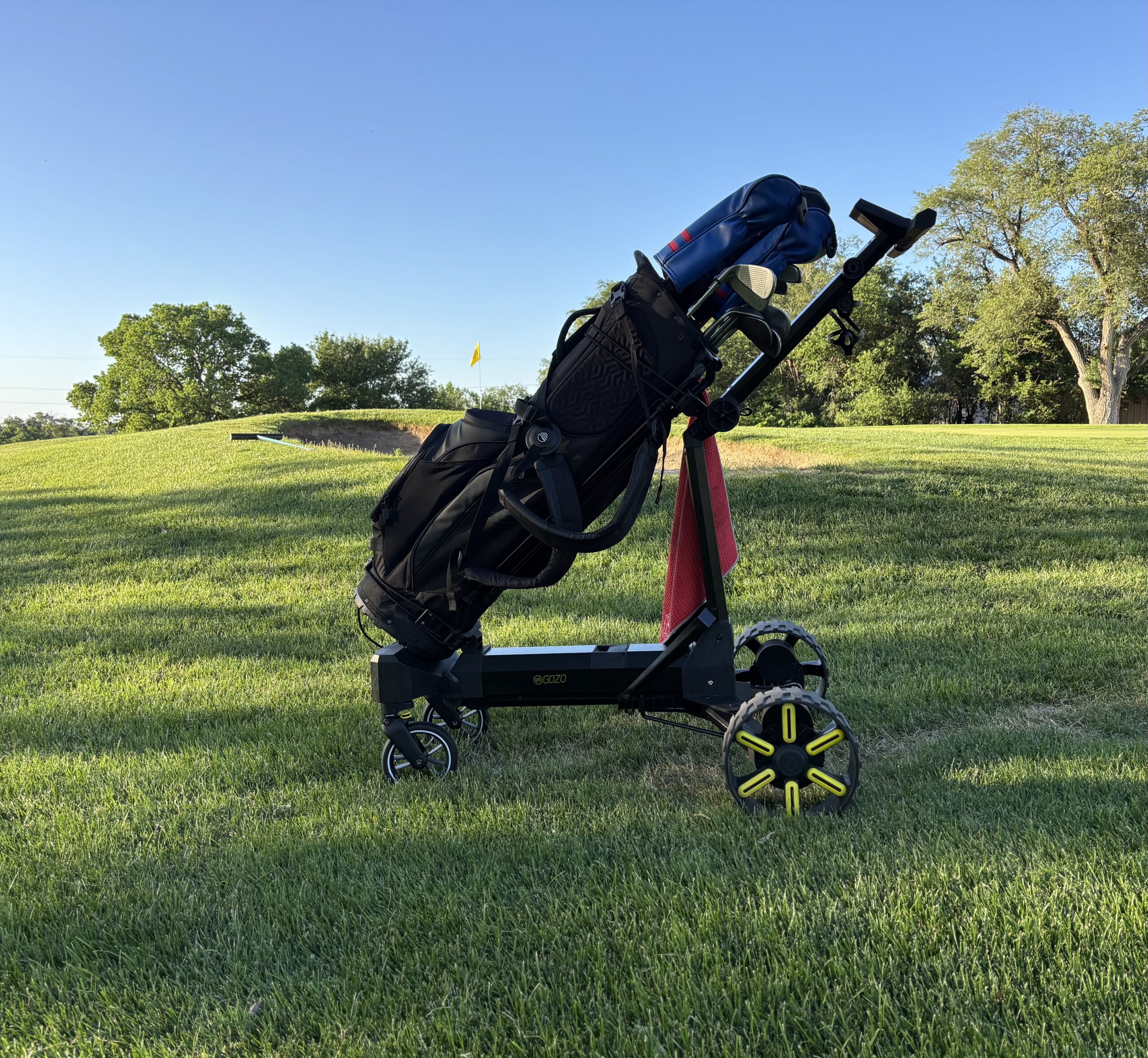
The Gozo Auto-Follow currently costs $1,399, and it includes auto-follow (and the Gozo code BREAKINGEIGHTY knocks $50 off that.)
In our testing, its Follow feature has worked extremely well, to the point where it converted us from being somewhat skeptical of Follow mode to really enjoying it.
It’s also easier to manually push around than the Halo, and its basic electric-caddie experience is excellent.
At literally less than half the price of the Halo/Halo Eye combination, that’s hard to ignore.
Then there’s the Navee Birdie 3X.
At $1,699.99, it also includes Follow mode.
Its Follow implementation hasn’t been quite as seamless in our testing, but its manual handle controls are fantastic, and it gives you an enormous amount of functionality for the money.
The Stewart Q-Follow is the opposite end of the spectrum.
It’s another roughly $3,000 cart and is beautifully built, extremely stable, and has a proven Follow system.
But after using both, I significantly prefer the smoothness of the MGI’s remote steering. The Stewart feels noticeably more abrupt when turning.
And finally, there’s MGI’s own lineup.
The MGI Ai Navigator GPS+ costs less and gives you the 4-inch GPS display and MGI’s excellent remote-control platform without the Halo’s more advanced autonomous features.
The Zip Navigator and Zip Navigator AT are even less expensive.
So the question isn’t really whether the MGI Ai Navigator Halo is good.
It is.
The real question is whether the extra technology is something you actually care about.
Is the MGI Ai Navigator Halo Worth It?
After three rounds, I think the MGI Ai Navigator Halo is a very good premium electric caddie.
The build quality is excellent. It folds surprisingly small. Battery life is fantastic. The GPS screen works well. Stability is excellent. And the actual remote driving experience is among the smoothest I’ve used.
There is a level of refinement here that you’d expect from a company that’s been building these products for a long time.
My biggest concern is value.
If your primary goal is simply to stop carrying or pushing your clubs and have a remote-controlled cart cruise down the fairway in front of you, there are much less expensive ways to accomplish that.
The Gozo gets you an excellent electric-caddie experience and Follow mode for $1,399. The Navee offers a ton of functionality for significantly less. And even within MGI’s lineup, you can spend hundreds less if you don’t need all of this technology.
The Halo begins to make more sense if you’re specifically attracted to the advanced features.
If you want integrated GPS, Geo Protect gives you peace of mind, you value MGI’s established track record, and especially if you’re willing to add Halo Eye and really lean into the autonomous features, then there’s a stronger case for spending the extra money.
That’s where this becomes something meaningfully different from a standard remote electric caddie.
Whether it’s worth $3,000 to get there is going to be very personal.
For me, I think the sweet spot for most people is still going to be something simpler and less expensive.
But if all of the extra features that the Ai Halo with Eye attachment are appealing? I think that’s the way to go with this cart. If you’re going to do it, go all in with the Eye. If you do that, you may have the most technically advanced follow cart on the market.
But without that enhancement, I think that despite how good it is, there are other carts that do similar things for less money.
If you want it all, including geo-fencing, on-board GPS hole maps, and a follow-me feature that follows your actual body instead of a remote control, this is the best electric cart on the market in 2026.
This page contains affiliate links. This means that if you click a link and buy one of the products on this page, we may receive a commission (at no extra cost to you!) This doesn’t affect our opinions or our reviews. Everything we do is to benefit you as the reader, so all of our reviews are as honest and unbiased as possible.
Recent Updates:
October 23rd, 2026: Review updated to reflect the fix for the unit wanting to consistently veer to the right (motor trimming). Added a review score now that I diagnosed and fixed the issue.
A world class electric caddie, but it doesn't come cheap.
If you're looking for a well built, feature heavy electric caddie that will last you many seasons to come? I think the MGI Ai Navigator Halo is one of the best options out there. But if you don't need all the fanciest AI features or are on a budget? There are other options that can also get the job done for less money.
The Good
- Very sturdy and well built, no problems over rough terrain
- Easy to setup and pack away
- Remote is intuitive and easy to use
The Bad
- I wish the Eye Attachment came with it for this price
- Expensive
- May run into occasional alignment issues and need to "trim" the motor. But this is an easy fix.
-
Presentation
-
Performance
-
Quality and Features
-
Price
-
Personal Affinity
