

Trust me, in 14 years of making golf content, I’ve seen some weird products.
But if you asked me for the one piece that’s most uniquely weird while also being surprisingly and genuinely useful, it’s an easy answer. It’s Garmin’s Approach G82 all day long. This is a GPS device and launch monitor all in one.
And it’s… odd. And… awesome… mostly… if you’re a specific type of user.
The G82 is Garmin’s update to the outgoing G80. Only now, Garmin’s added some key features, like bag mapping and putting data, while also improving the overall aesthetics, screen, and build quality.
But it’s not the new features that get the headlines. It’s still that same core functionality of getting GPS yardages and launch monitor data in one device that looks and feels like a large cell phone. Because there’s nothing else out there that does that.
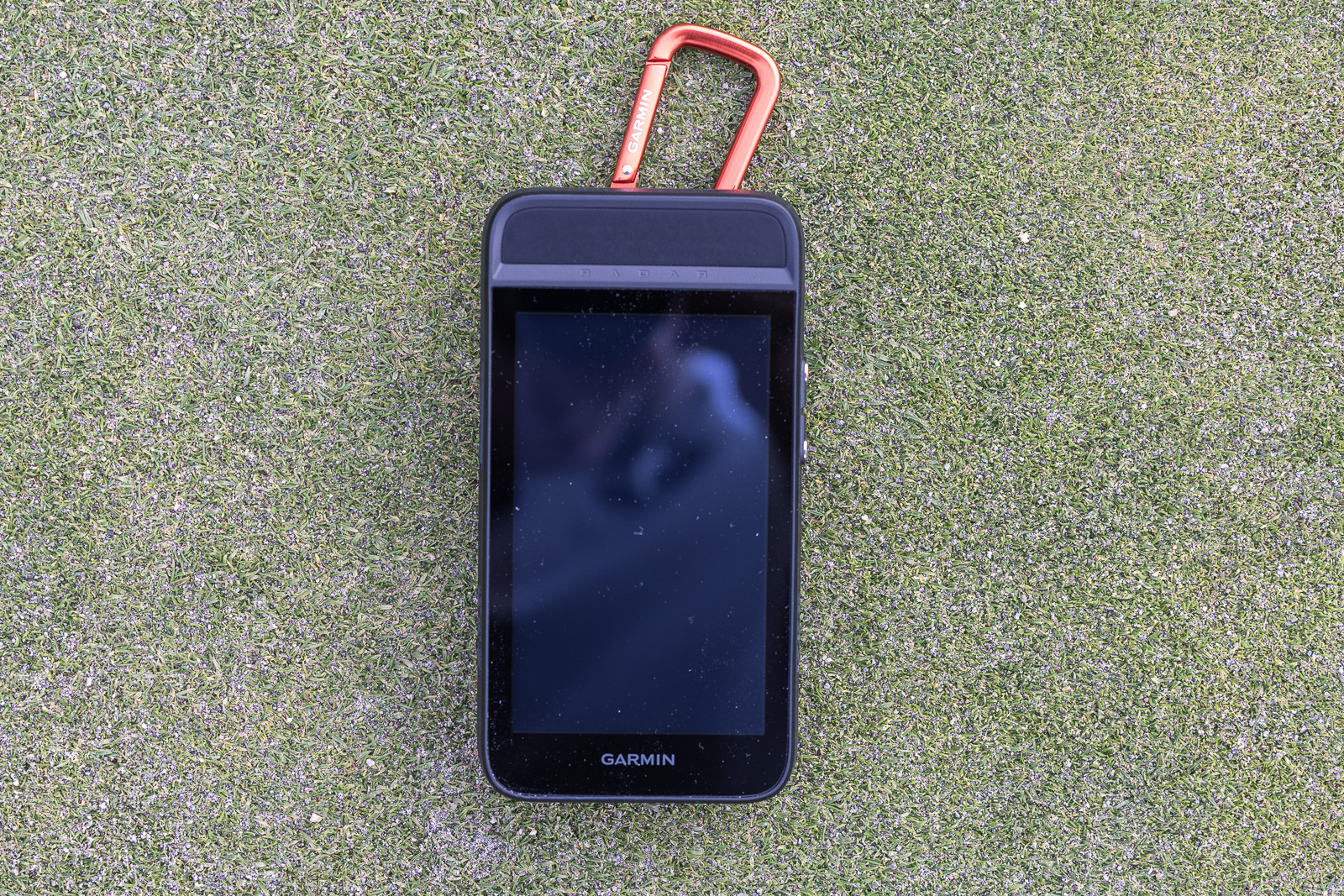
And just like I found with the G80, now having used the G82, I’m oddly intrigued and a little bit addicted.
Let me explain why, along with who this unicorn of a product could possibly be right for.
Now, at $599, this isn’t cheap. And I mean, let’s face it, for a golf GPS, you can use your phone and there are countless free apps that give you accurate GPS yardages. So why would you pay this much? Well, keep reading, and I’ll tell you what I think.
A One-of-a-Kind Golf Product
Back in 2019, Garmin released the G80. And for seven years, I’ve said this is one of the weirdest devices that Garmin has ever come out with.
To now have a follow-up is, well, weird.
Last year, Garmin also released, the equally weird Approach G20. It’s essentially a solar powerwed baby brother to the G82. Its a more stripped-down GPS, that is charged via the sun.
But with these releases, it must also mean that there’s enough demand for these GPS units to prompt Garmin to follow up with the G82.
And after spending time with it, I’m starting to see very clearly why. This thing has its place. Not for everybody, as I’ll discuss. But for the right person, it’s actually extremely intriguing.
So, I keep calling this weird. Let me clarify.
It works very normally. In fact, it’s very Garmin in that it’s totally reliable, totally intuitive, and everything’s thoughtfully mapped out and engineered smartly. Nothing weird about that.
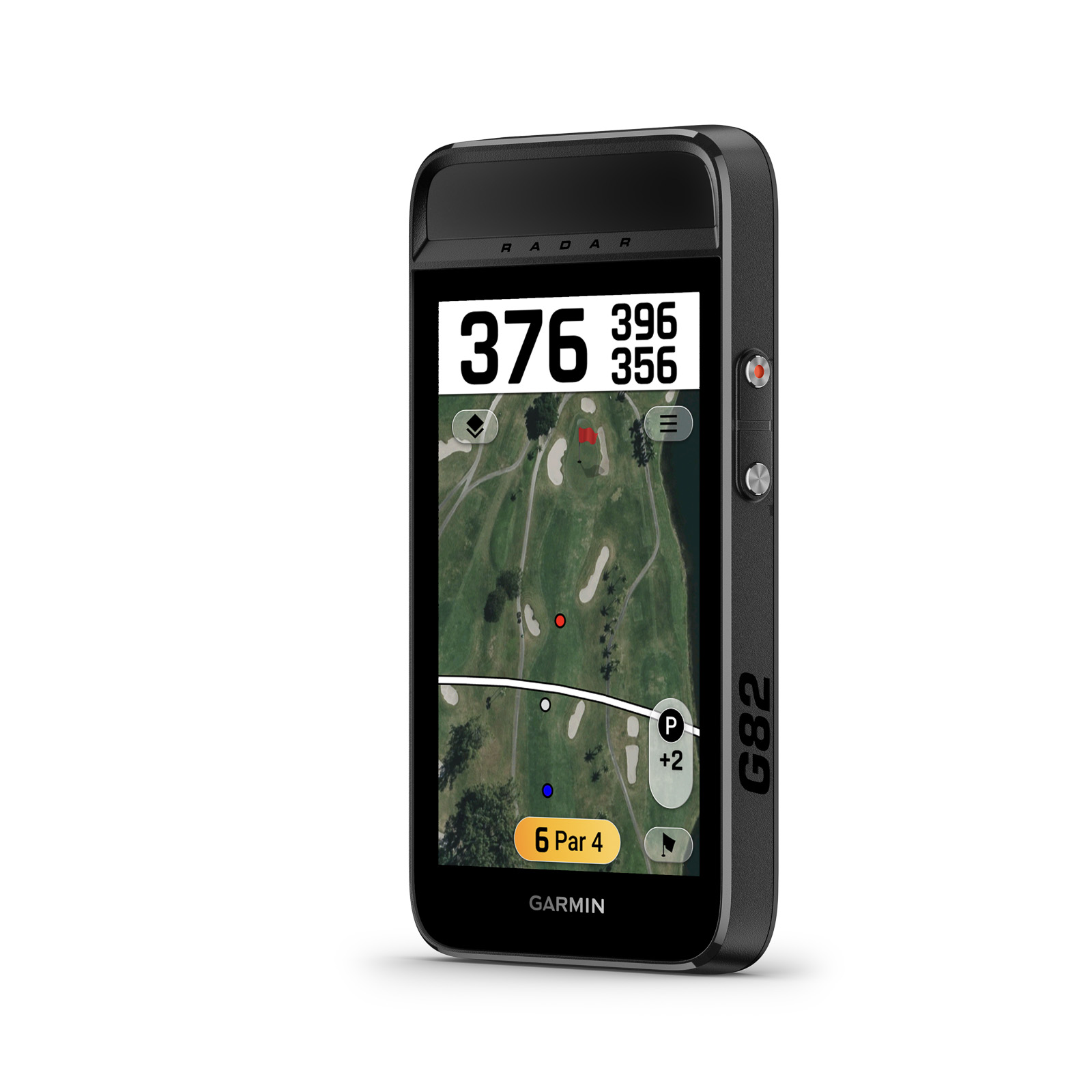
But as I mentioned, and as I’ll continue to mention as we go because of just how interesting and unique it is, the G80 and now the G82 can give you GPS yardages, hole maps, club recommendations, hazard distances, and a whole bunch else, and also give you five-shot data metrics via it’s built in doppler radar.
That’s what I mean by weird. And, as is so often the case, weird is beautiful.
Now, let’s look at what you get and how it performs.
Garmin G82 First Impressions
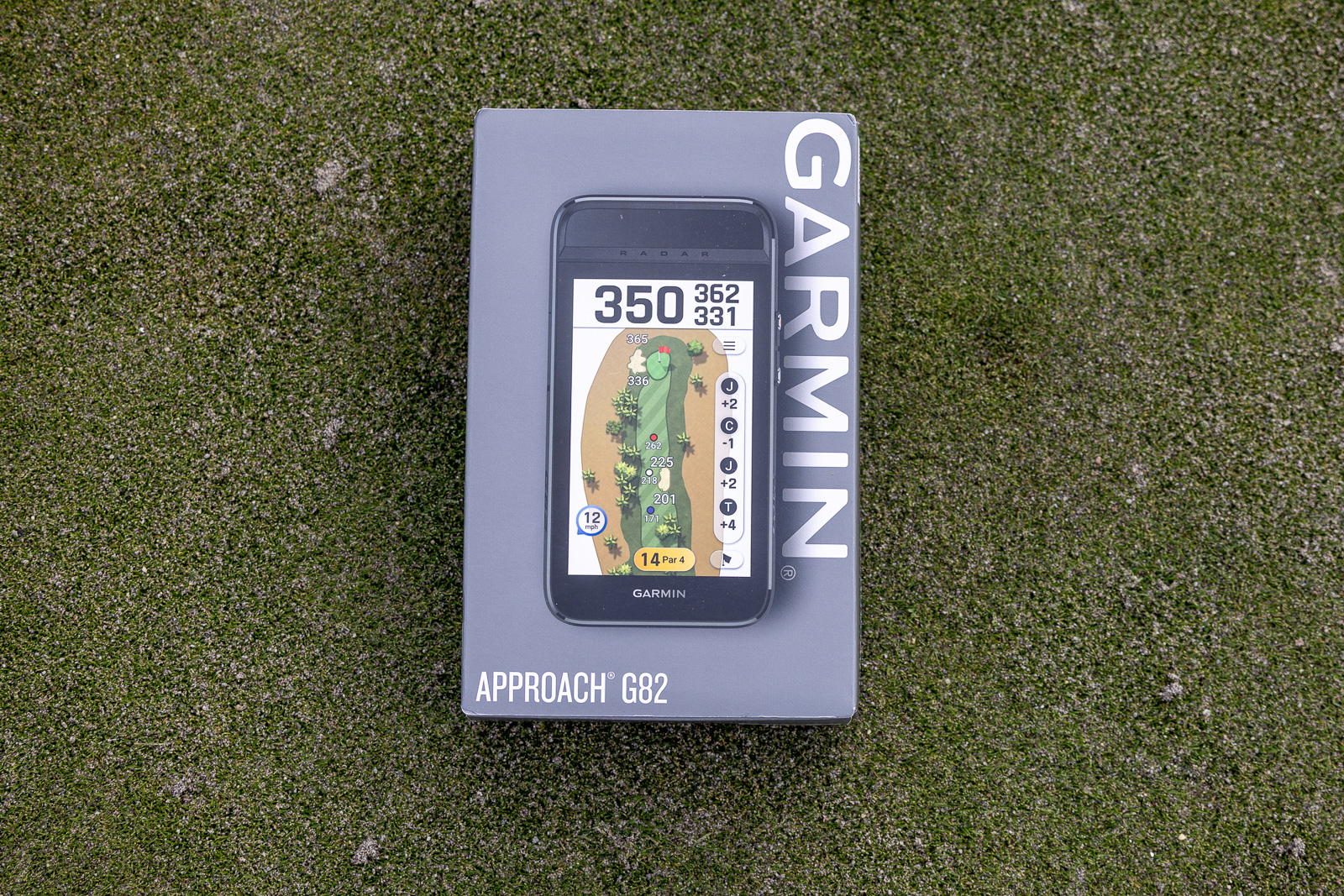
The packaging is just like every other Garmin product I’ve reviewed. That means it comes in the same gray box. Nothing overly fancy, but it’s Garmin. They have a good enough reputation that they don’t need to wow you with their packaging.
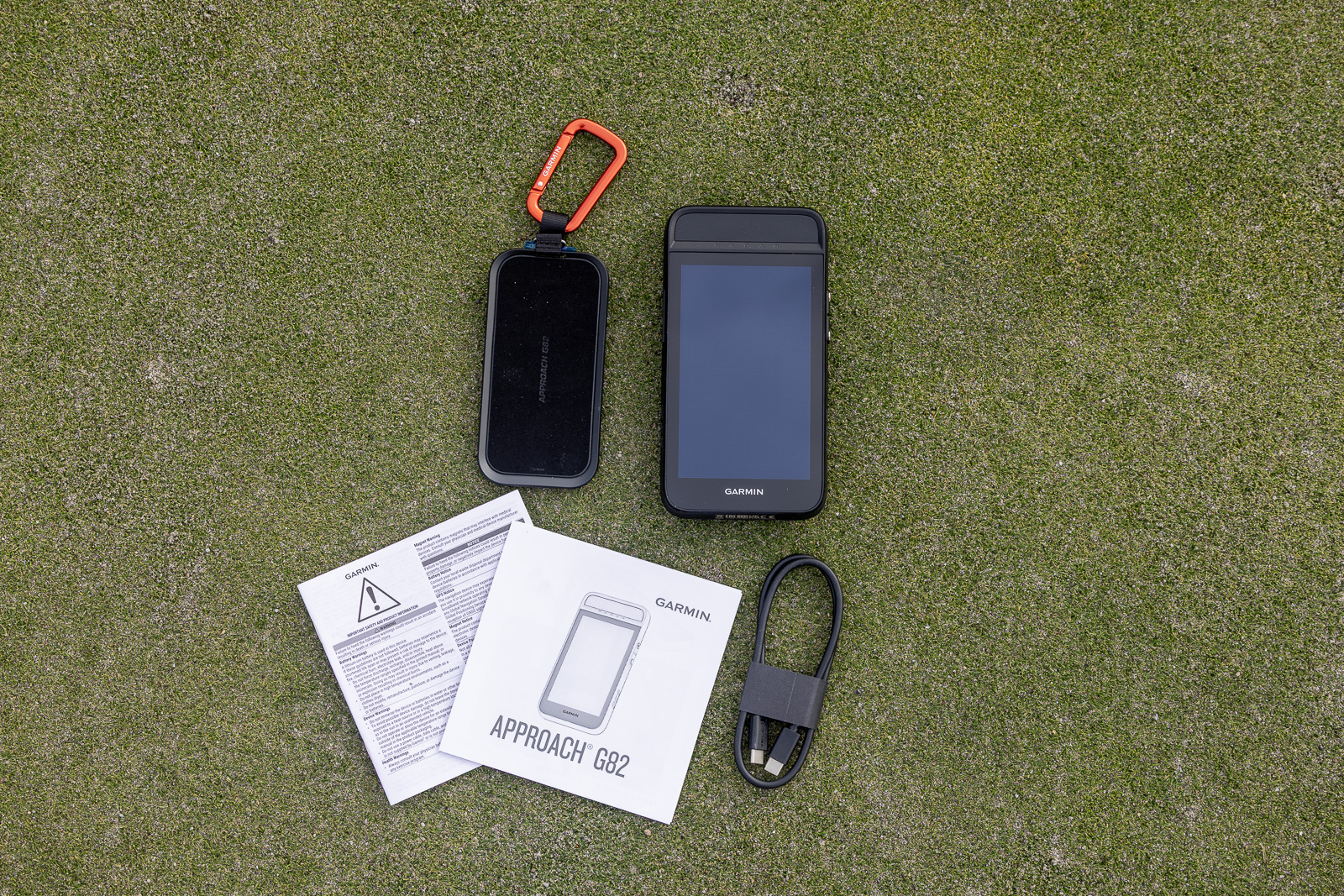
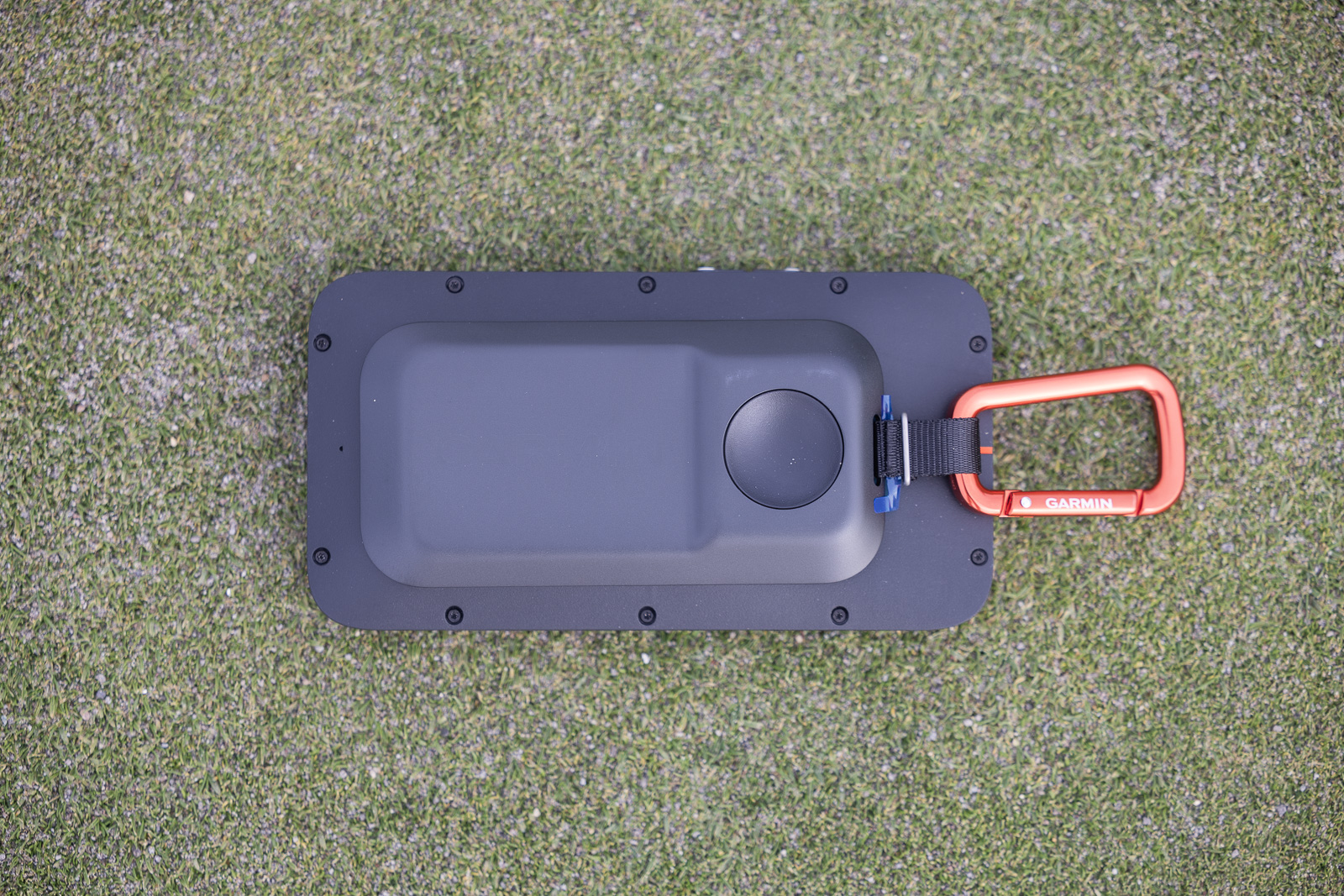
Out of the box, you’ll find the device itself along with a little magnetic attachment with a carabiner clip. I’ll talk about what that’s for in just a minute.
Beyond that, there are some instructions, and that’s about it.
Picking up the device, it feels very high quality. It actually feels like a big step up from the G80.
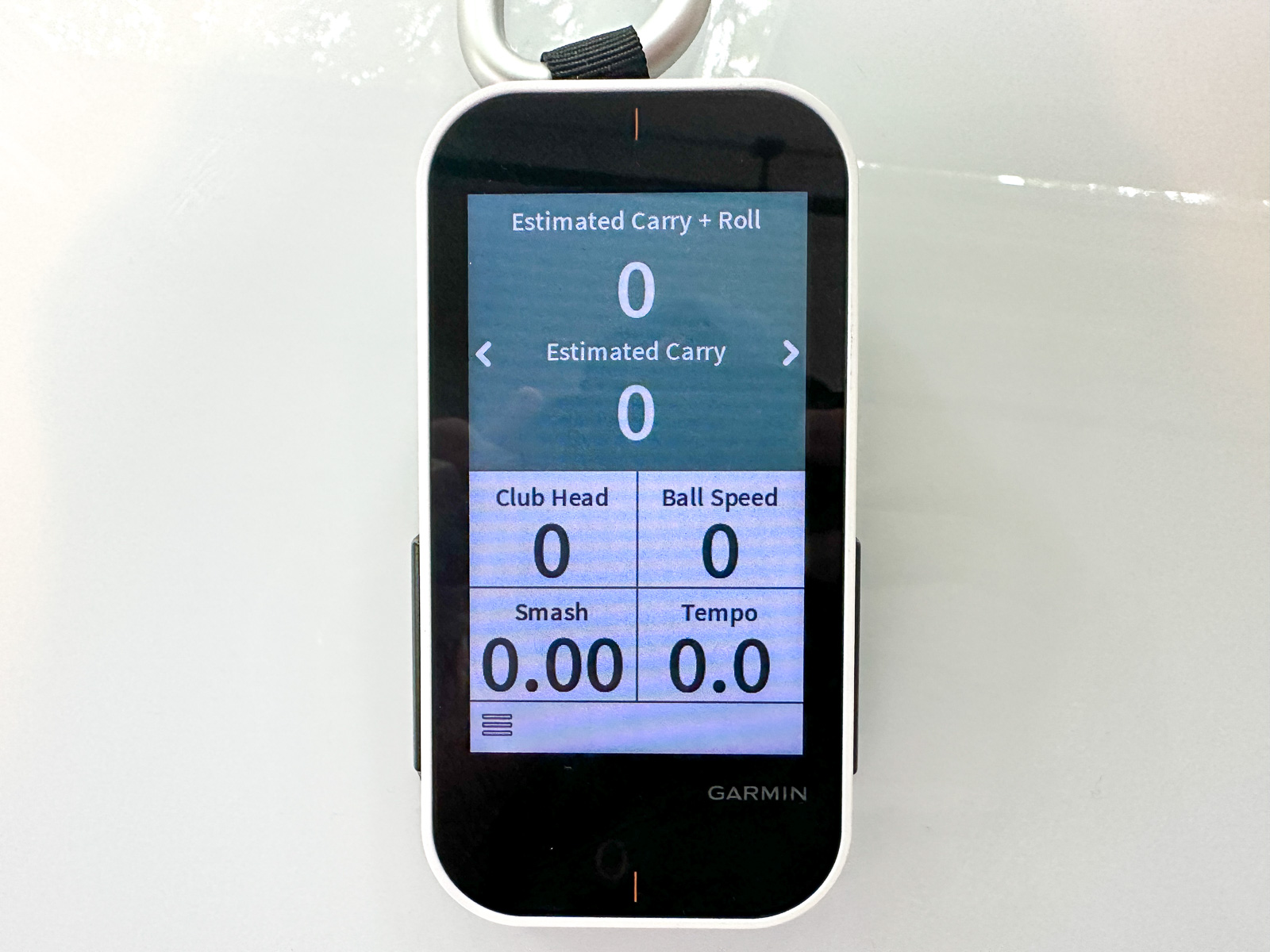
It’s about 50% bigger, but it’s also got a built-in magnet, which is something the G80 was frustratingly missing. The G80 had this very cumbersome kind of rubber-band system that was just terrible.
So now we’ve got a legitimate magnet just like you’d expect from a GPS device in 2026.
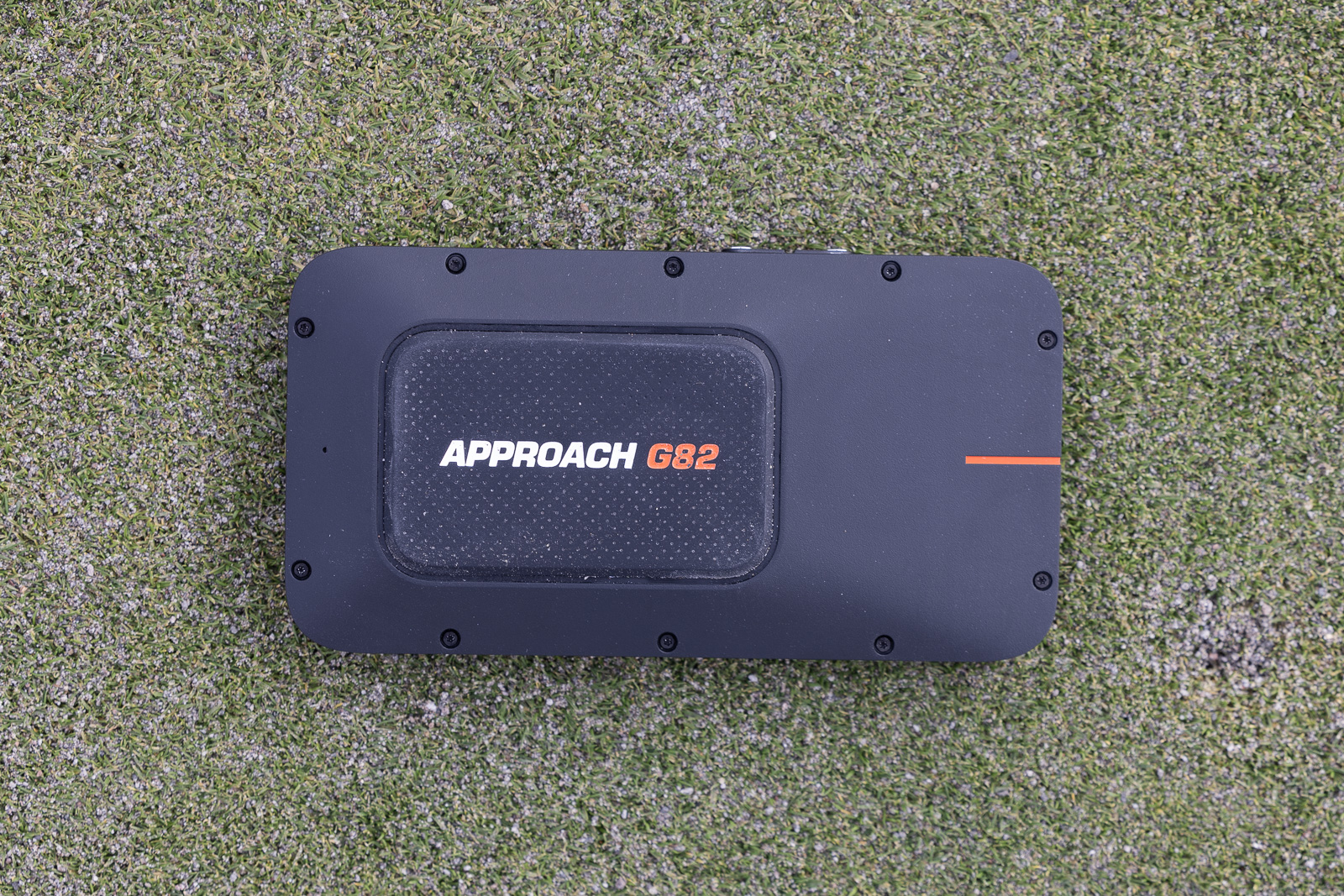
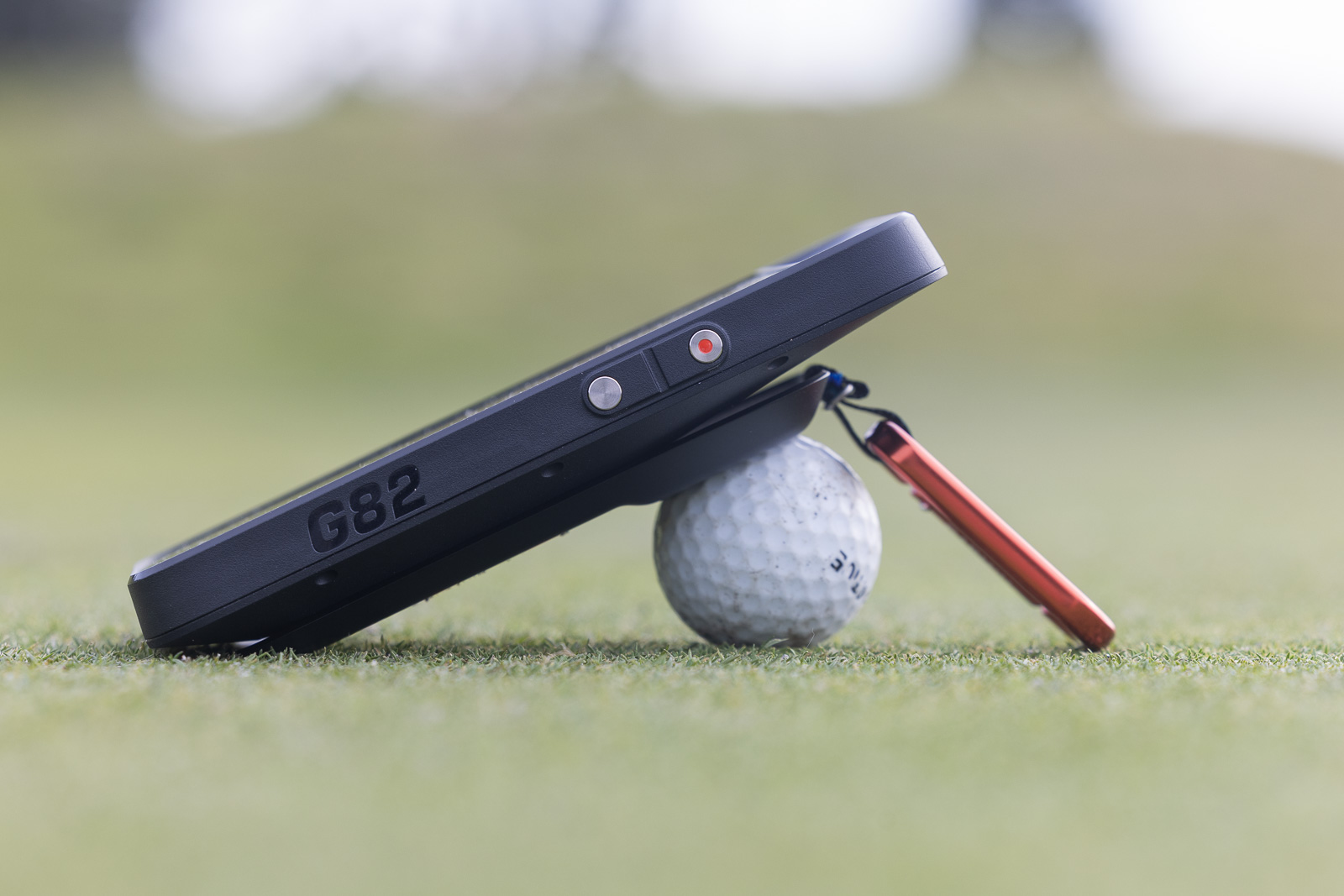
And then that extra attachment I mentioned is actually for the golf launch monitor portion of this product. So when you want to use this as a launch monitor, you add this attachment, you set the G82 down with the face upwards, and you fit the backside attachment onto a golf ball that’s set on the ground.
It’s a very unique and interesting setup, but it’s kind of brilliant. You always have a golf ball on hand, and along with this quick attachment piece, that’s all you need.
So, yeah, first-impressions wise, the G82 is great. It feels high-end and beefy, I love the increased size while still being extremely portable, and I love seeing the magnet instead of that archaic attachment system on the G80.
But how well does it perform? I’ll get to that. But, first, just a bit about what type of user the G82 might appeal to.
Want a high-end GPS that can also function as a launch monitor you can use on the course? Look no further - this is the device for you.
The Ever-Expanding Garmin Ecosystem
Something I’ve talked about regularly when writing about Garmin is its ecosystem.
It’s really impressive.
While I think the app is long overdue for some updating, the network of products that all link together via that app is seriously awesome. It’s a huge separator for Garmin as an overall golf brand.
They have one app for all of their products. So, say you’re using a watch to track your scores, and then you’re using one of their launch monitors to track your swing data, your practice sessions, all of that goes into one spot.
So the fact that you don’t have to switch apps or have different subscriptions for different devices, the fact that there’s kind of one ecosystem for everything, I love.
I bring that up because Garmin essentially makes it very inviting to become a multi-product power user. And that’s who I think is the most obvious candidate for the G82. Not the only candidate, as I’ll discuss, but if you’re all about Garmin, the G82 and all of its odd awesomeness becomes that much more interesting.
Really, on the GPS side of the G82’s split personality, you’re basically getting a high-end Garmin golf watch in the body of a larger cell-phone-shaped GPS device. It can basically do everything golf-wise that their best watches can do.
And that includes interfacing with things like Garmin CT10 shot-tracking tags or the Z30 rangefinder, which lets you shoot the flag and then get that pin position on your GPS map.
There are all kinds of inter-Garmin pairing that you can use to your advantage, and the G82 is in play for all of it.
So all that to say, if you are already in the Garmin ecosystem, keep reading. And even if you’re not, there’s still a chance that this might be worth it. I’ll explain.
Is the Garmin Approach G82 Easy to Setup?
Nothing un-Garmin here. Setup is dead simple.
The G82 ships with more than 43,000 courses already loaded. Turn it on, it finds you via GPS, you pick your course from the list, and you’re getting yardages. That’s it on the GPS side.
But connecting to the Garmin Golf app unlocks a bunch of additional functionality. Wind readings. Environmental adjustments. Plays-like distances instead of just straight yardages.
And if you’ve built up club data in the app from previous rounds, the G82 will start recommending clubs based on your actual swing profile. Like I said, it’s basically a high-end Garmin golf watch.
As for the launch monitor setup, that’s even simpler. As I briefly described earlier, you attach that magnetic stand to the back of the device, set the whole thing down on a golf ball to give it the right angle, place it about a foot to the side of the golf ball, and you’re ready to go.
We’ll dive deeper into how well that launch monitor functionality actually works in a bit. First, let’s talk about the GPS performance.
How Well Does the GPS Work?
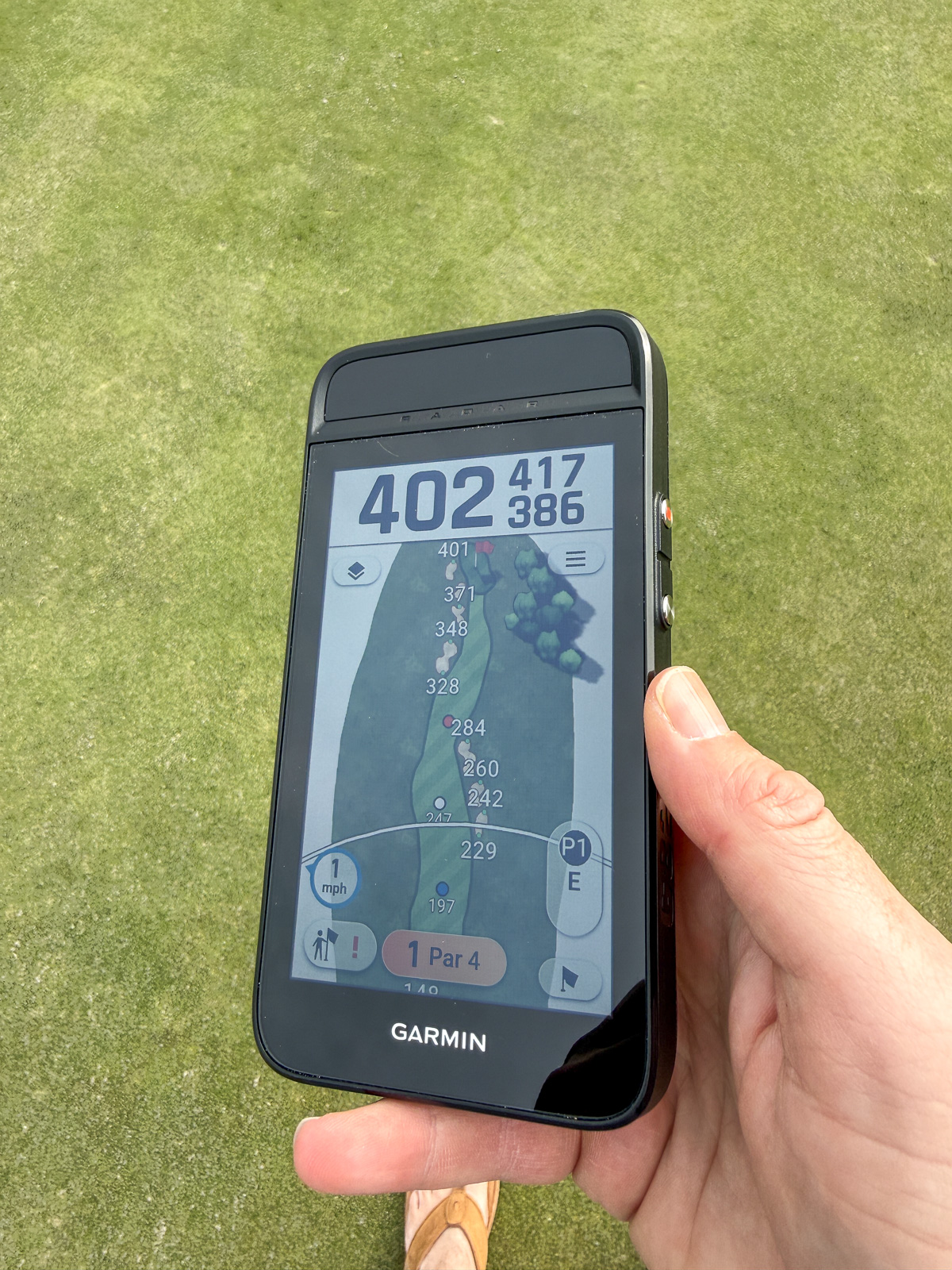
The screen on the G82 is big. Really big compared to most handheld GPS devices. And for the most part, that’s a good thing.
But after a couple of rounds with this, I’ve got to say I’m a bit let down by the display quality. Specifically, the brightness.
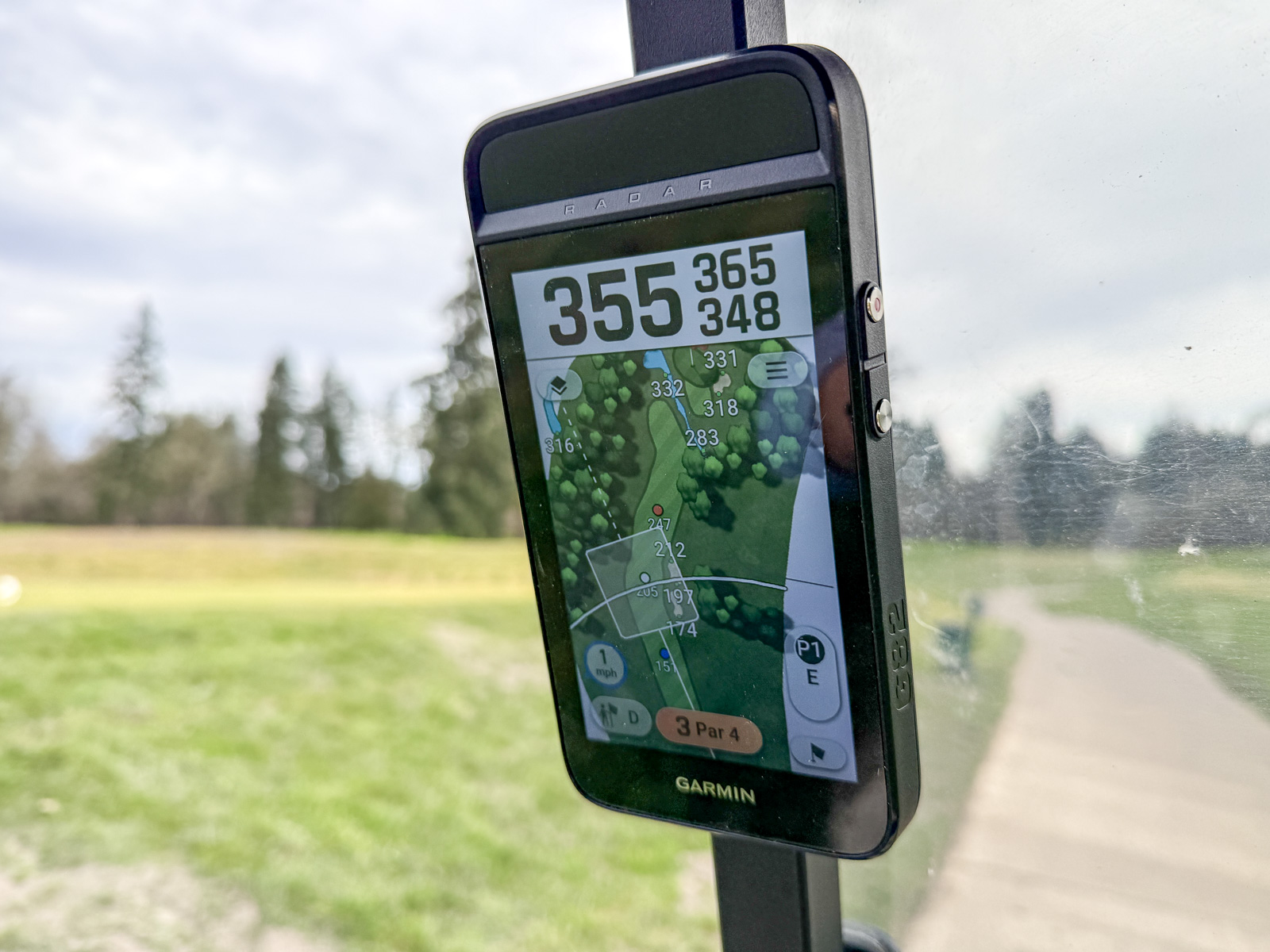
Don’t get me wrong, it’s not bad. Both times I’ve had this out, conditions have been overcast, and I’ve had zero issues reading anything on the screen. But I was expecting more pop and sharpness. And if I were playing in full sun, I think I’d be wishing for a brighter display.
The responsiveness, though, is solid. Tapping through hole maps, toggling between actual and adjusted distances, navigating menus, scorekeeping, all of that works smoothly.
Where things get a little sluggish is when you start really interacting with the maps themselves. Pinching to zoom, panning around to check specific features on a hole, that kind of thing takes a beat longer than I’d like to see.
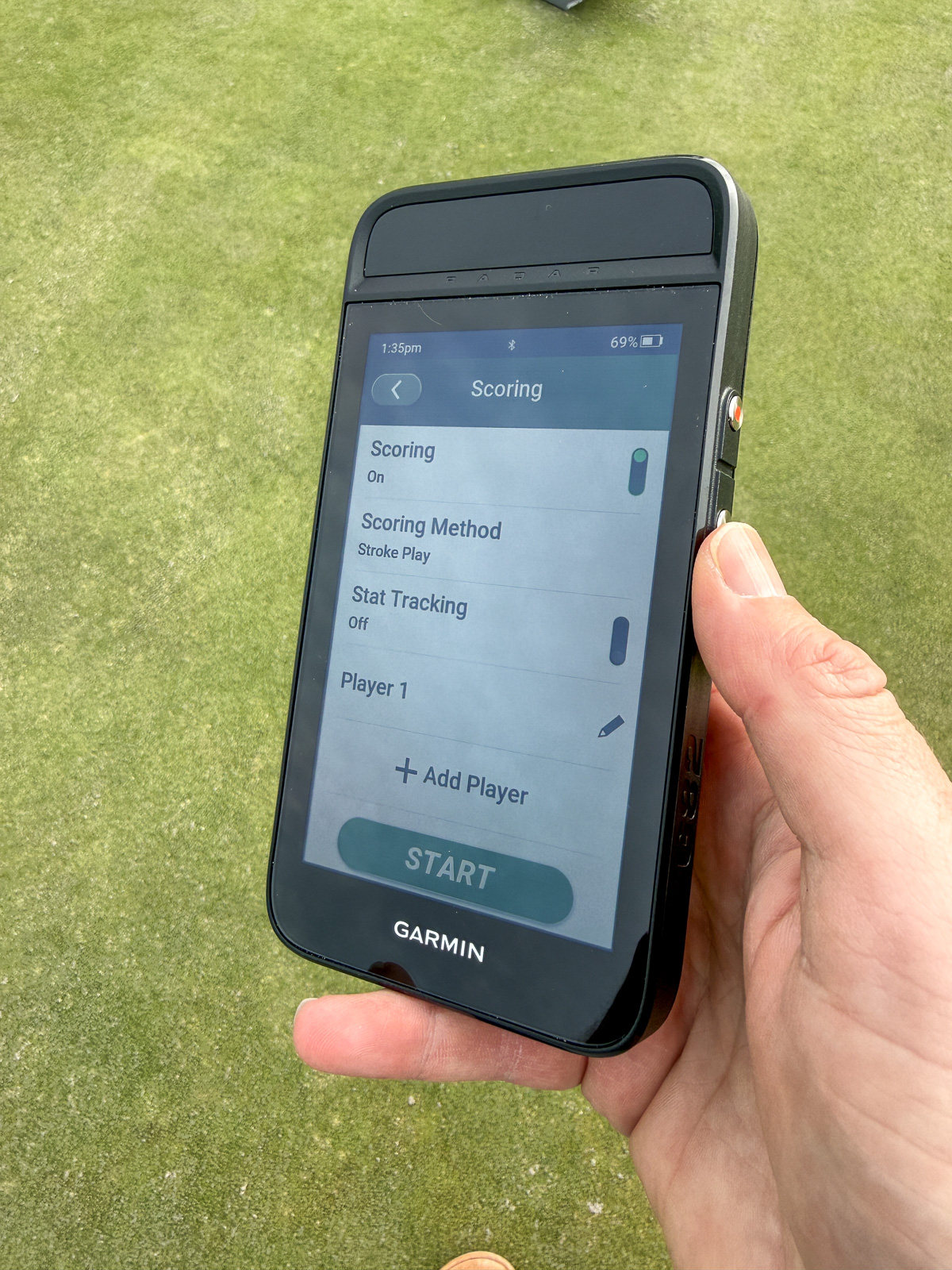
And that’s frustrating because Garmin’s been making GPS maps for golf for what, two decades now? They’re supposed to be the gold standard. Yet I run into this same lag on their watches, and now here on the G82. It’s not a dealbreaker, but it’s noticeable.
That said, in normal use during a round, you’re not zooming in and out constantly. You’re checking distances to hazards, picking landing zones, that sort of thing. And for those purposes, the G82 works great.
The magnet is seriously strong. No concerns about this thing falling off a cart.
Battery-wise, Garmin rates the G82 at 25 hours in GPS mode and 8 hours when you’re using the radar.
Find My Feature
One feature worth calling out here is the Find My functionality Garmin built into this thing.
If you leave the G82 on your cart and drive off without it, you’ll get a notification on your phone letting you know you forgot it. Another reason to connect to the app.
For a $600 device, that’s just smart design. Because forgetting a GPS on a cart is way too easy to do.
So, Why Would Someone Spend $599 on a GPS?
Well, as we’ve talked about, the Garmin G82 isn’t just a GPS device. It’s, of course, also a launch monitor. Like I said, there’s nothing else like it.
And the pairing of these two things, a golf GPS and a launch monitor in one device, still kind of blows my mind. But the way Garmin pulled this off, the seamlessness of switching between GPS and launch monitor modes, the fact it all actually works really well, it’s got me thinking a lot of people are going to find this genuinely useful.
So let’s talk about the launch monitor performance. Is it actually a legitimate training tool?
There are basically two ways to use the launch monitor side of the G82. You can use it at the range for practice sessions, which we’ll get into. But you can also use it out on the course during actual rounds.
And that second use case is where things get really interesting.
A Launch Monitor You Can Actually Use on the Course?
People ask me all the time what launch monitor is best for use out on the actual course during a round.
And, honestly, I’ve never thought any of them were very good for that. They just aren’t designed for that kind of use. Setup is too cumbersome. Portability is an issue. It’s just not a great option.
But the G82 (and the G80 before it) is the one exception. Literally the only exception.
Say you’re riding in a cart. You’ve got the G82 stuck to the cart post, delivering your GPS hole maps and distances to the green and hazards.
But you decide you want to get some numbers. Maybe want to see how far you hit your next drive.
It’s as simple as popping the G82 off the cart, attaching the magnetic stand to the back, setting the whole thing down on a golf ball a foot next to the ball you’re about to hit, and you’re getting launch data.
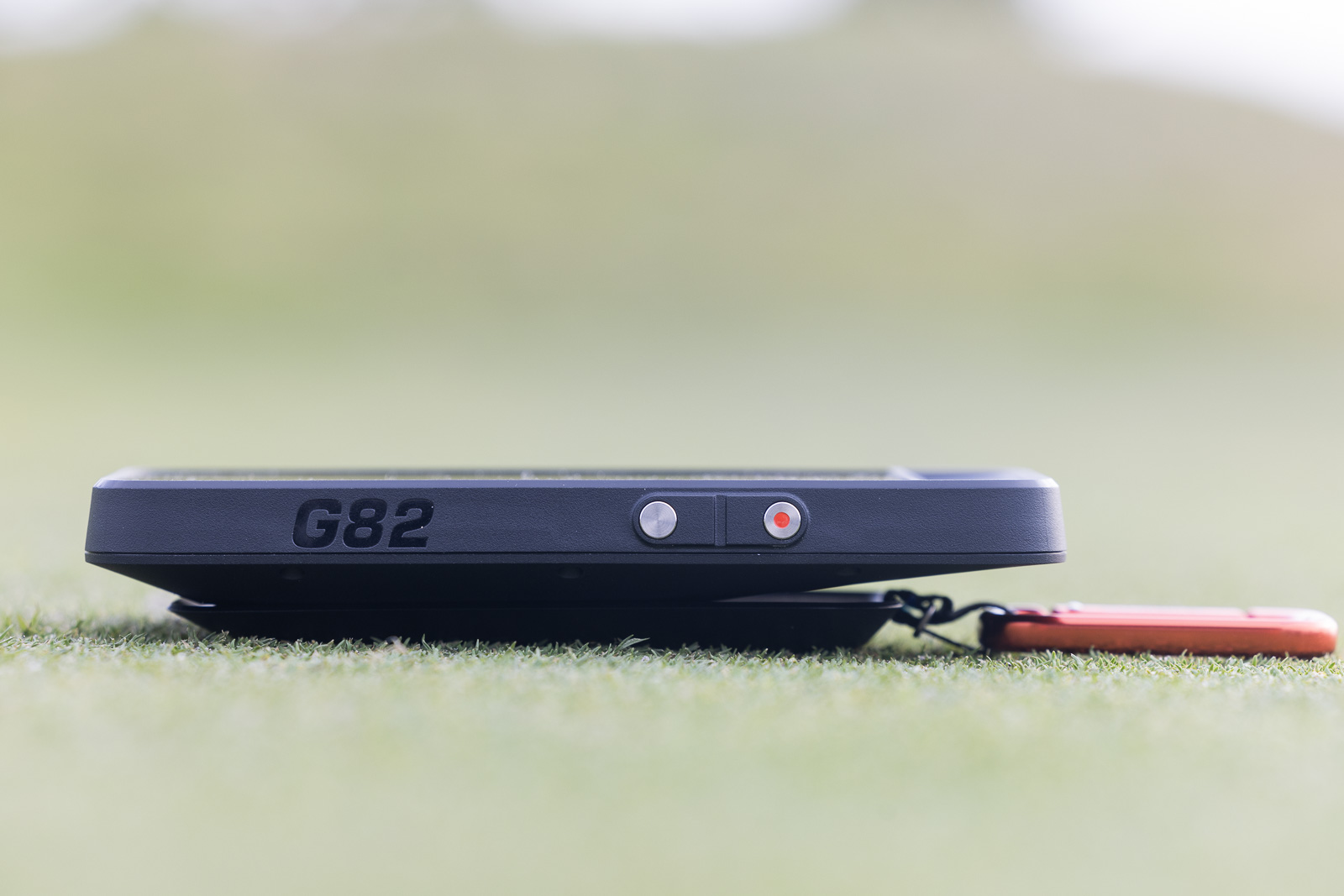
Now let’s be clear about what you’re getting here:
- Ball Speed
- Club Speed
- Smash Factor
- Carry Distance
- Total Distance
That’s it. Just those five points of data. You’re not getting spin rates or launch angles or any of the deeper club data stuff.
But if your goal is to track how far you’re actually hitting shots during a round, this is far and away the easiest and least intrusive way to do it.
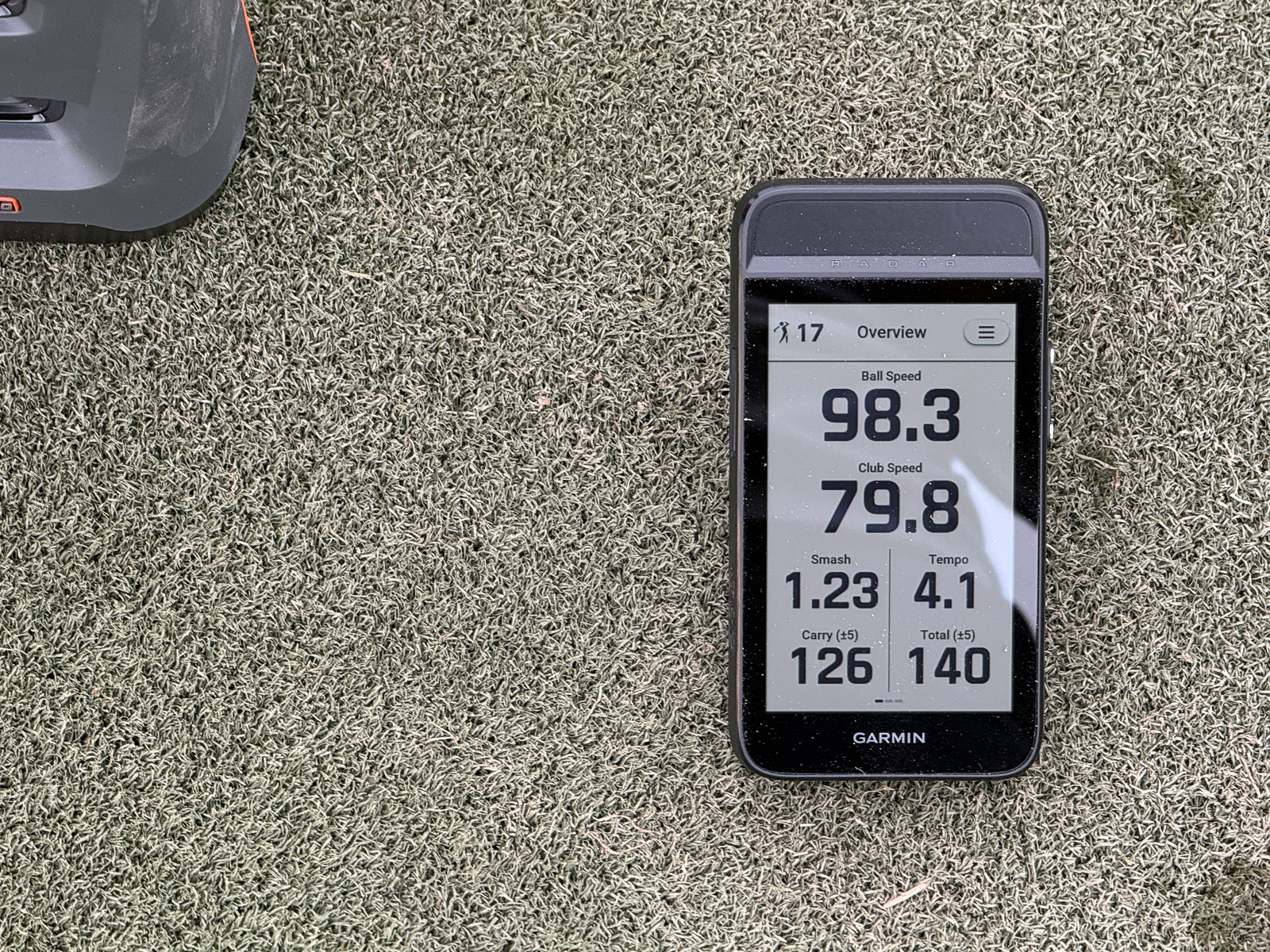
One thing that really impressed me is how easy Garmin made it to switch between modes. One button press and you go from GPS to launch monitor. Another press and you’re back.
So the workflow of popping this off the cart, setting it down, hitting a shot, getting your numbers, and getting back to playing is actually shockingly smooth.
Now, is this a niche use case? Absolutely. Most people aren’t going to want to do this. But, like I said, I get asked all the time about the best launch monitor for this exact type of scenario.
So if you’re one of the people that are interested in getting launch monitor data on the golf course, buy the Garmin G82.
It Also Does Swing Training
Another feature that surprised me is how well the swing training mode works.
Let’s say you don’t want to hit shots. You just want to work on tempo or build some clubhead speed. The G82 handles that.
And what impressed me is how accurately it distinguishes between a practice swing and an actual shot. Set it down, take a practice swing, and you immediately get your clubhead speed reading. Swipe over to the next screen and you get tempo feedback.
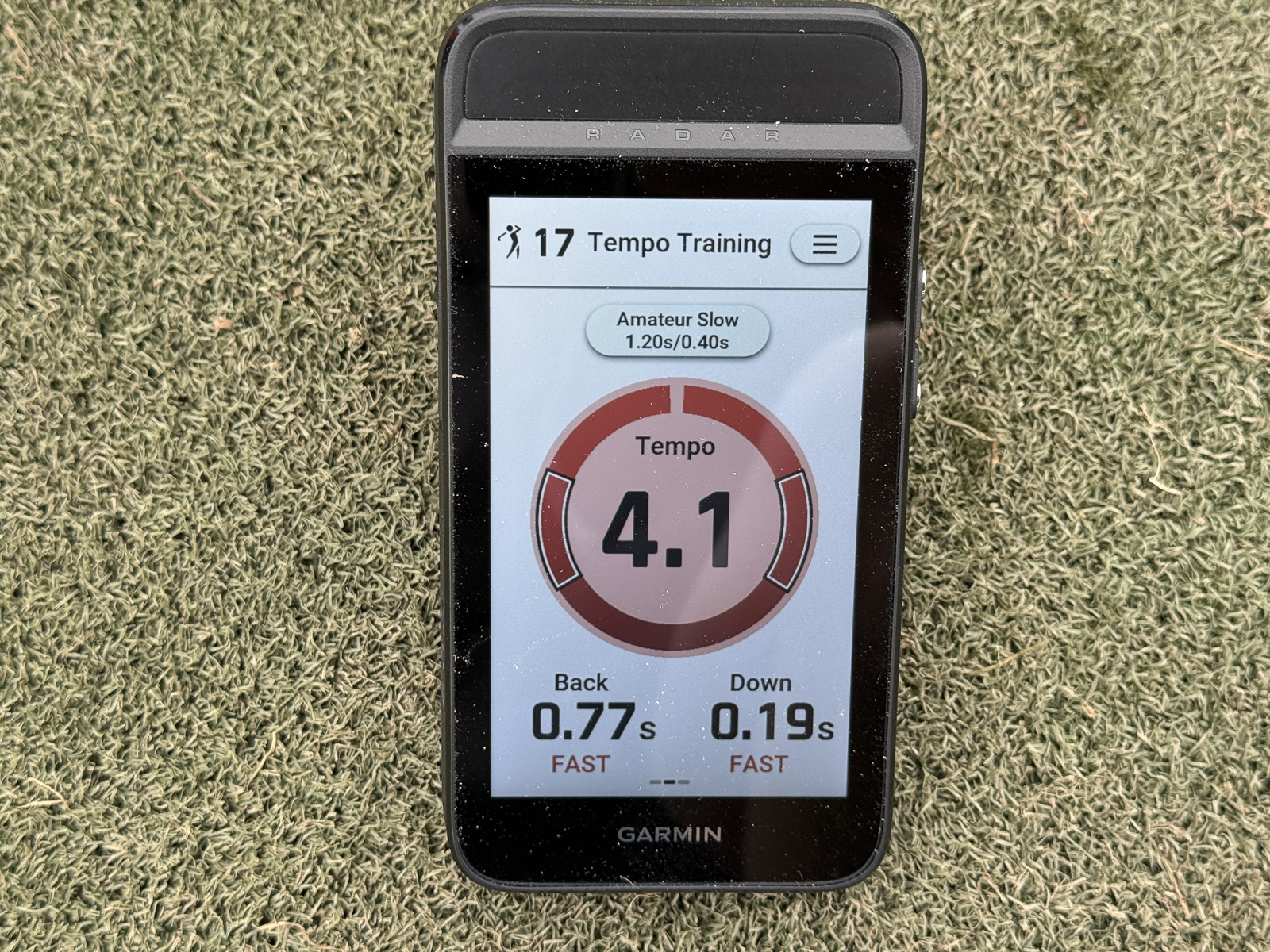
Then when you’re ready to actually hit balls, swipe back and hit away. The G82 recognizes the difference and gives you the full set of metrics.
How Accurate is the Garmin Approach G82?
Alright, here’s the big question. How accurate is this thing?
You’ve got a $599 launch monitor that’s also a GPS device, which means a chunk of the development budget went toward features that have nothing to do with radar technology. So yeah, you’re going to question the accuracy.
I know it’s Doppler radar-based, but I still haven’t fully figured out how it works. It doesn’t sit behind the ball like most radar units. It sits to the side, more like an optical system would. So it’s only tracking what happens at impact.
And the speed at which it spits out numbers makes you wonder how much it’s actually measuring versus estimating.
I spent some time trying to figure out if there are ways to normalize for weather or temperature, and honestly, I came up empty. I’m still not entirely sure how the G82 is calculating these numbers.
I tested accuracy in a couple of different ways.
First, I hit a 4-iron off the tee with the launch monitor running. Got my carry number. Then I switched to shot distance tracking mode, walked up to where my ball landed, and checked if the GPS distance matched what the launch monitor had told me.
I did this twice. Both times, the numbers were off by about five or six yards.
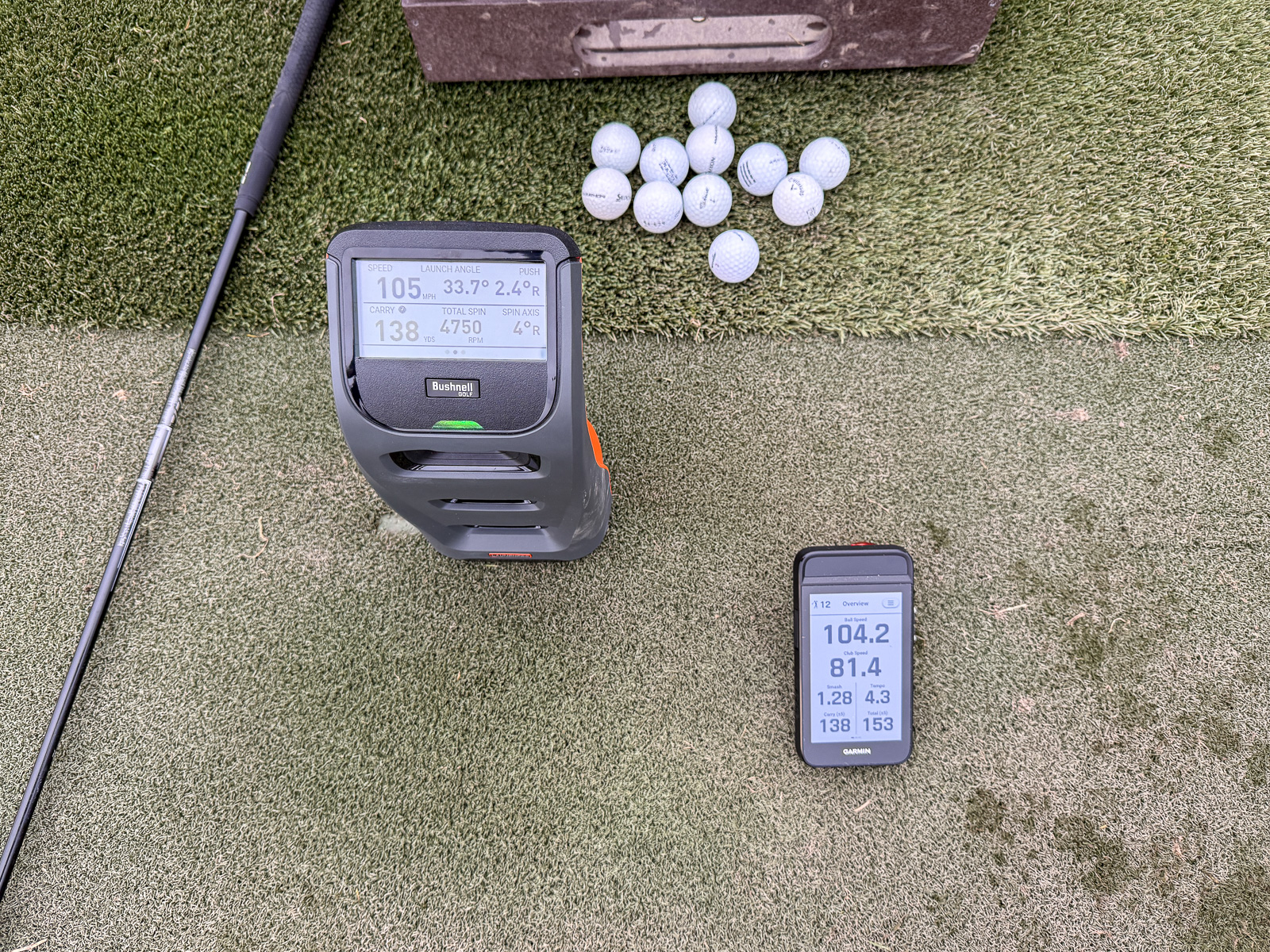
Next, I took the G82 to a range and set it up right next to my Bushnell Launch Pro, which is probably the most accurate unit I own.
The results were more variability than I wanted to see. Sticking with the 4-iron, distances were all over the place. Sometimes the G82 was dead-on, matching the Launch Pro exactly. Sometimes one or two yards off. But a lot of the time, I was seeing differences of 5 to 10 yards.
The good news is ball speed was almost identical. So I can at least say I feel very confident in the G82’s accuracy for that metric.
I should note, that I was testing this on a cold, wet Pacific Northwest day. So my guess, is that if I were in perfectly warm conditions? The actual distances and measured distances are likely to be closer.
I’m going to keep testing this, but here’s my take: The G82 is accurate enough to be useful and entertaining. But it’s not as accurate as a dedicated, more expensive launch monitor.
The thing is, for a lot of golfers, I’m not sure it needs to be any more accurate than it is.
What Practice Modes are on the G82?
The G82 is a real step up from the G80 when it comes to practice features.
There’s now bag mapping, where you hit a few balls with each club and the G82 builds a distance profile for your entire bag. Given the accuracy questions I just laid out, I’d take those numbers with a grain of salt. But they’ll get you in the ballpark.
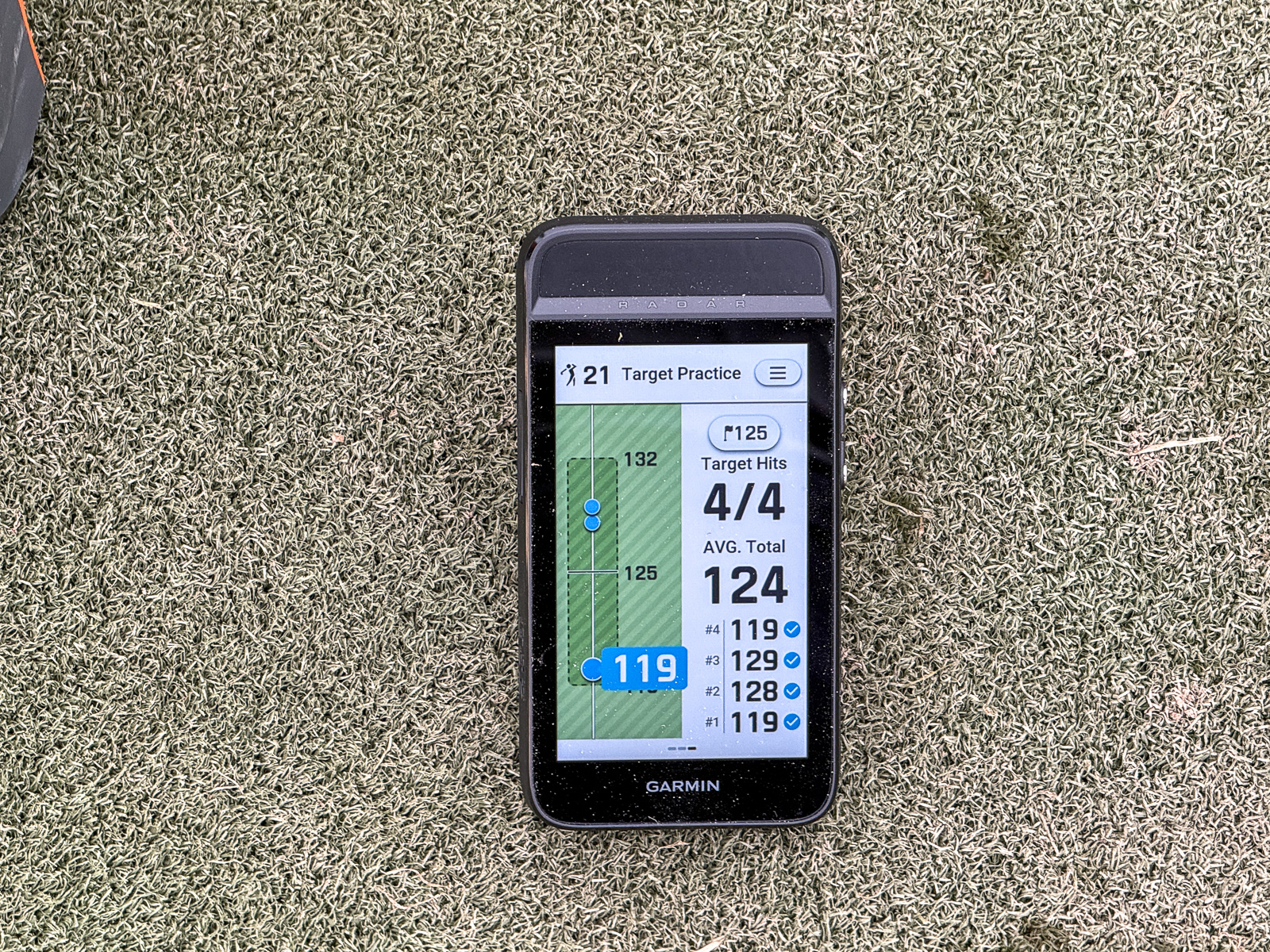
There are also training modes where you set a target distance, and the device tracks how consistently you can hit into that zone. So if you want to work on hitting 10 shots in a row between 120 and 125 yards, you can do that.
That’s one area where the G82 really shines. It makes range sessions more purposeful and engaging and a lot less monotonous.
New for the G82 is putting metrics. Stroke tempo, stroke speed, ball speed. And the cool thing is you can use this anywhere. I can work on my putting stroke in my office and get real feedback without needing to be at a practice green.
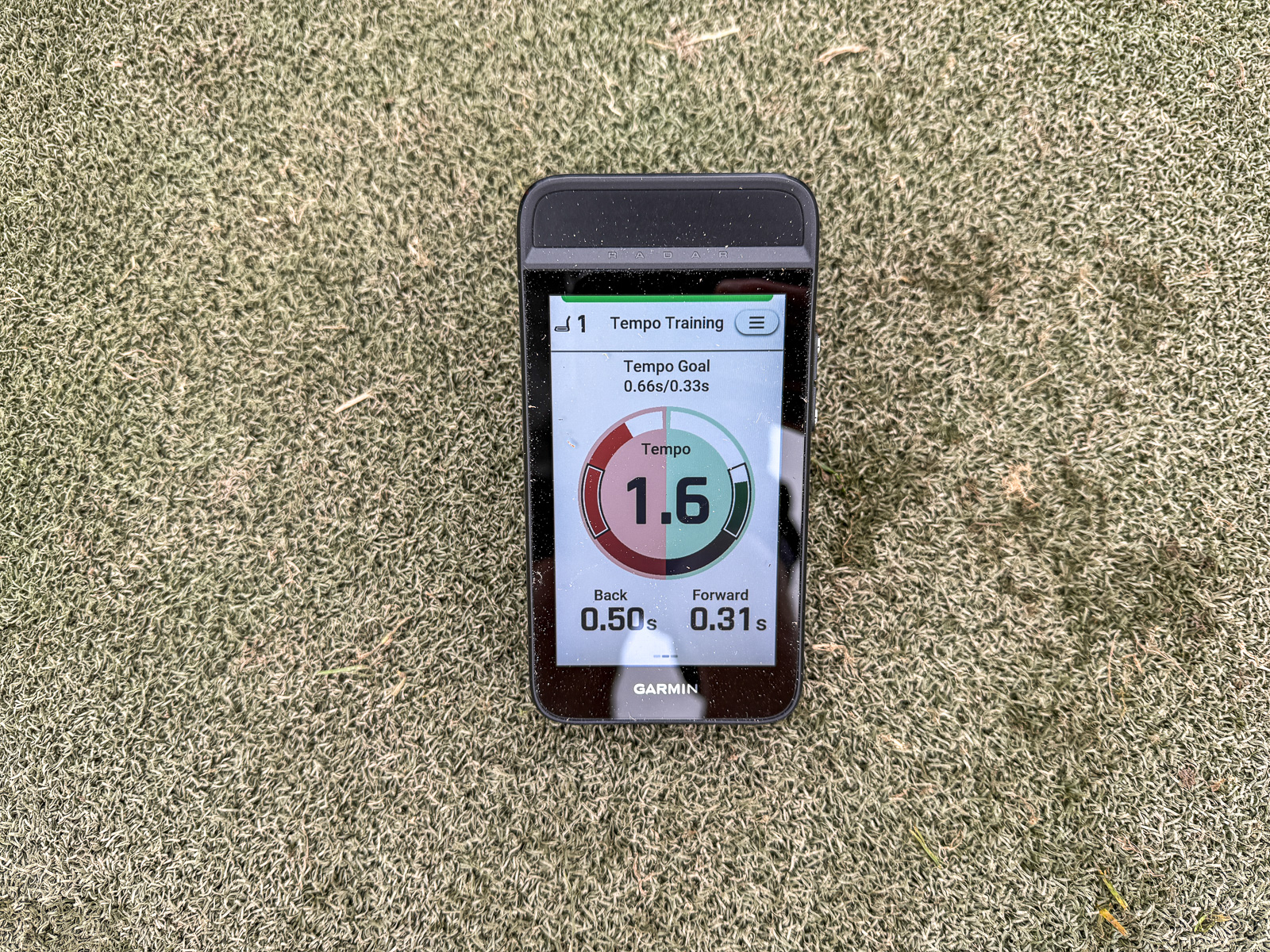
Same goes for the swing training mode I mentioned earlier.
The fact that I can use this at home, at the range, and on the course makes it versatile in a way that I actually find genuinely useful.
Should You Get a Garmin G82?
The answer to whether or not you should buy the Garmin Approach G82 is… maybe.
Look, this is a niche product. It’s not going to be a fit for most golfers.
But I think there are people out there who are going to absolutely love it.
If you want a GPS and you don’t have a Garmin watch, or you just prefer something bigger and easier to see than a watch face, this is worth considering.
And if you’re already deep in the Garmin ecosystem with other compatible devices, this is worth considering.
Also, if you’re looking for the best and most portable launch monitor to use on the actual golf course, I think this is easily the best option.
Now, if you’re looking for the most accurate launch monitor on the market, well, this isn’t it. But if you’re cool with close enough and you want a device that does multiple things, I’ve been seriously impressed.
It’s fun to use. And I’ve actually enjoyed it more than I may have anticipated. I can see getting some regular use out of this thing myself.
So take all that for what it’s worth. The Garmin G82 is very cool for what it is, as long as you understand what it isn’t.
Want a high-end GPS that can also function as a launch monitor you can use on the course? Look no further - this is the device for you.
Recent Updates:
February 13th, 2026: Added the full review of the post. Replaced the preview and press release that we put out upon its announcement.
February 9th, 2026: Video review added. Written review to come shortly.
One of the Most Unique Products in Golf
If you're a Garmin power user, someone who wants launch monitor data on the course, or if you just want to own the most interesting and unique piece of golf equipment, this launch monitor and GPS all-in-one device might be right for you.
The Good
- There's no device like it - an all-in-one launch monitor and GPS device
- New magnet is a huge upgrade over original G80
- New features like bag mapping and putting data
- Is most convenient on-course launch monitor I've ever used
The Bad
- Accuracy isn't as pinpoint as with more expensive dedicated launch monitors
- Screen quality and readability could be better for the price
- Course map loading can get a tad laggy
-
Presentation
-
Performance
-
Features and Quality
-
Price
-
Personal Affinity
