

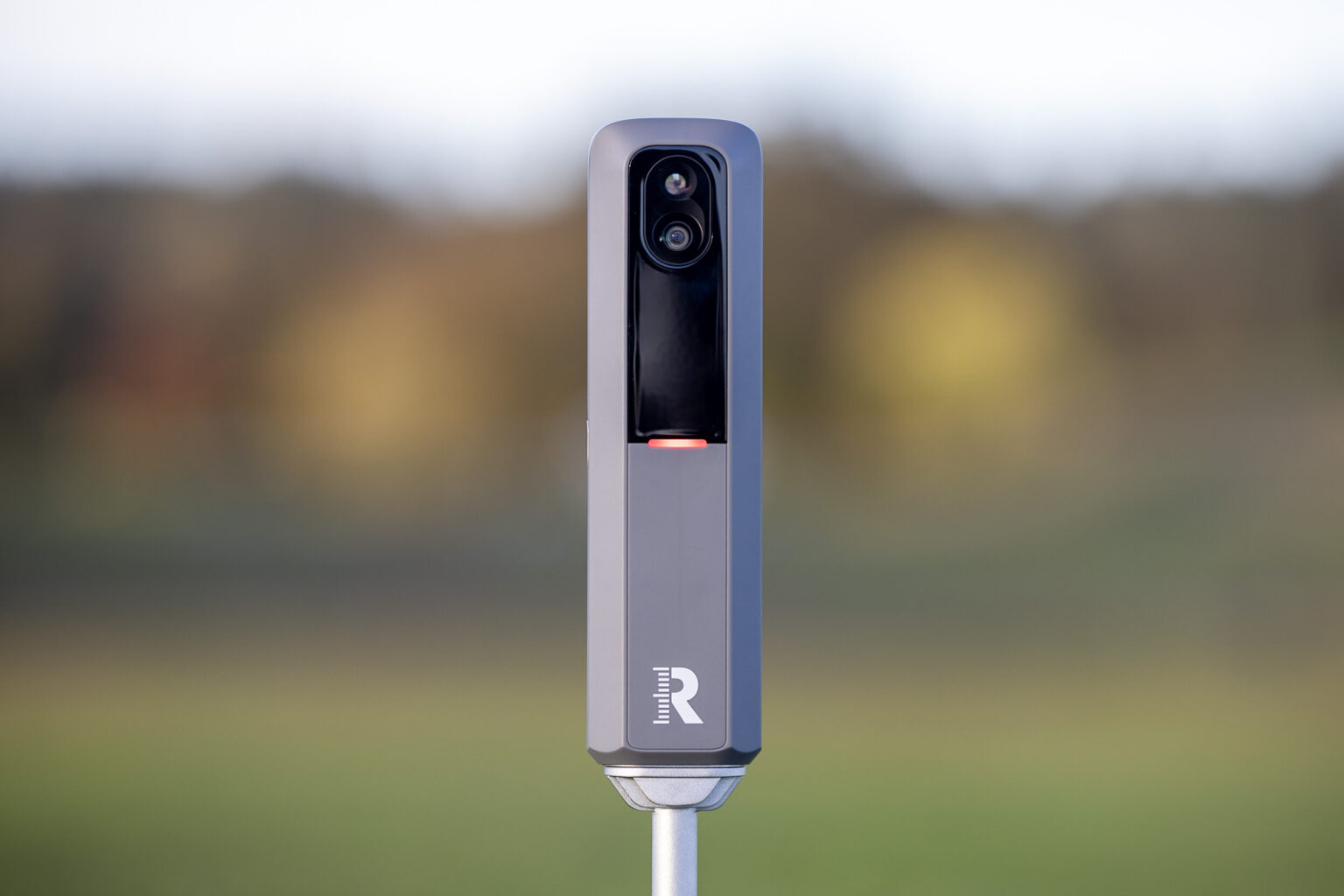
For three years, the Rapsodo MLM2PRO followed a pretty unusual formula.
It kept getting better- yet it never got more expensive.
Measured club path and angle of attack were added as free updates.
GSPro integration was added for free.
Better courses, new practice modes… All of it rolled out through firmware and software, on hardware Rapsodo had already sold you.
It’s a big part of why I’ve called the MLM2PRO the best launch monitor under $1,000 for a while now.
But there’s only so far you can push the same hardware. And now Rapsodo has done what it hadn’t done since 2023:
It built a new one. Well, kind of.
Meet the MLM2XPRO. It’s $899.99, $200 more than the MLM2PRO’s $699.99 retail price, and a good bit more than the $549.99 the MLM2PRO has been selling for lately.
It also comes with an entirely new software ecosystem. So, we’ve got a rebuilt mobile app, Rapsodo’s first-ever PC app, and a new tier of premium 4K courses called Rapsodo Studios.
So, is it worth paying more?
I’ll just say right now that my short answer after testing it all is, yes. This is a real upgrade.
The MLM2XPRO keeps everything I liked about the MLM2PRO, including the accuracy, the dual cameras, and the automatic swing video.
Then it fixes a lot of what I didn’t like. It’s faster. It reads putts now. And the new PC app finally gives Rapsodo the more “pro” feel I’ve been asking for.
The catch is that the membership situation has changed, and not in your favor if you were planning on a lifetime unlock. More on that below.
If the MLM2PRO was the best launch monitor under $1,000, the MLM2XPRO takes that title from it.
Let’s get into why.
Note: Will update this review shortly with more screens of real-world app use.
First Impressions of the Rapsodo MLM2XPRO
Honestly, my very first impression upon opening the new Rapsodo MLM2XPRO was, “Hmm… Doesn’t look like much has changed.”
That’s not true, of course, and I’ll talk about all that’s different with this new device and the accompanying software changes.
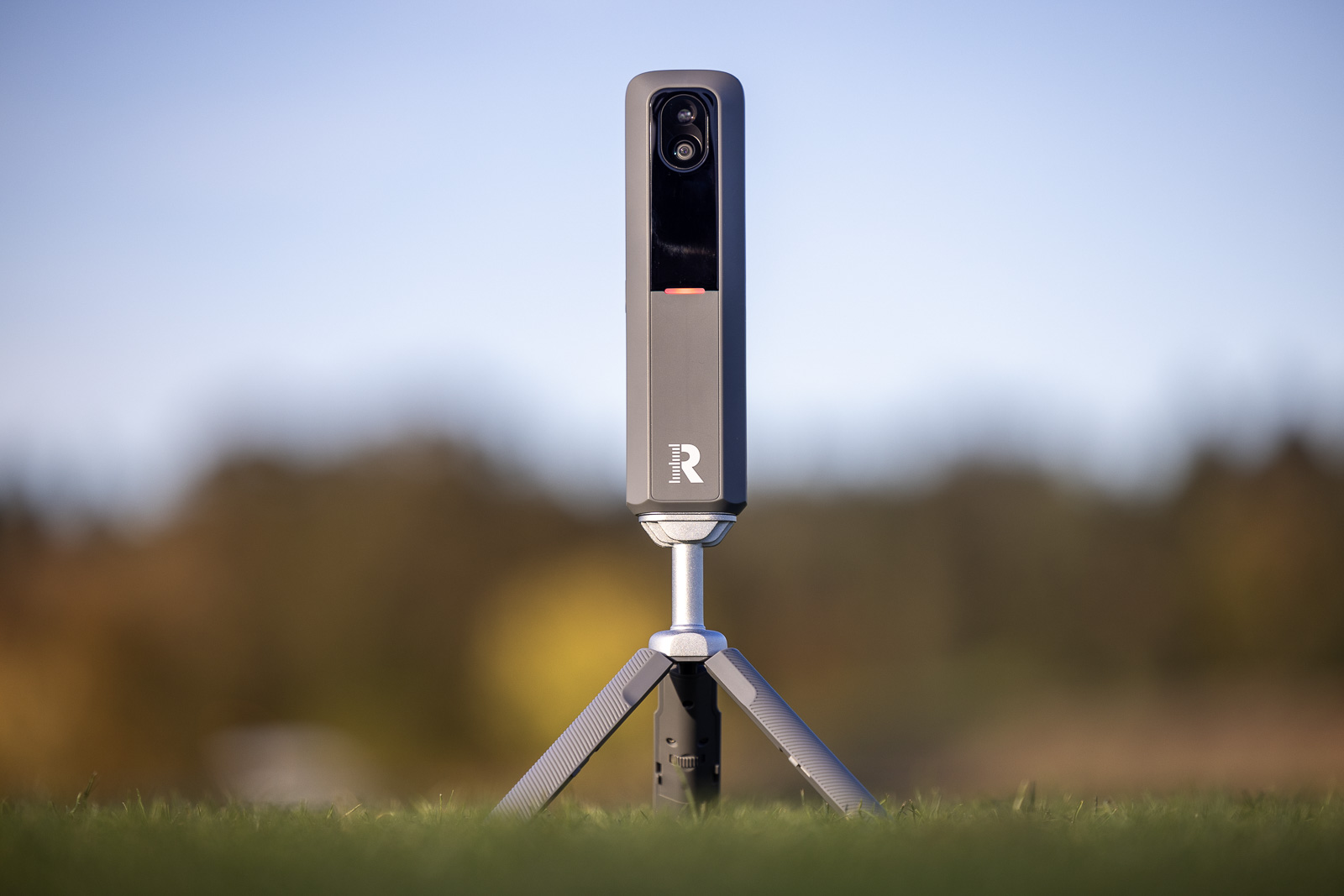
But as far as the looks go, it looks almost identical to the original MLM2PRO. Not completely identical, but almost.
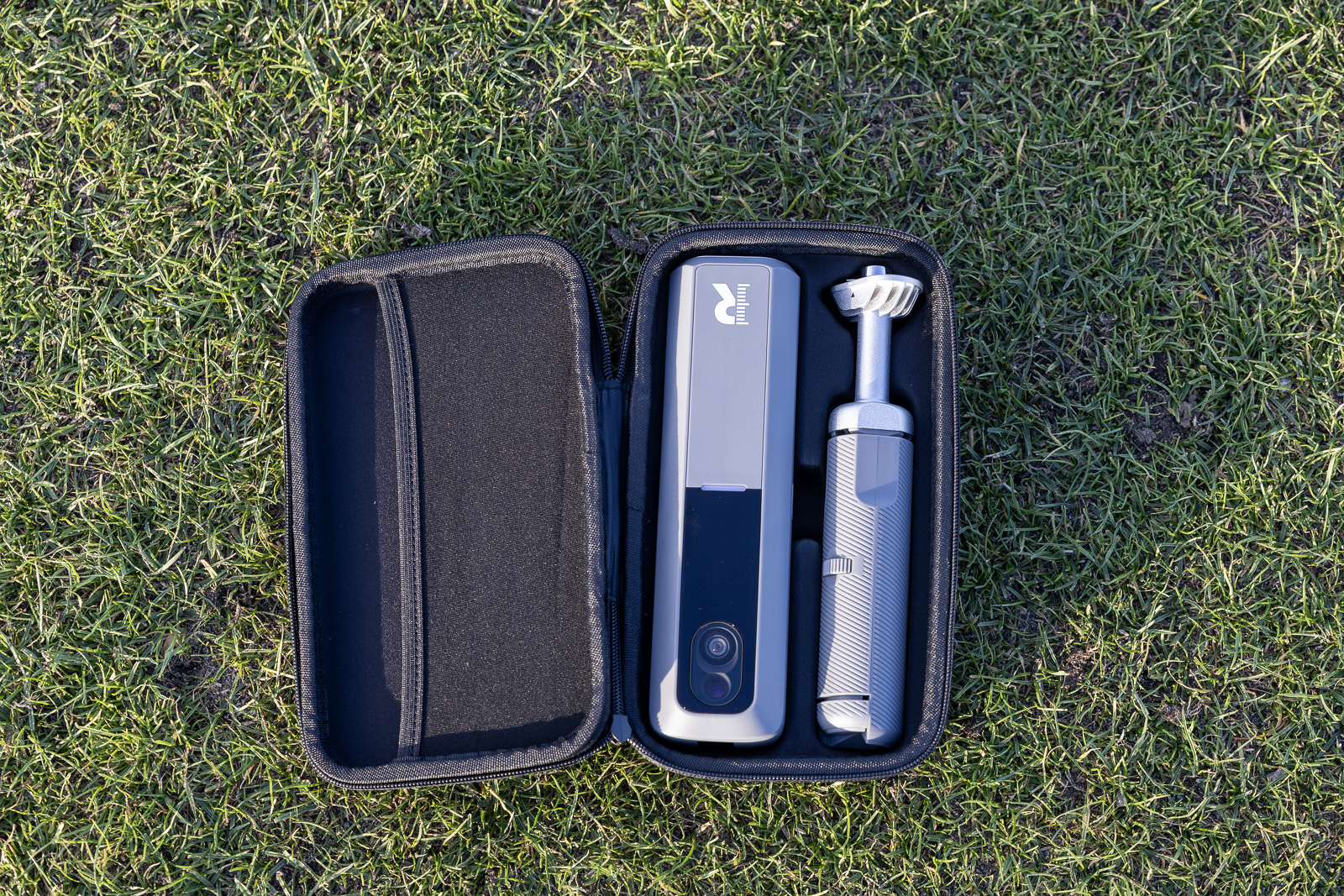
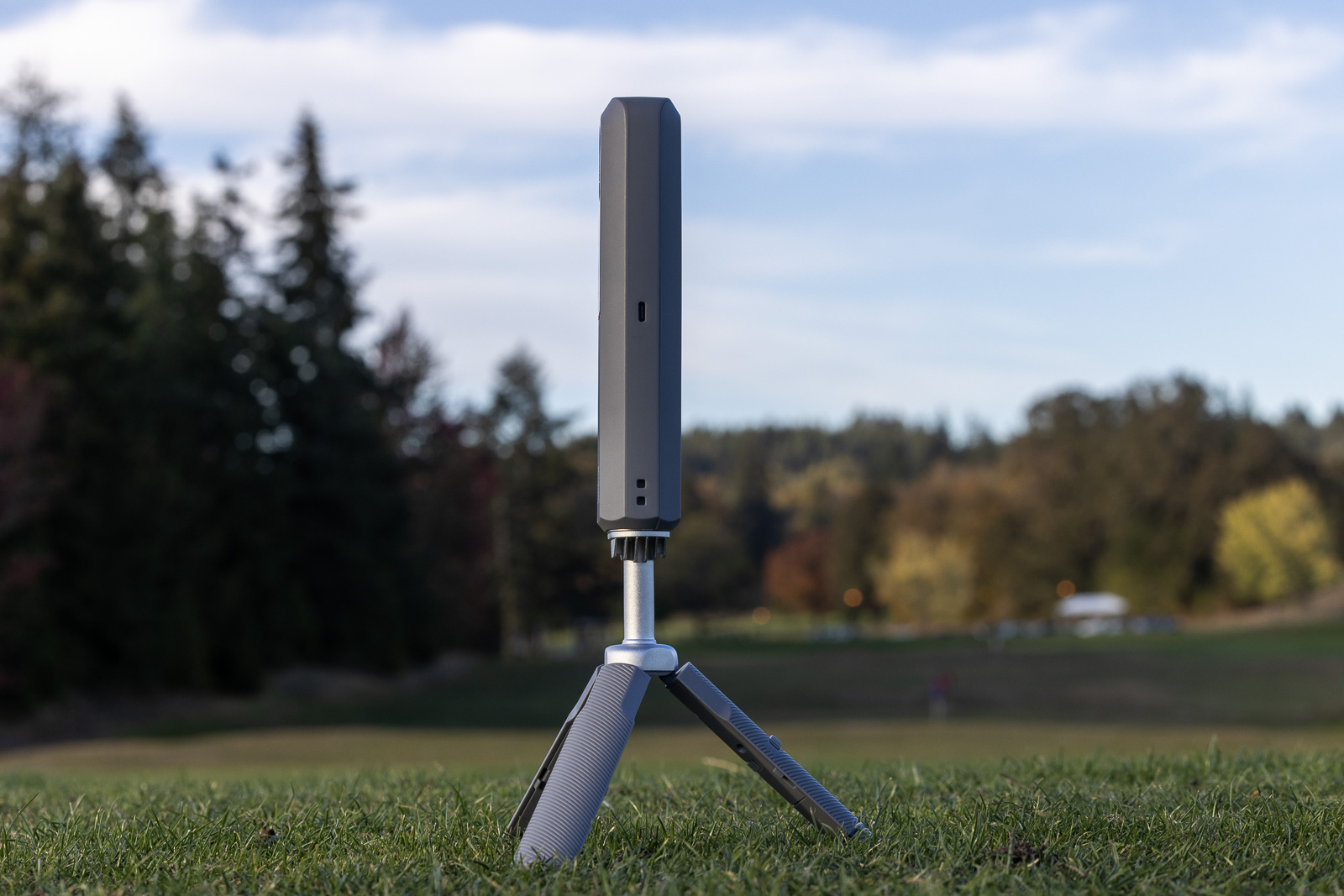
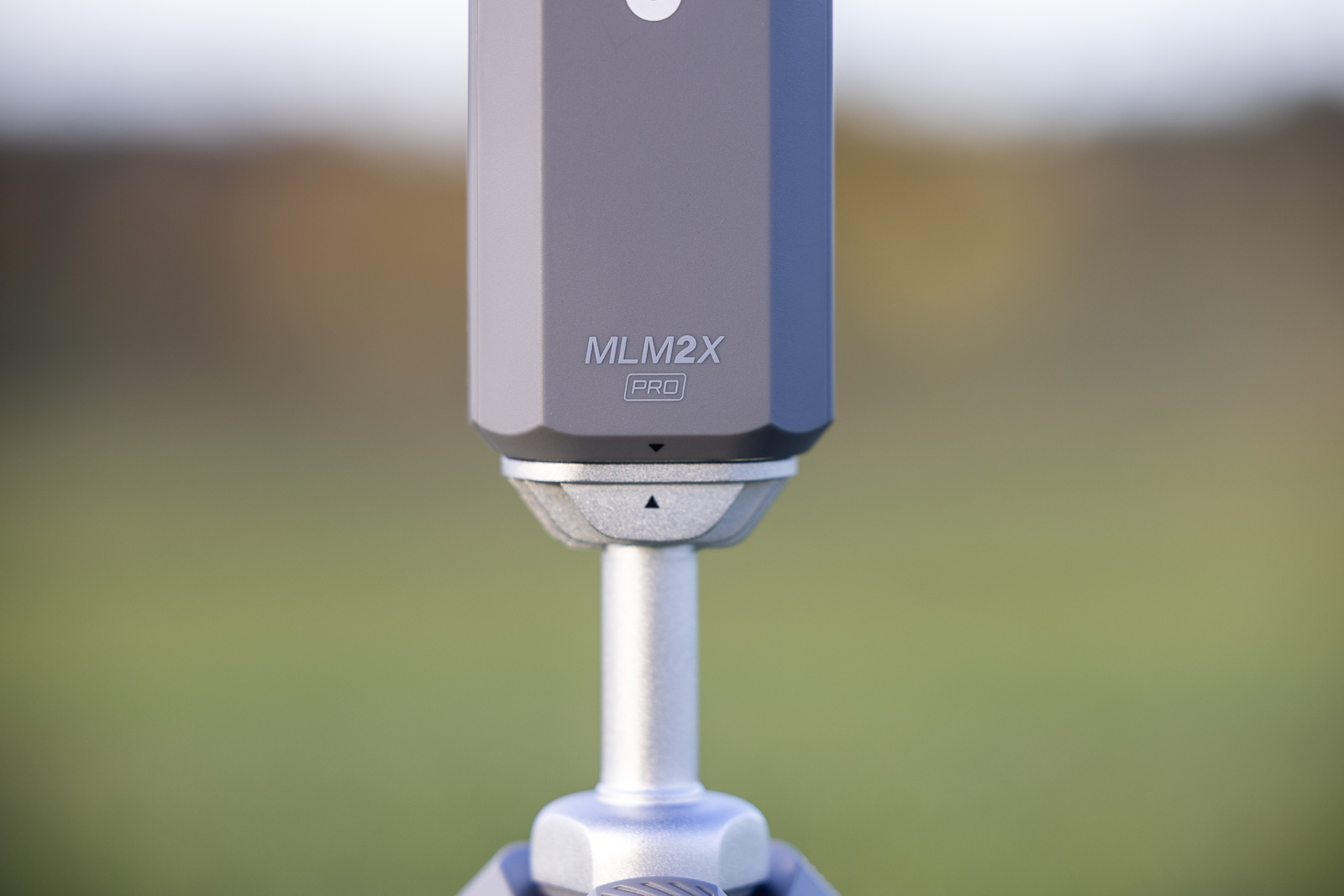
This new launch monitor has the exact same form factor. It’s the same shape, though just a bit taller than the old one. It’s got the same tripod-attachable stand. And the front and back of the new unit look basically exactly the same as the old one.
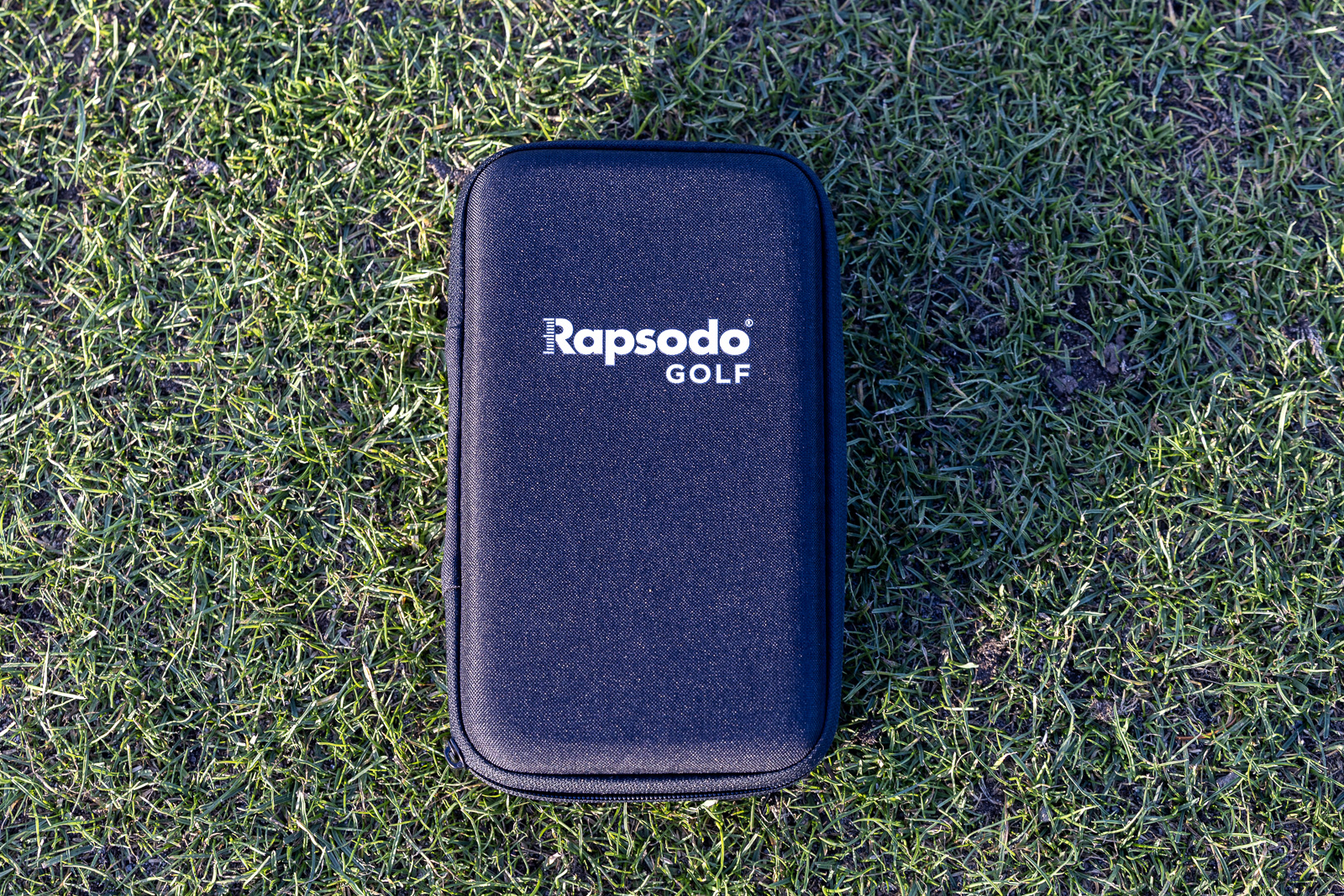
Even the box and the carrying case are pretty much exactly the same as with the original MLM2PRO.
Look a little closer, though, and you’ll spot a couple of physical changes.
The first is the top of the MLM2XPRO. There’s now a small screen. It’s not for showing data, but it does show your battery level, your connection status, and a leveling guide. That last feature is actually pretty awesome, and I’ll go into more depth about it when we talk about setup.
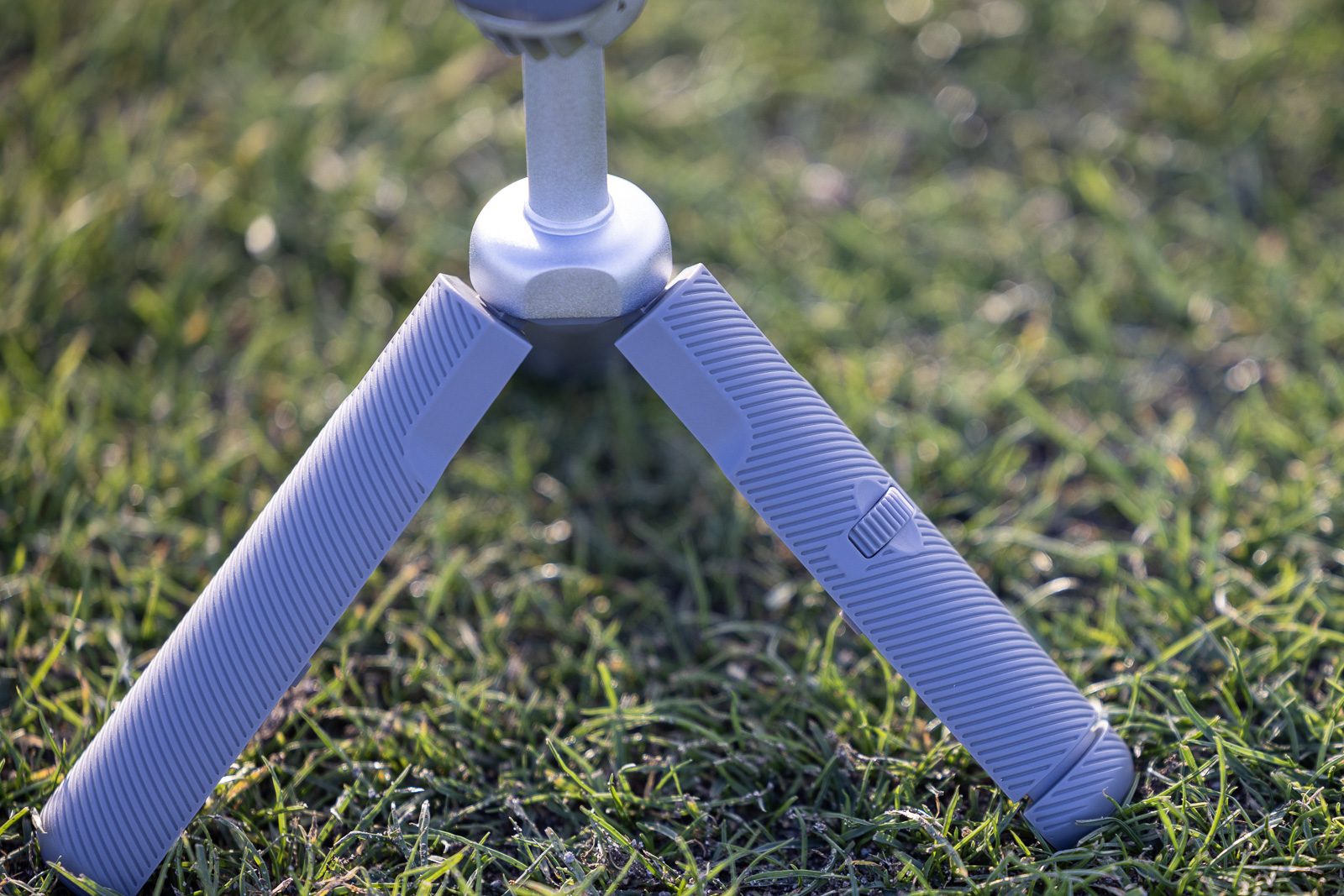
The second thing is the tripod. The back leg now adjusts, so you can level the unit on uneven terrain. That’s a pretty cool addition. A lot of times when I’m setting launch monitors up outdoors on uneven ground, I’ve got to create little shims to make it so that the device sits flat. This makes that a lot easier.
What’s in the box has also changed. You get the launch monitor, the tripod, a carrying case, a charging cable, a QR code to activate your 21-day Core membership trial, and a dozen RPT balls. You can choose Callaway Chrome Tour or Titleist Pro V1.
The MLM2PRO came with just three RPT balls, and if you’ve read my MLM2PRO review, you know I beat those three up fast and got tired of walking to my net every three shots. And at around $70 a dozen if you buy them separately, getting 12 in the box is definitely a very nice upgrade.
So those are the physical differences that you can see.
But the bigger changes come with the things you can’t see:
- Putting: The MLM2XPRO reads putts, so you can play a full simulated hole all the way until you hole out.
- Shot-reading speed: Rapsodo claims that the time from when you hit a shot to when it shows up in the software is now twice as fast. Whatever the exact number, you’ll notice it right away. The lag is now basically completely eliminated.
- New apps: There’s a rebuilt Rapsodo Golf mobile app, Rapsodo’s first-ever PC app, and Rapsodo Studios, which is a premium library of 4K courses for PC.
The old MLM2PRO app doesn’t work with the MLM2XPRO, so you’ll need the new Rapsodo Golf app.
However, the new mobile and PC apps do work with the MLM2PRO. So in a way, Rapsodo’s old formula of improving the hardware you already own is still alive. If you have an MLM2PRO, you get a big chunk of this upgrade without buying anything.
So basically, while it doesn’t initially look like much has changed between the MLM2PRO and the new MLM2XPRO, in reality, a lot has.
Everything that made the MLM2PRO a favorite, now faster, with simulator putting and a brand-new PC app. Add in the premium Rapsodo Studios courses, and it's the most complete launch monitor you can buy for under $1,000.
Setting Up the MLM2XPRO for Mobile Use
Setup is about as easy as it gets, and it should feel familiar if you’ve used an MLM2PRO.
Same advice as always, though. Before you take it to the range for the first time, spend a few minutes with it at home. Download the new Rapsodo Golf mobile app, connect the launch monitor, and let it install any firmware updates. When an update is installing, the light on the unit pulses white, and the screen on top shows a progress ring. Leave it alone until it finishes.
Getting it to talk to your phone or tablet works the same two ways it did before:
- Your Wi-Fi Network: Connect the MLM2XPRO and your device to the same network.
- Direct Connection: The MLM2XPRO broadcasts its own signal, and your phone or tablet connects to that. This is what you’ll use at a range without Wi-Fi.
I’ve always liked having both options. It’s one of the things that made the MLM2PRO easier to live with than launch monitors that force you onto their own network. And now the screen on top shows you which connection is active and how strong it is.
If you want to use the new PC app, which I’ll talk more about in a couple minutes, that’s a different story. It’s wired only. You connect the MLM2XPRO to a Windows PC with a USB-C cable.
Building Your Bag
A while back, Rapsodo made building your bag in the app optional, which I loved, because it used to force you to scroll through makes and models for every single club.
With the MLM2XPRO, I’d recommend taking a couple of minutes to set your bag up anyway. And the reason is the putter.
If there’s no putter in your bag, you can’t select one when you get to the green on sim courses. It’s an easy fix, but it’s not necessarily obvious. It’d be nice if Rapsodo had a default putter, so people didn’t get stuck on this step. But in any case, I’d just go ahead and go through the process the first time you use it, and then you’ll be good to go from there.
As for the new putting feature, I’ll talk more about that in just a bit.
How Much Space You’ll Need for Indoor Use
Because this is a radar unit that sits behind you, it needs some room when you’re using it indoors.
Rapsodo’s instructions say the MLM2XPRO should sit about 7.5 feet behind the ball, with at least 8 feet from the ball to your net or screen.
That isn’t any different than the space requirements for the MLM2PRO.
Obviously, outdoors there aren’t any space restrictions to worry about. And I will say, while we’re on the subject of outdoors, that this is a launch monitor that can reliably read shots hit off of natural grass. Again, just like the original MLM2PRO.
MLM2XPRO Alignment Process Now Faster and Easier
I always thought that alignment was one of the better strengths of the original MLM2PRO. The device sits up high, and its built-in camera shows you exactly where you’re aiming. It’s quicker and easier to get right than most of the radar units I’ve tested.
But the MLM2XPRO makes that whole process even smoother.
When you start a session, the app shows a live view from the launch monitor’s camera, with a target line and a box marking the hitting zone. You line up your target, set the ball inside the box, and you’re ready to go.
When everything’s set, a green light on the front of the unit tells you it’s ready.
I also love that you get that live view automatically before every shot, not just at the start of a session. That makes it super simple to always confirm that you’re in the hitting area.
There’s a smaller box within the larger overall hitting box, and that’s for club data capture. And while that box is smaller, again, getting your ball correctly positioned in it is no big deal because of that live camera view. It really is a very cool feature.
The New Leveling Feature
Back in 2025, Rapsodo added a leveling tool to the MLM2PRO app. It read the unit’s internal accelerometer and turned green once you were level.
I loved it, because club path and angle of attack are very sensitive to even a little bit of tilt.
The problem was that once the app told you that you weren’t level, fixing it was up to you. That usually meant wedging something under a leg or hunting for a flatter spot.
The MLM2XPRO solves that. The back leg of the tripod now adjusts with a little wheel that you can turn to make the telescopic leg either extend or retract. It’s a really useful addition.
Plus, on the new built-in small screen on the top of the MLM2XPRO, it shows you kind of like a meter readout that indicates how far you are from level. So you keep turning the wheel and adjusting the leg until the bars on the readout go all green, and then you’re good to go.
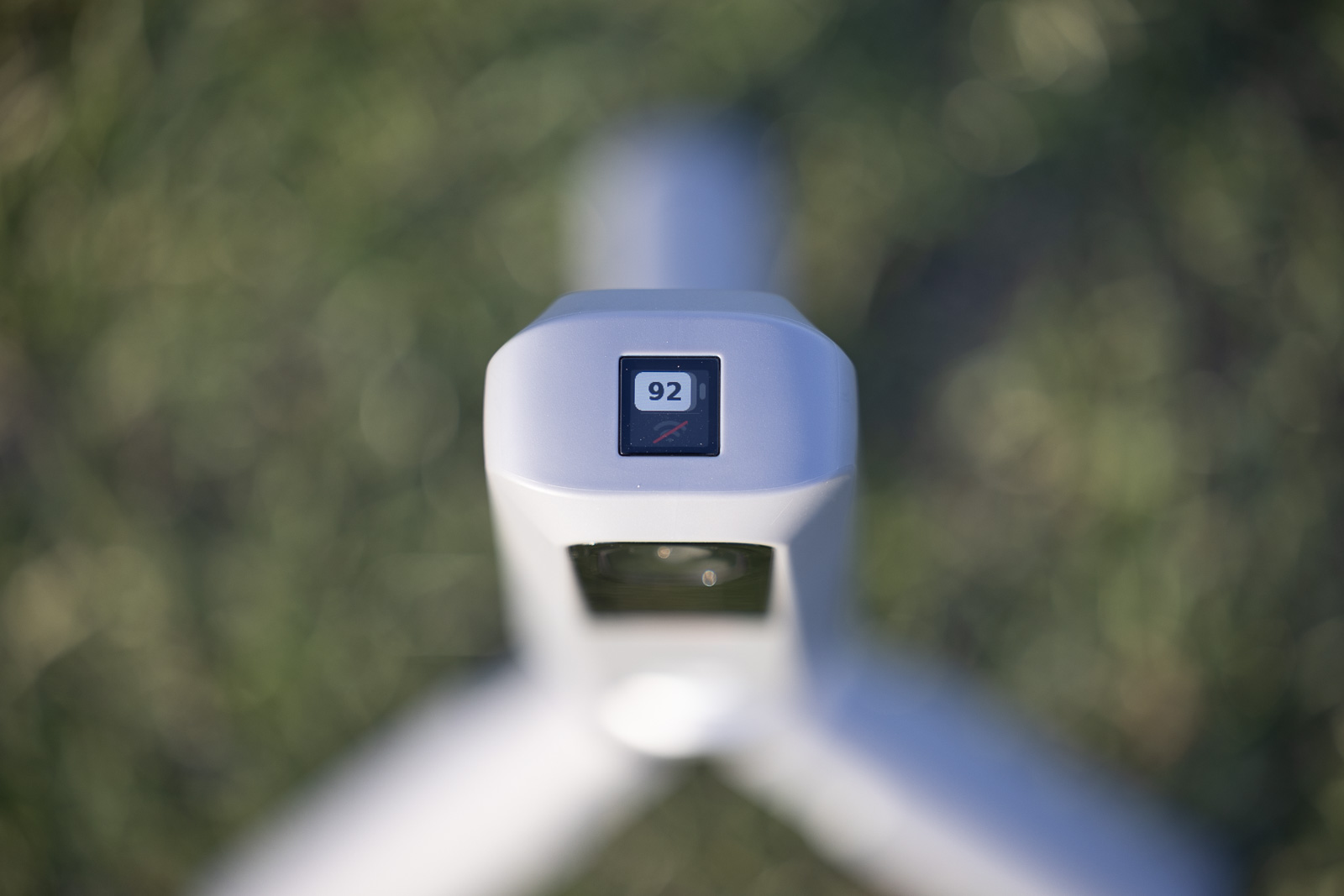
Again, it’s a relatively simple thing, but actually really brilliant.
You get the same leveling meter in both the new mobile app and the all-new PC app as well, so you’ve got multiple options for seeing if you’re level or if you need to make any adjustments.
So while the MLM2XPRO is physically almost identical to the MLM2PRO, it’s these little things – the built-in screen on top, the adjustable leg, the leveling feature – that actually make it a much better device to use.
And that’s before we even get into the new software.
Using the Rapsodo MLM2XPRO
Once you’re set up, the first thing you’ll notice if you’ve used an MLM2PRO is the speed. From the time you hit the ball to the time the shot tracer shows up in the software is much, much faster with the new MLM2XPRO than it was with the MLM2PRO.
There used to be a somewhat noticeable pause, or what they call latency, between when you hit the shot and when you saw the data and the ball flight.
That’s pretty much gone now. Now, everything shows up almost instantaneously. There’s just a slight beat before you get the numbers and the shot tracer.
It’s the kind of thing that really does matter when you’re trying to get in the groove of playing or practicing. This just makes it much more like real life. So I think that’s a big improvement. You might not appreciate it if you didn’t experience the old MLM2PRO. And I’m not saying that device was bad, as there are certainly worse delays out there (hello, SkyTrak+), but this is much better.
Just like with the MLM2PRO, the MLM2XPRO still automatically plays a video replay of your swing from the unit’s built-in camera after every shot. It doesn’t require you to set up any kind of external camera, and overall, I’m actually really impressed with the quality of the video capture.
This has always been one of Rapsodo’s best features. Personally, I love getting video feedback. And the way that they make it so easy is just one of the best things about this launch monitor.
You also get Impact Vision. The MLM2XPRO has two cameras, so one is capturing the full swing, and the other is capturing the moment when your club contacts the golf ball. Now, the angle is obviously from behind the ball, so it’s kind of limited in what you can see. The playback is black-and-white (whereas the full swing video is full color), but it’s in slow motion, and you definitely can see if you’re making contact for example, near the hosel or near the toe or (hopefully) in the center of the face.
The Impact camera is a cool party trick, but just as on other devices that do somethign similar, I’ve found it to be only marginally useful during real-world use. It’s major practical benefit is giving you more accurate spin data when using RPT balls.
The full-swing video on the other hand, is very nice to see.
And if you’ve been frustrated by how little data Rapsodo shows you at once during a session, hang tight. That’s one of the biggest things the new PC app fixes.
The Data: What It Measures (and What It Doesn’t)
The tracking tech carries over from the MLM2PRO, and so does the data. The MLM2XPRO directly measures eight metrics:
- Ball speed
- Club speed
- Launch angle
- Launch direction
- Spin rate (with RPT balls)
- Spin axis (with RPT balls)
- Club path
- Angle of attack
Everything else, including carry, total distance, side carry, apex, descent angle, smash factor, and shot type, is calculated from those.
Same caveats as before too. To get measured spin indoors, you need RPT balls, and since you’re probably not going to hit those out into the middle of a range, you won’t get measured spin when you’re practicing outside.
There’s also no face angle, face-to-path, or impact location. If those are must-haves, you’re looking at something like the FlightScope Mevo Gen 2 with its Pro Package and Face Impact Location add-ons.
If you read my MLM2PRO review, you know accuracy is where Rapsodo surprised me most. And under the hood, the MLM2XPRO uses the same Doppler radar and dual-camera approach.
When I took the MLM2PRO to the indoor simulator at my club and set it up against a Trackman, I honestly didn’t expect it to be able to hang. It totally did. Carry distances with my gap wedge and 7-iron averaged within about 2 yards of the TrackMan, and driver was within about 5. Club speed stayed within a couple of miles per hour. Spin, with RPT balls, landed in a range I’d actually trust for practice.
The one number that wasn’t quite as tight was side carry. But even there, it always got the direction right, and its lateral numbers beat what I’d seen from the SkyTrak+, which costs more money.
Outside, I checked total distances against a rangefinder, and they lined up.
Same tech and same approach with the MLM2XPRO. So I went into it expecting it to hold up the same way. And from what I’ve seen, it does. I never had a shot where the numbers made me question the accuracy in a big way.
I do still think that the FlightScope Mevo Gen 2 gets the edge in this department, though. Overall, I’ve found those numbers to be very tight and reliable, not to mention you get significantly more measured data (and a larger price tag).
But under $1,000, I haven’t used anything more accurate.
Rapsodo Finally Adds Putting
I’ll be honest, I’ve never been big on simulator putting.
So the MLM2PRO not reading putts never bothered me as much as it did some people. I actually liked their workaround where you could set your own rules, like one-putt inside 10 feet and two-putt inside 30, and move on to the next hole.
So I really didn’t expect much from the MLM2XPRO’s new putting feature.
But actually? It’s pretty sweet.
It picked up putts without really any issue. And what showed up on the screen generally matched what was coming off the putter face.
This really changes what you’re able to do during sim rounds. Now, you’ve got the option to use a Rapsodo launch monitor to play a complete hole of sim golf all the way to the hole-out.
This is a big deal, and I think it’ll definitely be a popular feature for the MLM2XPRO. Especially for entertainment, a lot of people want to be able to play a full round of simulated golf, and now this launch monitor lets them do that.
Also worth noting, you can still have it handle putting the same way that it did on the MLM2PRO if you don’t like putting on a sim.
The New Mobile and PC Software
Along with the hardware, Rapsodo rebuilt the software from the ground up. There’s a new mobile app and, for the first time, a PC app.
Let’s start with your phone, since that’s how most people will use the MLM2XPRO, especially at the range.
The new Rapsodo Golf app runs on iOS and Android. If you’ve spent time in the MLM2PRO app, it’ll feel familiar. The flow is similar, the look is cleaner, and your practice modes, courses, and swing videos all live in one place.
That means Rapsodo Range and Target Range, Strokes Gained scoring, Bag Mapping, the Wedge Matrix, and the 30,000-plus standard courses, which now include the putting I just finished talking about.
I’d say that while the new mobile app is definitely an improvement, it’s not as major of a development as the new PC app.
The PC experience is the part I was most excited about.
For years, my main knock on Rapsodo’s software has been that it feels like a consumer app. FlightScope’s software, by comparison, feels like a pro tool.
And one of my bigger complaints about the MLM2PRO was how little data you could see at once, just three or four metrics on a phone.
Rapsodo Golf for PC fixes that. During a session, you can put as many as 10 of the MLM2XPRO’s 15 metrics on screen, and you choose which ones.
It runs on Windows, connects to the launch monitor via USB-C, and requires a Core subscription. Also, if you own an MLM2PRO, you can use the new PC app too.
Pretty much everything from the mobile app carries over to the PC, just on a much bigger canvas.
Personally, I think I still prefer the FlightScope software overall. It just feels a little more pro or serious to me. But I gotta say, this new Rapsodo PC software is pretty sweet and definitely a big improvement for the product overall. Gives it a lot more flexibility.
Also, if you’d rather use third-party software like GSPro, you still have that option with the MLM2XPRO.
And then there are the new Rapsodo Studios courses.
Rapsodo Now Has Premium Native Sim Courses
For as long as the MLM2PRO has been around, Rapsodo’s course play has been what I’d call “simulator light.” You could play just about any course in the world, which was a ton of fun. But it looked more like a video game than a true simulator. It’s basically Rapsodo’s version of Garmin Home Tee Hero.
Rapsodo Studios is Rapsodo’s answer to that.
Studios is a new library of premium courses built for the PC app. Rapsodo scans them in high detail and renders them in 4K, and they look like a completely different product from the standard courses.
You’ve got big-name courses to choose from, like Bethpage Black, Paynes Valley, Quail Hollow, and Tobacco Road. They’ve got about 25 of them at launch, and Rapsodo says they’ll continue to add more.
From what I’ve seen, it’s a massive step up. This is the first time Rapsodo has had a course experience I’d actually want to build a home simulator around.
Again, when you pair this with the new PC app, this is a big jump for Rapsodo. The MLM2XPRO now becomes a lot more versatile. It’s still a great on-the-go option. But now it’s also a legit full-time sim-setup choice too, which I don’t think it really was with the MLM2PRO.
I’ll talk more about the subscription required for Rapsodo Studios in just a minute.
Also, the 30,000-plus standard courses haven’t gone anywhere. They’re still part of the Core membership; they still work on your phone, and they still have their place. But these new graphically superior courses are the big development here.
What Rapsodo Studios Costs and What You’ll Need
Studios isn’t included with the $199.99/year Core membership. It’s its own subscription tier at $399.99 a year, which includes everything in Core.
This is important, as people were not happy with Foresight when they announced practice and course features would each require separate subscriptions.
Along with the courses, you get a few extras like an on-course practice mode, junior tees, tournaments and leaderboards, and room for up to four golfer profiles instead of two.
You’ll also need a capable Windows PC. Rapsodo offers two graphics tiers:
- HD works on a pretty reasonable gaming PC with minimum specs along the lines of an NVIDIA RTX 3060 with 16 GB of RAM.
- 4K is a different story. It calls for a high-end graphics card, an RTX 5080 or similar, plus 32 GB of RAM.
Either way, plan on at least 50 GB of free storage.
If you’re building a home sim around the MLM2XPRO, Studios is the reason to do it. Just make sure the computer and the yearly cost fit your budget before you commit.
The New Subscription Tiers
I’ve talked a little bit already about the Core and Studios subscriptions, but let’s unpack it a bit further.
I don’t love paying every year for features on a device I already bought. But I’ve also said it’s worth it if you use your launch monitor regularly, because the subscription is where most of the good stuff lives.
But the details have changed between the old MLM2PRO model and the new MLM2XPRO.
There are now two tiers, and both are billed annually. There’s no monthly option.
Core runs $199.99 a year. That’s the one most people will want, since it unlocks the stuff that makes this thing special, like spin and club data, swing video and Impact Vision, the practice modes, the 30,000-plus standard courses (with putting), and the new PC app.
Studios runs $399.99 a year and includes all of Core. On top of that, you get the premium Studios courses on PC, on-course practice, and more golfer profiles.
Every MLM2XPRO comes with a 21-day Core trial. For perspective, MLM2PRO buyers originally got a full free year, and that later dropped to 45 days. So the free window keeps getting shorter.
You could skip the subscription entirely, and you’d still get your basic ball data. But spin, club path, angle of attack, the video, and the courses all go away. Personally, I wouldn’t buy an MLM2XPRO without planning to add a subscription.
Here’s the part that stings a bit.
With the MLM2PRO, my go-to advice was to buy the lifetime unlock. Pay once, never think about the subscription again, and you’ve basically got a roughly $1,200 launch monitor with no ongoing fees. I thought that was fantastic value.
That option isn’t available for new MLM2XPRO buyers. Rapsodo only offers Core and Studios.
If you already have a Lifetime membership on an MLM2PRO, though, there’s good news. Rapsodo lets you transfer it to an MLM2XPRO, as long as you buy the new unit by March 15, 2027. Lifetime members can also add Studios for $200 a year.
Final Thoughts on the Rapsodo MLM2XPRO
So, is the MLM2XPRO a real upgrade?
I’d say, yes, no question.
Rapsodo didn’t mess with the stuff that made the MLM2PRO so good to begin with. The accuracy is still very good for the price. The automatic swing video is still an awesome feature. And setup is still about as painless as it gets.
What changed is everything around that. Shots show up faster. Leveling is quick and easy. You can now putt. And on a PC, Rapsodo’s software finally feels like playing in a higher league, with way more data on screen and, with Studios, courses that actually look like a real simulator.
It costs a little more. Losing the lifetime unlock kind of sucks. And, yeah, subscriptions in general are always a pain point.
But generally speaking, I don’t see much but good news overall.
The MLM2XPRO and all the accompanying software improvements and additions are definitely a big step forward for Rapsodo.
Everything that made the MLM2PRO a favorite, now faster, with simulator putting and a brand-new PC app. Add in the premium Rapsodo Studios courses, and it's the most complete launch monitor you can buy for under $1,000.
