

There’s a difference between buying a golf simulator to play virtual rounds with your friends and buying one because you really want to work on your game.
The Uneekor Swing Optix camera system is very clearly aimed at the second person.
Pair it with an Eye Mini Lite, and you’re getting an accurate indoor launch monitor, club data, and synchronized views of your swing from two different angles. Add AI Trainer, and the idea is to help you connect what your body is doing to the shots you’re hitting.
For less than $4,000 in launch monitor and camera hardware, that’s a pretty compelling setup.
But after spending time with Swing Optix, I came away with a few reservations, too.
The camera build quality feels great. The integration into Uneekor VIEW is excellent. And the way the two camera angles stay synchronized was one of my favorite parts of the experience.
The image quality? I expected more.
And between an aging gaming laptop and a few assumptions I made about the software, my testing didn’t go quite as smoothly as I’d hoped.
So who should consider spending $1,700 on this camera system? And should you pair it with the Eye Mini Lite or the less expensive Eye Mini Core?
Let’s get into it.
What Is Uneekor Swing Optix?
Swing Optix is a two-camera system that works with compatible Uneekor launch monitors and integrates into the company’s VIEW software.
One camera gives you a face-on view. The other gives you a down-the-line view. Instead of setting up your phone, recording a few swings, and trying to match those videos to your launch monitor numbers afterward, you can review both angles alongside your shot data.
Uneekor currently lists the system at $1,700 and specifies 120 fps, with synchronized playback and instant replay. It works exclusively with Uneekor launch monitors. Worth noting if you use the PlayBetter discount code BE10, it will knock the price of the Swing Optix down to $1,615.
That last point matters. This is an accessory for the Uneekor ecosystem, so you’ll need a compatible launch monitor and a suitable computer in addition to the cameras.
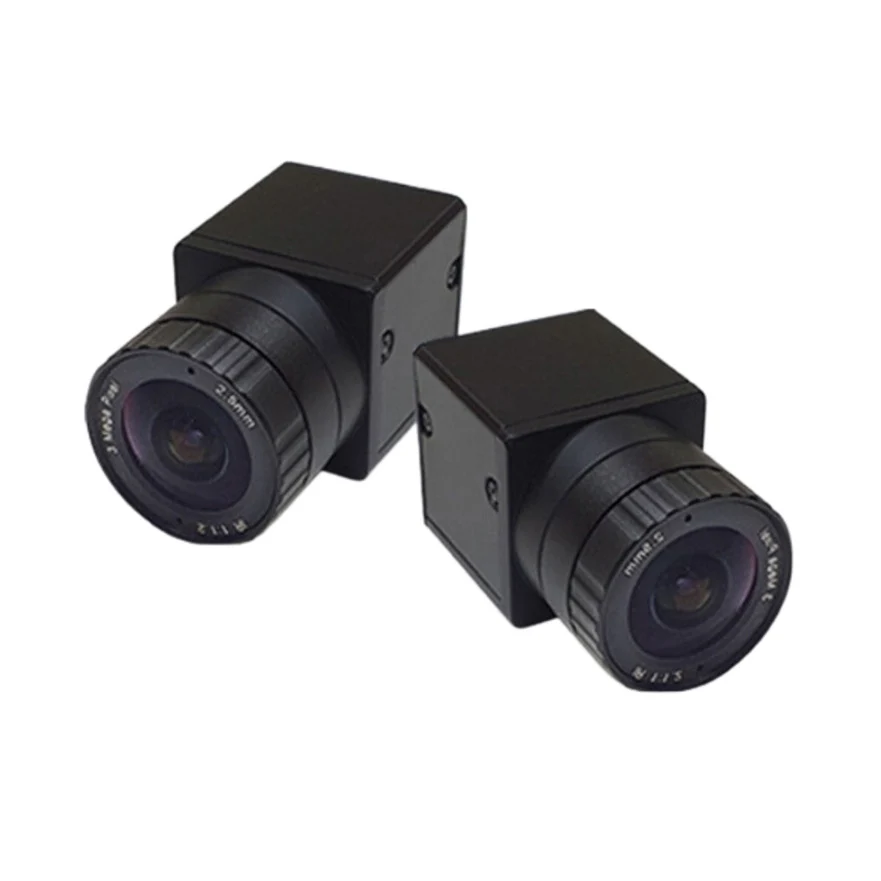
A professional-level camera setup to go along with Uneekor software.
Use the PlayBetter discount code BE10 to save 5% on Swing Optix and anything else from Uneekor.
First Impressions of the Uneekor Swing Optix Cameras
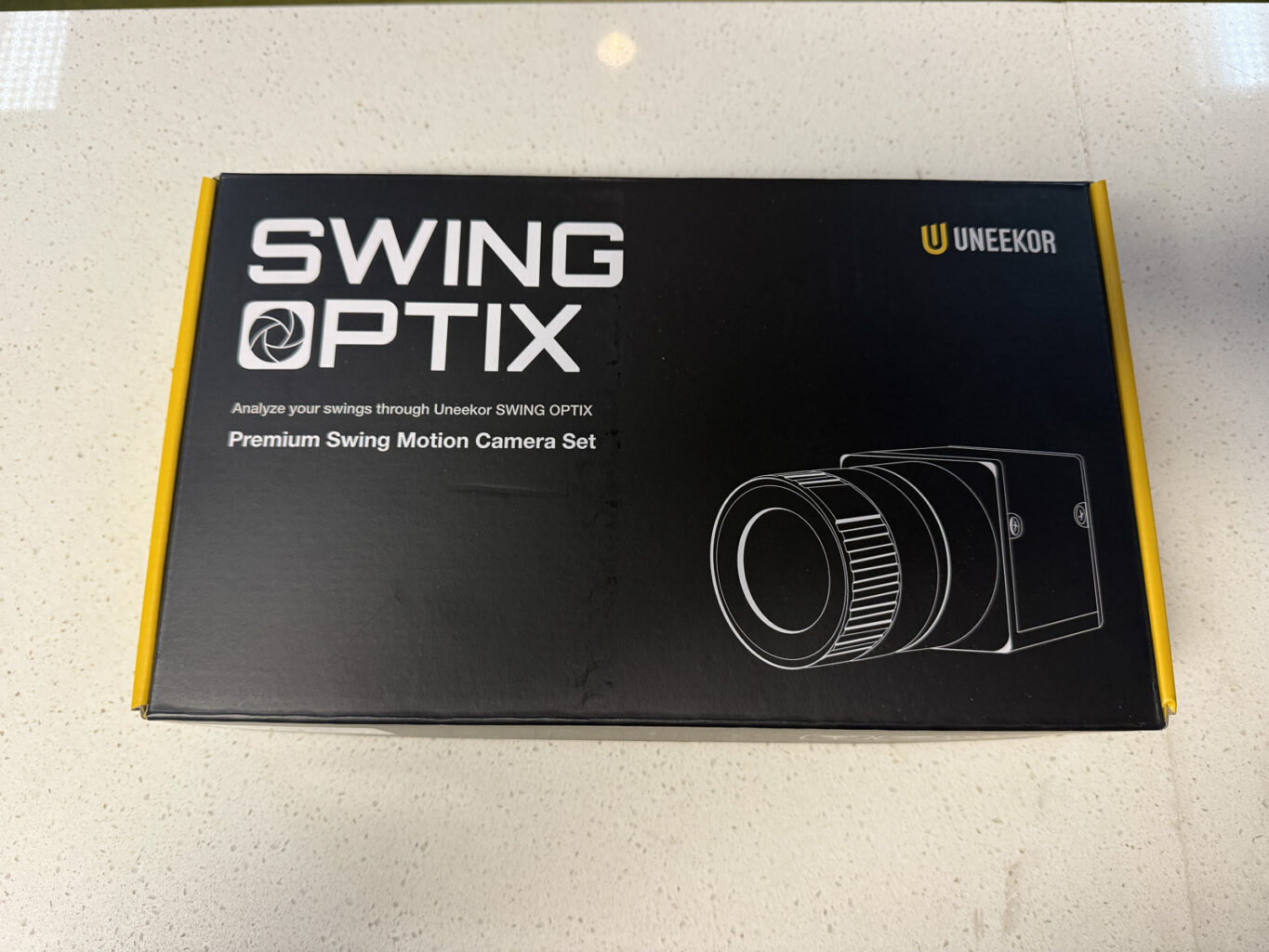
Out of the box, these feel like serious pieces of equipment.
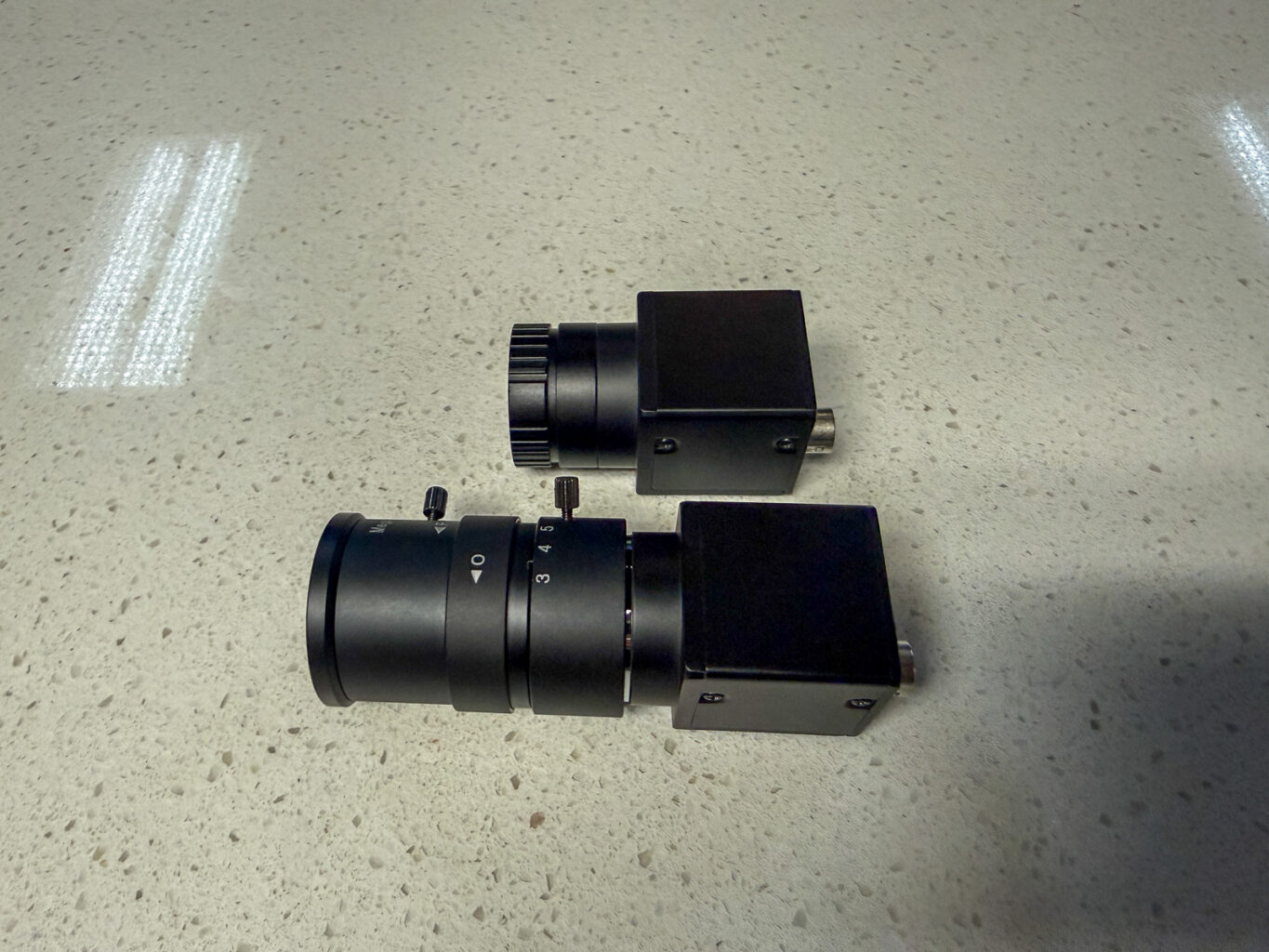
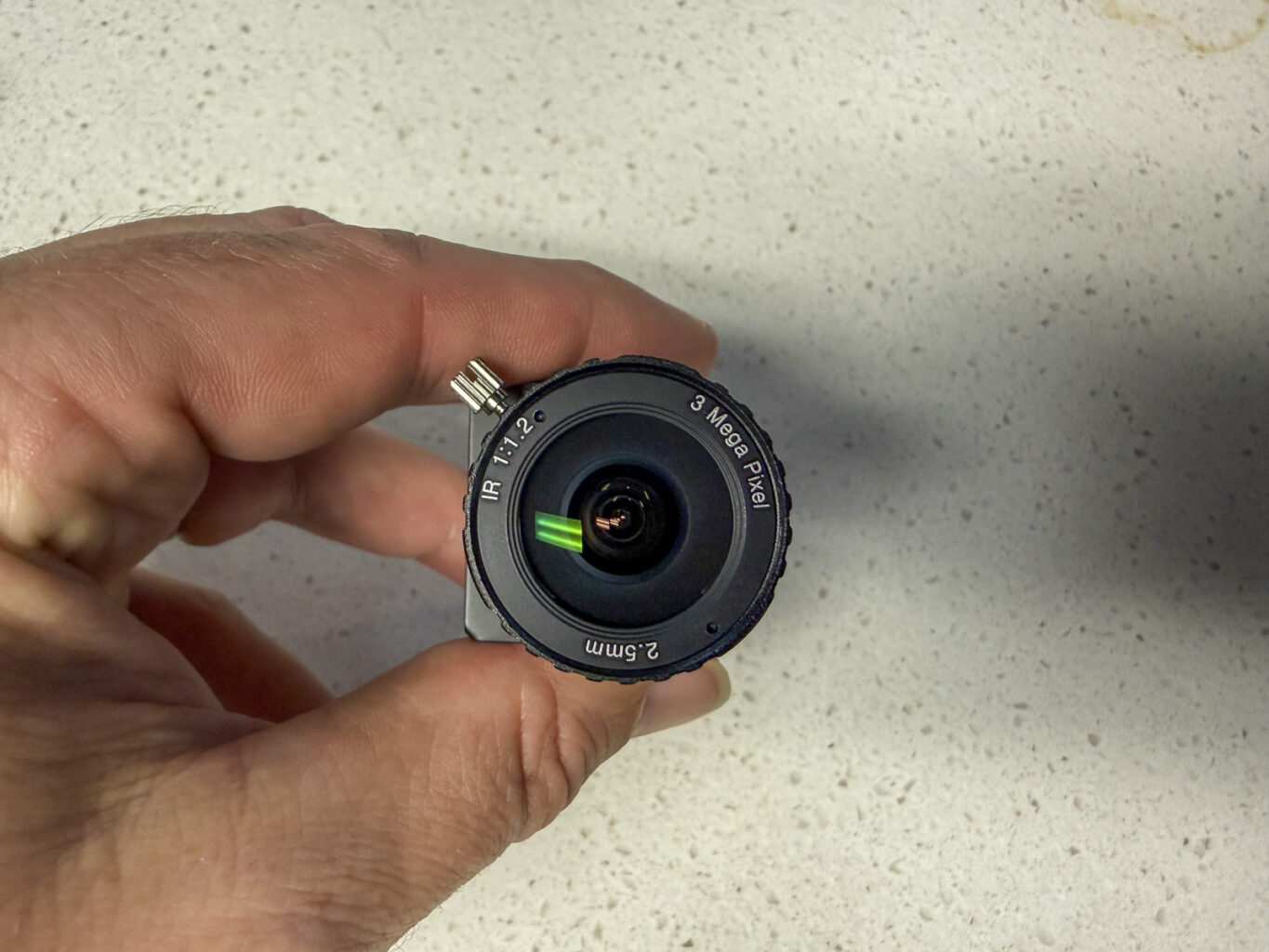
The camera bodies and lenses come separately, and attaching the lenses makes the whole thing feel more like setting up a professional camera than plugging in a webcam.
You get a wide-angle lens and a telephoto lens, along with manual focus controls.
There’s a reassuring quality to the hardware. When you’re spending $1,700 on a pair of swing cameras, you want them to feel like something built for the job.
These do.
What’s in the Box?
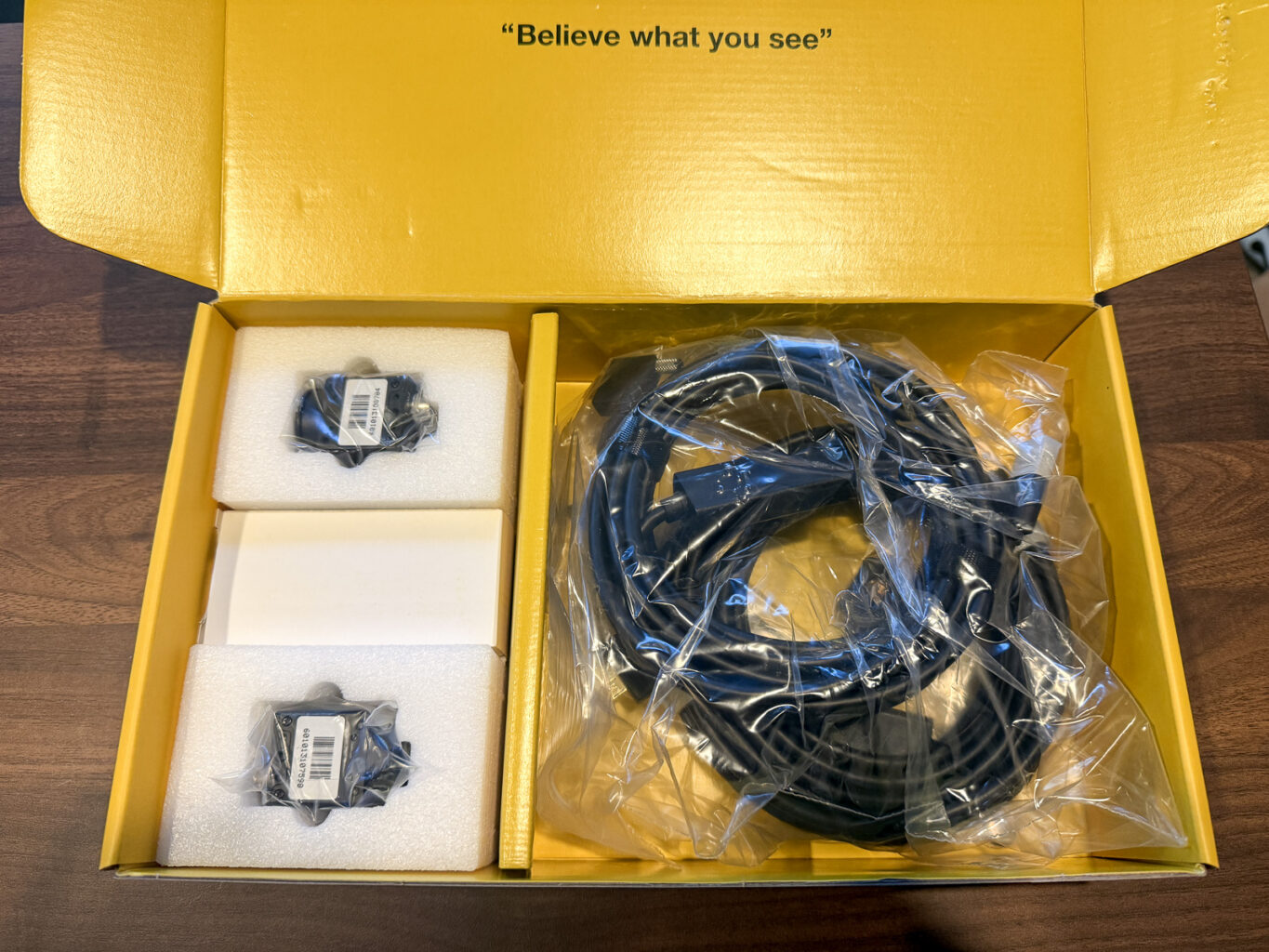
The kit includes:
- Two camera bodies
- A 2.5mm fisheye lens and a 3.8mm telephoto lens
- Two camera bases and mounting brackets
- Mounting screws
- Two USB 3.0 cables
- Swing Optix software within VIEW
- A Swing-Motion software license
- One year of AI Trainer, according to Uneekor’s current listing
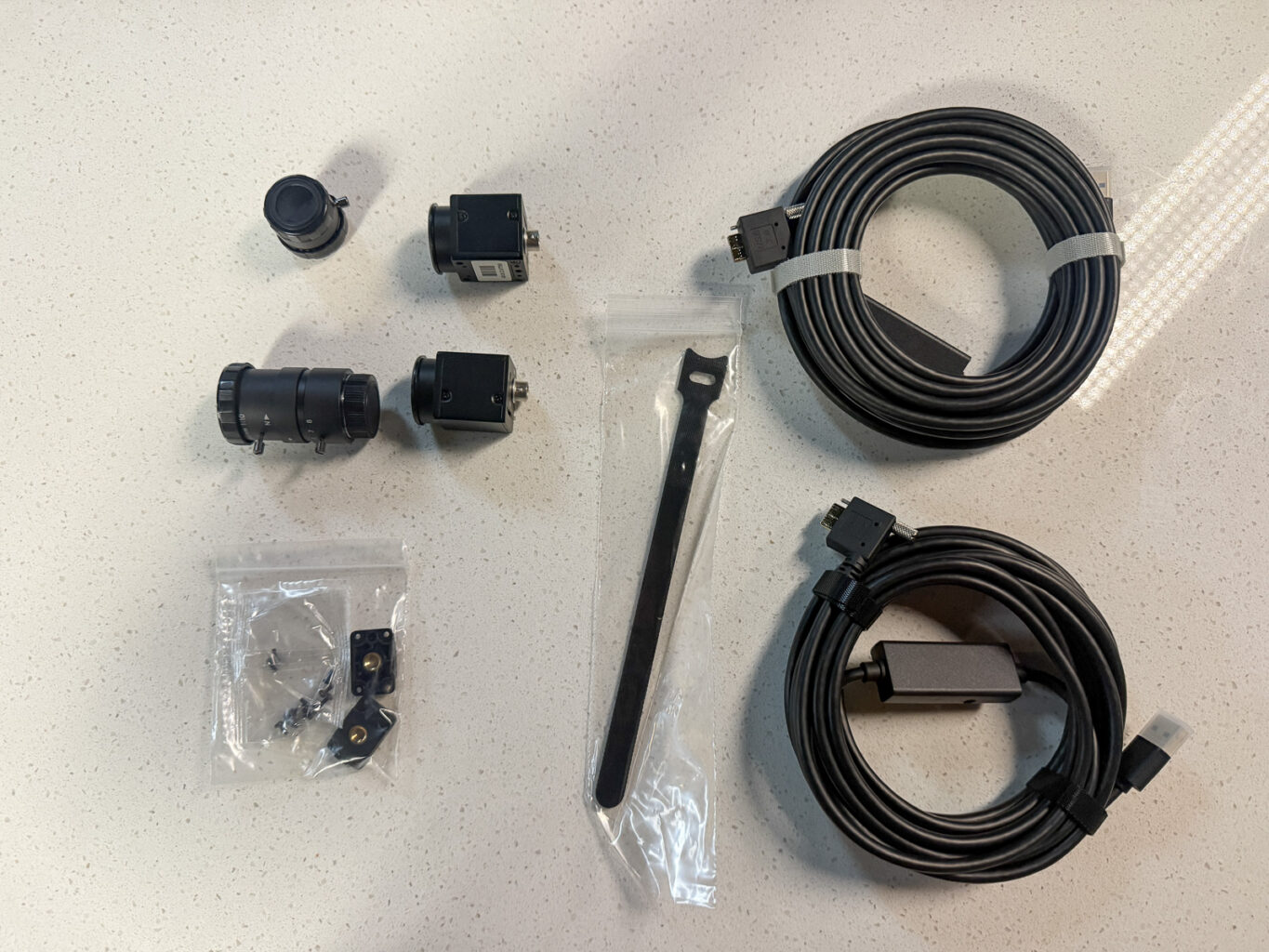
Tripods aren’t included, so plan for those or another mounting solution.
Setting Up Uneekor Swing Optix
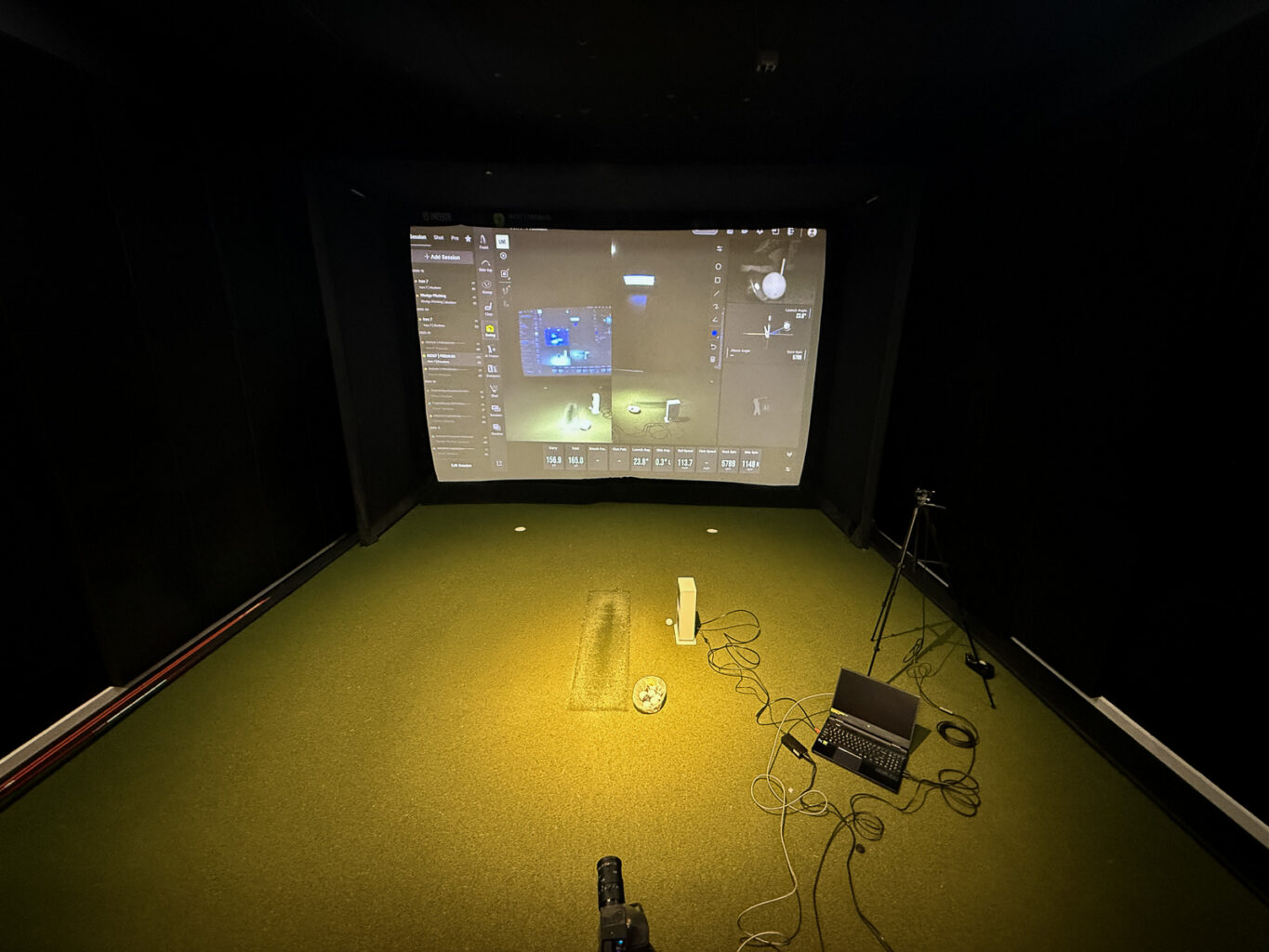
The physical setup was mostly straightforward.
Attach the lenses, mount the cameras, connect them to your computer via USB, and get the Uneekor software running.
Once you know where everything lives, it’s a fairly manageable process.
But that “once you know” part is doing some work.
This has been a recurring theme in my experience with Uneekor. The software gives you a lot of control, but getting comfortable with it can take more time than with some competing systems.
That was true when I tested the original Eye Mini. It was true with the Eye Mini Lite. And adding Swing Optix introduces another set of settings to learn.
I don’t think that’s necessarily a reason to avoid it. If this is going into a permanent simulator, needing to spend some time getting everything dialed in is a totally reasonable expectation
Just give yourself a session to set it up before expecting to jump straight into productive practice.
Your Computer Matters
My gaming laptop is a few years old, and this setup made its age more apparent.
Here is my exact setup:
- Laptop: Acer Predator Helios 300
- Display: 15.6-inch QHD, 240Hz
- Processor: Intel Core i7
- RAM: 16GB DDR5
- Graphics: NVIDIA GeForce RTX 3070 Ti
- Storage: 1TB SSD
- Purchase date: June 2023
- Price paid: $1,299.99
VIEW is robust software. Add two cameras and AI analysis, and you’re asking the computer to do considerably more than display ball flight.
In my testing, parts of the experience felt sluggish, and I had trouble getting the AI features to load.
Uneekor specifically says its recommended PC specifications are mandatory for data-intensive products such as AI Trainer. So I’d check the requirements for the complete setup you plan to use, rather than assume a computer that runs basic launch monitor software will handle everything comfortably.
If you’re budgeting for this system, the computer deserves as much attention as the launch monitor.
And to be clear, this is very much a personal issue for me, and not a fault of the software. But it’s worth noting that you should expect to have a pretty beefy PC if you want to run Uneekor software to its full capabilities.
Using Swing Optix: The Camera Sync Is Excellent
Once I had the cameras set up, this was the part that impressed me most.
The face-on and down-the-line views integrated nicely into VIEW, and both stayed synchronized throughout my session.
I could look at the same moment in the swing from either angle without one view noticeably trailing the other.
That held up even deeper into the session.
When you’re working on your swing, that’s useful. You want to look at a position from the side, then see what’s happening from behind, without wondering whether the videos are showing slightly different moments.
I’ve used multicamera setups with the FlightScope Mevo Gen 2 where different cameras connected over Wi-Fi can occasionally introduce a little lag.
I didn’t experience that with Swing Optix.
The wired setup involves more cables, but in my testing, the synchronized playback worked beautifully.
And having both views right there with the launch monitor feedback makes the experience feel much more cohesive than recording a few swings separately on your phone.
A professional-level camera setup to go along with Uneekor software.
Use the PlayBetter discount code BE10 to save 5% on Swing Optix and anything else from Uneekor.
The Image Quality Wasn’t What I Expected
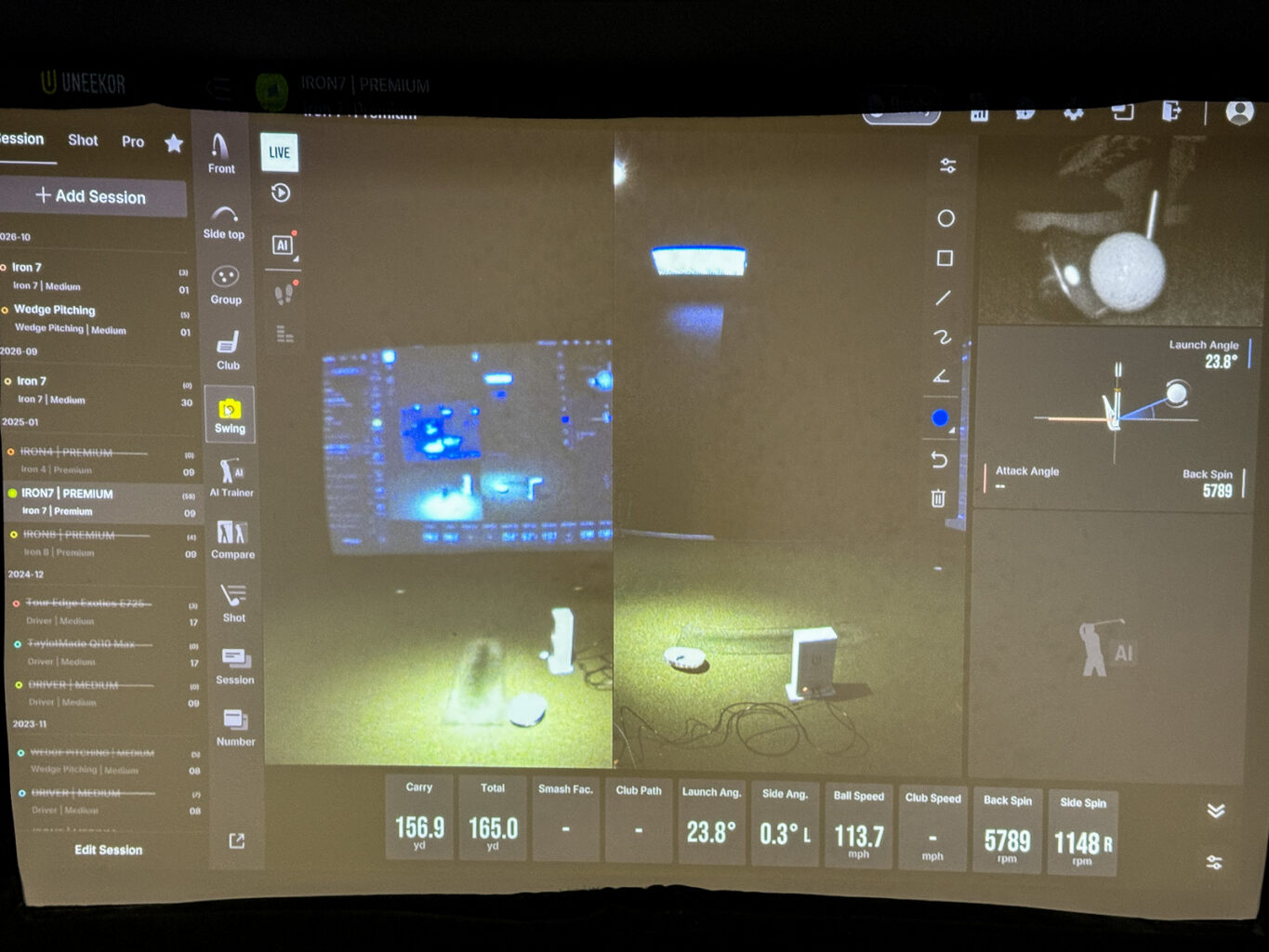
Here’s where I was less impressed.
For a $1,700 system with hardware that feels this substantial, I expected the picture to look sharper.
It was usable. I could see my swing and review it from both angles.
But it didn’t have the clarity I’d pictured when I first opened the box.
Part of that is probably expectations. We’re used to pulling out a phone and getting remarkably good video without much effort. So when you move to a dedicated camera system that costs this much, it’s easy to expect a noticeable step up.
High-speed swing analysis has different priorities, of course. Seeing the movement and matching it to the shot is more important than producing beautiful video.
Still, the image quality was one of the first things I noticed, and it was a disappointment.
Lighting Is Part of the Setup
I also don’t want to put all of that on the cameras.
You can adjust exposure and other image settings within VIEW, and the lighting in your simulator will influence the results.
Uneekor’s installation manual specifically recommends additional, non-flickering lighting to improve exposure and reduce club blur.
This can sometimes be at odds to a simulator room where you may be keeping the space dark to make the projector look its best.
Based on what I saw, I’d plan on lighting the golfer properly rather than expecting the cameras to deliver their best image in a dim room.
I would need more time with the lighting and camera settings before deciding how much better I can get the picture. But my initial results fell short of what I expected at this price.
AI Trainer: My Laptop Failed Me
AI Trainer is a big part of the appeal here.
The promise is to take those camera views and turn them into feedback that helps you understand your swing.
I saw a lot of this in action at the PGA Show this past year, and it was seriously impressive.
Unfortunately, I wasn’t able to test out this part of the system.
No matter what I did, I couldn’t get the AI tools to load – and I’m 99% sure it’s because my laptop didn’t meet the minimum specs required to run it.
I’ll be upgrading my computer before the end of the year, but further testing of the AI tools will have to wait until the next time I have a Uneekor unit in for review.
For now, I can speak to the hardware, camera playback, synchronization, and setup experience. I can’t yet tell you how useful the AI coaching is in practice.
Do You Need the $399 Subscription?
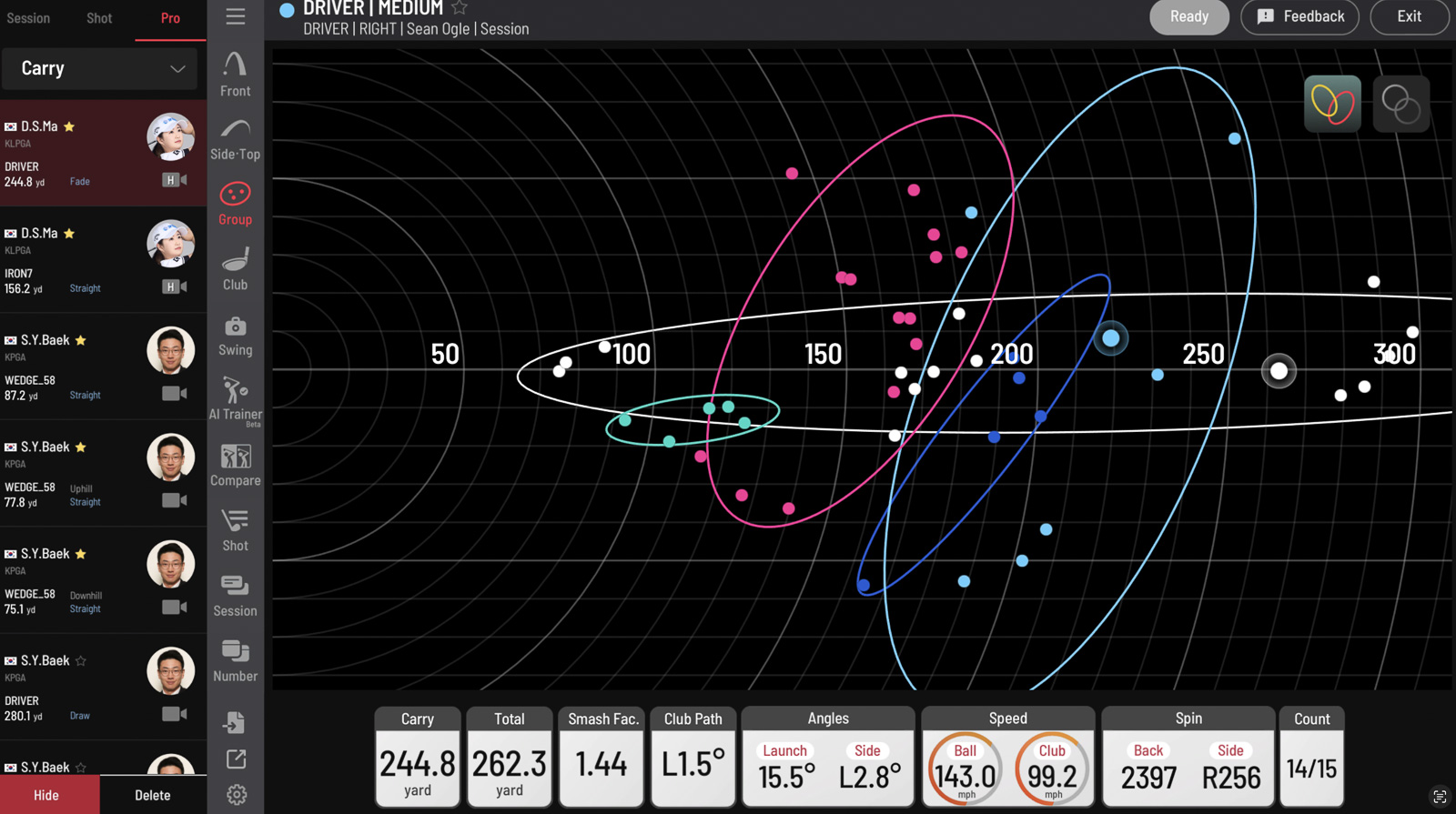
You don’t automatically need Uneekor’s $399-per-year Champion package to get AI Trainer.
AI Trainer is also available separately for $99 per year, and the current Swing Optix camera listing includes a year of access.
Champion includes AI Trainer along with other software extras, and Ultimate includes it as well.
Basic Swing Optix camera functionality is included within VIEW. The paid AI feature is a separate consideration from simply watching your swing replays.
That makes the ongoing cost more approachable than I initially thought.
Reviewing Swings Later: Where I Got Tripped Up
I made another assumption during testing that turned out to be a mistake.
Because the camera views were working during the session, I assumed everything was being saved in a way that would let me return later and run the AI analysis.
When I went back afterward, I couldn’t retrieve the swings the way I expected.
That was frustrating, especially because reviewing them later had been my backup plan when the AI tools wouldn’t load in real time.
Again, I don’t think it would be fair to turn that into a blanket statement that Uneekor can’t record swings or review previous sessions.
Uneekor’s support documentation describes automatic swing recording when live capture is configured, along with reviewing previous swing videos in VIEW.
So there’s a good chance my settings or workflow contributed to this.
What I can say is that I didn’t find the process intuitive.
I’ve had a smoother experience moving between devices to review session data with Foresight. I wasn’t able to reproduce that workflow with this Uneekor setup, and I still need to investigate exactly what’s supported and what I missed.
My advice? Before your first serious practice session, hit a few shots and confirm that you can reopen the videos and data you intend to keep.
I wish I’d done that.
Swing Optix With Eye Mini Lite vs. Eye Mini Core
This is where the overall value proposition gets interesting.
The Eye Mini Lite currently costs $1,999, while the Eye Mini Core is listed at $1,249. Add the $1,700 camera system, and here’s how the hardware totals compare:
| Setup | Launch monitor | Swing Optix | Hardware total |
|---|---|---|---|
| Eye Mini Lite + Swing Optix | $1,899 (After Discount) | $1,700 | $3,599 |
| Eye Mini Core + Swing Optix | $1,249 | $1,700 | $2,949 |
Those totals don’t include your computer, mounting equipment, simulator enclosure, projector, or future software costs. Uneekor
Using the code BE10 at PlayBetter saves 5% on the Eye Mini Lite, bringing the launch monitor to about $1,900 and the combined launch monitor and camera cost to about $3,600.
For an accurate indoor launch monitor with club data and synchronized swing video, that’s a strong proposition.
Why I’d Choose the Eye Mini Lite
The Core’s main tradeoff here is that it doesn’t include club data as standard.
Uneekor does offer a $1,500 club-data software upgrade for the Core. But at the current standalone prices, buying the Lite upfront makes more sense if you already know you want that information.
And if you’re spending $1,700 on cameras because you want to work seriously on your swing, I think club data is worth having.
Seeing the movement is useful. Being able to connect that movement to what the club is doing makes the setup more appealing to me.
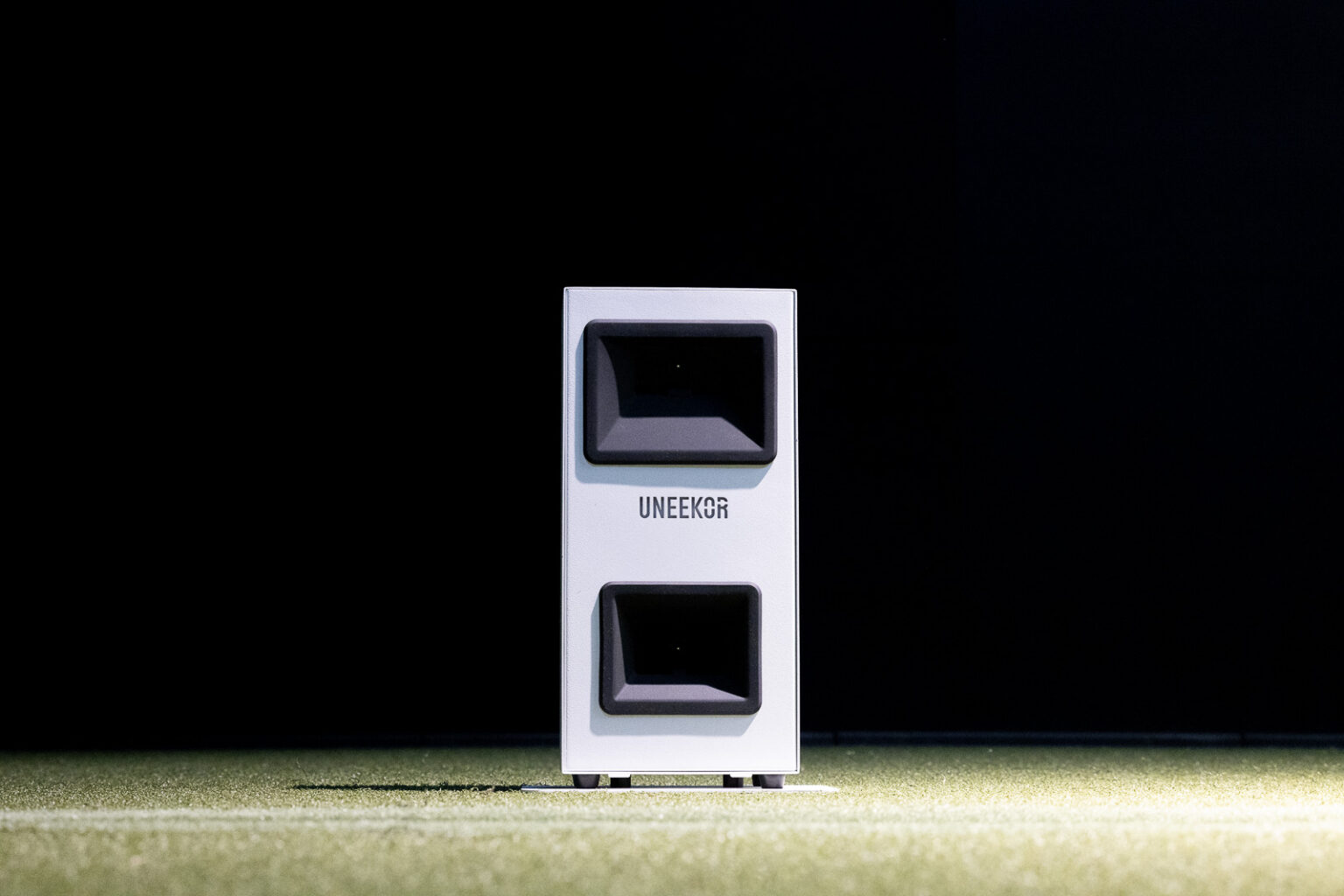
To be clear, the Core supports AI Trainer. Club data isn’t a requirement to use the AI system.
But again if you’re working on your swing enough to want Swing Optix, having club data feels kinda mandatory.
The Core remains an interesting lower-cost option for someone happy with ball data and swing video. But for the golfer building a dedicated practice station, I’d spend the extra money on the Lite.
You can read more about the launch monitor itself in my full Uneekor Eye Mini Lite review.
How Does It Compare to Foresight’s Swing Cameras?
One comparison caught my attention while looking at the pricing.
Foresight sells its USB Swing Camera for $350. Two cameras would cost $700, compared with $1,700 for Swing Optix.
That’s a substantial difference, and one of the few times I’ve looked at golf simulator accessories and found Foresight to be the considerably less expensive option.
I haven’t tested Foresight’s camera, so I can’t tell you whether the image quality, synchronization, or overall experience is comparable. I also am unclear exactly how (or if) it integrates within the new Foresight Premier software system.
The Foresight camera also isn’t a substitute for the complete Uneekor AI Trainer setup simply because it records swing video. You need to consider the software and launch monitor ecosystem around each option.
But if you already own a compatible Foresight system and mostly want video replay, that lower camera price is worth investigating.
Who Should Buy Uneekor Swing Optix?
I think this system makes the most sense for someone who wants to spend real time working on their swing at home.
You have, or plan to buy, a Uneekor launch monitor. You’re comfortable using a gaming PC. And you want to see your swing from both angles while reviewing your numbers.
That’s the person who’s likely to get the most out of it.
If your simulator is mainly for playing courses with friends, I’d put this lower on the shopping list.
The same goes if you only want an occasional swing video. Recording a few swings on your phone may be enough.
The FlightScope multi-cam system, while a little more laggy, is also much more user-friendly and portable as well.
The appeal here is having the cameras integrated into your regular practice routine, rather than treating video as something you occasionally remember to capture.
Final Thoughts on Uneekor Swing Optix
I came away impressed with parts of Swing Optix and frustrated with others.
The hardware feels high-end. The cameras integrate nicely into VIEW. And the synchronized playback worked extremely well throughout my testing.
The image quality didn’t match my expectations, and I still need more time to sort out my recording workflow and properly evaluate AI Trainer.
Some of those frustrations may come down to my computer and my familiarity with the software. That doesn’t make the experience less frustrating, but it does matter when assessing the product.
For someone building a dedicated practice setup, the Eye Mini Lite and Swing Optix combination remains compelling: about $3,700 in launch monitor and camera hardware, or roughly $3,600 with the PlayBetter discount on the Lite.
My early preference is the Lite over the Core for this setup because I’d want the included club data.
Would I recommend buying Swing Optix specifically for the AI coaching? Well, despite my inability to properly test, from what I’ve seen, it looks very cool and as though it would be a worthy training investment.
But if you want integrated, synchronized swing video alongside your Uneekor data, that part of the system impressed me.
A professional-level camera setup to go along with Uneekor software.
Use the PlayBetter discount code BE10 to save 5% on Swing Optix and anything else from Uneekor.
This page contains affiliate links. This means that if you click a link and buy one of the products on this page, we may receive a commission (at no extra cost to you!) This doesn’t affect our opinions or our reviews. Everything we do is to benefit you as the reader, so all of our reviews are as honest and unbiased as possible.
Swing Optix Cameras are a big upgrade to a Uneekor launch monitor setup, but it's not without it's frustrations.
The Swing Optix cameras are well built, feel high-end, and integrate nicely with the Uneekor View software. The biggest downsides are that the image quality wasn't as good as I'd hoped, and if you want to leverage the software to it's full capabilities, you'll need a beefy gaming PC.
The Good
- Cameras are well built and feel high end
- Once it's setup, there is zero lag or sync issues with video playback
- Adding Swing Optix makes Uneekor View one of the most robust indoor golf training setups out there.
The Bad
- Feels expensive for what it is
- Image quality wasn't as good as I'd hoped
- High recommended PC specs may be a turn off for some people
-
Presentation
-
Performance
-
Price
-
Personal Affinity
