

If you’re like me, you’re very familiar with going out to practice after a lesson, trying to work on the thing your coach told you to fix, and walking away with no idea if you were actually doing it right.
Without setting up a camera and getting personalized feedback every single session, it can be seriously difficult to know whether your practice is moving the needle or just reinforcing the same bad habits.
That’s the problem the HackMotion 4 is built to solve. It’s the brand’s fourth-generation swing tracker, and it’s designed to identify and fix flaws in your swing by showing you exactly what your lead wrist is doing at every part of your swing.
I reviewed an earlier version of this a couple years ago, and at the time, I thought it was a solid product but not necessarily for me.
But a lot has changed. HackMotion has clearly poured time, money, and effort into improving both the hardware and software since I last looked at it.
So, this is my full updated take, including what I like, what I don’t, and whether this is the swing trainer you’ve been waiting for.
Let’s get into it.
What HackMotion Actually Does
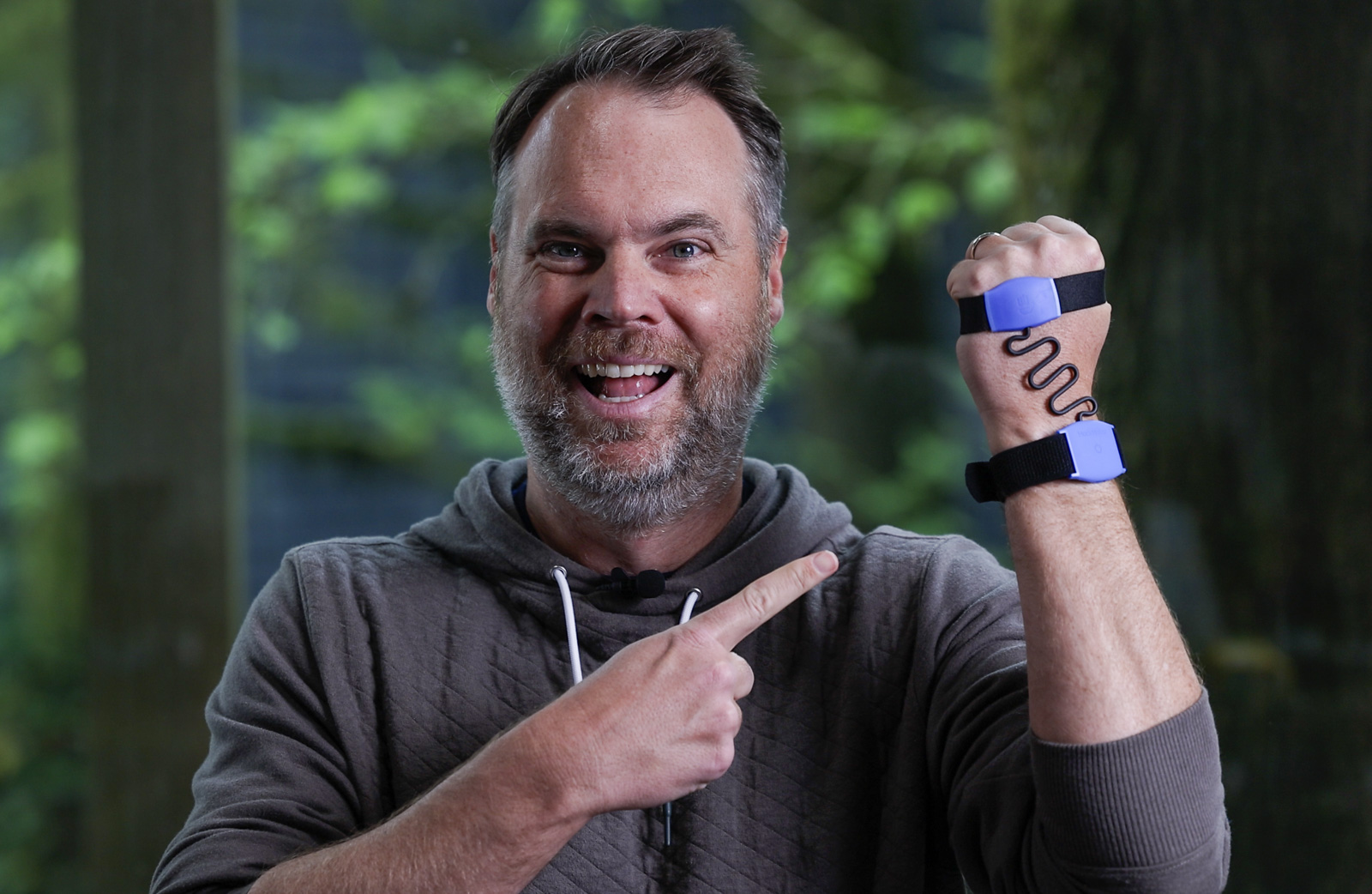
HackMotion 4 tracks what your lead wrist is doing throughout the entire golf swing. It’s a sensor system that attaches to your wrist and hand with a couple of velcro straps. And it picks up your movements with a degree of accuracy and sensitivity that’s actually pretty shocking, which I’ll get into as we go.
Why is this important? Because your wrists are the only part of your body that directly control the clubface. If your face is too open or closed at impact, you’re going to hit inconsistent, bad shots. We all understand that.
By identifying what your wrist is doing at address, the top of your backswing, the downswing, and impact, you can start to connect the dots between your wrist angles and what the ball is doing.
Fix the wrist, fix the face, fix the shot. That’s basically how this device works.
The questions are, does it really work, how convenient is it to use, and will this $345 investment actually help you play better golf?
Do you have an inconsistent swing and know wrist angle may be the culprit? There's not a better swing trainer on the market to help you fix it.
Use code BREAKINGEIGHTY5 to save 5%
First Impressions and Setup of the Hackmotion 4
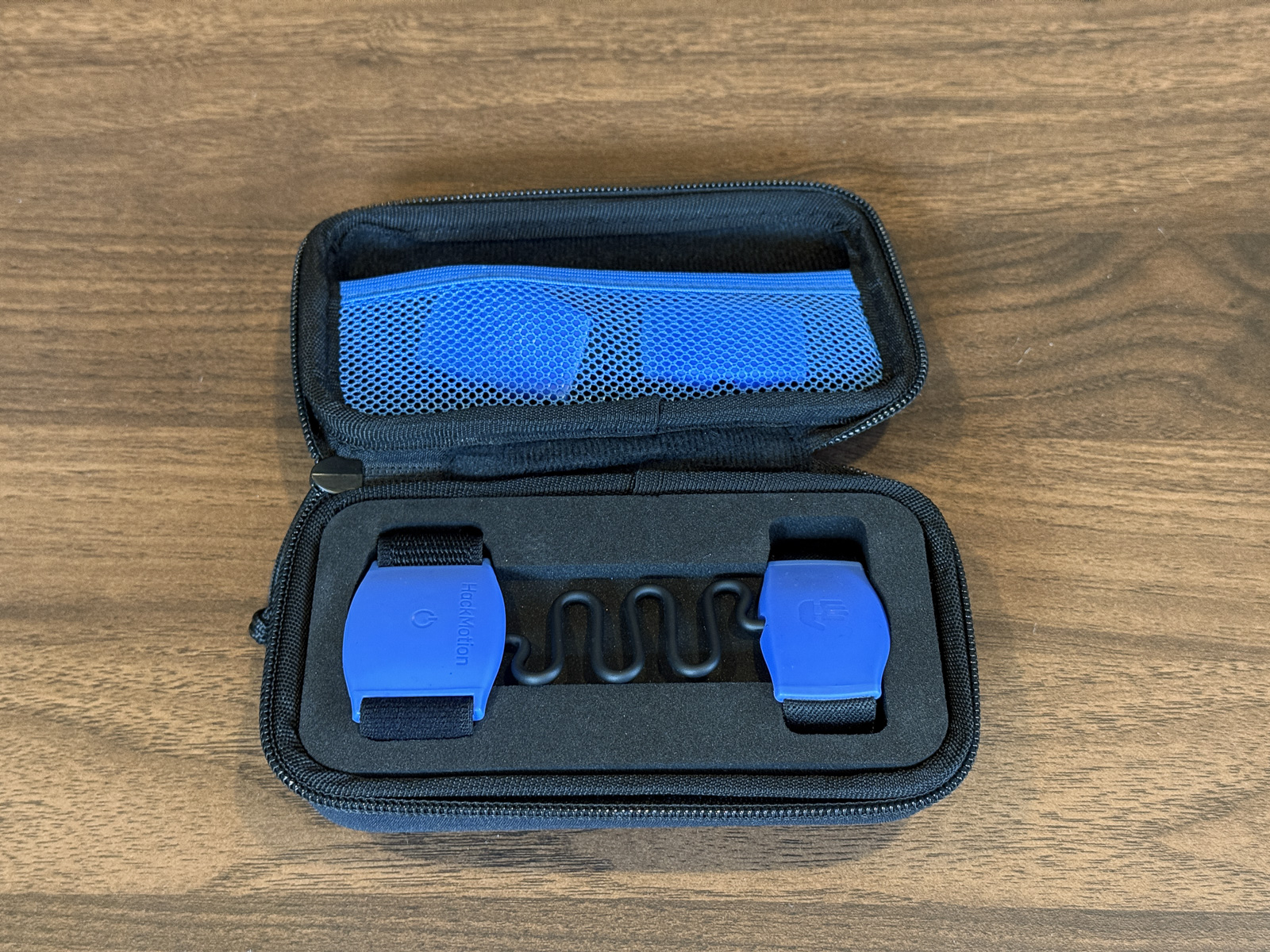
Out of the box, HackMotion comes in a clean little carrying case. It’s super light and portable, definitely something you can easily toss in your bag or store in your locker or pretty much wherever.
That versatility is one of the features I really like about the HackMotion. You can use it on the range, with a net at home, in your office, without a ball, in a hotel room when you’re traveling. You really don’t need much space, and the app works well even when you’re just making motions without a club.
The reason I think that’s so important is that it makes it far more likely that you’re going to actually use this thing and get some return on your investment.
While the Gen 4 is overall similar to previous models, the small changes have a real impact on the experience.
The biggest one is that the previous versions clipped onto the back of your glove. The problem was that the clip could loosen mid-session, which would throw off your calibration and give you inaccurate numbers.
So HackMotion swapped the clip for a strap that goes on your hand first, which your glove goes over it.
I like it way more than the old clip. It’s much more secure, and it’s also a lot more discreet, which I think is a big advantage.
Let’s face it, this may not be the most awkward training aid, but you do have straps and sensors attached to your body, which is definitely a pretty high-tech look at the range. So I think this more discreet setup is actually a nice improvement.
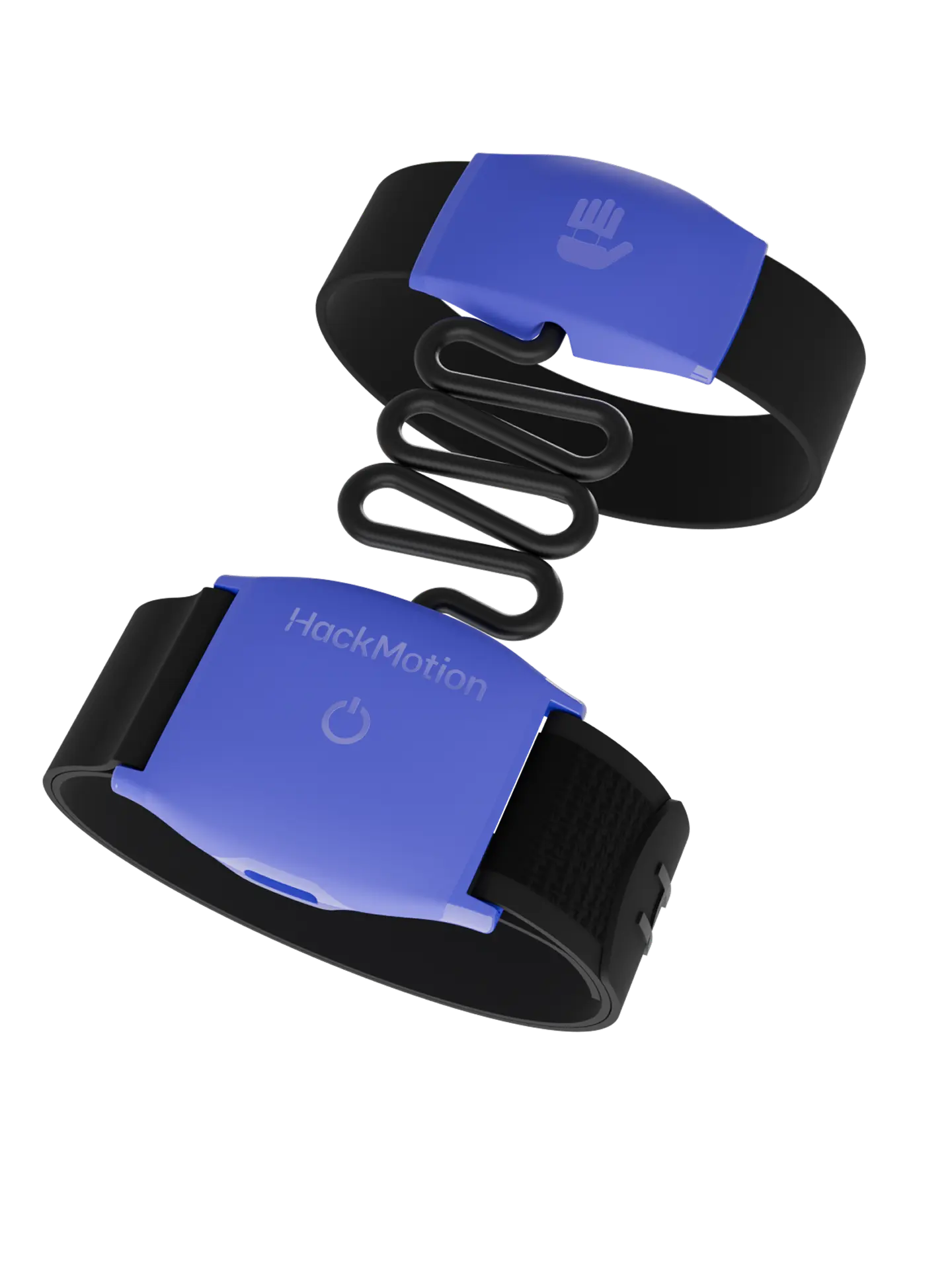
The device itself is also noticeably lighter and thinner, so the overall ergonomics are a definite step up.
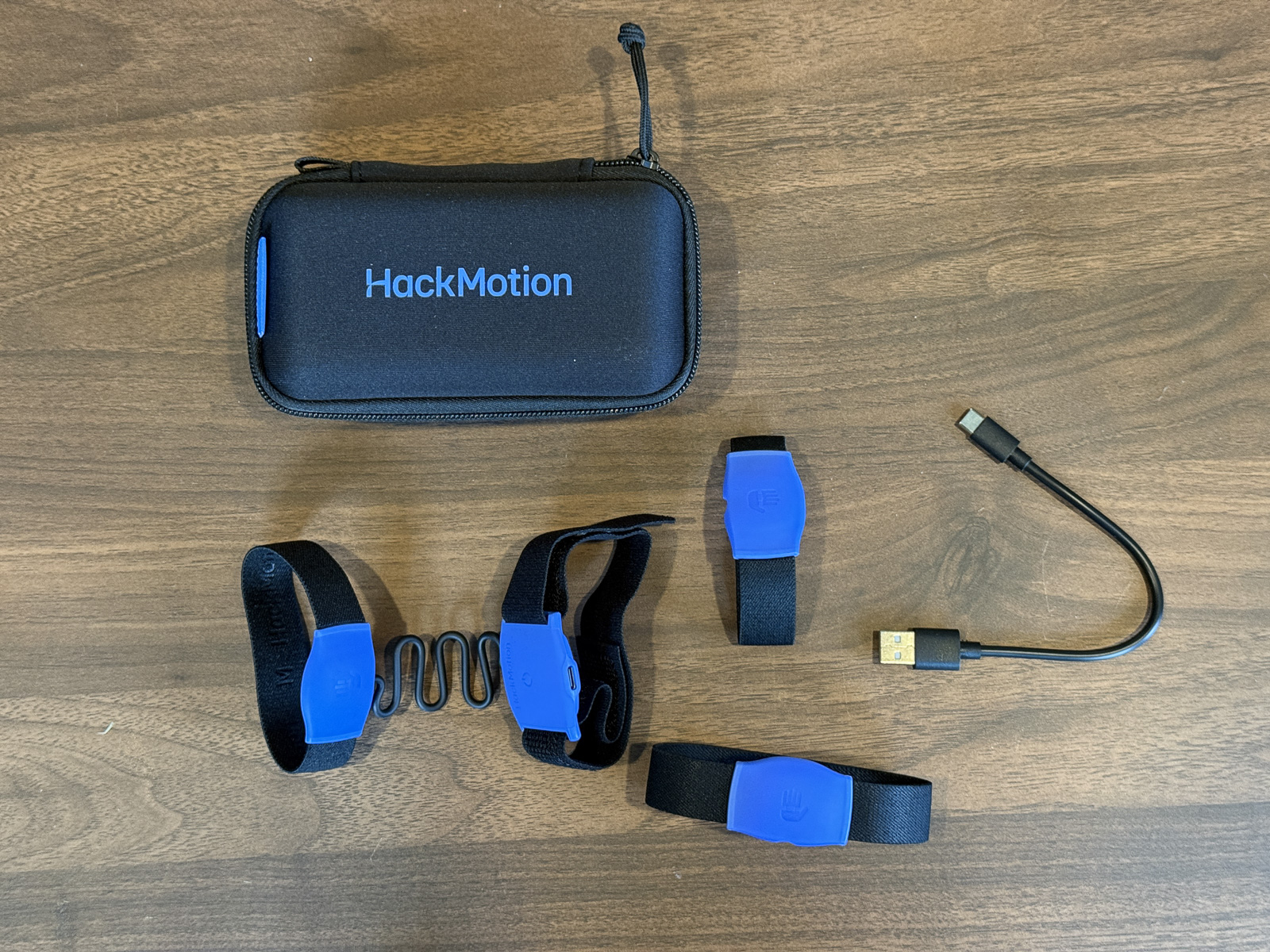
The new model comes with three different palm sensor sizes so you can get the right fit regardless of hand size. They’re not adjustable, but they’re elastic. I put the stock one on and it felt about perfect.
The other major hardware upgrade is the data capture rate. The Gen 2 I reviewed a couple years ago captured at 100 frames per second. The Gen 4 captures at 800 fps. That means more precise, more accurate information about your swing.
Given that a lot of what HackMotion is showing you comes down to a literal degree or two of difference at very fast moments in your swing, that extra precision matters a lot.
Setting It Up in the App
The setup process is excellent. You turn on the device, open the app, hit connect, and it pairs in like a second. Honestly, it’s one of the fastest, most seamless connections I’ve used with any golf tech device.
Once you’re connected, you go through a quick calibration, so the app knows that when your wrist is flat, it actually reads as flat. You hold your arm out, slowly move it up, calibrate, then verify.
The first time you hook it up and watch the on-screen image of your arm and wrist mirror your real-time movements, it’s wild. You realize just how sensitive these sensors are when the tiniest motion gets picked up.
My big critique of the old app was that it just wasn’t that user-friendly. I didn’t know what I was supposed to be doing, and the data presentation felt limited. It just didn’t help me in a very intuitive way.
The new app totally fixes all of that. The onboarding is much better. The whole sequence works really well. You do a baseline test, get a recommendation, run a drill, and retest to see if you’ve fixed the issue. I never once found myself wondering what my problem was or how to address it. The data tells you very clearly.
What a Practice Session Looks Like
Alright, let me walk you through what it looks like to use the HackMotion 4.
First, you tell it which club you’re using and then hit five shots to set a baseline.
After those five shots, HackMotion gives you a quick overview broken into three categories: Address, Backswing, and Downswing. Each one shoes up as a green, yellow, or red indicator depending on how things are looking.
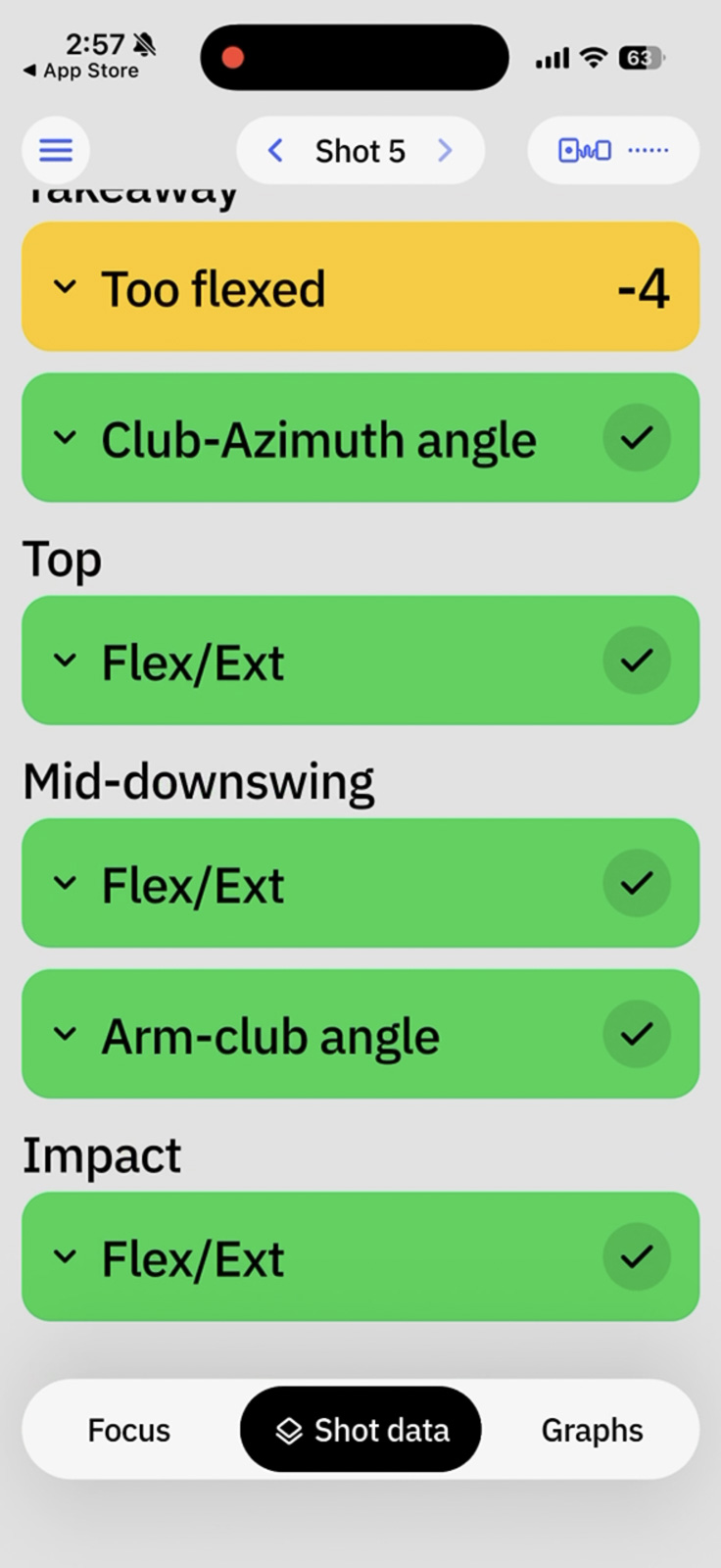
From there, you can review the swings you just made, hit more shots, or jump straight into a drill.
My recommendation, especially when you’re first starting, is to hit a few more shots after the baseline. The app shows you a clean breakdown of what your wrist is doing at every position. And the more reps you give it, the clearer the pattern becomes.
For me, the diagnosis was pretty quick. In the middle of my downswing, I was casting the club. My wrist angle was 1 to 3 degrees off across most shots. The target angle should have been less than 128 degrees, and I was coming at sometimes 129, sometimes 131 depending on the swing. Not severe, but enough to cost me distance and consistency.
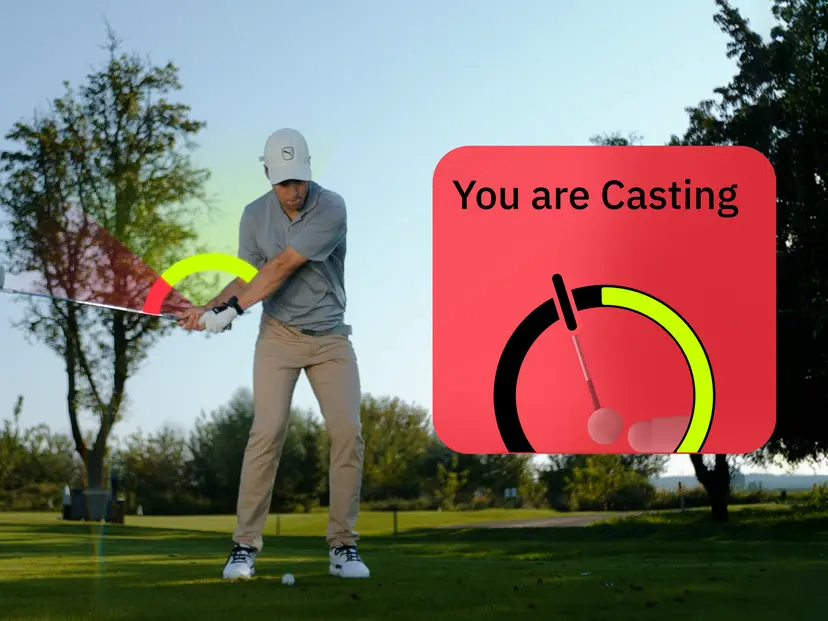
Where HackMotion really shines is that it doesn’t just tell you what’s wrong, it walks you through fixing it. As I mentioned before, once the app identifies your issue, it offers drills for helping you improve.
The casting drill takes you through your swing step by step. You can watch your wrist angle in real time and see exactly where it should be at each checkpoint.
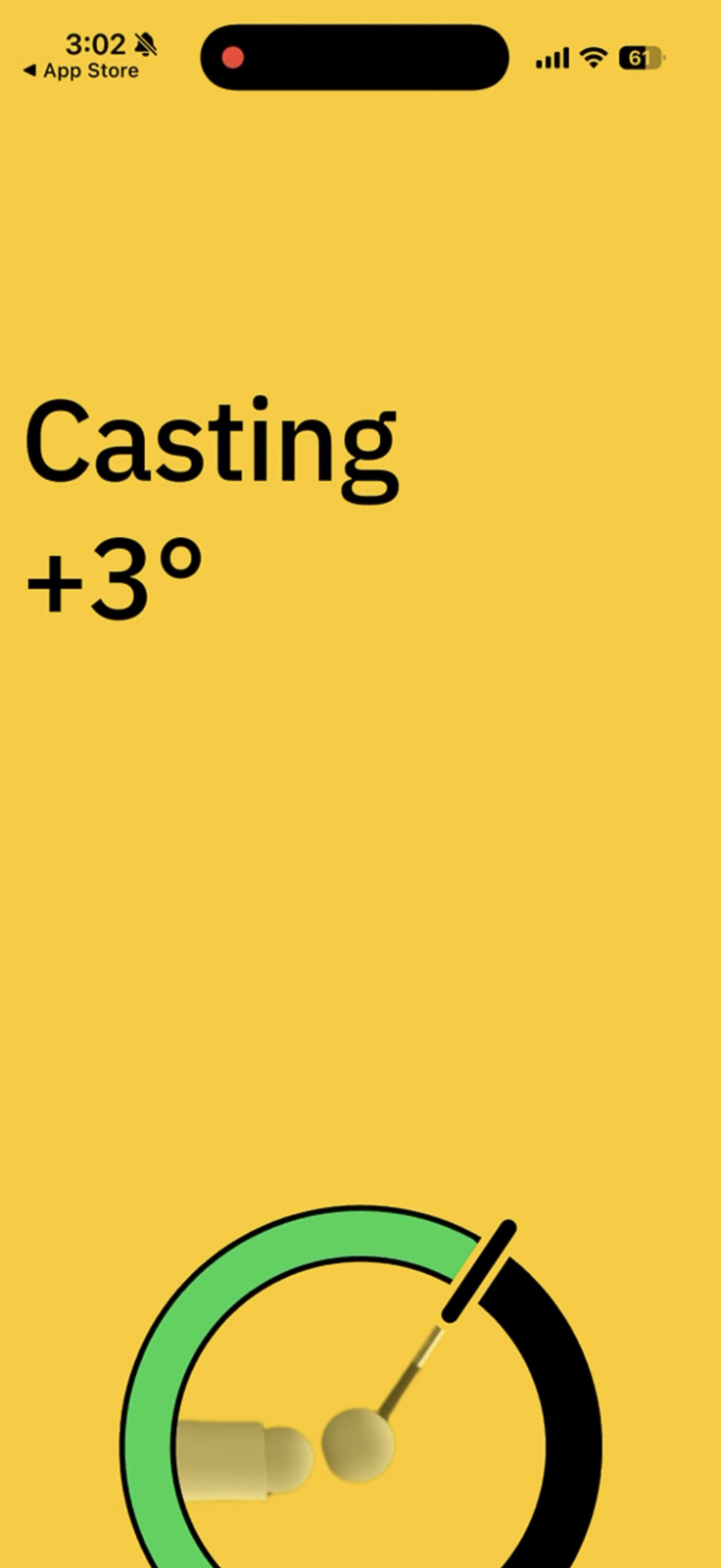
Once you’ve got a feel for the right position, you do five more full swings. You need five clean ones in a row to complete the drill. If you have a bad rep, it takes one away. So you get forced reinforcement of the right movement.
And there are a lot of drills. Driver and woods, irons, wedges, putting. Within each club category, you get drills for address, takeaway, the top, the downswing, the follow-through. Whatever’s broken, there’s something to address it.
My Personal Experience Using Hackmotion
I recently took a trip to a golf wellness experience at Sensei Lānaʻi in Hawaii, which included four days of instruction with a lot of it focused on swing mechanics.
Coming home and being able to practice everything I learned with HackMotion in the loop has been a game-changer for me personally.
Before, I’d leave a lesson hoping I was doing it right. Now I can actually see whether I’m executing the changes. When something feels different in my swing, I can pull up the app and verify whether the feel matches the real.
The level of insight HackMotion gives you now versus when I first reviewed it two years ago is night and day. I went from relatively ambivalent about this thing to legitimately excited about it.
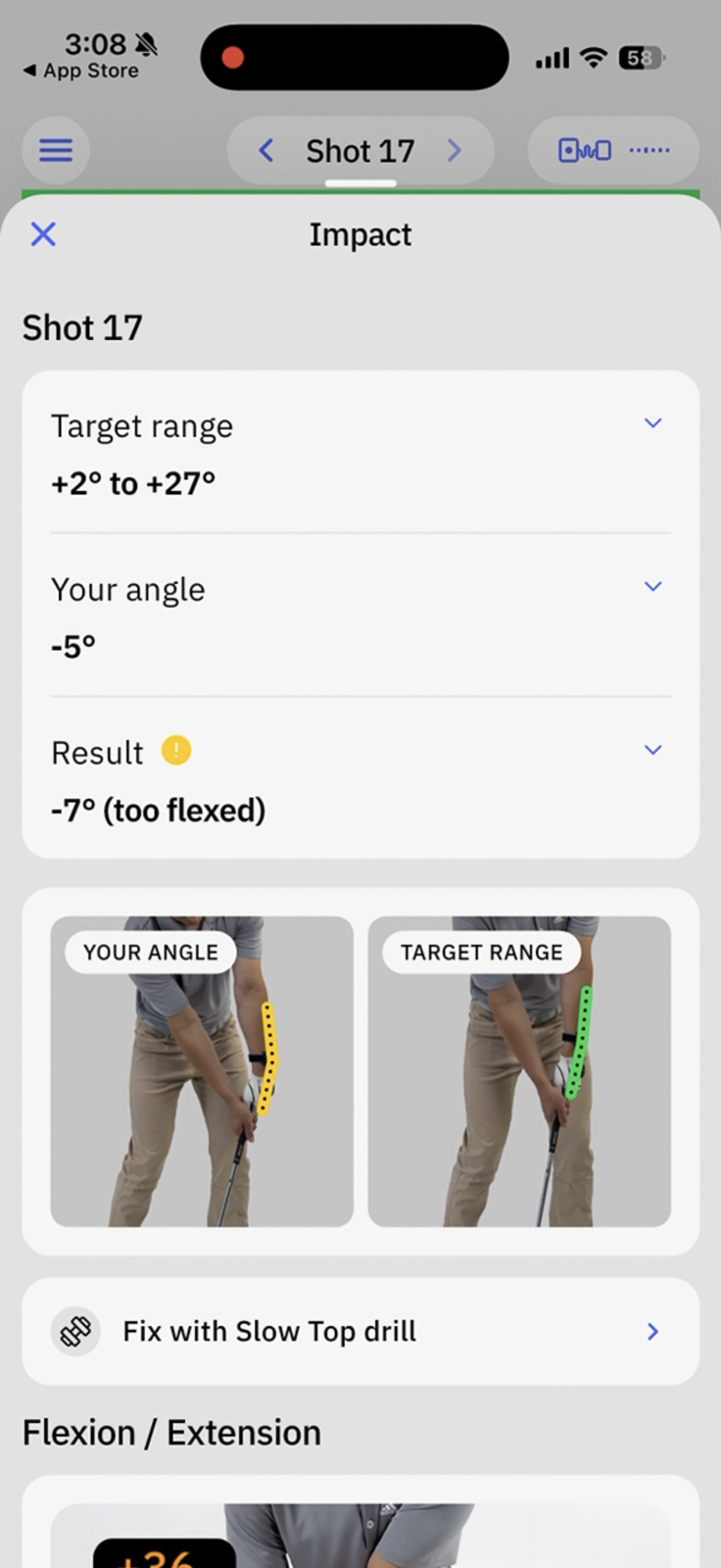
One feature worth mentioning is that HackMotion can give you audible or vibration feedback when your wrist is in the right position at a given checkpoint.
I played around with this at address. Basically, every time I got into position correctly, it would buzz. Or you can set it so that it gives you like a chorus of angels giving you an “Ahhh” confirmation. Honestly, it gets kind of obnoxious. (Watch the video to see this).
Where I think this feature could be pretty useful is at the top of the backswing. Swing up, pause, and either feel the vibration or hear the audible signal confirming you’re in the right position or adjust until you do. It’s a really effective way to build feel for what “correct” actually feels like.
The one thing worth flagging is that HackMotion is focused exclusively on wrist angle.
Yes, wrist angle is one of the most important things in the golf swing, and it touches every part of your motion. But it’s not addressing alignment, body rotation, or other issues that might be holding you back.
So while I’d say that this is one of, if not the, best swing analyzers and trainers out there, it’s not a one-stop shop for your entire swing.
That said, your wrist controls the clubface and the clubface controls the ball. So if you get this stuff right, a lot of other things start to fall into place anyway.
Putting and the Plus Package
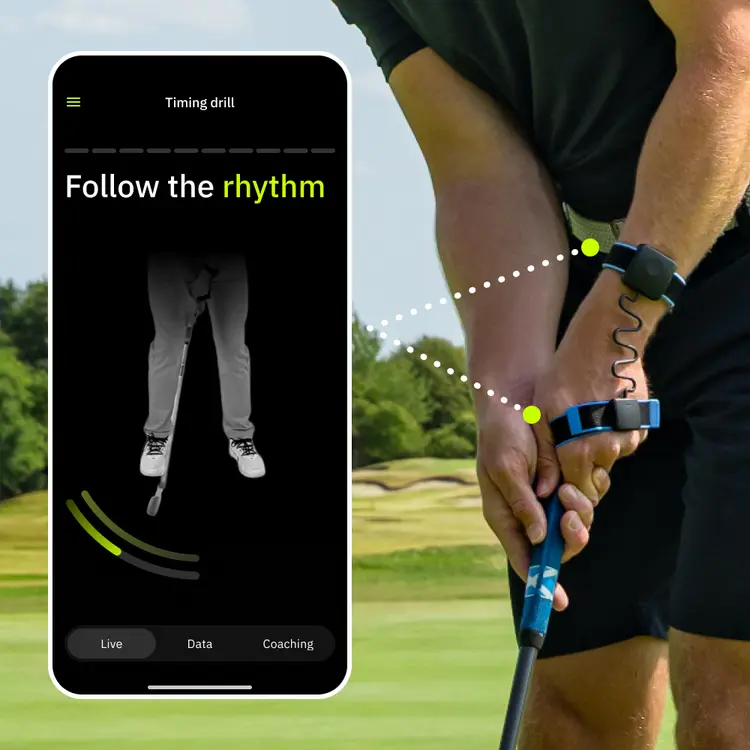
If you opt for the Plus Package (which retails for $490 before our Breaking Eighty Hackmotion discount), you also get putting analysis.
I will say that the putting drill library is more limited compared to the full swing side. They’ve added so many full swing drills since the last time I tested this that putting feels light by comparison. But that’s also fair because the putting stroke just doesn’t have the same range of variables as a full swing.
Testing with the putter was actually one of the most interesting parts of this whole experience. After five practice putts, the HackMotion told me I was rotating my wrist just slightly too much. So I went to the drill, made a correction, and started hitting good putts. When I’d revert back to the same mistake, I could see the ball drift offline.
Being able to see those tiny changes translate directly to the ball behavior in real time, I gotta say is really cool.
It surprised me how much I’ve enjoyed using HackMotion for putting specifically. I do a lot of putting practice on my mat in my office. And having a device that confirms I’m in the right position throughout my stroke has been legitimately useful.
Because I’m near my putter and mat so often and like to practice this way on short breaks, I actually think I’m going to get a lot of use out of the putting side of the HackMotion 4.
Another feature I wanted to call out is tempo. With every putt, you can see your tempo, what it should be, and where you’re off.
Tempo has been a problem area for me personally, so being able to see and train it while also keeping the rest of my stroke metrics dialed in has been one of my favorite parts of this. There are plenty of tempo trainers out there, but the way HackMotion displays and integrates it is among the best I’ve tested.
HackMotion 4 Pricing
HackMotion isn’t the cheapest training aid out there, but if you’re going to use it, I think there’s real value here. And the good news is that there are no ongoing subscriptions with any of their pricing tier options.
Here are your choices:
- HackMotion 4 Core – $345 – Full swing analysis, drills, and feedback. Driver through wedges. No subscription, no recurring fees, free software updates forever. For most golfers, this is the right call.
- HackMotion 4 Plus – $490 – Everything in the Core, plus putting analysis, drills, and tempo training. If you practice putting a lot or know putting is a weak spot, the upgrade is worth considering. As I mentioned, I’ve ended up using the putting feature more than I expected.
- HackMotion 4 Pro – $985 – Everything in the Plus, plus tour player comparisons, advanced wrist metrics, and multiple user profiles. This one’s geared toward teaching pros, club fitters, or families who all want their own profiles. For me, it’s overkill. I’m not really trying to emulate a tour player’s swing. I just want my own data presented simply.
You can upgrade tiers later, so my recommendation is to start with the Core or Plus and only go Pro if you really think you need it.
It’s also worth noting that HackMotion 3 is still available right now at about $70 off the Core price. The app is identical between Gen 3 and Gen 4, so if you want to save some money and still get a really capable device, that’s a solid option. The Gen 4 wins on ergonomics and the slip-on design, but the overall experience is largely the same.
If you do decide HackMotion is for you, use code BREAKINGEIGHTY5 to save 5%. It works on most of their packages, though I don’t believe you can stack onto the already-discounted Gen 3.
Final Thoughts on the HackMotion 4
I’m converted. A couple of years ago, I wasn’t fully sold on HackMotion. But the updates they’ve made are real, and they totally change how useful I think this product can be.
The new strap-under-glove setup beats the old clip. The sensors are lighter, thinner, and more comfortable. And the app is massively improved. Better onboarding, diagnostics, drills, and retesting. The whole experience is significantly improved.
This is one of those high-tech devices that’s actually using technology in a way that helps you. It’s not just cool tech for the sake of cool tech. It’s real, applied technology that makes you a better golfer.
If you’re serious about improving your swing and you’ve been frustrated trying to figure out whether your practice is actually working, HackMotion 4 is one of the smartest investments you can make in your game right now.
Related: Here are all of our picks for the best training aids in golf. Spoiler alert: the HackMotion got our overall pick.
Do you have an inconsistent swing and know wrist angle may be the culprit? There's not a better swing trainer on the market to help you fix it.
Use code BREAKINGEIGHTY5 to save 5%
This page contains affiliate links. This means that if you click a link and buy one of the products on this page, we may receive a commission (at no extra cost to you!) This doesn’t affect our opinions or our reviews. Everything we do is to benefit you as the reader, so all of our reviews are as honest and unbiased as possible.
A swing trainer that's now living up to its full potential.
The HackMotion 4 takes everything that was good about previous generations and makes it noticeably better. Improved hardware, a far more intuitive app, and a drill library that actually walks you through fixing your swing flaws, this is one of the smartest training aids on the market right now.
The Good
- Hardware design is a clear upgrade - lighter, more comfortable, more secure
- App onboarding and drill flow make it easy to diagnose and fix swing faults
- 800 fps data capture delivers precise, real-time wrist feedback you can actually act on
The Bad
- It gets expensive quickly if you want putting or tour comparisons
- Vibration and audible feedback can get annoying (but you can turn that off)
-
Presentation
-
Performance
-
Price
-
Personal Affinity
